Internet for Apartments : How to Get Wi-Fi Where You Live ?
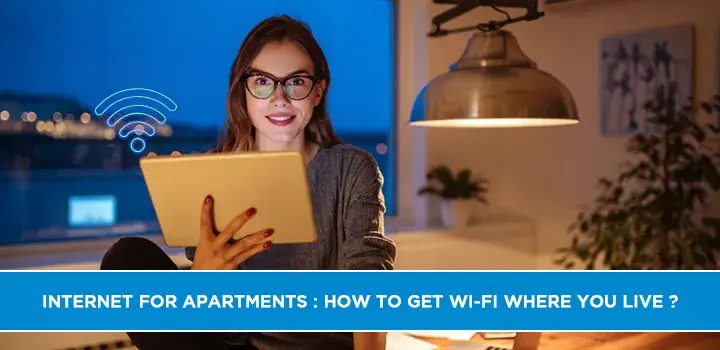
Finding reliable internet for your apartment shouldn't be a hassle. This guide demystifies the process, offering clear steps and expert advice to ensure you get the best Wi-Fi service tailored to your living situation, whether you're in a new build or an older complex. We'll cover everything from understanding your building's limitations to negotiating with providers.
Understanding Your Apartment Internet Options
When you move into an apartment, the world of internet service can feel a bit more complicated than it is for a homeowner. Unlike a house where you typically have a wide open field of choices, apartment buildings often have specific agreements with internet service providers (ISPs), or structural limitations that dictate what's available. Understanding these nuances is the first crucial step to securing reliable and fast Wi-Fi. In 2025-26, the landscape of internet connectivity continues to evolve, with fiber optics becoming more prevalent, but cable and DSL still holding significant market share, especially in multi-unit dwellings. Satellite and fixed wireless are also options, though often less ideal for apartment living due to potential line-of-sight issues or higher latency.
Wired vs. Wireless Connections
The primary distinction in how internet reaches your apartment is through wired connections. These typically involve:
- Fiber Optic Internet: This is the gold standard, using light signals transmitted through glass or plastic fibers. It offers the fastest speeds, lowest latency, and greatest reliability. Availability in apartment buildings is growing but not yet universal. It's ideal for heavy streaming, online gaming, and large file downloads.
- Cable Internet: This service uses the same coaxial cable network that delivers cable television. It's widely available and offers good speeds, often sufficient for most households. Speeds can sometimes fluctuate during peak usage times as bandwidth is shared among users in the immediate vicinity.
- DSL (Digital Subscriber Line): This technology uses existing telephone lines to transmit data. It's generally slower than fiber or cable and its performance can degrade with distance from the provider's central office. It's often the most budget-friendly option but may not be suitable for bandwidth-intensive activities.
Wireless connections, like fixed wireless or satellite, are typically considered secondary options for apartments. Fixed wireless uses radio signals from a tower to a receiver on your building, while satellite uses a dish to communicate with a satellite in orbit. These can be useful in areas with no wired infrastructure, but often come with higher latency, weather-dependent reliability, and data caps that make them less appealing for consistent apartment use.
The Role of Building Management and ISPs
Apartment buildings often have exclusive agreements with one or more ISPs. These are known as "bulk agreements" or "preferred provider" arrangements. In such cases, your choices might be limited to the ISP(s) specified in the agreement. Sometimes, the building management may have already paid for basic internet service for all units, which is then bundled into your rent or HOA fees. This can be a cost-saving benefit, but it's essential to understand the speeds and limitations of such services. In other instances, building management might simply allow certain ISPs to run lines into the building, but not mandate their use. This can lead to a more competitive environment for residents.
Key Factors to Consider Before You Sign Up
Before you dive headfirst into signing a contract, a little research can save you a lot of frustration. The "best" internet for your apartment is highly subjective and depends on your specific needs, budget, and the infrastructure available in your building. By carefully evaluating these factors, you can make an informed decision that aligns with your lifestyle and expectations.
1. Your Internet Usage Habits
How you use the internet is the most significant determinant of the type of plan you need. Consider the following:
- Streaming: Do you frequently stream movies and TV shows in HD or 4K? High-definition streaming requires a minimum of 5 Mbps, while 4K streaming can demand 25 Mbps or more. Multiple simultaneous streams will require even higher speeds.
- Gaming: Online gaming demands low latency (ping) for a smooth experience, as well as sufficient download and upload speeds for game updates and downloads. Speeds of 50-100 Mbps download and 10-20 Mbps upload are generally recommended.
- Work From Home: If you conduct video conferences, upload large files, or use cloud-based applications for work, you'll need reliable speeds and a stable connection. 25-50 Mbps download and 10-25 Mbps upload are good starting points.
- Smart Home Devices: A growing number of smart home devices (thermostats, lights, security cameras) connect to your Wi-Fi. Each device consumes a small amount of bandwidth, and a large number can impact overall performance.
- General Browsing and Social Media: For basic tasks like checking email, browsing websites, and using social media, lower speeds (10-25 Mbps) might suffice, but a little extra headroom is always beneficial.
2. Speed Requirements (Download vs. Upload)
Internet speed is often discussed in terms of megabits per second (Mbps). It's crucial to understand both download and upload speeds:
- Download Speed: This is the speed at which your device receives data from the internet. It's what you use for streaming, browsing, and downloading files. Higher download speeds mean faster loading times and smoother playback.
- Upload Speed: This is the speed at which your device sends data to the internet. It's important for video calls, uploading photos and videos to social media, sending large email attachments, and online gaming. For most users, download speed is more critical, but insufficient upload speed can be a bottleneck for certain activities.
As of 2025-26, the average household internet speed in the US is around 150-200 Mbps download. However, what's "average" might not be "adequate" for your specific needs. For a typical apartment with 1-2 users and moderate usage, 100-300 Mbps download is a good range. For power users or larger households, 500 Mbps to 1 Gbps (1000 Mbps) might be more appropriate.
3. Data Caps and Overage Charges
Many internet plans, especially those from satellite or fixed wireless providers, come with data caps – a limit on how much data you can download or upload in a given month. Exceeding these caps can result in slower speeds or hefty overage charges. While major cable and fiber providers are increasingly offering unlimited data plans, it's essential to verify this. For apartment dwellers who stream a lot of content or download large files, an unlimited data plan is highly recommended to avoid unexpected costs and performance throttling.
4. Contract Length and Fees
Be mindful of contract terms. Many ISPs require a 12-month or 24-month commitment. Breaking a contract early can incur significant early termination fees (ETFs). Also, look out for hidden fees such as:
- Installation Fees: Some providers charge a one-time fee for setting up your service.
- Equipment Rental Fees: You might have to pay a monthly fee to rent a modem and/or router. Purchasing your own compatible equipment can often save money in the long run.
- Activation Fees: A fee for initiating your service.
- Price Increases: Many introductory offers are for a limited time (e.g., 12 months), after which the price will increase. Always ask about the regular price after the promotional period.
5. Reliability and Customer Service
Speed is important, but so is a stable connection. Research the reliability of ISPs in your area. Online reviews and forums can be valuable resources. Furthermore, consider the ISP's customer service reputation. When issues arise (and they will), you'll want to be able to reach a helpful and responsive support team. According to recent surveys from 2025, customer satisfaction with ISPs varies widely, with smaller, regional providers sometimes outperforming national giants in terms of service quality and support.
Navigating Building Restrictions and Bulk Agreements
Apartment living presents unique challenges when it comes to internet service, primarily due to building infrastructure and agreements between landlords or property management companies and ISPs. Understanding these dynamics is key to unlocking your best internet options.
What is a Bulk Agreement?
A bulk agreement is a contract between a property owner (like a landlord or HOA) and an ISP. Under this agreement, the ISP provides internet service to all units in the building, often at a discounted rate, and the cost is typically bundled into the rent, HOA fees, or a separate building utility charge. This can simplify things for residents by ensuring a baseline level of service is available, but it can also limit choices.
Identifying Your Building's Internet Situation
The first step is to determine if your building has a bulk agreement or any other restrictions. Here’s how:
- Ask Your Landlord or Property Manager: This is the most direct approach. Inquire about which ISPs are approved for installation, if there's a building-wide internet service already included, and if there are any limitations on running new cables or installing equipment.
- Check with Neighbors: Your fellow residents might have already navigated this process and can offer insights into what works and what doesn't.
- Look for Existing Equipment: If you see multiple satellite dishes or branded modem/router boxes from a particular ISP in common areas or in neighboring apartments, it might indicate a preferred provider.
Pros and Cons of Bulk Agreements
Bulk agreements offer a mixed bag of benefits and drawbacks:
Pros:
- Potential Cost Savings: The bundled service might be cheaper than individual plans, especially if you only need basic internet.
- Guaranteed Availability: You're assured that at least one service is available without complex installation hurdles.
- Simplified Billing: Often, the cost is included in your rent, making budgeting easier.
Cons:
- Limited Choice: You may be restricted to only one or a few ISPs, potentially missing out on better technology or pricing.
- Potentially Lower Speeds: The bundled service might offer basic speeds that aren't sufficient for demanding users.
- Lack of Customization: You can't easily upgrade your plan or add premium features.
- No Control Over Upgrades: The building management controls when and if the bulk agreement is renegotiated or upgraded, which might lag behind technological advancements.
When You Have Multiple Options
If your building doesn't have an exclusive bulk agreement, you might have a choice between several ISPs. This is the ideal scenario for finding the best fit. However, even in this situation, there might be:
- Building Infrastructure Limitations: Older buildings might not have the necessary conduits or wiring to support fiber optic cables. In such cases, cable or DSL might be the only wired options.
- Installation Requirements: Some buildings have specific rules about where cables can be run, how equipment can be mounted, or require professional installation coordinated with building maintenance.
Negotiating with Building Management
If you're unhappy with the current bulk agreement or the limited options available, you might be able to advocate for change. This often involves:
- Gathering Support: Talk to your neighbors and see if others share your concerns. A collective voice is more powerful.
- Researching Alternatives: Identify ISPs that offer superior service in your area and present this information to management.
- Understanding the Contract: If possible, find out when the current bulk agreement expires. This is your window of opportunity to push for a new provider or a more favorable contract.
Some modern apartment complexes are adopting "carrier-neutral" policies, allowing multiple ISPs to compete within the building, which is a significant benefit for residents.
Choosing the Right Provider and Plan
With an understanding of your building's constraints and your own internet needs, it's time to select the ISP and plan that best suits you. This involves comparing offers, understanding technical specifications, and looking beyond the headline price.
Comparing Internet Service Providers (ISPs)
The primary ISPs you'll encounter in apartments are typically:
- Major Cable Providers: Companies like Xfinity (Comcast), Spectrum (Charter), and Cox offer widely available cable internet. They generally provide good download speeds and a range of plans.
- Fiber Optic Providers: Companies such as Verizon Fios, AT&T Fiber, Google Fiber, and CenturyLink are expanding their fiber networks. If available, fiber is usually the superior choice for speed and reliability.
- DSL Providers: Companies like AT&T and CenturyLink also offer DSL over phone lines. This is often a more budget-friendly option but comes with slower speeds.
- Satellite and Fixed Wireless Providers: HughesNet, Viasat, and regional fixed wireless providers are options for areas with limited wired infrastructure, but often have limitations for apartment dwellers.
Understanding Different Plan Tiers
ISPs offer various plan tiers, usually differentiated by speed. Here's a general breakdown of what to expect in 2025-26:
| Plan Tier | Typical Download Speed | Typical Upload Speed | Best For | Estimated Monthly Cost (Promotional) |
|---|---|---|---|---|
| Basic/Starter | 25-100 Mbps | 5-10 Mbps | Light browsing, email, social media, occasional streaming | $40 - $60 |
| Standard/Mid-Tier | 100-300 Mbps | 10-20 Mbps | Multiple users, HD streaming, online gaming, WFH | $60 - $80 |
| Fast/High-Speed | 300-800 Mbps | 20-50 Mbps | Heavy streaming (4K), large file downloads/uploads, multiple smart devices, demanding gamers | $80 - $100 |
| Gigabit/Ultra-Fast | 940 Mbps - 1 Gbps+ | 50 Mbps - 1 Gbps+ | Power users, large households, professional content creators, future-proofing | $100 - $150+ |
Note: Costs are estimates and vary significantly by region, provider, and promotional offers.
Essential Questions to Ask Potential ISPs
Before committing, arm yourself with information. Ask the ISP representative:
- "What are the exact download and upload speeds for this plan?"
- "Are there any data caps associated with this plan? If so, what are they, and what are the overage charges?"
- "What is the total monthly cost after the promotional period ends?"
- "Are there any installation fees, activation fees, or equipment rental fees?"
- "Can I use my own modem and router, and if so, what are the compatibility requirements?"
- "What is the contract length, and what are the early termination fees?"
- "Is this service available at my specific apartment address?" (Crucial for verifying availability beyond general area claims.)
- "What is the typical latency (ping) for this service, especially if I'm a gamer?"
Bundling Services: Pros and Cons
Many ISPs offer bundles that combine internet, TV, and sometimes phone service. While bundling can sometimes lead to discounts, consider if you actually need all the services:
- Pros: Potential cost savings, single bill for multiple services.
- Cons: You might pay for services you don't use, and if one service has an issue, it can sometimes affect the others. It can also tie you into a longer contract.
For apartment dwellers, especially those who stream TV content or use mobile phone plans, it's often more flexible and cost-effective to select internet service independently. However, always compare the bundled price against individual services to ensure it's truly a good deal.
Leveraging Online Comparison Tools
Utilize reputable online comparison websites that allow you to enter your address and see available providers and plans in your specific area. These tools can help you quickly identify your options and compare pricing and speeds side-by-side. Look for tools that are updated regularly and provide comprehensive data.
Installation and Setup: What to Expect
Once you've chosen your ISP and plan, the next step is installation. The process can vary depending on the type of service and your building's infrastructure, but understanding what to expect can make it smoother.
Scheduling the Installation
After signing up, you'll typically schedule an appointment for a technician to visit your apartment. Be prepared for the following:
- Availability: Technicians often work standard business hours, so you may need to take time off work. Some providers offer evening or weekend appointments, though these might be less common or come with a surcharge.
- Confirmation: You'll usually receive a confirmation of your appointment, often with a time window. It's wise to confirm the appointment a day or two in advance.
- Preparation: Ensure the area where the modem and router will be placed is accessible. Clear any clutter around potential wall outlets or power sources.
Types of Installation
1. Self-Installation
For some services, particularly cable internet in buildings where wiring is already in place, you might be offered a self-installation kit. This includes a modem, router (if not separate), cables, and clear instructions. This is often the quickest and cheapest option, as it avoids a technician visit. However, it requires some technical comfort and troubleshooting ability.
2. Professional Installation
This is more common for fiber optic installations or when new wiring needs to be run. A professional technician will:
- Assess the Entry Point: They'll determine the best place to bring the service line into your apartment (e.g., through an existing cable outlet, a new hole drilled by the building, or a designated utility entry point).
- Run Cables: If necessary, they will run cables from the entry point to where you want your modem and router to be located. This might involve routing cables along baseboards, through walls (with building permission), or using cable clips.
- Install Equipment: They will connect the modem and router, power them up, and ensure a stable internet connection.
- Test the Connection: The technician will usually perform speed tests to confirm you're getting the speeds specified in your plan.
- Provide Basic Setup: They can often help with initial Wi-Fi network setup (naming your network, setting a password) and answer basic questions about your new service.
What to Do During the Installation
- Be Present: It's crucial to be there during the installation to guide the technician, answer questions, and ensure the setup meets your needs.
- Specify Location: Decide in advance where you want your modem and router to be placed. Central locations generally provide better Wi-Fi coverage throughout the apartment.
- Ask Questions: Don't hesitate to ask the technician about any aspect of the installation or setup.
- Review the Work: Once completed, check that cables are neatly routed (as much as possible) and that all equipment is functioning correctly.
Setting Up Your Wi-Fi Network
After the technician leaves (or you've set up the equipment yourself), you'll need to configure your Wi-Fi network:
- Access Router Settings: Connect a computer to the router via an Ethernet cable or through the default Wi-Fi network (details are usually on the router itself or in the setup guide). Open a web browser and type the router's IP address (commonly 192.168.1.1 or 192.168.0.1) into the address bar.
- Log In: You'll be prompted for a username and password. These are also usually found on the router or in the manual.
- Change Network Name (SSID): Choose a unique name for your Wi-Fi network.
- Set a Strong Password: Select a robust security protocol (WPA2 or WPA3) and create a strong, unique password.
- Consider Dual-Band: Most modern routers are dual-band (2.4 GHz and 5 GHz). The 2.4 GHz band offers a wider range, while the 5 GHz band provides faster speeds but has a shorter range. Connect devices accordingly.
Post-Installation Checks
After setup, perform a few checks:
- Speed Test: Use an online speed test tool (like Ookla Speedtest or Fast.com) on multiple devices and in different rooms to verify speeds.
- Device Connectivity: Ensure all your devices (laptops, phones, smart TVs, etc.) can connect to the Wi-Fi network.
- Reliability: Monitor the connection for a few days to check for any intermittent drops or performance issues.
Troubleshooting and Optimizing Your Apartment Wi-Fi
Even with the best setup, you might encounter Wi-Fi issues in an apartment. Common problems include slow speeds, dead zones, and intermittent connectivity. Fortunately, many of these can be resolved with simple troubleshooting and optimization techniques.
Common Apartment Wi-Fi Problems and Solutions
1. Slow Speeds
- Restart Your Modem and Router: This is the classic first step. Unplug both devices, wait 30 seconds, and plug them back in, modem first, then router.
- Check Your Plan: Are you getting the speeds you're paying for? Run speed tests at different times of the day. If speeds are consistently much lower than advertised, contact your ISP.
- Too Many Devices: If multiple devices are actively using the internet simultaneously, it can slow things down. Try disconnecting devices you're not using.
- Interference: Other electronic devices (microwaves, cordless phones, Bluetooth devices) and even neighboring Wi-Fi networks can interfere. Try changing your router's Wi-Fi channel. Most routers have an auto-channel setting, but manual selection can sometimes help.
- Distance from Router: Wi-Fi signals weaken with distance and obstructions. Move closer to the router or consider a Wi-Fi extender.
2. Wi-Fi Dead Zones
Dead zones are areas in your apartment where the Wi-Fi signal is weak or non-existent. This is particularly common in larger apartments or those with thick walls.
- Router Placement: Ensure your router is in a central, open location, away from obstructions like thick walls, metal objects, or appliances. Avoid placing it on the floor.
- Wi-Fi Extenders/Boosters: These devices plug into an electrical outlet and rebroadcast your Wi-Fi signal, extending its range. They are a cost-effective solution for larger spaces.
- Mesh Wi-Fi Systems: For more comprehensive coverage, a mesh system consists of a main router and satellite nodes that work together to create a single, seamless Wi-Fi network throughout your home. This is a more advanced and often more expensive solution but highly effective.
- Router Upgrade: An older router might not have the range or power to cover your entire apartment. Upgrading to a newer, more powerful router can make a significant difference.
3. Intermittent Connectivity
If your internet connection drops in and out frequently:
- Check Cables: Ensure all cables connecting your modem, router, and wall outlet are securely fastened and undamaged.
- Router Firmware: Make sure your router's firmware is up to date. Manufacturers release updates to fix bugs and improve performance.
- ISP Issues: Persistent intermittent connectivity could indicate a problem with your ISP's network. Contact them to investigate.
- Overheating: Ensure your modem and router have adequate ventilation and are not overheating.
Optimizing Your Wi-Fi Performance
Beyond troubleshooting, proactive optimization can ensure your Wi-Fi runs smoothly:
- Use the 5 GHz Band: If your router and devices support it, use the 5 GHz band for devices that require higher speeds and are closer to the router. Use the 2.4 GHz band for devices further away or those that don't need top speeds.
- Update Router Firmware: Regularly check for and install firmware updates for your router.
- Secure Your Network: Ensure your Wi-Fi network is password-protected with strong encryption (WPA2/WPA3) and a complex password. This prevents unauthorized users from consuming your bandwidth.
- Limit Background Applications: Close unnecessary applications on your devices that might be using bandwidth in the background.
- Consider a Wired Connection: For devices that require the most stable and fastest connection (like gaming consoles or desktop computers), a direct Ethernet connection to the router is always preferable to Wi-Fi.
When to Call Your ISP
If you've tried basic troubleshooting and are still experiencing significant issues, it's time to contact your ISP. Be prepared to explain the problems you're facing and the steps you've already taken. They can often diagnose issues remotely or schedule a technician visit if necessary.
Future Trends in Apartment Internet Connectivity
The world of internet connectivity is constantly evolving, and apartment living is set to benefit from several exciting advancements in the coming years. As technology progresses, residents can expect faster, more reliable, and more integrated internet experiences.
The Continued Rise of Fiber Optics
Fiber-to-the-Premises (FTTP) technology is the future of high-speed internet. As ISPs continue to invest in expanding their fiber networks, availability in apartment buildings will increase. This means:
- Symmetrical Speeds: Fiber offers significantly higher upload speeds compared to cable, which is crucial for video conferencing, cloud backups, and content creation.
- Greater Capacity: Fiber can handle much higher bandwidth demands, making it ideal for the increasing number of connected devices in a typical household.
- Reduced Latency: Lower latency means a more responsive internet experience, essential for online gaming and real-time applications.
By 2026, it's projected that over 70% of new multi-dwelling unit (MDU) constructions will be deployed with fiber optic infrastructure, a significant jump from previous years.
5G and Fixed Wireless Advancements
While fiber is king, 5G technology is poised to offer competitive wireless broadband solutions, even for apartment dwellers. Fixed wireless access (FWA) using 5G can provide speeds comparable to cable and even some fiber plans, often with easier installation. This could be a game-changer for:
- Areas Lacking Wired Infrastructure: Buildings where laying fiber is prohibitively expensive might find 5G FWA a viable alternative.
- Faster Deployment: 5G FWA can often be deployed much faster than traditional wired infrastructure.
- Increased Competition: The availability of 5G FWA could drive more competition among ISPs, potentially leading to better pricing and service for consumers.
However, the reliability and capacity of 5G FWA can still be influenced by signal strength and network congestion, so it's important to assess its performance in your specific location.
Smart Home Integration and IoT
Apartments are increasingly becoming "smart homes," with a growing number of Internet of Things (IoT) devices. This trend will continue to drive demand for robust and reliable internet connections. Future internet services will need to seamlessly support:
- High Device Density: Managing dozens of connected devices simultaneously without performance degradation.
- Enhanced Security: Protecting a complex network of devices from cyber threats.
- Low-Power Connectivity: Efficiently powering a multitude of low-power sensors and devices.
This will push ISPs to offer plans with higher capacity and potentially specialized solutions for smart home management.
The Role of Wi-Fi 7 and Beyond
The Wi-Fi standard is also advancing. Wi-Fi 6E is currently being adopted, offering access to the 6 GHz band for less interference and higher speeds. The next generation, Wi-Fi 7, promises even greater speeds, lower latency, and improved efficiency, especially in crowded environments like apartment buildings. As routers and devices adopt these new standards, the in-home Wi-Fi experience will become significantly better.
Increased Focus on Resident Experience
As the rental market becomes more competitive, property managers and developers are increasingly recognizing the importance of high-quality internet as a key amenity. We can expect to see:
- Pre-installed Infrastructure: More new apartment buildings will come equipped with advanced fiber optic cabling and smart home-ready infrastructure.
- Negotiated Bulk Deals for Higher Speeds: Property managers may negotiate bulk agreements that offer higher speeds and more reliable services to residents, moving beyond basic connectivity.
- Managed Wi-Fi Solutions: Some buildings might offer managed Wi-Fi services, where the building provides and maintains a high-quality Wi-Fi network for all residents, simplifying the process for everyone.
These trends indicate a future where getting excellent internet in your apartment will become less of a challenge and more of a standard, high-quality amenity.
Securing the right internet for your apartment is achievable with the right knowledge and approach. By understanding your building's limitations, assessing your usage needs, and comparing provider options carefully, you can ensure a fast, reliable, and cost-effective Wi-Fi experience. Don't settle for less – your digital life depends on it. Take the time to research, ask the right questions, and advocate for the service that best meets your needs. Your perfect apartment internet connection awaits!