What to do if your area doesn't have fibre?
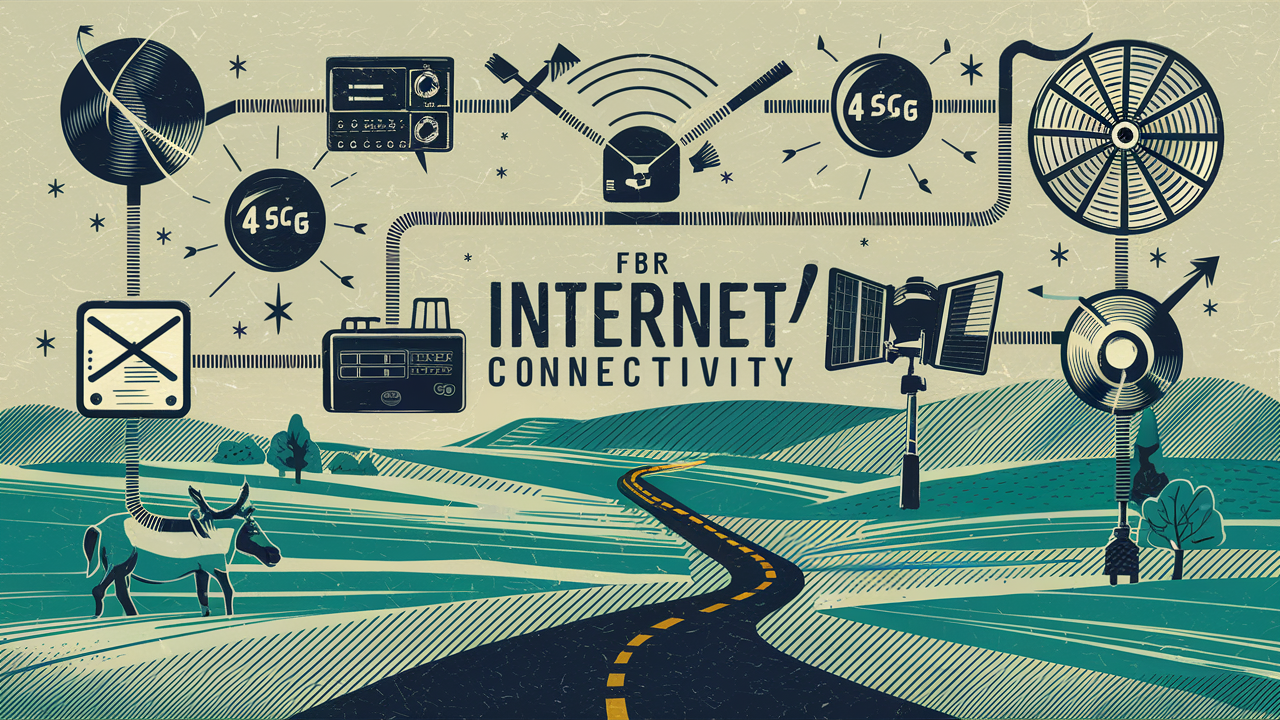
Navigating the digital landscape without fibre optic internet can feel like being stuck in the slow lane. This guide offers practical, actionable strategies for residents and businesses in areas lacking fibre, exploring alternative solutions and how to advocate for future upgrades. Discover how to maximise your current connection and prepare for the next generation of broadband.
Understanding Your Broadband Options Beyond Fibre
The dream of lightning-fast fibre optic internet remains out of reach for many communities. As of 2025, while fibre deployment continues to expand, significant geographical and economic barriers still prevent universal access. This leaves millions relying on older, slower, or less reliable technologies. Understanding the alternatives available is the first crucial step in ensuring you have the best possible internet experience, even without fibre. This section will delve into the primary broadband technologies that serve areas not yet connected to fibre, examining their strengths, weaknesses, and suitability for different user needs.
DSL (Digital Subscriber Line)
DSL technology has been a staple for internet access for decades, utilising existing copper telephone lines to transmit data. Its availability is widespread, often co-located with traditional phone services. However, its performance is highly dependent on the distance from the local telephone exchange. The further you are, the slower and less reliable your connection becomes.
How DSL Works
DSL modems connect to a phone jack and communicate with a DSLAM (Digital Subscriber Line Access Multiplexer) at the telephone company's central office. Different types of DSL exist, including ADSL (Asymmetric DSL), which offers faster download speeds than upload speeds, and VDSL (Very High-Speed DSL), which can offer significantly higher speeds but requires closer proximity to the exchange.
Pros of DSL
- Wide Availability: If you have a landline phone, you likely have access to DSL.
- Relatively Stable: Generally more stable than dial-up, offering a consistent connection.
- Bundling Options: Often bundled with phone services, potentially saving money.
Cons of DSL
- Speed Limitations: Significantly slower than fibre, especially for large downloads or multiple users.
- Distance Dependency: Performance degrades sharply with distance from the exchange.
- Shared Bandwidth: In some older implementations, bandwidth could be shared with neighbours, leading to congestion.
2025-26 Outlook for DSL
While DSL is gradually being phased out in favour of newer technologies, it remains a critical lifeline for many rural and underserved areas. Providers are investing in VDSL upgrades where feasible, offering a modest speed boost. However, for heavy internet users, DSL is increasingly becoming a bottleneck.
Cable Internet
Cable internet uses the same coaxial cable network that delivers cable television. It offers a significant improvement over DSL in terms of speed and capacity, making it a popular choice in many suburban and urban areas where fibre is not yet present. Cable internet is generally considered a strong contender for those seeking faster speeds without fibre.
How Cable Internet Works
Cable internet modems connect to a cable outlet. Data is transmitted over the coaxial cable network, which is a shared medium. This means that while speeds are generally high, they can be affected by the number of users in your immediate neighbourhood who are online simultaneously, especially during peak hours.
Pros of Cable Internet
- Faster Speeds than DSL: Offers significantly higher download and upload speeds compared to most DSL plans.
- Wider Availability than Fibre: More prevalent than fibre optic networks in many regions.
- Competitive Pricing: Often offers good value for the speeds provided.
Cons of Cable Internet
- Shared Bandwidth: Performance can fluctuate based on neighbourhood usage.
- Potential for Congestion: Peak usage times can lead to slower speeds.
- Not as Fast as Fibre: Still lags behind fibre optic in terms of ultimate speed potential and latency.
2025-26 Outlook for Cable Internet
Cable providers are actively upgrading their networks to DOCSIS 3.1 and even DOCSIS 4.0 standards, pushing speeds higher and improving reliability. This makes cable internet a very viable and often excellent alternative to fibre for many users. Expect to see gigabit-level speeds becoming more common on cable networks in the coming years.
Fixed Wireless Internet
Fixed wireless internet provides broadband access wirelessly, using radio waves to connect a fixed antenna at your location to a nearby tower. This technology is particularly useful in rural or hard-to-reach areas where laying cables is prohibitively expensive or geographically challenging. It can offer speeds comparable to DSL or even entry-level cable, depending on the provider and technology used.
How Fixed Wireless Works
A small antenna is installed on your home or business, pointed towards a base station or tower. This antenna communicates with the tower, which is connected to the internet backbone. The speed and reliability depend on factors like line-of-sight to the tower, signal strength, and the provider's network capacity.
Pros of Fixed Wireless
- Access in Rural Areas: Excellent option for locations where wired infrastructure is absent.
- Faster than Satellite (Often): Generally offers lower latency and more consistent speeds than satellite internet.
- Relatively Quick Installation: Can be faster to deploy than laying cables.
Cons of Fixed Wireless
Line-of-Sight Required: Obstructions like trees or buildings can significantly degrade or block the signal.
- Weather Dependent: Heavy rain or snow can sometimes impact performance.
- Speed Limitations: Top speeds may not match cable or fibre, especially in congested areas.
- Data Caps: Some providers may impose data caps.
2025-26 Outlook for Fixed Wireless
Fixed wireless is seeing significant growth, driven by advancements in 5G technology and increased investment in rural broadband initiatives. Providers are deploying more sophisticated equipment, offering higher speeds and more reliable connections. It's becoming an increasingly competitive option for many who can't access fibre.
Satellite Internet
Satellite internet is the most widely available option for truly remote locations, connecting users via a satellite dish that communicates with a satellite orbiting Earth. While it offers coverage almost anywhere, it traditionally suffers from high latency and lower speeds compared to terrestrial options.
How Satellite Internet Works
A satellite dish on your property communicates with a satellite in space, which then relays data to a ground station connected to the internet. The long distance the signal must travel contributes to higher latency.
Pros of Satellite Internet
- Ubiquitous Coverage: Available virtually anywhere with a clear view of the sky.
- Solves the "Last Mile" Problem: Ideal for extremely isolated areas.
Cons of Satellite Internet
- High Latency: Significant delay in data transmission, making real-time applications like online gaming or video conferencing difficult.
- Slower Speeds: Generally offers lower download and upload speeds compared to other technologies.
- Weather Sensitivity: Heavy rain, snow, or clouds can disrupt the signal.
- Data Caps: Most satellite plans come with strict data allowances.
- Cost: Can be more expensive per Mbps than other options.
2025-26 Outlook for Satellite Internet
The launch of low-Earth orbit (LEO) satellite constellations, such as Starlink, is revolutionising satellite internet. These LEO satellites are much closer to Earth, drastically reducing latency and significantly increasing speeds. While still facing challenges like capacity and weather, LEO satellite internet is rapidly becoming a viable alternative for many, even offering speeds that rival some terrestrial broadband services.
Mobile Hotspots and 5G Home Internet
With the proliferation of 4G LTE and the rollout of 5G networks, mobile data has become a powerful alternative for internet access. Mobile hotspots allow you to share your phone's data connection, while dedicated 5G home internet services offer a fixed wireless solution using the 5G cellular network.
How They Work
Mobile Hotspots: Your smartphone or a dedicated mobile hotspot device creates a Wi-Fi network using its cellular data connection. This is ideal for temporary or on-the-go access.
5G Home Internet: A modem/router provided by a mobile carrier connects to the 5G cellular network and broadcasts a Wi-Fi signal within your home. This offers a fixed broadband solution.
Pros
- Portability (Hotspots): Great for travel or temporary needs.
- Potentially High Speeds (5G): 5G networks can deliver very fast speeds and low latency, comparable to or exceeding cable in some areas.
- Easy Setup (5G Home): Often plug-and-play with minimal installation.
- Growing Availability: 5G coverage is expanding rapidly.
Cons
- Data Caps: Mobile plans, even for home internet, often have data limits, though some unlimited plans are emerging.
- Congestion: Performance can be affected by cellular network congestion.
- Signal Strength: Requires good 5G signal strength at your location.
- Cost: Can become expensive if heavy data usage is involved.
2025-26 Outlook for Mobile/5G Home Internet
5G Home Internet is poised to be a major disruptor in the broadband market, especially in areas underserved by fibre. Carriers are investing heavily in their 5G infrastructure, and the technology is maturing rapidly, offering competitive speeds and pricing. Expect this to be a primary alternative for many in the coming years.
Maximising Your Current Internet Connection
Even if you're not on fibre, there are numerous ways to improve the performance and reliability of your existing internet connection. This section focuses on practical, actionable steps you can take to get the most out of your current service, whether it's DSL, cable, fixed wireless, or satellite. Optimisation involves a combination of hardware adjustments, network configuration, and smart usage habits. By implementing these strategies, you can mitigate the frustrations of slower speeds and ensure a smoother online experience for yourself and your household.
Hardware and Setup Optimisation
The equipment you use plays a critical role in your internet speed and stability. Upgrading or correctly configuring your modem, router, and even your device's network adapter can make a significant difference.
1. Modem and Router Placement
Central Location: Position your Wi-Fi router in a central, open location in your home. Avoid placing it in corners, behind furniture, near large metal objects, or close to other electronics that can cause interference (like microwaves or cordless phones).
Elevation: Place the router on a shelf or table, rather than on the floor, to improve signal dispersion.
2. Router Settings and Firmware Updates
Firmware Updates: Regularly check for and install firmware updates for your router. Manufacturers release updates to fix bugs, improve performance, and patch security vulnerabilities. Most modern routers can be set to update automatically.
Wi-Fi Channel Optimisation: Your router broadcasts its Wi-Fi signal on specific channels. If many neighbouring networks are using the same channel, it can cause interference. Most routers have an "auto" setting, but manually selecting a less congested channel (often 1, 6, or 11 for 2.4GHz) can improve performance. Many router apps or web interfaces allow you to scan for the best channel.
Band Steering: If your router supports dual-band (2.4GHz and 5GHz), ensure band steering is enabled. This feature automatically connects your devices to the optimal band based on their capabilities and proximity to the router. 5GHz offers faster speeds but has a shorter range, while 2.4GHz has a longer range but slower speeds.
3. Wired Connections (Ethernet)
Prioritise Ethernet: For devices that require the most stable and fastest connection (e.g., desktop computers, gaming consoles, smart TVs for streaming), use an Ethernet cable to connect them directly to the router. Wired connections bypass Wi-Fi interference and offer the full speed of your internet plan.
Quality Cables: Ensure you are using Cat 5e or Cat 6 Ethernet cables, which support gigabit speeds. Older Cat 5 cables may limit your network speed.
4. Upgrade Your Router
If your router is several years old, it might be a bottleneck. Older Wi-Fi standards (like 802.11n) are significantly slower than newer ones (like Wi-Fi 5/802.11ac or Wi-Fi 6/802.11ax). Upgrading to a Wi-Fi 6 router can offer substantial improvements in speed, capacity, and performance, especially in homes with many connected devices.
5. Modem Check
Ensure your modem is compatible with your internet service provider's (ISP) speeds. If you rent your modem from your ISP, they usually provide an appropriate one. If you own your modem, check its specifications against your plan's advertised speeds. Sometimes, a modem upgrade is necessary to achieve the speeds you're paying for.
Network Management and Usage Habits
How you use your internet connection and manage your network traffic can have a profound impact on perceived speed and reliability.
1. Reduce the Number of Connected Devices
Every device connected to your network consumes bandwidth. If you have many devices streaming, downloading, or updating simultaneously, your connection will slow down. Identify devices that are not in active use and disconnect them from the Wi-Fi.
2. Prioritise Bandwidth with Quality of Service (QoS)
Many modern routers offer Quality of Service (QoS) settings. QoS allows you to prioritise certain types of traffic or specific devices over others. For example, you can set your router to give priority to video conferencing or streaming for a particular device, ensuring a smoother experience even when other devices are using bandwidth.
3. Schedule Large Downloads and Updates
If you need to download large files or perform system updates, schedule them for off-peak hours when internet usage is typically lower (e.g., overnight). This minimises the impact on your daily browsing and streaming activities.
4. Limit Background Applications
Many applications run in the background and consume bandwidth without your explicit knowledge. Check your device settings and close any unnecessary applications that might be syncing data or updating in the background.
5. Optimise Streaming Settings
Most streaming services (Netflix, YouTube, etc.) allow you to adjust video quality. If you're experiencing buffering, try lowering the video resolution from HD to SD. This significantly reduces bandwidth consumption.
6. Use Ad Blockers
Intrusive ads, especially those with auto-playing videos or complex scripts, can consume significant bandwidth and slow down your browsing experience. Installing a reputable ad blocker can make web pages load faster and use less data.
Troubleshooting Common Issues
When your internet isn't performing as expected, systematic troubleshooting can help pinpoint the problem.
1. Reboot Your Modem and Router
This is the classic first step for a reason. Unplug both your modem and router, wait for about 30 seconds, and then plug them back in, starting with the modem. Wait for it to fully boot up before powering on the router. This can resolve many temporary glitches.
2. Test Your Speed
Use reputable online speed test tools (e.g., Speedtest.net by Ookla, Fast.com) to measure your download and upload speeds. Run tests at different times of the day and from different devices. Compare the results to the speeds advertised in your internet plan. If your speeds are consistently lower than expected, it's time to contact your ISP.
3. Check for ISP Outages
Your ISP may be experiencing an outage in your area. Check their website or social media for outage notifications, or contact their customer support.
4. Test with a Wired Connection
If you're experiencing slow Wi-Fi, connect a computer directly to the router via Ethernet cable and run a speed test. If the wired speed is significantly faster than your Wi-Fi speed, the issue likely lies with your Wi-Fi setup or router.
5. Scan for Malware
Malware on your devices can consume bandwidth and slow down your internet. Run a full system scan with reputable antivirus and anti-malware software.
Advocating for Fibre Optic Rollout in Your Area
While immediate solutions are crucial, the long-term goal for many is access to fibre optic internet. If your area is currently underserved, active advocacy can be instrumental in pushing for fibre deployment. This involves understanding the process, mobilising your community, and engaging with the right stakeholders. By presenting a united front and demonstrating demand, you can significantly influence infrastructure investment decisions. This section outlines a strategic approach to advocating for fibre in your neighbourhood or town.
Understanding the Fibre Deployment Landscape
Fibre optic network deployment is a complex and expensive undertaking. It typically involves:
- Infrastructure Costs: Laying new cables, often underground, is labour-intensive and costly.
- Permitting and Regulations: Obtaining necessary permits from local, state, and federal authorities can be a lengthy process.
- Provider Business Models: Internet Service Providers (ISPs) invest in areas where they project a sufficient return on investment, often favouring densely populated areas with higher average incomes.
- Government Initiatives: Many governments offer grants and subsidies to encourage fibre deployment in underserved or rural areas.
Understanding these factors will help you tailor your advocacy efforts effectively.
Steps to Advocate for Fibre
Here’s a structured approach to campaigning for fibre optic internet in your community:
1. Gauge Community Interest and Demand
Surveys: Conduct online or door-to-door surveys to quantify the level of interest in fibre internet. Ask specific questions about current speeds, satisfaction levels, and willingness to switch if fibre becomes available. Collect email addresses for future communication.
Community Meetings: Organise public meetings to discuss the need for better internet. Invite local officials, community leaders, and potential ISPs to attend and present information.
Social Media Groups: Create or utilise existing local social media groups to discuss the issue, share information, and gather support.
2. Identify Potential ISPs and Providers
Research which ISPs currently offer fibre in similar communities or have expressed interest in expanding their networks. Look for:
- Major National Providers: Companies like AT&T, Verizon, CenturyLink, Spectrum (Charter), Cox, etc.
- Regional or Local Providers: Smaller companies that may focus on specific areas.
- Municipal Broadband Initiatives: Some towns or cities operate their own broadband networks.
- New Entrants: Companies focused on fibre deployment, sometimes backed by venture capital.
3. Engage with Local Government and Officials
Your local elected officials and city/county planners are key decision-makers. They can:
- Champion the Cause: Advocate for fibre deployment within their own departments and with ISPs.
- Facilitate Permitting: Streamline the process for infrastructure installation.
- Seek Grant Funding: Apply for federal and state grants designed to expand broadband access.
- Explore Municipal Broadband: Consider if a publicly owned network is a viable option.
Actionable Steps:
- Write letters or emails to your mayor, city council members, and county commissioners.
- Request to speak at public council meetings.
- Organise a delegation to meet with officials.
4. Contact Internet Service Providers Directly
Once you have a clear picture of community demand, reach out to potential ISPs. Provide them with data from your surveys and community engagement efforts. Highlight the potential customer base and the benefits of serving your area.
What to Emphasise:
- Demonstrated demand (survey results, petition signatures).
- Demographics of your area (e.g., growing population, tech-savvy residents, businesses).
- Potential for a profitable customer base.
- Willingness of the community to collaborate (e.g., on permitting).
5. Leverage Government Programs and Funding
Many governments offer financial incentives to ISPs to build out broadband infrastructure in unserved or underserved areas. Research programs at federal, state, and local levels.
- Federal Programs: Look into initiatives from the National Telecommunications and Information Administration (NTIA) and the Federal Communications Commission (FCC) that offer grants and funding for broadband expansion.
- State Programs: Most states have their own broadband offices and funding initiatives.
- Local Programs: Some cities or counties may have specific local grants or tax incentives.
Your local government officials are often the best resource for identifying and applying for these funds.
6. Form a Community Broadband Committee or Action Group
A dedicated group can provide sustained focus and momentum. This committee can:
- Coordinate advocacy efforts.
- Manage communication with ISPs and government officials.
- Organise community events and outreach.
- Track progress and maintain community engagement.
7. Public Awareness Campaigns
Keep the issue of broadband access in the public eye. Share success stories from other communities, highlight the economic and social benefits of fibre, and educate residents about the current limitations of their internet service.
2025-26 Trends in Fibre Advocacy
The landscape for broadband advocacy is evolving. Key trends for 2025-26 include:
- Increased Federal and State Funding: Significant government investment continues to flow into broadband infrastructure projects, creating more opportunities for underserved areas.
- Focus on Middle-Mile Networks: Beyond the "last mile" to homes, there's a growing emphasis on building robust "middle-mile" networks that connect communities to the broader internet backbone.
- Open Access Networks: Some communities are exploring open-access models, where a fibre network is built and then leased to multiple ISPs, fostering competition and choice.
- Data-Driven Advocacy: ISPs and governments are increasingly relying on precise data about broadband availability and speeds. Accurate mapping and speed test data are crucial for advocacy efforts.
By understanding these trends, communities can better position themselves to benefit from available funding and support.
Future-Proofing Your Connectivity
The digital world is constantly evolving, with new technologies and increasing demands on internet bandwidth. For those in areas without immediate fibre access, thinking about future-proofing your connectivity is essential. This involves not only optimising your current setup but also anticipating future needs and staying informed about emerging technologies. By adopting a forward-thinking approach, you can ensure that your internet solution remains adequate and adaptable as technology advances and your usage patterns change. This section explores strategies for long-term connectivity resilience.
Understanding Future Bandwidth Needs
The demand for internet bandwidth is not static; it's growing exponentially. Consider these factors when planning for the future:
- Increasingly High-Definition Content: Streaming services are moving towards 4K, 8K, and even higher resolutions, requiring significantly more bandwidth.
- The Metaverse and Immersive Technologies: Future virtual and augmented reality experiences will demand extremely low latency and high bandwidth.
- Smart Homes and IoT: The proliferation of smart home devices, from security cameras to smart appliances, adds to the overall network load.
- Remote Work and Education: These trends are likely to persist, meaning stable, high-speed connections for multiple users simultaneously will be the norm.
- Cloud Computing and AI: Increased reliance on cloud services for storage, processing, and AI applications will necessitate robust connectivity.
Even if your current non-fibre connection is adequate, consider how these trends might impact your needs in the next 3-5 years.
Evaluating Emerging Technologies
While fibre is the gold standard, other technologies are rapidly improving and could offer viable future solutions:
1. Advanced Fixed Wireless (5G and Beyond)
As 5G networks mature and evolve into 6G, fixed wireless solutions will continue to offer higher speeds and lower latency. Providers are investing heavily in this space, making it a strong contender for areas where fibre is difficult to deploy. Keep an eye on 5G Home Internet offerings from mobile carriers.
2. Low-Earth Orbit (LEO) Satellite Internet
Services like Starlink are already transforming satellite internet. As LEO constellations expand and technology improves, satellite internet will offer speeds and latency that can compete with or even surpass some terrestrial broadband options, providing a viable alternative for even remote locations. Its scalability and potential for global coverage make it a significant future player.
3. Next-Generation Cable Technologies
Cable companies are not standing still. With DOCSIS 4.0 and beyond, cable networks are being upgraded to deliver symmetrical multi-gigabit speeds, approaching or even matching fibre optic capabilities in many aspects. This means your existing cable connection might see significant performance boosts over time.
Strategies for Future-Proofing
Regardless of your current technology, these strategies can help you prepare for the future:
1. Invest in a High-Quality, Future-Ready Router
Your router is the gateway to your home network. Investing in a Wi-Fi 6E or Wi-Fi 7 router today will ensure it can handle the demands of future devices and higher speeds. These routers offer:
- Increased Capacity: Better management of numerous connected devices.
- Higher Speeds: Support for faster wireless communication.
- Lower Latency: Crucial for immersive experiences and real-time applications.
- Newer Bands: Wi-Fi 6E and 7 utilise the 6GHz band, offering less interference and more bandwidth.
2. Consider a Mesh Wi-Fi System
For larger homes or those with dead spots, a mesh Wi-Fi system can provide consistent coverage. As your bandwidth needs increase, a mesh system ensures that all areas of your home can benefit from the available speed, rather than being limited by a single router's range.
3. Monitor Technology Developments
Stay informed about advancements in broadband technology. Follow tech news, read reviews, and keep an eye on your ISP's roadmap. Understanding what's coming will help you make informed decisions when it's time to upgrade or switch providers.
4. Be Prepared to Switch Providers
The broadband market is competitive. If a new technology or provider emerges that offers a significantly better solution for your area, be prepared to switch. This might involve new hardware or a different type of service, but the benefits could be substantial.
5. Advocate for Local Infrastructure Investment
As discussed in the previous section, ongoing advocacy for fibre deployment is crucial for long-term progress. Even if you have a viable alternative now, pushing for fibre ensures that your community remains competitive and technologically advanced for years to come.
6. Evaluate Data Needs and Caps
As bandwidth demands grow, so do data consumption. If you're on a plan with data caps, monitor your usage and consider if an unlimited plan or a higher-tier plan will be necessary in the future. For mobile-based solutions, this is particularly important.
The Role of Government and Policy
Government policy plays a significant role in the future of broadband. Initiatives aimed at expanding access, promoting competition, and setting speed benchmarks will shape the availability and affordability of advanced internet services. Supporting policies that encourage infrastructure investment and fair competition is a form of future-proofing for the entire community.
By combining smart optimisation of current services with a proactive approach to adopting new technologies and advocating for infrastructure improvements, you can build a resilient and future-proof connectivity strategy, even in areas not yet served by fibre optics. The digital future is coming, and being prepared ensures you can harness its full potential.
Comparison Table: Non-Fibre Broadband Options (2025-26)
| Technology | Typical Speeds (Download/Upload) | Best For | Key Considerations |
|---|---|---|---|
| DSL | Up to 100 Mbps / Up to 20 Mbps (VDSL) | Basic internet use, low-demand households in areas with no other options. | Distance from exchange is critical; speeds degrade significantly with distance. Often the slowest option. |
| Cable Internet | Up to 1 Gbps / Up to 50 Mbps (DOCSIS 3.1) | General use, streaming, gaming, multiple users in suburban/urban areas. | Bandwidth is shared; speeds can fluctuate during peak hours. |
| Fixed Wireless | Up to 300 Mbps / Up to 50 Mbps | Rural areas, locations where wired infrastructure is difficult to deploy. | Requires line-of-sight to tower; performance can be weather-dependent. |
| Satellite Internet (LEO) | Up to 500 Mbps / Up to 100 Mbps | Extremely remote areas, locations with no other viable options. | Lower latency than traditional satellite; still susceptible to weather; data caps may apply. |
| 5G Home Internet | Up to 1 Gbps / Up to 100 Mbps | Urban and suburban areas with good 5G coverage; alternative to cable/DSL. | Requires strong 5G signal; data caps may apply on some plans. |
Note: Speeds listed are typical maximums and can vary significantly based on provider, plan, location, and network congestion. Always check with your local providers for exact availability and performance metrics.
Conclusion
Living without fibre optic internet presents challenges, but it doesn't mean you're destined for a subpar online experience. By thoroughly understanding your available broadband alternatives – from DSL and cable to fixed wireless and satellite – you can make informed choices. Furthermore, optimising your existing setup through smart hardware placement, router configuration, and mindful usage habits can unlock surprising improvements in speed and reliability. For those seeking long-term solutions, active community advocacy, coupled with an understanding of government funding and ISP strategies, can pave the way for future fibre deployment. Finally, by anticipating future bandwidth needs and investing in future-ready technology like Wi-Fi 6E routers, you can ensure your home network remains robust and capable for years to come. Don't let the absence of fibre limit your digital life; leverage these strategies to achieve the best possible connectivity today and prepare for a faster tomorrow.