Is Netflix Free With Xfinity
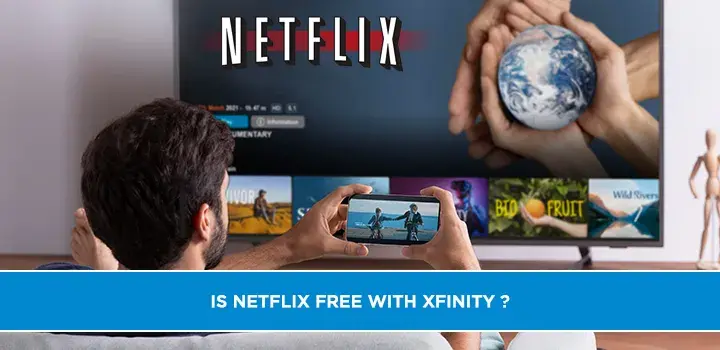
Discover if Netflix is truly free with your Xfinity package. This comprehensive guide breaks down Xfinity's streaming bundles, reveals hidden costs, and offers strategies to maximize your entertainment value without overspending. Get the definitive answer you're searching for.
Understanding Xfinity Bundles and Streaming Services
In today's rapidly evolving entertainment landscape, consumers are constantly seeking the best value for their money, especially when it comes to streaming services and cable packages. Xfinity, a prominent provider of internet, cable TV, and phone services, offers a variety of bundles designed to cater to diverse entertainment needs. A common question that arises for many Xfinity subscribers is whether their subscription includes popular streaming platforms like Netflix at no additional cost. This query often stems from the increasing integration of streaming apps into smart TVs and streaming devices, making them a central part of the modern entertainment experience. Understanding the nuances of Xfinity's offerings is crucial to avoid unexpected charges and to truly leverage the services you pay for. This guide aims to demystify the relationship between Xfinity and Netflix, providing a clear, comprehensive answer for 2025-2026.
Netflix and Xfinity: The Direct Answer
Let's address the primary question directly: Netflix is NOT inherently free with any standard Xfinity internet or TV bundle. Xfinity does not include a Netflix subscription as a standard feature in its core packages. If you want to watch Netflix through your Xfinity service, you will need a separate, active Netflix subscription. This means paying the monthly fee directly to Netflix, or subscribing through a third-party provider if they offer it as part of a larger bundle (which is rare for Netflix specifically). While Xfinity provides the infrastructure and devices to access Netflix, it does not cover the subscription cost itself.
This distinction is vital. Many users confuse the ability to *access* Netflix via Xfinity's set-top boxes (like the Xfinity X1 box) or the Xfinity Stream app with the service being included. You can easily download and use the Netflix app on your Xfinity device, but the monthly subscription fee is separate. As of 2025-2026, Xfinity has not announced any partnerships that bundle Netflix subscriptions directly into their general internet or TV packages. However, there might be specific, limited-time promotions or very high-tier business packages that could offer such a perk, but these are exceptions rather than the rule for residential customers.
Exploring Xfinity's Streaming Options
Xfinity offers several ways for subscribers to access streaming content, and understanding these can help clarify why the Netflix question is so prevalent. Their ecosystem is designed to aggregate various entertainment sources, making it convenient for users to manage their subscriptions and watch their favorite shows and movies.
Xfinity Flex and Streaming Aggregation
Xfinity Flex is a free 4K streaming TV box provided to Xfinity internet-only customers. It acts as a hub for streaming services. With Flex, users can access a wide array of apps, including Netflix, Hulu, Amazon Prime Video, Disney+, Max, Peacock, and many more. The box itself is a perk of having Xfinity internet, but it does not grant free access to any of the subscription-based streaming services installed on it. Its primary function is to provide a unified interface and a user-friendly way to navigate and launch different streaming apps, often with voice control capabilities through the Xfinity remote. This aggregation is a key feature, allowing users to search for content across multiple platforms from one place, but it does not equate to included subscriptions.
For example, if you have Xfinity Flex, you can say "Netflix" into your voice remote, and it will launch the Netflix app. However, you will still need to log in with your existing Netflix account details and be current with your monthly payments to Netflix. The value of Flex lies in its convenience and its ability to integrate services, not in providing them for free.
Xfinity TV App and Access
The Xfinity Stream app and web portal offer another layer of access for Xfinity TV subscribers. This platform allows users to watch live TV channels included in their TV package, access On Demand content, and download or stream select apps. Similar to Xfinity Flex, the Stream app can host popular streaming service apps. If you have an Xfinity TV subscription that includes certain premium channels or has specific partnerships, you might gain access to apps related to those channels (e.g., a sports app if you subscribe to a sports tier). However, Netflix is generally not one of these included apps. The Stream app is primarily for managing and accessing your Xfinity TV subscription, with additional capabilities for third-party apps that require separate subscriptions.
The integration allows for a seamless experience, letting you switch between your Xfinity channels and your streaming apps without needing multiple devices or remotes, provided you have the compatible Xfinity equipment and a qualifying service. But again, the subscription cost for services like Netflix remains independent.
Included Streaming Services in Select Bundles
While Netflix is not typically included, Xfinity does occasionally offer bundles that include subscriptions to other streaming services. These are often focused on Xfinity's own content or specific partnerships. For instance, Xfinity's partnership with Peacock Premium means that some Xfinity bundles may include a free subscription to Peacock Premium. This is a notable exception and highlights that while Netflix isn't part of the deal, other streaming services can be. These included services are clearly advertised as part of the bundle's value proposition. It's always advisable to carefully read the details of any Xfinity bundle you are considering to understand precisely which streaming services, if any, are included.
For example, a premium internet and TV bundle might advertise "Includes Peacock Premium at no extra cost." This means Xfinity is covering the Peacock subscription fee for you. This is different from simply having the Peacock app available on your Xfinity device. These included services are a genuine value-add, but they are specific to the partner service and the particular bundle. Always verify the terms and conditions for any such offers.
Common Misconceptions and Clarifications
The confusion surrounding Netflix and Xfinity often arises from several common misconceptions:
- Confusing Access with Inclusion: As mentioned, having the Netflix app on your Xfinity device (Flex box, X1 box, or via the Stream app) is not the same as having a Netflix subscription included. You can access many apps, but you pay for the content within them.
- Bundles Offering "Entertainment": Some Xfinity bundles are marketed as "entertainment bundles." This often refers to a wide selection of cable channels and Xfinity's own On Demand library, not necessarily subscriptions to third-party streaming giants like Netflix.
- Promotional Offers: Occasionally, Xfinity might run limited-time promotions that offer a few months of a streaming service as a bonus for signing up for a new bundle. These are temporary and require careful reading of the fine print to understand when the free period ends and the charges begin. Netflix is rarely part of these introductory offers for Xfinity.
- Third-Party Billing: Sometimes, services can be billed through your cable provider for convenience. While Xfinity allows you to add certain subscriptions to your Xfinity bill, this doesn't make them free; it just consolidates billing. You would still be paying the standard subscription rate for Netflix.
To avoid confusion, always look for explicit statements like "Includes Netflix subscription" in Xfinity's promotional materials. If it's not clearly stated, assume it's not included. For instance, if an Xfinity ad says "Stream all your favorites," it means you can stream them using your Xfinity service and your own subscriptions, not that Xfinity is paying for them.
Alternatives to Netflix with Xfinity
While Netflix isn't free with Xfinity, there are ways to enjoy a rich entertainment experience using your Xfinity service without necessarily increasing your Netflix spending, or by leveraging other included or free options.
Free Streaming Platforms Accessible via Xfinity
Xfinity devices, including Flex and X1 boxes, provide access to a variety of free streaming platforms. These services are ad-supported or offer content without a subscription fee. Popular examples include:
- Peacock (Free Tier): While Peacock Premium might be included in some bundles, the free tier of Peacock offers a significant library of movies, TV shows, and live content.
- Pluto TV: Offers a vast selection of live channels and on-demand content across various genres, all for free and supported by advertisements.
- Tubi: Another popular free streaming service with a large library of movies and TV shows, also ad-supported.
- The Roku Channel: Available on many platforms, it offers free movies, TV shows, and live channels.
- Xumo Play: Similar to Pluto TV, Xumo provides free live channels and on-demand content.
- YouTube: The ubiquitous platform for user-generated content, music videos, documentaries, and even full-length movies, many of which are free.
These platforms can be easily accessed through the Xfinity Flex box or the Xfinity Stream app, providing hours of entertainment without any additional subscription costs beyond your Xfinity service. They are excellent complements to any paid streaming subscriptions you might have.
Paid Streaming Services Worth Considering
If you're looking for alternatives to Netflix or want to diversify your streaming portfolio, consider these popular paid services that are readily accessible via Xfinity devices:
- Max (formerly HBO Max): Known for its high-quality original series, blockbuster movies, and extensive library from HBO, Warner Bros., DC, and more.
- Disney+: The go-to for Disney, Pixar, Marvel, Star Wars, and National Geographic content.
- Amazon Prime Video: Included with an Amazon Prime subscription, offering original series, movies, and a vast rental/purchase library.
- Hulu: Offers a mix of current TV shows, original content, and a substantial movie library. Its ad-supported plan is often more affordable.
- Apple TV+: Features a curated selection of critically acclaimed original series and films.
- Paramount+: Home to content from CBS, Paramount Pictures, Showtime (with an upgrade), and live sports.
When choosing, consider what type of content you enjoy most. For example, if you're a fan of prestige dramas and blockbuster movies, Max or Hulu might be appealing. If you have a family with children, Disney+ is a strong contender. Many of these services offer different tiers, including ad-supported and ad-free options, allowing you to tailor your subscription to your budget and viewing preferences. For 2025-2026, the streaming market remains competitive, with providers frequently updating their content libraries and pricing structures.
Maximizing Your Entertainment Budget with Xfinity
Beyond understanding what's included and what's not, there are strategic ways to make the most of your Xfinity service and your overall entertainment spending.
Evaluating Your Current Xfinity Plan
It's essential to regularly review your Xfinity internet and TV packages. Are you paying for channels you never watch? Is your internet speed sufficient for your needs, or are you overpaying for more than you require? Xfinity offers a wide range of plans, from basic internet to high-speed gigabit connections, and various TV tiers. By assessing your actual usage, you might be able to downgrade to a more affordable plan without sacrificing essential services. For instance, if you primarily use streaming services and only watch a few live channels occasionally, a smaller TV package combined with Xfinity Flex might be more cost-effective than a comprehensive cable bundle.
Consider your household's internet usage patterns. If multiple people are streaming in 4K simultaneously, gaming online, or working from home, a higher-speed plan is necessary. However, if usage is lighter, a mid-tier plan might suffice. Xfinity's website and customer service can help you analyze your current plan and suggest alternatives. Many users find that consolidating services with Xfinity can lead to savings compared to subscribing to multiple standalone services.
Leveraging Xfinity Rewards and Promotions
Xfinity offers a rewards program that can provide significant value to loyal customers. Xfinity Rewards members can earn points for paying bills on time, referring friends, and participating in certain activities. These points can be redeemed for various benefits, including discounts on services, gift cards, movie rentals, and even free access to premium channels or streaming services for a limited time. It's worth signing up for Xfinity Rewards and actively participating to take advantage of these perks. Keep an eye out for special promotions, especially when signing up for new services or upgrading existing ones. These can sometimes include temporary credits, free equipment, or bundled streaming service trials.
For example, a promotion might offer a free month of Peacock Premium or a discount on a specific Xfinity bundle. While these aren't usually for Netflix, they contribute to overall entertainment savings. Always check the "Deals" or "Promotions" section on the Xfinity website or ask a representative about current offers. These can change frequently, so staying informed is key.
Understanding Add-On Packages
Xfinity offers various add-on packages for both internet and TV services. These can include faster internet speeds, international calling, premium channel packs (like sports, movies, or adult channels), and even bundles of streaming services. While these can enhance your experience, they also increase your monthly bill. It's crucial to evaluate whether the cost of an add-on package justifies the benefits. For instance, a premium sports package might be appealing if you're a dedicated sports fan, but if you only watch sports occasionally, it might be more cost-effective to purchase individual event tickets or use a streaming service that offers specific sports channels.
When it comes to streaming services, Xfinity might offer a "streaming bundle" that includes several popular apps. Before subscribing to such a bundle, compare the bundled price against the cost of subscribing to each service individually. Sometimes, bundling offers savings, but not always. If Netflix is not included in these bundles, you'll still need to factor in its separate cost. Always ask for a clear breakdown of what each add-on includes and its exact cost. Be mindful of any introductory pricing that will increase after a promotional period.
The Future of Streaming and Cable Bundles
The relationship between traditional cable providers like Xfinity and streaming services is constantly evolving. As more consumers cut the cord or opt for streaming-first entertainment, cable companies are adapting. We're seeing a trend towards:
- Aggregation: Providers like Xfinity are focusing on becoming central hubs for all entertainment, integrating streaming apps into their platforms and devices (like Flex and X1).
- Partnerships: Expect more partnerships between cable providers and streaming services, potentially leading to more bundled offers, though Netflix remains a strong independent entity.
- Flexibility: Cable companies are offering more modular packages, allowing customers to pick and choose channels and services, moving away from rigid, all-or-nothing bundles.
- Content Creation: Some cable providers are investing more in their own streaming platforms (like Peacock for Xfinity) to compete directly with streaming giants.
For 2025-2026, the landscape suggests that while direct inclusion of Netflix in basic Xfinity bundles is unlikely, the convenience of accessing Netflix and other services through Xfinity's integrated platform will continue to be a major selling point. The key for consumers will be to stay informed about new offerings, understand the true cost of bundled services, and choose the combination that best fits their entertainment habits and budget.
Conclusion: Your Xfinity Streaming Strategy
In summary, the direct answer to "Is Netflix free with Xfinity?" remains a clear no. Xfinity does not include Netflix subscriptions in its standard internet or TV packages. While Xfinity provides the technology and devices (like Xfinity Flex and the X1 box) to easily access Netflix and a multitude of other streaming services, you will need a separate, paid subscription for Netflix. The value Xfinity offers lies in its robust internet infrastructure, convenient aggregation platforms, and occasional inclusion of its own streaming service (Peacock) or other select third-party services in specific bundles.
To optimize your entertainment experience and budget with Xfinity in 2025-2026, focus on these key strategies: leverage the free streaming platforms accessible via your Xfinity device, carefully evaluate your current Xfinity plan to ensure you're not overpaying, take advantage of Xfinity Rewards and any available promotions, and understand the true cost and value of add-on packages. By staying informed and making strategic choices, you can enjoy a comprehensive and cost-effective entertainment setup that includes your favorite streaming content, whether it's Netflix or a host of other exciting options.