How Many Square Feet is Cox Panoramic WIFI?
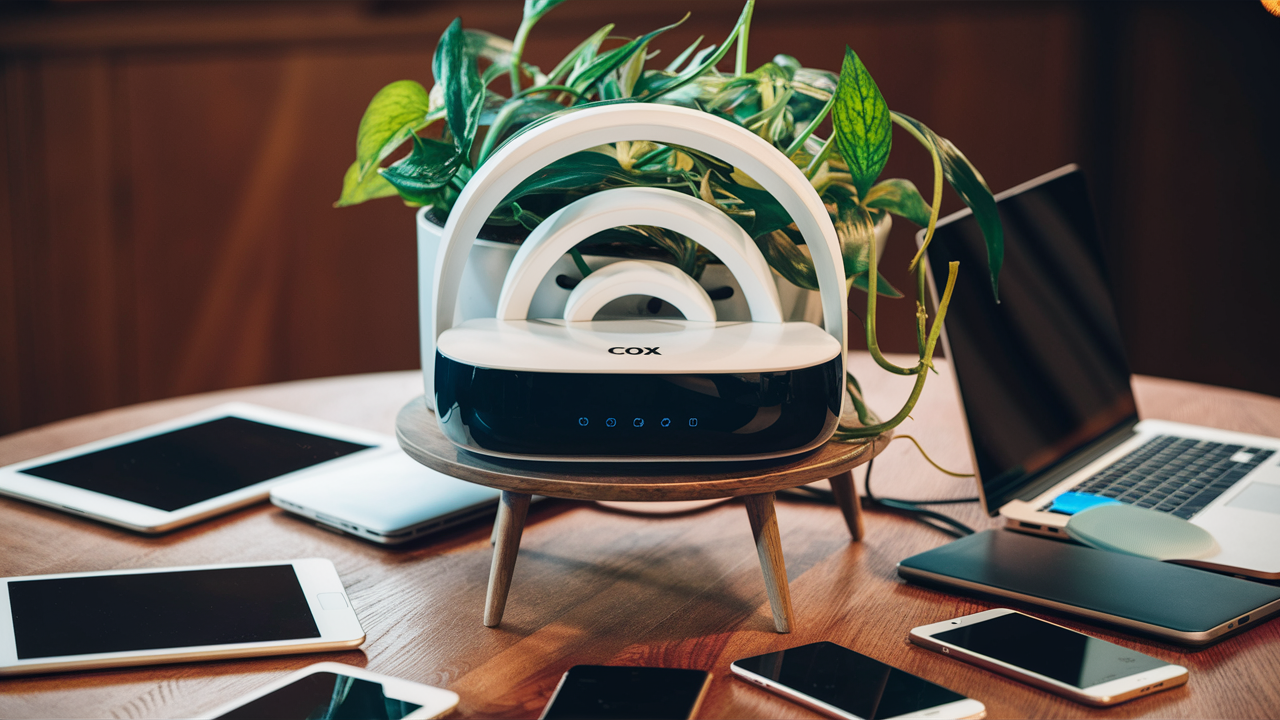
Unlocking the full potential of your home internet means understanding your Wi-Fi's reach. This guide dives deep into Cox Panoramic WiFi's coverage, answering precisely how many square feet it's designed to cover and what factors influence its actual performance. Get ready to optimize your connectivity.
Understanding Wi-Fi Coverage
When we talk about Wi-Fi coverage, we're essentially discussing the area within your home or office where you can reliably connect to your wireless network. This isn't a fixed, absolute measurement like the square footage of a room. Instead, it's a dynamic range influenced by a multitude of factors, including the strength of your router's signal, the layout of your property, the materials used in its construction, and even the presence of other electronic devices.
The goal of any Wi-Fi system, especially a high-performance one like Cox Panoramic WiFi, is to provide a seamless and robust connection across the intended living or working space. However, the advertised coverage area is often an ideal scenario, achieved under optimal conditions. In reality, the effective coverage can be significantly less due to the obstacles and interference that are commonplace in most environments.
Think of it like a light bulb. A 100-watt bulb will illuminate a certain area. If you place a lampshade over it, the light is diffused and its reach is reduced. Similarly, walls, furniture, and even certain types of paint can act as "lampshades" for your Wi-Fi signal, diminishing its strength and range. Understanding these nuances is crucial for setting realistic expectations and for effectively troubleshooting any connectivity issues you might encounter.
The Importance of Signal Strength
Signal strength is the primary determinant of Wi-Fi coverage. It's typically measured in decibel-milliwatts (dBm), with values closer to 0 being stronger (e.g., -50 dBm is stronger than -70 dBm). Your devices, like smartphones, laptops, and smart home gadgets, need a sufficient signal strength to establish and maintain a stable connection. When the signal weakens too much, you'll experience slower speeds, dropped connections, or complete loss of internet access.
Range vs. Throughput: A Key Distinction
It's vital to differentiate between Wi-Fi range and Wi-Fi throughput (speed). A router might have the *potential* to broadcast a signal over a large area (its range), but the actual data transfer speeds (throughput) will likely decrease significantly as you move further away from the router. This is because the signal has to travel through more obstacles, and the router and your devices have to work harder to maintain a connection, which consumes bandwidth and reduces speed.
For instance, you might get a "full bars" connection in your living room, but the speed might be a fraction of what you get right next to the router. This is a common scenario, and understanding this trade-off is key to appreciating why Wi-Fi extenders or mesh systems are often necessary for larger homes.
What is a "Dead Zone"?
A Wi-Fi "dead zone" is an area within your property where the Wi-Fi signal is too weak or non-existent to establish a reliable connection. These zones are often created by physical obstructions like thick concrete walls, metal appliances, large water tanks, or even mirrors. They can also be caused by interference from other electronic devices that operate on similar frequencies, such as microwaves, Bluetooth devices, or neighboring Wi-Fi networks.
Identifying and eliminating these dead zones is a primary objective when setting up or optimizing your home Wi-Fi network. Cox Panoramic WiFi, like any other router system, is susceptible to these issues, and understanding their cause is the first step to resolving them.
Cox Panoramic WiFi: Official Specifications
Cox Panoramic WiFi is designed to offer robust internet connectivity and broad Wi-Fi coverage for a typical home environment. While Cox doesn't always publish a single, definitive square footage number for every single Panoramic WiFi device model, they generally aim to cover standard residential spaces effectively. Based on industry standards and the capabilities of the hardware typically provided with their service, we can infer the intended coverage range.
The Panoramic WiFi gateway, which is a modem and router combined, is engineered to deliver strong Wi-Fi signals. For most standard home sizes, the single unit is intended to provide adequate coverage. However, it's crucial to understand that this is an estimate, and actual performance will vary. Cox generally states that their Panoramic WiFi is suitable for homes up to 2,000 square feet, and often up to 2,500 square feet, depending on the specific gateway model and home construction.
General Coverage Estimates (2025-2026)
For the latest generation of Cox Panoramic WiFi gateways, typically featuring Wi-Fi 6 (802.11ax) technology, the estimated coverage area is generally considered to be between 1,500 to 2,500 square feet. This estimate assumes a relatively open floor plan and standard construction materials.
- Smaller Homes/Apartments (under 1,000 sq ft): A single Panoramic WiFi gateway should provide excellent, full-coverage with strong speeds throughout the entire space.
- Medium-Sized Homes (1,000 - 2,000 sq ft): Coverage is typically good, but some areas further from the gateway, or with more walls, might experience slightly reduced signal strength.
- Larger Homes (2,000 - 2,500 sq ft): The gateway will likely cover most of the home, but dead zones or areas with weaker signals are more probable, especially on different floors or in rooms with dense construction.
- Very Large Homes (over 2,500 sq ft): A single Panoramic WiFi gateway is unlikely to provide complete coverage. In these cases, Cox often recommends or offers mesh Wi-Fi systems or extenders to supplement the primary gateway.
The Role of the Gateway Model
Cox provides different gateway models over time. Newer models, especially those supporting Wi-Fi 6 or Wi-Fi 6E, generally offer improved range and performance compared to older models that might only support Wi-Fi 5 (802.11ac). The specific model you receive as part of your Cox Panoramic WiFi service can influence the maximum potential coverage. Always check the specifications for the model you have, or consult with Cox support for the most accurate information regarding your specific hardware.
Wi-Fi 6 and Its Impact on Coverage
Many Cox Panoramic WiFi gateways now come equipped with Wi-Fi 6 technology. Wi-Fi 6 is designed to be more efficient, handle more devices simultaneously, and offer better performance in congested environments. While its primary benefits are speed and capacity, Wi-Fi 6 also contributes to improved signal quality and potentially a slightly extended effective range due to its more advanced signal modulation and beamforming capabilities. This means that even if the theoretical maximum range hasn't drastically increased, the *usable* range with consistent performance is often better with Wi-Fi 6.
Factors That Impact Your Actual Coverage
The advertised coverage area for any Wi-Fi system, including Cox Panoramic WiFi, is an estimate under ideal conditions. In the real world, numerous factors can significantly reduce the actual square footage your Wi-Fi signal effectively reaches. Understanding these elements is key to diagnosing coverage issues and implementing solutions.
1. Home Construction and Materials
This is arguably the biggest factor influencing Wi-Fi signal penetration. Different materials absorb, reflect, or block Wi-Fi signals to varying degrees.
- Drywall and Wood: Relatively permeable to Wi-Fi signals.
- Brick and Stone: Moderate signal obstruction.
- Concrete: Significant signal obstruction, especially reinforced concrete.
- Metal: Highly reflective and obstructive. Appliances like refrigerators, microwaves, and even metal studs in walls can create significant dead zones.
- Glass: Generally allows Wi-Fi signals to pass through, but some modern low-E coatings can cause interference.
- Water: Large bodies of water, such as fish tanks or even poorly insulated walls with significant moisture, can attenuate signals.
The more layers of these materials your signal has to pass through, the weaker it will become. A home with an open floor plan and predominantly drywall construction will naturally have better coverage from a single router than a home with many small rooms, thick walls, and metal appliances.
2. Router Placement
Where you place your Cox Panoramic WiFi gateway has a profound impact on its coverage. Ideal placement involves:
- Central Location: Position the gateway as close to the center of your home as possible. This ensures the signal radiates outwards in all directions relatively evenly.
- Open Area: Avoid placing it inside cabinets, behind furniture, or near large metal objects. These act as signal blockers.
- Elevated Position: Placing the gateway on a shelf or table, rather than on the floor, can help the signal travel further.
- Away from Interference: Keep it away from other electronic devices that emit radio waves, such as microwaves, cordless phones, Bluetooth speakers, and even some older baby monitors.
Many users make the mistake of placing their router in a corner of the house or in a basement utility room, which immediately limits its reach to the rest of the property.
3. Interference from Other Devices and Networks
Your Wi-Fi signal operates on specific radio frequencies (2.4 GHz and 5 GHz bands). Other devices and neighboring Wi-Fi networks also use these bands, leading to interference.
- Microwave Ovens: When in use, microwaves can cause significant, albeit temporary, interference on the 2.4 GHz band.
- Bluetooth Devices: These operate on the 2.4 GHz band and can cause interference if they are in close proximity to your router.
- Cordless Phones: Older models, in particular, can interfere.
- Neighboring Wi-Fi Networks: In densely populated areas like apartment buildings, multiple Wi-Fi networks can overlap, causing congestion and reducing performance. The 5 GHz band generally experiences less interference than the 2.4 GHz band due to its shorter range and wider channel availability.
4. Number of Connected Devices
Each device connected to your Wi-Fi network consumes a portion of its bandwidth and processing power. While modern routers are designed to handle multiple devices, a very large number of active devices (especially those streaming video, gaming, or downloading large files) can strain the router's capacity, leading to slower speeds and a perceived reduction in coverage. This is particularly true for older or less powerful router models.
5. Floor Plan and Layout
The physical layout of your home plays a crucial role. A multi-story home, a home with many interior walls, or a home with a long, narrow layout will present more challenges for a single Wi-Fi router to cover effectively compared to a single-story, open-concept home of the same square footage.
6. Distance from the Gateway
The further a device is from the Cox Panoramic WiFi gateway, the weaker the signal will be. This is a fundamental principle of radio wave propagation. As distance increases, signal strength decreases exponentially. This is why areas furthest from the router are most susceptible to slow speeds and dead zones.
7. Firmware and Router Age
The firmware on your router is like its operating system. Outdated firmware can lead to performance issues, security vulnerabilities, and reduced efficiency. Regularly updating the firmware on your Cox Panoramic WiFi gateway is essential for optimal performance. Additionally, older router hardware may not be as capable of broadcasting a strong signal or handling the demands of modern internet usage as newer models.
Optimizing Your Cox Panoramic WiFi for Maximum Reach
Once you understand the factors that influence your Wi-Fi coverage, you can take proactive steps to optimize your Cox Panoramic WiFi system for the best possible reach and performance throughout your home. This involves a combination of strategic placement, configuration adjustments, and potentially hardware additions.
1. Strategic Gateway Placement
As mentioned earlier, this is paramount. For optimal coverage:
- Centralize: Place the gateway in a central location within your home. If you have a two-story home, consider placing it on the main floor, ideally in a location that allows the signal to reach both upper and lower levels effectively.
- Elevate: Position the gateway on a shelf or table, at least a few feet off the ground.
- Open Space: Ensure it's not enclosed in a cabinet, behind a TV, or surrounded by dense furniture.
- Minimize Obstructions: Keep it away from thick walls, large metal objects, and major appliances.
If your home has a complex layout or multiple floors, you might need to experiment with different locations to find the sweet spot. Consider using a Wi-Fi analyzer app on your smartphone to map signal strength throughout your home and identify the best placement.
2. Utilize Both 2.4 GHz and 5 GHz Bands
Most modern routers, including Cox Panoramic WiFi gateways, broadcast on two frequency bands: 2.4 GHz and 5 GHz. Each has its advantages:
- 2.4 GHz: Offers a longer range and better penetration through walls and solid objects. It's ideal for devices that are further away from the router or for less demanding tasks like browsing or email. However, it's more prone to interference and offers lower speeds.
- 5 GHz: Provides faster speeds and less interference but has a shorter range and struggles more with obstructions. It's best for devices that are closer to the router and require high bandwidth, such as streaming 4K video or online gaming.
Most Cox Panoramic WiFi gateways will broadcast these as separate networks (e.g., "MyHomeWiFi" and "MyHomeWiFi_5G"). You can manually connect devices to the band that best suits their location and needs. For example, connect your smart TV in the living room to the 5 GHz network if it's close to the router, and your smart thermostat in a back room to the 2.4 GHz network.
3. Update Gateway Firmware
Cox periodically releases firmware updates for their Panoramic WiFi gateways. These updates often include performance improvements, bug fixes, and enhanced security. Ensure your gateway is set to update automatically, or check the Cox app or website for manual update instructions. Keeping the firmware current is crucial for optimal performance and stability.
4. Adjust Channel Settings (Advanced)
In areas with many competing Wi-Fi networks, the channels your router uses can become congested. While Cox Panoramic WiFi gateways often manage this automatically, you can sometimes manually select less congested channels for both the 2.4 GHz and 5 GHz bands. This is an advanced setting typically accessed through the gateway's web interface or the Cox app. Using a Wi-Fi analyzer app can help you identify the least used channels in your environment.
5. Consider a Mesh Wi-Fi System or Extenders
If you have a larger home (over 2,500 sq ft), a home with multiple floors, or significant dead zones despite optimal placement, a single gateway may not be sufficient. Cox offers solutions to extend your Wi-Fi network:
- Wi-Fi Extenders (or Boosters): These devices plug into an electrical outlet and rebroadcast your existing Wi-Fi signal, effectively extending its range. They are a simpler, often more affordable solution, but can sometimes halve your bandwidth and create a separate network name, which can be inconvenient.
- Mesh Wi-Fi Systems: These consist of a primary router and one or more satellite "nodes" that work together to create a single, seamless Wi-Fi network throughout your home. Devices automatically connect to the strongest signal, providing a more consistent experience than extenders. Cox often provides or recommends specific mesh systems for their Panoramic WiFi service. This is generally the most effective solution for larger or more complex homes.
If you're experiencing persistent coverage issues, inquire with Cox about their mesh networking options. For example, if your home is over 2,500 square feet, you might need an additional node from a system like the Cox Panoramic WiFi mesh system.
6. Reduce Interference
Actively work to minimize sources of Wi-Fi interference:
- Relocate your gateway away from microwaves, cordless phones, and Bluetooth devices.
- Consider upgrading older Bluetooth devices or cordless phones to newer models that use different frequencies or are less prone to interference.
7. Manage Connected Devices
If you have a large number of devices, consider:
- Disabling Wi-Fi on devices that are not actively in use.
- Prioritizing bandwidth for critical devices using Quality of Service (QoS) settings if your gateway allows.
Troubleshooting Common Coverage Problems
Even with a well-positioned router and optimized settings, you might still encounter Wi-Fi coverage issues. Here’s a systematic approach to troubleshooting common problems with your Cox Panoramic WiFi.
1. The "Slow Speed Far Away" Problem
Symptom: Internet works fine near the router but is very slow or drops connection in other rooms.
Cause: Signal attenuation due to distance and obstructions. The router's signal is too weak to maintain high speeds at that distance.
Solution:
- Relocate the Router: Try moving the gateway to a more central location.
- Use the 5 GHz Band Wisely: Ensure devices that are far away are connected to the 2.4 GHz band, which has better range.
- Consider a Mesh System: For larger homes, a mesh system is the most effective solution. Cox offers these as an upgrade or add-on.
- Check for Obstructions: Identify any new furniture, appliances, or structural changes that might be blocking the signal.
2. The "Dead Zone" Mystery
Symptom: Specific areas of your home have no Wi-Fi signal at all.
Cause: Significant signal blockage from dense materials (concrete, metal) or interference from specific devices.
Solution:
- Map the Dead Zone: Use a Wi-Fi analyzer app to pinpoint the exact location and extent of the dead zone.
- Identify Blockers: Look for large appliances, metal structures, or thick walls in the path of the signal.
- Router Placement: Try repositioning the router to see if a slightly different angle or location can bypass the obstruction.
- Add a Wi-Fi Extender or Mesh Node: This is often the most practical solution for persistent dead zones. Place the extender or node strategically between the router and the dead zone.
- Check for Interference: Temporarily turn off suspected interfering devices (microwaves, cordless phones) to see if the signal improves.
3. Intermittent Connection Drops
Symptom: Your Wi-Fi connection frequently drops, even if the signal strength appears good.
Cause: Interference, router overload, outdated firmware, or faulty hardware.
Solution:
- Restart the Gateway: A simple power cycle (unplugging for 30 seconds, then plugging back in) can resolve temporary glitches.
- Update Firmware: Ensure your Cox Panoramic WiFi gateway has the latest firmware installed.
- Check for Interference: Scan for and mitigate sources of radio frequency interference.
- Reduce Device Load: Temporarily disconnect some devices to see if stability improves.
- Change Wi-Fi Channel: If congestion is suspected, try changing the Wi-Fi channel on your gateway.
- Contact Cox Support: If problems persist, there might be an issue with the gateway itself or the service line, requiring Cox's intervention.
4. Slow Speeds on Multiple Devices
Symptom: All devices connected to Wi-Fi are experiencing slow internet speeds, not just those far from the router.
Cause: Bandwidth limitations, router overload, or an issue with your internet service itself.
Solution:
- Test Wired Speed: Connect a computer directly to the Cox Panoramic WiFi gateway using an Ethernet cable. If speeds are still slow, the issue is likely with your internet service plan or the gateway.
- Check Your Plan: Ensure your internet plan speed is sufficient for your household's needs.
- Restart Gateway: Perform a power cycle.
- Update Firmware: Ensure it's current.
- Check for Bandwidth Hogs: Identify any devices that might be consuming excessive bandwidth (e.g., large downloads, constant streaming on multiple devices).
- Contact Cox: If wired speeds are also slow, contact Cox to check for service issues in your area or with your line.
5. Inconsistent Performance
Symptom: Wi-Fi speeds fluctuate wildly, sometimes fast, sometimes slow.
Cause: Dynamic interference, network congestion, or the router struggling to manage traffic.
Solution:
- Monitor Usage: Observe when the slowdowns occur. Are they during peak internet usage hours in your neighborhood?
- Wi-Fi Channel Scan: Use a Wi-Fi analyzer to identify congested channels and switch to a less crowded one.
- Router Reboot: Regularly rebooting your gateway can help clear temporary issues.
- Consider a Newer Gateway: If your gateway is several years old, it might not be equipped to handle the demands of modern internet usage efficiently.
When troubleshooting, always start with the simplest solutions (rebooting, checking placement) before moving to more complex adjustments or considering hardware upgrades. Documenting your steps and observations can be very helpful when communicating with Cox support.
Comparing Coverage Options
When evaluating your Cox Panoramic WiFi's coverage, it's helpful to understand how it stacks up against other potential solutions for extending or improving your home network's reach. This comparison focuses on the typical coverage capabilities and trade-offs of different approaches.
1. Single Router (Cox Panoramic WiFi Gateway)
Pros: Simplest setup, usually included with service, cost-effective if it meets your needs.
Cons: Limited coverage for larger homes, dead zones are common in complex layouts, performance degrades significantly with distance.
Typical Coverage: 1,500 - 2,500 sq ft (ideal conditions).
2. Wi-Fi Extenders (Boosters)
Pros: Relatively inexpensive, easy to set up, can extend signal to specific dead zones.
Cons: Can halve bandwidth, often creates a separate network name (SSID) requiring manual switching, can be unreliable, signal quality degrades.
Coverage: Varies greatly, but typically adds 500-1,000 sq ft of *usable* range per extender, depending on placement and quality.
3. Mesh Wi-Fi Systems
Pros: Creates a single, seamless network, devices automatically connect to the strongest node, excellent for large or multi-story homes, generally provides better speeds and reliability than extenders.
Cons: Higher initial cost, can be more complex to set up than a single router, requires multiple hardware units.
Typical Coverage: A 2-unit system can cover 2,000-4,000 sq ft; a 3-unit system can cover 4,000-6,000+ sq ft. Cox offers specific mesh solutions that integrate with Panoramic WiFi.
4. Powerline Adapters
Pros: Uses existing electrical wiring, can be useful in homes where Wi-Fi struggles to penetrate walls.
Cons: Performance heavily depends on the quality and configuration of your home's electrical wiring, can be unreliable, speeds are often inconsistent, not true Wi-Fi extension but rather a wired connection over power lines.
Coverage: Provides an Ethernet port in a distant room, not wireless coverage itself unless paired with a Wi-Fi access point.
5. Dedicated Access Points (APs)
Pros: Offer robust and reliable Wi-Fi coverage, can be strategically placed for maximum performance, often provide better management options than consumer-grade mesh systems.
Cons: Requires Ethernet cabling run to each AP, more complex setup, typically for advanced users or businesses.
Coverage: Highly scalable, depends on the number and placement of APs.
Cox's Panoramic WiFi Mesh Solution
Cox's offering often involves a managed mesh system that works in conjunction with your primary Panoramic WiFi gateway. This provides a unified network experience and is designed to be a robust solution for homes exceeding the coverage of a single unit. For instance, if your home is larger than 2,500 sq ft, Cox may recommend adding a mesh node to your existing setup. This ensures that you get the benefit of the latest Wi-Fi technology (like Wi-Fi 6) across your entire property.
When deciding, consider your home's size and layout, your budget, and the level of technical complexity you're comfortable with. For most users struggling with coverage from a single Cox Panoramic WiFi gateway in a home larger than 2,000-2,500 sq ft, a mesh Wi-Fi system is the most recommended and effective solution.
The Future of Home Wi-Fi Coverage (2025-2026 Trends)
The landscape of home Wi-Fi is constantly evolving, driven by increasing demands for speed, capacity, and seamless connectivity. As we look into 2025 and 2026, several key trends are shaping the future of Wi-Fi coverage, including how systems like Cox Panoramic WiFi will continue to adapt.
1. Wi-Fi 7 (802.11be) and Beyond
While Wi-Fi 6 and Wi-Fi 6E are currently the state-of-the-art for many home networks, Wi-Fi 7 is already emerging. Wi-Fi 7 promises significantly higher speeds, lower latency, and increased capacity through technologies like Multi-Link Operation (MLO), which allows devices to connect on multiple bands simultaneously. For coverage, Wi-Fi 7 aims to deliver more consistent and robust performance, even in challenging environments, by intelligently managing signal paths.
Impact on Coverage: While Wi-Fi 7's primary focus is speed and efficiency, its advanced signal processing and multi-band capabilities could lead to more reliable connectivity at greater distances, potentially extending the effective range of routers and mesh systems.
2. Enhanced Mesh and Distributed Wi-Fi Architectures
Mesh Wi-Fi systems have become the de facto standard for extending coverage in larger homes. In 2025-2026, expect mesh systems to become even more intelligent, with better algorithms for device handoff between nodes, improved backhaul communication (the connection between nodes), and more sophisticated self-healing capabilities to reroute traffic around issues.
Impact on Coverage: Mesh systems will continue to be the most practical solution for whole-home coverage, offering a more seamless and reliable experience than traditional extenders. We'll see more integration of AI for optimizing network performance automatically.
3. Increased Integration of AI and Machine Learning
Artificial intelligence is set to play a more significant role in managing home Wi-Fi networks. AI can analyze network traffic patterns, identify sources of interference, predict congestion, and automatically adjust settings to optimize performance and coverage in real-time.
Impact on Coverage: AI-powered routers and mesh systems will be better at dynamically managing signal strength, channel selection, and device prioritization, leading to more consistent coverage and fewer dead zones without manual intervention.
4. The Role of 6 GHz Band Expansion (Wi-Fi 6E and beyond)
The 6 GHz band, introduced with Wi-Fi 6E, offers a significant amount of new, uncongested spectrum. As more devices become Wi-Fi 6E and Wi-Fi 7 compatible, this band will become crucial for high-performance applications. While its range is shorter than 2.4 GHz, its speed and lack of interference make it ideal for close-proximity, high-bandwidth tasks.
Impact on Coverage: The 6 GHz band won't necessarily extend the *physical* range of Wi-Fi but will dramatically improve the quality and speed of connections within its usable range, reducing congestion on the other bands and making them more available for devices that need longer reach.
5. Smart Home Devices and IoT Demands
The proliferation of smart home devices (IoT) continues to increase the number of connected devices in a typical home. These devices, while often low-bandwidth, require stable and reliable connections. Future Wi-Fi technologies are being designed with this massive device density in mind.
Impact on Coverage: Future Wi-Fi standards will be better equipped to handle a multitude of low-power devices without impacting the performance of high-bandwidth devices, ensuring that even your smart thermostat has a consistent connection.
6. Evolution of ISP Provided Solutions
Internet Service Providers (ISPs) like Cox will continue to evolve their offerings. We can expect them to roll out gateways and mesh systems that support the latest Wi-Fi standards (Wi-Fi 7) and incorporate advanced AI management features. The goal will be to provide a "set it and forget it" experience for users, with the ISP managing network optimization remotely.
Impact on Coverage: ISPs will likely offer tiered solutions, with higher-end plans including more advanced hardware designed for maximum coverage and performance, ensuring their services remain competitive and meet user expectations.
In summary, the future of home Wi-Fi coverage points towards more intelligent, efficient, and robust networks. While the fundamental physics of radio waves remain, advancements in technology will continue to push the boundaries of what's possible, making seamless, high-speed internet access a reality in every corner of our homes.
Conclusion
Understanding the square footage covered by Cox Panoramic WiFi is less about a single, fixed number and more about appreciating the interplay of technology, home environment, and strategic setup. While Cox gateways are designed to cover typical homes effectively, often ranging from 1,500 to 2,500 square feet under optimal conditions, real-world performance is influenced by construction materials, router placement, and interference. For homes exceeding this range, or those with challenging layouts, supplemental solutions like mesh Wi-Fi systems are essential for achieving consistent, whole-home coverage.
By optimizing your gateway's placement, managing interference, and leveraging features like dual-band connectivity, you can maximize the reach of your existing Cox Panoramic WiFi. Should persistent dead zones or coverage gaps remain, exploring Cox's mesh networking options or other extender solutions is the most effective path forward. Staying informed about future trends like Wi-Fi 7 and AI-driven network management ensures you're prepared for the evolving demands of home connectivity. Ultimately, achieving optimal Wi-Fi coverage is an ongoing process of assessment and adjustment, ensuring your home is fully connected.






