How Long Does it Take for Cox to Install Internet?
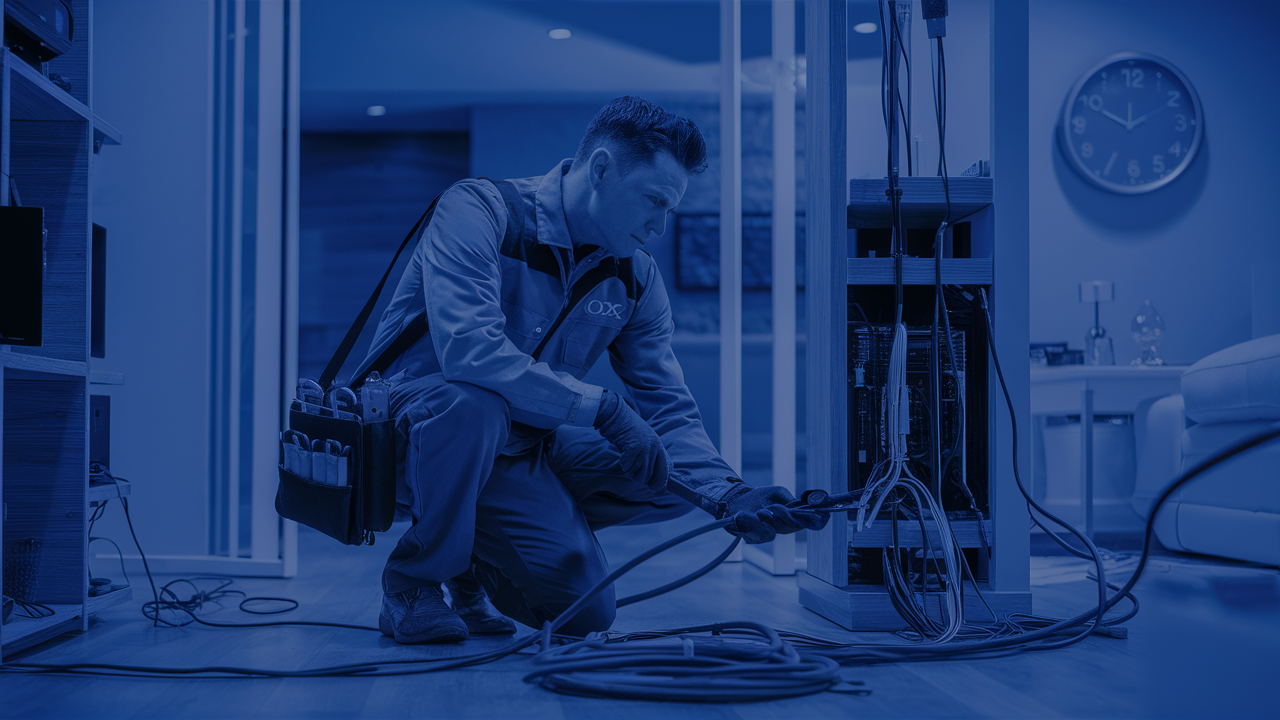
Understanding the timeline for Cox internet installation is crucial for a smooth transition. This comprehensive guide dives deep into what factors influence installation duration, typical wait times, and how to prepare for your appointment, ensuring you get connected efficiently.
Cox Internet Installation: An Overview
When you sign up for Cox internet service, one of the primary questions on your mind is undoubtedly, "How long will it take to get connected?" The installation process for Cox, like any major internet service provider, involves a series of steps to bring high-speed internet to your home. This typically includes scheduling an appointment, a technician visit, and the physical setup of equipment. While the exact duration can vary, understanding the general process and the variables at play can help manage expectations and prepare for a seamless experience. This guide aims to demystify the Cox internet installation timeline, offering insights into typical wait times, factors that can expedite or delay the process, and what you can do to ensure a swift and successful setup.
Factors Influencing Cox Installation Time
Several key elements can significantly impact how long it takes for Cox to install your internet service. Recognizing these factors is the first step in accurately estimating your personal timeline.
1. Availability and Technician Scheduling
The most significant determinant of your installation timeline is the availability of Cox services in your area and the subsequent scheduling of a qualified technician. Demand for internet services, especially in newly developed areas or during peak seasons (like back-to-school or holidays), can lead to longer wait times for appointments. Cox operates on a schedule that balances new installations with service calls and maintenance. Therefore, the sooner you book your appointment after signing up, the better your chances of securing an earlier slot.
2. Type of Installation Required
Cox offers different installation types, each with its own time commitment. The simplest scenario is a self-installation, which requires no technician visit and can be completed by the customer. However, if new wiring is needed, if existing lines are damaged, or if the service has been inactive for an extended period, a professional installation will be necessary. Professional installations involve a technician coming to your home to run cables, connect equipment, and ensure everything is working correctly. The complexity of the physical setup directly correlates with the time it will take.
3. Location and Property Characteristics
The physical layout of your home and its location can also play a role. For instance, if your home is in a remote area with difficult access, or if the point of entry for the cable is hard to reach, the technician might require more time. Multi-story homes or large properties might necessitate longer cable runs. Similarly, if your home requires trenching or significant exterior work to bring the service line to the house, this will extend the installation duration and potentially the scheduling lead time.
4. Existing Infrastructure
The condition of the existing Cox infrastructure leading to your home is another crucial factor. If the lines are old, damaged, or require upgrades, this can cause delays. In some cases, Cox might need to perform external work to repair or replace lines before they can proceed with your internal installation. This is more common in older neighborhoods or areas where infrastructure has not been recently updated.
5. Equipment Availability
While less common, occasional shortages of specific modem or router models can theoretically impact installation schedules, especially if a particular piece of equipment is required for your service plan. Cox typically manages its inventory well, but it's a factor to be aware of, particularly during periods of high demand for new technology.
6. Weather Conditions
Severe weather can impact the ability of technicians to perform outdoor work safely. Heavy rain, snow, ice, or high winds can lead to rescheduled appointments, particularly for installations that involve outdoor cable running or pole work. While indoor installations are less affected, extreme conditions can still disrupt the overall technician schedule.
7. Customer Preparation
The level of preparation by the customer can also influence the efficiency of the installation day. Having the installation area cleared, ensuring access to power outlets, and knowing where you want your equipment placed can help the technician complete the job more quickly. Conversely, a lack of preparation can lead to delays as the technician waits for access or guidance.
Typical Cox Installation Timelines
Understanding what to expect in terms of days and hours is essential. Cox generally aims to provide a clear timeline during the sign-up process, but here’s a breakdown of typical scenarios.
New Service Installation
For new customers requiring a professional installation, the typical wait time for an appointment can range from 3 to 10 business days after you place your order. This timeframe accounts for scheduling, technician availability, and the logistical coordination required. Some areas with high demand or limited technician resources might experience wait times at the longer end of this spectrum, potentially up to two weeks during peak periods.
Transferring Service to a New Address
If you are moving within the Cox service area and transferring your service, the process can sometimes be quicker, as the infrastructure might already be in place. However, it still depends heavily on technician availability at your new address. The typical timeframe for a service transfer appointment is often similar to a new installation, ranging from 3 to 7 business days.
Self-Installation
For customers who are eligible for self-installation, the timeline is significantly shorter. Once you receive your self-installation kit (which usually arrives within 2-3 business days via mail), you can often activate your service on the same day or the next day, depending on your preference and the availability of online activation windows. This is the fastest way to get connected if your home is already wired for Cox service.
Professional Installation Duration
Once the technician arrives, a standard professional installation typically takes between 2 to 4 hours to complete. This duration includes setting up the modem, connecting to the network, running any necessary cables, and ensuring your internet is functioning correctly. More complex installations, such as those requiring extensive wiring or troubleshooting, could take longer, potentially up to half a day.
Same-Day Installation
While not always guaranteed, Cox sometimes offers same-day installation, particularly in areas with high technician density or during promotional periods. This is often dependent on cancellations or last-minute availability. It's worth inquiring about this option when you place your order, though it should not be relied upon as the standard.
Factors Affecting Specific Timelines
It's crucial to remember that these are general estimates. The specific timeline provided by Cox when you sign up is usually the most accurate for your situation. Always confirm the estimated installation date and time window with the sales representative or online portal.
What to Expect on Installation Day
The installation day is when the magic happens. To ensure it goes smoothly, knowing the process and what the technician will do is helpful.
Technician Arrival and Verification
The Cox technician will arrive within the scheduled appointment window. They will typically call ahead to confirm their arrival or proximity. The technician will verify your service order and confirm the scope of work to be performed.
Site Survey and Plan
The technician will conduct a brief survey of your home to determine the best location for the modem and router, and to identify the optimal path for any new wiring. They will discuss this plan with you, especially regarding where you’d like your internet access points to be located.
Installation of Wiring (If Necessary)
If new coaxial cable needs to be run, the technician will carefully install it. This might involve drilling small holes through walls or running cables along baseboards. They aim to make the installation as neat and unobtrusive as possible. For existing wiring, they will test the signal strength and condition of the current lines.
Equipment Setup
The technician will connect the modem and router (or a combined gateway device) to the coaxial cable and power outlet. They will ensure all connections are secure and that the equipment is properly configured for your service plan.
Testing and Activation
Once the equipment is installed, the technician will test the internet connection. They will activate your service and confirm that you are receiving the speeds associated with your plan. This often involves connecting a device (like a laptop) to the Wi-Fi network and running a speed test.
Customer Walkthrough and Q&A
Before leaving, the technician will walk you through the setup, explain how to connect your devices, and answer any questions you may have about your new service, equipment, or Wi-Fi network. They will also provide information on how to access your account online and manage your service.
Important Considerations for Installation Day:
- Be Present: Ensure an adult (18 years or older) is present for the entire appointment window.
- Access: Make sure the technician has clear access to the areas where work needs to be done, both inside and outside your home.
- Power: Ensure power outlets are accessible near where the modem/router will be placed.
- Existing Equipment: If you are replacing an old provider, ensure their equipment is removed or accessible for disconnection.
- Wi-Fi Needs: Think about where you need Wi-Fi coverage most. This helps the technician advise on router placement.
Preparing for Your Cox Installation Appointment
Proactive preparation can significantly streamline the installation process and ensure the technician can complete the job efficiently.
Clear the Installation Area
Designate a clear space where you want your modem and router to be located. This area should be near a power outlet and ideally centrally located for optimal Wi-Fi coverage. Remove any furniture, boxes, or clutter that might obstruct the technician's work.
Ensure Access to Entry Points
The technician will need access to the point where the cable enters your home, as well as the location for your modem/router. If this involves attics, crawl spaces, or basements, ensure these areas are accessible and reasonably safe to enter. If outdoor work is expected, ensure clear pathways to the exterior wall where the service line will connect.
Identify Your Preferred Equipment Location
Think about where you want your internet to be the strongest. While the technician will offer guidance, having a preference for the modem/router location can save time. Consider proximity to your primary devices or a central spot in your home.
Gather Necessary Information
Have your Cox account number and any relevant order confirmations readily available. While the technician will have your information, having it handy can be useful for quick reference.
Prepare for Wi-Fi Setup
If you plan to set up your Wi-Fi network yourself after the technician leaves, know your desired network name (SSID) and password. The technician can assist with basic Wi-Fi setup, but having your preferences ready will expedite this step.
Consider Existing Wiring
If you have existing coaxial outlets in your home, point them out to the technician. They can assess their condition and determine if they can be utilized, potentially saving the need for new wiring.
Keep Pets Secure
For safety reasons, ensure any pets are secured in a separate room or crate during the technician's visit, especially if they are anxious or prone to running out the door.
Charge Your Devices
Ensure your mobile devices or laptops are charged, as you'll likely want to test your internet connection and potentially set up your Wi-Fi network immediately after the technician leaves.
Troubleshooting and Common Installation Issues
While Cox aims for a flawless installation, occasional issues can arise. Knowing how to address them can save you time and frustration.
No Internet Connection After Installation
Cause: Incorrect equipment setup, signal issues, or activation problems.
Solution: First, restart your modem and router. Check all cable connections to ensure they are secure. If the problem persists, contact Cox technical support. They can remotely diagnose issues and may need to dispatch a technician back if the problem is external.
Slow Internet Speeds
Cause: Wi-Fi interference, outdated equipment, or network congestion.
Solution: Run a speed test directly connected to the modem via Ethernet cable to rule out Wi-Fi issues. If speeds are still slow, contact Cox. If speeds are good via Ethernet but poor via Wi-Fi, consider repositioning your router or upgrading to a Wi-Fi 6 or 6E model.
Intermittent Connection Drops
Cause: Loose cable connections, signal fluctuations, or faulty equipment.
Solution: Check all physical connections. If the issue continues, Cox support can check your signal levels remotely. It might require a technician to inspect the lines or replace equipment.
Technician Cannot Complete Installation
Cause: Unexpected infrastructure issues (e.g., damaged lines, inaccessible entry points), or incorrect appointment scope.
Solution: The technician should communicate the issue and explain the next steps. This might involve scheduling a follow-up appointment for external repairs or a different type of installation. Ensure you understand the reason for the incompletion and the plan to resolve it.
Equipment Malfunction
Cause: Faulty modem or router out of the box.
Solution: The technician will typically have spare equipment. If not, they will arrange for a replacement. Contact Cox support immediately if you suspect faulty equipment after the technician leaves.
Billing Discrepancies
Cause: Incorrect service plan, installation fees, or promotional offers not applied.
Solution: Carefully review your first bill. If you notice any errors, contact Cox billing support with your order details and the technician's notes (if available).
Pro Tip: Keep a record of your installation appointment date, time, technician's name (if provided), and any issues encountered. This documentation is invaluable if you need to follow up with Cox support.
Self-Installation vs. Professional Installation
Cox offers both self-installation and professional installation options, each with distinct advantages and requirements.
Self-Installation
Best For: Customers whose homes already have active Cox wiring and outlets, and who are comfortable with basic technical tasks.
Process: Cox sends a self-installation kit via mail, which includes a modem, router (if applicable), cables, and clear instructions. The customer connects the equipment to existing outlets and activates the service online or via phone.
Pros:
- Speed: Can be activated the same day you receive the kit, significantly faster than professional installation.
- Cost: Often cheaper, as it avoids professional installation fees.
- Convenience: No need to schedule a technician visit or wait for an appointment window.
Cons:
- Eligibility: Not available for all addresses or service types (e.g., if new wiring is needed).
- Technical Skill: Requires some comfort with basic setup and troubleshooting.
- Limited Support: While guides are provided, you don't have a technician on-site to resolve complex issues.
Professional Installation
Best For: New customers, those moving to a new address, homes with no existing Cox wiring, or customers who prefer expert setup.
Process: A certified Cox technician visits your home to assess the property, run necessary cables, install equipment, and ensure everything is functioning optimally.
Pros:
- Expert Setup: Ensures optimal placement and connection of equipment for the best performance.
- Handles Complexity: Can manage new wiring, difficult access points, and complex network setups.
- Troubleshooting: On-site expert to resolve any immediate issues.
- Guidance: Opportunity to ask questions and receive personalized advice.
Cons:
- Wait Time: Requires scheduling an appointment, which can take several days to over a week.
- Cost: Typically involves an installation fee.
- Inconvenience: Requires you to be home for a specific appointment window.
Decision Guide:
When deciding, consider your home's current state of wiring, your technical comfort level, and how quickly you need service. If your home is already set up for Cox and you're handy, self-installation is a great option. For peace of mind and a guaranteed correct setup, especially in new or complex situations, professional installation is the way to go.
Optimizing Your Cox Installation Experience
Beyond basic preparation, several strategies can help you maximize the efficiency and effectiveness of your Cox internet installation.
Choose Your Appointment Wisely
When scheduling, try to pick an appointment time that is earlier in the day. Technicians often start their routes in the morning, and this reduces the chance of their schedule being pushed back by earlier appointments running long. If possible, opt for a weekday appointment, as weekends can sometimes be more in-demand.
Communicate Your Needs Clearly
Don't hesitate to discuss your specific needs with the technician. If you have a home office that requires a strong, stable connection, or if you have smart home devices that need to be integrated, let the technician know. They can advise on the best placement for your router and potential solutions for Wi-Fi dead spots.
Understand Your Service Plan
Before the technician arrives, ensure you understand the speeds and features of the Cox plan you've signed up for. This helps you ask relevant questions during the speed test and ensures you're getting what you paid for.
Ask About Equipment Options
Cox offers different modem and router options. If you have specific needs (e.g., a very large home requiring a mesh Wi-Fi system, or a need for advanced security features), inquire if these are available or if bringing your own compatible equipment is an option (though this often voids certain support guarantees).
Consider Future Needs
Think about how your internet usage might grow. If you anticipate needing more bandwidth for streaming 4K content, online gaming, or supporting numerous connected devices, discuss this with the technician or a Cox representative. They might suggest a plan or equipment upgrade that better suits your future requirements.
Document Everything
Take notes during the installation. Record the technician's name, the date and time of the appointment, any equipment installed (model numbers), and any troubleshooting steps taken. This documentation is crucial for future reference or if you need to contact Cox support about issues related to the installation.
Post-Installation Checks
After the technician leaves, don't just assume everything is perfect. Connect a few of your devices, test your Wi-Fi in different parts of your home, and run a speed test. If you encounter any immediate issues, contact Cox support promptly while the installation is still fresh in everyone's mind.
Leverage Cox Resources
Cox provides online resources, FAQs, and customer support channels. Familiarize yourself with these resources before and after your installation. Many common questions and minor troubleshooting steps can be resolved quickly through their online portal or mobile app.
Cox Installation in 2025-26: Trends and Projections
The landscape of internet installation is constantly evolving, driven by technological advancements and changing consumer demands. For Cox in 2025-26, several trends are likely to influence the installation process.
Increased Emphasis on Fiber-Optic Technology
While Cox is primarily a cable internet provider, there's a growing industry-wide push towards fiber-to-the-home (FTTH) for its superior speed and reliability. While Cox may not be replacing its entire cable infrastructure with fiber overnight, expect to see continued investment and expansion of fiber services in select markets. This could mean new installation processes or upgraded equipment for those accessing fiber connections, potentially involving different timelines and technician requirements.
Advancements in Self-Installation Kits
As technology becomes more user-friendly, self-installation kits are likely to become more sophisticated. We might see kits that include more advanced diagnostic tools or easier-to-follow augmented reality (AR) guides via smartphone apps. This trend aims to empower more customers to self-install, reducing the need for professional visits and shortening overall wait times.
AI-Powered Diagnostics and Support
Artificial intelligence is increasingly being integrated into customer service and technical support. In 2025-26, expect AI-driven chatbots and diagnostic tools to play a larger role in initial troubleshooting for installation issues. This could lead to faster resolution of common problems, potentially reducing the need for a technician dispatch in some cases.
Streamlined Technician Scheduling and Routing
Providers like Cox are continuously working to optimize their field operations. Expect improvements in scheduling software and technician routing, potentially leading to more precise appointment windows and a reduction in overall wait times for professional installations. Real-time tracking of technician locations via customer apps might become more common.
Focus on Wi-Fi 6E and Beyond
With the proliferation of connected devices, the demand for robust in-home Wi-Fi continues to grow. Cox will likely continue to offer and promote Wi-Fi 6E and potentially early iterations of Wi-Fi 7 equipment. Installation processes will need to accommodate these advanced routers, ensuring optimal placement and configuration for maximum performance within the home.
Remote Activation and Configuration
The trend towards remote management of customer premises equipment (CPE) will likely accelerate. This means that even for professional installations, much of the configuration and activation might be handled remotely by Cox's network operations center, potentially reducing the on-site time required from the technician.
Sustainability in Installation Practices
Environmental considerations are becoming more prominent. We may see Cox implementing more sustainable practices in their installation processes, such as using more recyclable materials in kits or optimizing technician routes to reduce fuel consumption. This is less about installation time and more about the overall operational footprint.
For consumers, these trends suggest a future where internet installation might become faster, more convenient, and potentially more automated. However, the need for skilled technicians will remain, especially for complex setups and ensuring the optimal performance of advanced network technologies.
In conclusion, while the exact time for Cox internet installation can fluctuate based on numerous factors, this guide provides a comprehensive overview of what to expect. By understanding the variables, preparing adequately, and knowing how to troubleshoot common issues, you can significantly contribute to a smooth and efficient installation process. Cox continues to evolve its services and installation procedures, with trends in 2025-26 pointing towards greater technological integration and customer convenience.






