Does Cox Panoramic WiFi Cost Extra?
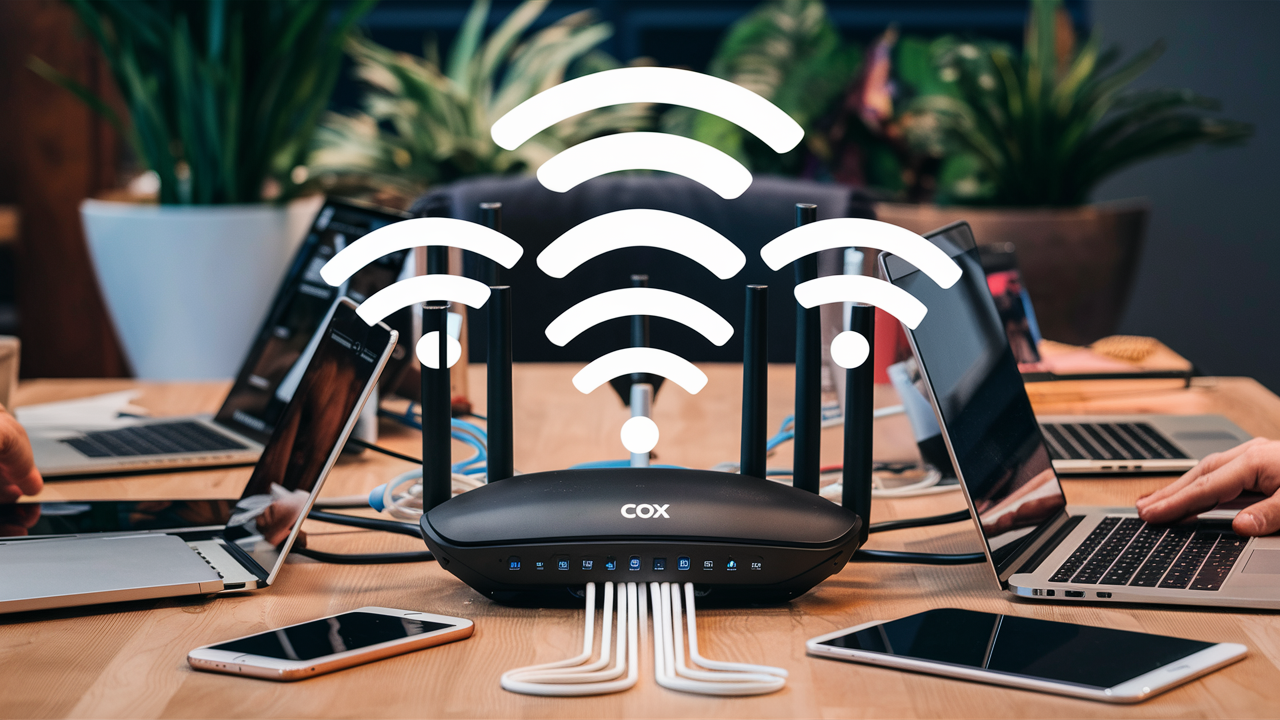
Discover if Cox Panoramic WiFi incurs extra charges. This comprehensive guide breaks down the pricing structure, potential hidden fees, and what's truly included with your Cox internet service, helping you make an informed decision about your connectivity costs in 2025-26.
Understanding Cox Panoramic WiFi
Cox Panoramic WiFi is more than just an internet plan; it's a comprehensive connectivity solution designed to offer enhanced performance, security, and convenience for households. Introduced by Cox Communications, this service aims to address the evolving needs of modern internet users, who increasingly rely on stable, high-speed connections for a multitude of devices and applications. In the landscape of internet service providers (ISPs), the term "Panoramic WiFi" has become synonymous with a premium WiFi experience, often bundled with specific internet packages. However, a common question that arises for consumers is whether this enhanced WiFi offering comes at an additional cost beyond the advertised internet plan price. This article delves deep into the pricing structure, features, and potential hidden fees associated with Cox Panoramic WiFi, providing clarity for consumers navigating their internet service options in 2025-26.
The core of Cox Panoramic WiFi is its advanced router, often referred to as the Panoramic WiFi Gateway. This device is not just a modem and router combined; it's engineered to deliver superior WiFi coverage throughout the home, minimize dead zones, and support a high number of connected devices simultaneously. For a typical household in 2025-26, this means smoother streaming of 4K content, lag-free online gaming, efficient operation of smart home devices, and reliable video conferencing for remote work or education. Cox markets this as a way to simplify home networking, eliminating the need for separate modems and routers and the complexities of setting up extenders or mesh systems. But the crucial question remains: does this convenience translate into an extra charge?
To understand the cost, it's essential to differentiate between the internet speed plan itself and the WiFi equipment and services provided. Cox offers various internet speed tiers, each with its own monthly price. The Panoramic WiFi service is often integrated into these plans, but its specific cost can vary depending on the package selected and promotional offers. Understanding this distinction is key to avoiding unexpected charges and ensuring you're getting the best value for your money. We will explore the various components that make up the cost of Cox Panoramic WiFi and clarify what is included and what might be considered an additional expense.
The Evolution of Home WiFi with Cox
Gone are the days when a single, basic router was sufficient for most homes. The proliferation of smart devices, the rise of 4K streaming, and the increasing prevalence of remote work have significantly increased the demand for robust and reliable home WiFi. Cox Communications, like other major ISPs, has responded to these trends by developing more advanced solutions. Panoramic WiFi represents Cox's commitment to providing a seamless and high-performance wireless network experience within the home. This service is built upon their latest generation of WiFi gateways, which are designed to offer wider coverage, faster speeds, and better security features than older, standard equipment.
The technology behind Panoramic WiFi gateways includes features like Wi-Fi 6 (802.11ax), which offers significant improvements in speed, capacity, and efficiency compared to older Wi-Fi standards. This means that even with numerous devices connected simultaneously, users can expect a more stable and responsive connection. Furthermore, these gateways often come with integrated security features, such as advanced firewalls and automatic firmware updates, to protect the home network from online threats. Cox also offers a companion mobile app that allows users to manage their network, set up guest access, and even perform speed tests, adding another layer of convenience and control.
The introduction of such advanced equipment and services naturally raises questions about cost. While ISPs aim to provide competitive pricing, the underlying technology and ongoing support for these premium services can influence the final bill. Therefore, a detailed examination of Cox's pricing models and service bundles is necessary to ascertain whether Panoramic WiFi is a standard inclusion or an optional upgrade with a separate fee.
Is Panoramic WiFi an Add-On Service?
The most direct answer to whether Cox Panoramic WiFi is an add-on service is nuanced: it depends on the specific internet plan you choose and the current promotions offered by Cox. In many cases, especially with newer or higher-tier internet packages, the Panoramic WiFi service, including the advanced gateway rental, is bundled as part of the overall monthly price. This means that you don't pay an explicit "add-on" fee for the WiFi functionality itself, as it's integrated into the cost of your internet service. However, this bundling strategy can sometimes obscure the actual cost attributed to the WiFi equipment and service.
Cox's pricing structure often presents internet plans with specific speeds and then outlines what equipment is included. For instance, a plan might be advertised as "Cox Internet Starter with Panoramic WiFi," implying that the WiFi service is a standard component of that starter package. Similarly, higher-speed plans like "Cox Internet Ultimate with Panoramic WiFi" would also include this service as part of the advertised monthly rate. The intention behind this bundling is to offer a simplified, all-in-one solution for customers, removing the need for them to purchase or rent separate modems and routers.
However, there are scenarios where the distinction becomes more apparent. If a customer already owns a compatible modem and router, they might be able to opt out of renting Cox's equipment. In such cases, the cost of the Panoramic WiFi gateway rental would be removed from their bill. Conversely, if a customer chooses a very basic internet plan that doesn't explicitly mention Panoramic WiFi, or if they are on an older legacy plan, they might be using standard Cox equipment that doesn't offer the full suite of Panoramic WiFi features. In these instances, upgrading to a plan that includes Panoramic WiFi might involve a price adjustment, effectively acting as an upgrade fee for the enhanced service and equipment.
Furthermore, Cox occasionally runs promotions where certain internet plans come with a free Panoramic WiFi gateway for a limited time, or at a reduced rate. These promotional periods can make it seem like the service is free, but it's crucial to understand what the cost will be after the promotion ends. Understanding the baseline pricing and any promotional discounts is key to determining if you are paying extra for the Panoramic WiFi features.
It's also important to consider the equipment itself. The Panoramic WiFi Gateway is a rental device. While the service is often bundled, the rental fee for the advanced gateway is implicitly factored into the monthly internet plan cost. If you were to use your own compatible modem and router, you would not incur this rental fee, and thus your monthly bill would be lower. This is where the perception of an "add-on" cost can arise – the enhanced capabilities and the rental of the advanced equipment are priced into the service plan.
Bundled vs. Standalone Pricing
Cox's primary approach in 2025-26 is to bundle Panoramic WiFi with their internet service packages. This means that when you sign up for a specific internet speed tier, the cost of the Panoramic WiFi gateway and the associated service features are typically included in the advertised monthly price. This strategy simplifies the purchasing process for consumers, presenting a clear, albeit sometimes less transparent, monthly cost for their internet and WiFi needs. For example, a plan might be listed as "$70/month for 300 Mbps internet with Panoramic WiFi." In this scenario, the $70 covers both the internet speed and the premium WiFi experience.
Standalone pricing for the Panoramic WiFi service, as a separate entity from the internet speed, is rare. Cox does not typically offer Panoramic WiFi as an optional upgrade that you can add to any internet plan for a fixed extra fee. Instead, the features and equipment associated with Panoramic WiFi are integrated into specific service tiers. If you want the benefits of Panoramic WiFi, you generally need to subscribe to an internet plan that includes it. This can mean that to access Panoramic WiFi, you might need to upgrade to a higher-speed internet plan than you would otherwise require, indirectly increasing your overall cost.
The alternative to using Cox's provided Panoramic WiFi gateway is to use your own compatible modem and router. If you choose this route, you will not be charged a monthly equipment rental fee by Cox. However, you will be responsible for purchasing and maintaining your own networking equipment. In this case, the "cost" of Panoramic WiFi is the difference between the bundled plan price and the price of a comparable internet-only plan (if available) plus the cost of your own equipment. For many, the convenience and performance of the Panoramic WiFi gateway make the bundled price a worthwhile investment, but it's essential to be aware that you are paying for the equipment and service, even if it's not itemized as a separate line item.
The Role of Promotions and Discounts
Promotional offers play a significant role in how consumers perceive the cost of Cox Panoramic WiFi. ISPs like Cox frequently use introductory pricing and special deals to attract new customers or encourage upgrades. During these promotional periods, the monthly cost of internet plans that include Panoramic WiFi can be substantially reduced. For instance, a plan that normally costs $80 per month might be offered at $60 per month for the first 12 or 24 months. These promotions often include the Panoramic WiFi service at no additional charge, making it appear as a completely free upgrade.
However, it is crucial for consumers to understand the terms and conditions of these promotions. The discounted rate is almost always temporary. Once the promotional period ends, the monthly bill will revert to the standard, non-promotional rate. This standard rate will then reflect the full cost of the internet plan, including the bundled Panoramic WiFi service and equipment rental. Failing to account for this price increase after the promotion expires can lead to unexpected higher bills.
Some promotions might also offer a waiver of installation fees or provide a discount on the Panoramic WiFi gateway rental for a limited time. These incentives further enhance the perceived value of the service. When evaluating these offers, it's advisable to:
- Clarify the standard price: Always ask for the regular monthly rate after the promotional period concludes.
- Understand contract terms: Be aware of any contract lengths and early termination fees.
- Read the fine print: Pay close attention to any clauses that might introduce additional charges.
By carefully reviewing promotional details, consumers can make a more informed decision about whether the bundled Panoramic WiFi service is a good deal for their budget, both during the promotional period and beyond.
What is Included in the Panoramic WiFi Price?
When you pay for a Cox internet plan that includes Panoramic WiFi, you are essentially paying for a comprehensive package that goes beyond just internet speed. The price covers the advanced networking equipment, the enhanced WiFi service, and the associated support and management features. Understanding these components helps clarify the value proposition and justifies the monthly cost.
The core of what's included is the **Panoramic WiFi Gateway**. This is Cox's proprietary modem-router combination device. It's designed to offer superior performance compared to standard equipment. Key features of this gateway that are included in the price are:
- High-Speed WiFi: Support for the latest Wi-Fi standards, such as Wi-Fi 6 (802.11ax), which enables faster speeds, better capacity for multiple devices, and improved efficiency.
- Extended Coverage: The gateway is engineered to provide a stronger and more consistent WiFi signal throughout your home, reducing or eliminating dead zones.
- Multi-Device Support: Capable of handling a large number of connected devices simultaneously without significant performance degradation. This is crucial in 2025-26 with the prevalence of smart home devices, laptops, tablets, and streaming boxes.
- Advanced Security: Built-in security features, including a firewall and automatic firmware updates, help protect your home network from common online threats.
- Network Management App: Access to the Cox Panoramic WiFi app, which allows users to manage their network settings, view connected devices, set up guest networks, pause WiFi access for specific devices, and run speed tests directly from their smartphone or tablet.
Beyond the hardware, the price also covers the **service and support** aspects of Panoramic WiFi:
- Network Optimization: Cox continuously monitors and optimizes its network infrastructure to ensure reliable service delivery to the Panoramic WiFi gateways.
- Remote Diagnostics and Support: Cox technicians can often perform remote diagnostics on the gateway to troubleshoot issues, reducing the need for in-home service calls.
- Seamless Updates: Firmware updates for the gateway are managed by Cox, ensuring that the device is always running the latest software for optimal performance and security.
- Guest Network Functionality: The ability to easily set up a separate WiFi network for guests, keeping your primary network secure.
It's important to note that the price you pay is for the *rental* of the Panoramic WiFi Gateway and the associated service. You do not own the equipment. If you discontinue your Cox service, the gateway must be returned to Cox. If you choose to use your own compatible modem and router, you would typically pay a lower monthly fee for your internet service, as the equipment rental cost would be removed. However, you would then be responsible for purchasing and managing your own networking hardware, which can be a significant upfront investment and requires technical knowledge to set up and maintain effectively.
The Panoramic WiFi Gateway Rental Fee
The Panoramic WiFi Gateway is a piece of advanced networking hardware provided by Cox. As mentioned, it's not sold to customers; rather, it is rented on a monthly basis. This rental fee is typically incorporated into the overall monthly price of the internet plan that includes Panoramic WiFi. For example, a 500 Mbps internet plan might be advertised at $75 per month, and this price includes the rental of the Panoramic WiFi Gateway and its associated service features. If Cox offered a similar plan without Panoramic WiFi and allowed customers to use their own equipment, the price might be slightly lower, perhaps $65 per month, plus the cost of purchasing a compatible modem and router.
The monthly rental fee for Cox's equipment, including the Panoramic WiFi Gateway, is a significant revenue stream for the ISP. While it offers convenience and access to the latest technology, it also means that customers are perpetually paying for the equipment as long as they subscribe to the service. In 2025-26, the average monthly rental fee for advanced gateways from major ISPs can range from $10 to $15, sometimes more. This fee is often bundled, making it difficult to discern the exact amount attributed solely to the gateway. However, if you were to subtract the cost of a basic internet-only plan (if such a plan were available with BYOD - Bring Your Own Device) from the advertised bundled price, you could estimate the portion of your bill dedicated to the equipment rental and the premium WiFi service.
For consumers looking to save money, purchasing their own compatible modem and router can be a long-term cost-effective solution. The upfront cost of a high-quality modem and router can range from $150 to $400, depending on the features and performance. After the initial investment, there are no further monthly equipment rental fees. However, this requires research to ensure compatibility with Cox's network and the chosen internet speed tier. It also means the customer is responsible for troubleshooting any hardware issues and ensuring the equipment is up-to-date with the latest security patches and performance standards. Cox's support for customer-owned equipment can also be more limited compared to their own provided gateways.
Included Speeds and Performance Tiers
Cox Panoramic WiFi is not a speed tier itself; rather, it is a service that enhances the WiFi experience for various internet speed tiers. When you subscribe to a Cox internet plan, you choose a specific download and upload speed (e.g., 100 Mbps, 300 Mbps, 500 Mbps, 1 Gbps). The Panoramic WiFi service is then delivered using the advanced gateway, which is designed to maximize the performance of that chosen speed tier within your home network. The price you pay is for the combination of the internet speed and the enhanced WiFi service.
For example, a "Cox Internet Preferred" plan might offer speeds up to 300 Mbps download and 10 Mbps upload. If this plan includes Panoramic WiFi, the monthly cost covers the provision of these speeds and the use of the Panoramic WiFi Gateway to distribute that speed wirelessly throughout your home. The gateway's Wi-Fi 6 capabilities ensure that you can achieve speeds close to the plan's maximum on compatible devices within good signal range. If you were to select a higher-tier plan, such as "Cox Internet Ultimate" offering up to 500 Mbps download and 20 Mbps upload, the price would be higher, reflecting the increased internet speed, but the Panoramic WiFi service and gateway would still be included.
It's important to understand that the Panoramic WiFi service is intended to help you achieve the best possible WiFi performance *up to the speeds of your subscribed plan*. It cannot magically increase your internet speed beyond what you are paying for from Cox. If you have a 300 Mbps plan, the Panoramic WiFi gateway will help you get the best possible wireless experience for those 300 Mbps, but it won't deliver 500 Mbps. To get higher speeds, you need to upgrade your internet plan itself.
The performance tiers are therefore defined by the internet speed plan, not the WiFi service. The Panoramic WiFi service acts as an enabler, ensuring that the chosen speed tier is delivered effectively and reliably to all your connected devices via WiFi. The pricing reflects the speed tier, and the Panoramic WiFi features are bundled within that price for convenience and enhanced user experience.
Potential Extra Costs and Fees
While Cox Panoramic WiFi is often bundled, leading to a seemingly straightforward monthly bill, there are several potential extra costs and fees that consumers should be aware of. These can arise from installation, equipment issues, or specific service add-ons. Understanding these potential charges can help you avoid surprises and budget more effectively for your internet service.
Installation and Activation Fees
When you first sign up for Cox service, including a plan with Panoramic WiFi, you may encounter installation and activation fees. These are one-time charges that cover the cost of setting up your service. The exact amount can vary depending on whether you opt for professional installation (where a technician comes to your home) or self-installation (where you set up the equipment yourself using a provided kit).
- Professional Installation: This typically involves a higher fee, often ranging from $50 to $100 or more. It's recommended for complex setups or if you prefer expert assistance. The technician will ensure the modem/gateway is properly connected, the WiFi signal is optimized, and your service is activated correctly.
- Self-Installation: This option is usually less expensive, sometimes free or a nominal fee (e.g., $20-$30). It requires you to connect the provided Cox equipment yourself. The Panoramic WiFi Gateway is designed for relatively easy self-installation, with clear instructions provided.
Cox frequently offers promotions that waive these installation fees, especially for new customers or during special sales events. It's always worth inquiring about any available discounts or promotional offers to reduce these upfront costs.
Equipment Damage or Loss Fees
As the Panoramic WiFi Gateway is a rented device, you are responsible for its care and return. If the gateway is damaged, lost, or not returned when you cancel your service, Cox will charge you a fee. These fees are intended to cover the replacement cost of the equipment. The amount can vary depending on the specific model of the gateway, but it can range from $100 to $200 or more.
To avoid these charges:
- Handle equipment with care: Protect the gateway from physical damage, spills, and extreme temperatures.
- Keep track of all components: Ensure you return all parts of the gateway, including the power cord and any associated cables, when discontinuing service.
- Follow return instructions: Adhere strictly to Cox's procedures for returning equipment to avoid claims of loss.
It's advisable to take photos of the equipment's condition before returning it, as proof of its state. Also, obtain a receipt or confirmation of return from Cox.
Service Upgrades and Plan Changes
While not strictly "extra costs," changing your internet plan can affect your overall monthly expenditure. If you decide you need faster speeds, upgrading to a higher-tier plan that includes Panoramic WiFi will naturally increase your monthly bill. Conversely, downgrading to a lower-tier plan will reduce it.
The nuance here is that if you are on a plan that *doesn't* include Panoramic WiFi and you wish to add it, Cox may require you to upgrade to a specific plan tier that bundles the service. This means you might end up paying more not just for the WiFi features, but also for a higher internet speed that you might not necessarily need. Always clarify with Cox representatives whether it's possible to add Panoramic WiFi to your existing plan without changing the speed tier, or if an upgrade is mandatory.
When changing plans, be mindful of any potential:
- Activation fees for new plans: Sometimes, changing plans can incur a small activation fee.
- Promotional resets: Upgrading to a new plan might qualify you for new promotional pricing, but it could also mean the end of existing discounts on your old plan.
Additional Services and Features
Cox offers various add-on services that are separate from the core Panoramic WiFi offering. These might include:
- Cox Complete Care: A premium technical support service that covers all your connected devices, not just your Cox network equipment. This comes with an additional monthly fee.
- Security Suites: While the Panoramic WiFi Gateway has built-in security, Cox might offer more comprehensive security software packages for your devices, which would be an extra charge.
- Static IP Addresses: For businesses or advanced users who require a fixed IP address, this is an add-on service with a recurring fee.
It's crucial to review your monthly bill carefully to identify any such add-ons you may have inadvertently subscribed to or no longer need. You can usually manage these services through your Cox online account or by contacting customer service.
Comparing Panoramic WiFi to Other Options
When evaluating Cox Panoramic WiFi, it's essential to compare it against alternative solutions available in the market. This comparison helps in understanding its value proposition and whether it's the most cost-effective and feature-rich choice for your specific needs. The primary alternatives include using your own networking equipment and considering WiFi solutions from other ISPs.
Using Your Own Modem and Router (BYOD)
The most significant alternative to Cox Panoramic WiFi is to purchase your own modem and router (or a combined modem/router unit). This is often referred to as "Bring Your Own Device" (BYOD).
Pros of BYOD:
- Long-Term Cost Savings: While the initial investment can be substantial ($150-$400+), you eliminate the monthly equipment rental fees charged by Cox. Over time, this can lead to significant savings. For example, if Cox charges $15/month for equipment rental, buying your own at $300 would pay for itself in 20 months.
- Greater Control and Customization: You have full control over the hardware you use. You can choose devices with specific features, performance levels, and brands that you trust. This allows for more advanced network configurations if needed.
- No Return Hassles: You own the equipment, so there's no need to worry about returning it when you cancel service or facing damage/loss fees.
Cons of BYOD:
- Upfront Cost: The initial purchase price can be a barrier for some users.
- Compatibility Issues: You must ensure that the modem and router you purchase are compatible with Cox's network and your subscribed internet speed tier. Cox provides lists of compatible modems, but routers are generally more universal.
- Technical Expertise Required: Setting up and troubleshooting your own equipment requires a certain level of technical knowledge. You are solely responsible for firmware updates, security configurations, and resolving any network issues.
- Limited ISP Support: Cox's technical support for customer-owned equipment is often more limited than for their own provided devices. They can help with service line issues but may not be able to troubleshoot your specific router configuration.
- Potentially Missing Advanced Features: While high-end consumer routers offer many advanced features, they might not replicate the integrated management and specific optimizations that Cox's Panoramic WiFi Gateway provides through its app and network integration.
Comparison to Panoramic WiFi: Panoramic WiFi offers convenience, integrated management, and often cutting-edge WiFi technology (like Wi-Fi 6) without the upfront cost or technical burden. However, it comes with a perpetual monthly rental fee and less user control. BYOD requires an initial investment and technical know-how but offers long-term savings and greater customization.
WiFi Extenders and Mesh Systems
Another option for improving WiFi coverage is to use WiFi extenders or a mesh WiFi system. These are typically used in conjunction with a separate modem and router (either your own or Cox's standard equipment).
- WiFi Extenders: These devices capture your existing WiFi signal and rebroadcast it, effectively extending the range. They are generally inexpensive but can halve the speed of the connection in the extended area and may create separate network names, leading to a less seamless experience.
- Mesh WiFi Systems: These consist of a main router and one or more satellite "nodes" that work together to create a single, unified WiFi network throughout your home. They offer much better performance and seamless roaming than extenders. High-end mesh systems can rival or exceed the performance of ISP-provided solutions.
Comparison to Panoramic WiFi:
- Cost: A basic mesh system can cost $150-$300 upfront. While this is an upfront cost, it can be cheaper in the long run than paying monthly rental fees for Panoramic WiFi, especially if you already have a compatible modem.
- Performance: High-quality mesh systems can offer superior coverage and performance, particularly in larger or more complex home layouts, compared to a single Panoramic WiFi gateway.
- Management: Many mesh systems offer user-friendly apps for network management, similar to Panoramic WiFi, but with potentially more advanced customization options.
- Integration: Panoramic WiFi is a fully integrated solution from Cox, meaning it's designed to work seamlessly with their network and services. Mesh systems are third-party solutions that connect to your modem.
If you already have a Cox internet plan and are experiencing WiFi coverage issues, a mesh system could be a viable alternative to upgrading to a plan that includes Panoramic WiFi, especially if you prefer to own your equipment.
WiFi Offerings from Other ISPs
When considering Cox Panoramic WiFi, it's also useful to compare it to similar offerings from competing ISPs in your area. Many ISPs offer their own branded advanced WiFi solutions, often involving rental of their latest-generation gateways.
- Pricing Structures: ISPs vary in how they bundle WiFi services. Some may charge a separate monthly fee for their advanced gateway, while others include it in specific internet plans, similar to Cox.
- Technology: Most major ISPs are equipping their gateways with Wi-Fi 6 or even Wi-Fi 6E, offering similar performance benefits to Cox's Panoramic WiFi.
- Service Features: The accompanying apps and management features can differ. Some ISPs might offer more robust parental controls, network analytics, or integration with smart home ecosystems.
- Bundling with Other Services: Other ISPs might offer competitive bundles that include internet, TV, and phone services, potentially making their overall package more attractive.
Comparison to Panoramic WiFi: The best option among ISPs often depends on the specific plans, pricing, and promotions available in your geographic location at any given time. It's recommended to get quotes from multiple providers and carefully compare not only the internet speeds but also the equipment costs, included features, and contract terms. Sometimes, a slightly higher monthly fee from another ISP might include a better overall package or more favorable terms.
Maximizing Your Cox Internet Investment
Once you have Cox Panoramic WiFi, or are considering it, there are several strategies to ensure you're getting the most value and the best possible performance from your investment. This involves optimizing your plan, your equipment, and your usage habits.
Choosing the Right Internet Speed Tier
The first step to maximizing your investment is selecting the appropriate internet speed tier. Cox offers a range of speeds, and paying for more than you need is a common way to overspend. In 2025-26, typical household needs vary:
- Light Usage (1-2 devices, basic browsing, email, occasional SD streaming): 50-100 Mbps might suffice.
- Moderate Usage (3-5 devices, HD streaming, online gaming, video conferencing): 100-300 Mbps is often a good balance.
- Heavy Usage (6+ devices, 4K streaming on multiple screens, extensive smart home devices, large file downloads/uploads, remote work with heavy data transfer): 300 Mbps and above, potentially up to 1 Gbps, may be necessary.
Cox's Panoramic WiFi is designed to deliver the speeds of your chosen tier efficiently. However, if you consistently find your connection slow despite having a high-speed plan, the issue might be with your usage habits or the number of devices rather than the plan itself. Conversely, if you're experiencing constant buffering or slow downloads on multiple devices, you might genuinely need a higher speed tier, and the Panoramic WiFi gateway will help ensure you achieve those higher speeds wirelessly.
Actionable Tip: Use Cox's speed test tool (often accessible via the Panoramic WiFi app or their website) during peak usage times. If your speeds are consistently much lower than what you're paying for, investigate further. It could be an issue with the plan, the equipment, or your home's internal wiring.
Optimizing Your Panoramic WiFi Gateway Placement
The location of your Panoramic WiFi Gateway significantly impacts the strength and reach of your wireless signal. Even with advanced technology, a poorly placed router can lead to weak spots and slow speeds in certain areas of your home.
Best Practices for Placement:
- Central Location: Place the gateway as close to the center of your home as possible. This ensures the signal radiates outwards evenly in all directions.
- Open Space: Avoid placing the gateway in enclosed cabinets, behind large furniture, or near metal objects, as these can obstruct or absorb WiFi signals.
- Elevated Position: Placing the gateway on a shelf or table, rather than on the floor, can improve signal dispersion.
- Away from Interference: Keep the gateway away from other electronic devices that can cause interference, such as microwaves, cordless phones, and Bluetooth devices.
- Avoid Thick Walls: Dense materials like brick, concrete, and even some types of insulation can significantly weaken WiFi signals. If possible, position the gateway to minimize the number of such walls between it and the devices that need the strongest signal.
Using the Panoramic WiFi App: Cox's Panoramic WiFi app often includes features to help you optimize placement. It might offer signal strength indicators or even a "WiFi Site Survey" tool that helps you identify the best location for your gateway and any potential mesh extenders if you choose to add them.
Managing Connected Devices and Usage
In 2025-26, the average household has numerous connected devices, from smartphones and laptops to smart TVs, thermostats, security cameras, and voice assistants. Each device consumes bandwidth, and too many active devices can strain even a high-speed internet connection.
Strategies for Management:
- Identify Bandwidth Hogs: Use the Panoramic WiFi app to see which devices are using the most bandwidth. If a particular device is consuming excessive data (e.g., a smart TV constantly streaming in 4K), consider limiting its usage or adjusting its settings (e.g., setting streaming quality to HD instead of 4K if not necessary).
- Schedule Heavy Tasks: If you have large files to download or upload, or need to perform system updates, try to schedule these for times when fewer devices are actively using the internet (e.g., overnight).
- Turn Off Unused Devices: Devices that are not actively being used can still consume some bandwidth or maintain a connection. Powering them off or disconnecting them from the WiFi when not in use can free up resources.
- Guest Network: Utilize the guest network feature of the Panoramic WiFi app. This allows visitors to connect to your WiFi without having access to your primary network and its devices, and it can also help manage bandwidth if guests are streaming heavily.
- Prioritize Devices: Some advanced routers and mesh systems allow you to prioritize certain devices or applications. While the Panoramic WiFi app's capabilities might be more limited, check if there are any Quality of Service (QoS) settings available that can give preference to critical devices like work laptops or gaming consoles.
By actively managing your connected devices and their usage, you can ensure that your Cox internet plan, and the Panoramic WiFi service, are utilized most effectively, providing a smoother experience for all users.
Leveraging the Panoramic WiFi App Features
The Cox Panoramic WiFi app is a powerful tool designed to give you control and insights into your home network. Maximizing its use can significantly enhance your internet experience and help you troubleshoot issues proactively.
Key Features to Utilize:
- Network Status: Quickly check if your internet connection is active and if the gateway is online.
- Connected Devices: See a list of all devices currently connected to your network. You can often identify unknown devices and take action, such as blocking them.
- Speed Test: Run on-demand speed tests to monitor your internet performance and diagnose potential issues.
- WiFi Security: View and manage your WiFi network name (SSID) and password. You can also change these settings if needed.
- Guest Network Management: Easily set up and manage a separate WiFi network for guests, including setting passwords and access duration.
- Device Prioritization (if available): Some versions of the app may allow you to prioritize specific devices to ensure they receive the best possible connection.
- Parental Controls: If available, utilize parental controls to manage internet access for specific devices, such as setting schedules or blocking certain websites.
- Troubleshooting Tools: The app may offer guided troubleshooting steps for common network problems.
- Firmware Updates: While typically automatic, the app might provide notifications or status updates on gateway firmware.
Regularly exploring and utilizing the features within the Panoramic WiFi app is crucial for staying on top of your home network's performance, security, and management. It empowers you to take control and resolve minor issues before they escalate.
Making an Informed Decision
Deciding whether Cox Panoramic WiFi is the right choice for you hinges on a thorough understanding of its costs, benefits, and alternatives. As we've explored, the service is often bundled into Cox internet plans, meaning its cost is integrated rather than being a separate, itemized add-on. However, this bundling can obscure the true value and might mean paying for enhanced WiFi features you don't fully utilize or need.
Key Takeaways to Consider:
- Bundled Convenience: Panoramic WiFi offers a convenient, all-in-one solution with advanced equipment and app management, eliminating the need for separate purchases and complex setups.
- Potential for Hidden Costs: Be aware of installation fees, potential charges for equipment damage or loss, and the fact that promotional pricing is temporary.
- BYOD Savings: For those comfortable with technology and looking for long-term cost savings, purchasing your own compatible modem and router is a viable alternative that bypasses monthly rental fees.
- Performance vs. Price: Evaluate whether the enhanced performance and features of Panoramic WiFi justify its integrated cost compared to the upfront investment and ongoing management of your own equipment.
- Your Household Needs: The number of devices, typical usage patterns (streaming, gaming, remote work), and the size and layout of your home are critical factors in determining the necessary internet speed and WiFi coverage.
Ultimately, the decision rests on your priorities. If simplicity, ease of use, and access to Cox's support are paramount, and you don't mind the ongoing monthly cost, Panoramic WiFi is likely a good fit. If you prioritize cost savings over the long term, have the technical expertise, and prefer to own your hardware, then bringing your own device might be the more prudent path. Always compare current offers from Cox and other ISPs in your area, read the fine print carefully, and consider your specific connectivity needs for 2025-26 and beyond.
By carefully weighing these factors, you can confidently choose the internet and WiFi solution that best meets your needs and budget, ensuring a seamless and reliable online experience.






