Does Cox Offer Streaming TV?
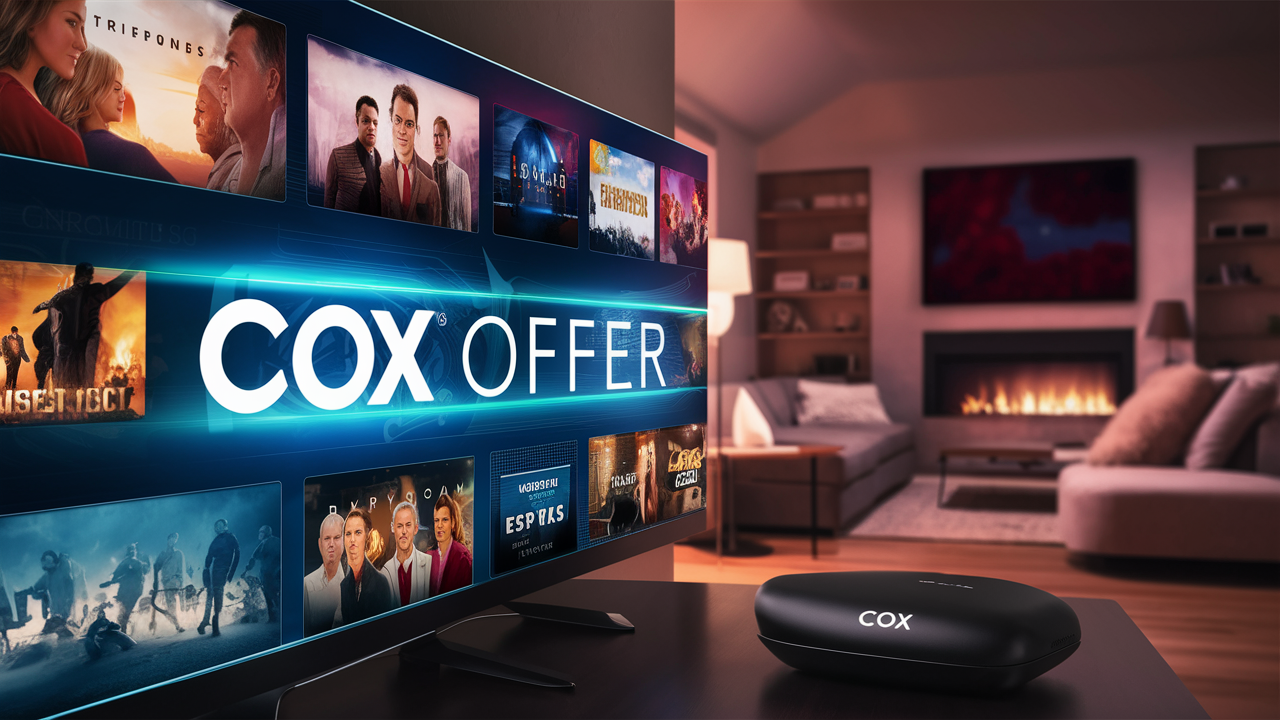
Cox Communications, a major player in the internet and cable TV landscape, offers a compelling suite of streaming TV options designed to compete with traditional cable and newer streaming services. This comprehensive guide dives deep into what Cox offers for cord-cutters and those seeking flexible entertainment solutions, analyzing their packages, features, and overall value proposition for 2025-26.
Cox Streaming TV: An Overview
In the ever-evolving world of television consumption, Cox Communications has strategically positioned itself to cater to the modern viewer. Recognizing the shift away from traditional, bundled cable subscriptions, Cox has developed a robust lineup of streaming TV services that aim to provide flexibility, customization, and access to a wide array of content without the constraints of a long-term contract or a bulky set-top box for every television. These offerings are designed to appeal to both dedicated Cox internet customers and those looking for a primary or supplementary TV solution.
The core of Cox's streaming strategy revolves around its Contour TV platform. This isn't just a single product but a family of services that leverage internet connectivity to deliver live TV, on-demand content, and a personalized viewing experience. Whether you're a cord-cutter seeking to shed the cable box or a traditional subscriber looking for more portable access to your favorite channels, Cox's streaming solutions are engineered to meet diverse needs. This guide will explore the intricacies of these offerings, helping you understand their value, features, and how they stack up against the competition in the dynamic 2025-26 television market.
Cox Contour TV Streaming Options
Cox's streaming TV services are primarily accessed through its Contour TV platform. This platform is not a monolithic entity but rather a flexible ecosystem that offers different tiers and access methods, all powered by your internet connection. The primary ways to experience Cox streaming are:
- Contour TV App: This is the cornerstone of Cox's streaming strategy. Available on a wide range of smart TVs, streaming devices (like Roku, Amazon Fire TV, Apple TV), and mobile devices (iOS and Android), the Contour TV app allows subscribers to watch live TV, access on-demand libraries, and manage their DVR recordings from virtually anywhere with an internet connection. This app essentially turns your compatible devices into virtual cable boxes, eliminating the need for additional hardware in many cases.
- Contour Stream Player: For those who prefer a dedicated device or want to enhance their streaming experience without a full cable box, Cox offers the Contour Stream Player. This small, user-friendly device connects to your TV and provides seamless access to the Contour TV app, along with other popular streaming applications. It's designed to be a simple, plug-and-play solution that bridges the gap between traditional TV and the streaming world.
- Contour TV App on Select Devices: Beyond the dedicated player, Cox has partnered with manufacturers to integrate the Contour TV app directly into certain smart TV operating systems. This means that if you own a compatible smart TV, you might be able to download and use the Contour TV app directly without any additional hardware.
These options collectively provide a flexible approach to accessing Cox's television programming. The emphasis is on delivering content over IP (Internet Protocol), allowing for greater mobility and personalization compared to traditional cable delivery methods. This adaptability is crucial in a market where consumers demand more control over their entertainment.
Understanding the Contour Ecosystem
The Contour ecosystem is built around a user-friendly interface that aims to consolidate live TV, on-demand content, and DVR management into a single, intuitive experience. Whether you're using the app on your tablet or the Stream Player on your television, the goal is to provide a consistent and accessible platform.
Key components of the Contour ecosystem include:
- Live TV Streaming: Access to a broad selection of local, national, and premium channels in real-time, streamed directly to your devices. The channel lineup will vary based on the specific Contour TV package you subscribe to.
- On-Demand Library: A vast collection of movies, TV shows, and other content available to watch anytime. This library is continuously updated with new releases and popular titles.
- DVR Functionality: For packages that include DVR service, you can record your favorite shows and movies to watch later. These recordings are accessible through the Contour TV app and other compatible devices, allowing you to take your recorded content with you.
- Personalization Features: The platform often includes features like personalized recommendations, watchlists, and the ability to set parental controls, enhancing the user experience.
This integrated approach is designed to offer a comprehensive entertainment solution that adapts to the user's lifestyle, whether they are at home or on the go. The reliance on internet streaming means that the quality of your Cox internet service is a significant factor in the overall viewing experience.
Key Features and Benefits of Cox Streaming
Cox's streaming TV offerings are designed to provide a modern, flexible, and feature-rich television experience. By leveraging internet connectivity, they aim to deliver the convenience and customization that today's viewers expect. Here are some of the most significant features and benefits:
- Flexibility and Mobility: The primary advantage of Cox's streaming solutions is the ability to watch TV on a variety of devices, including smart TVs, smartphones, tablets, and streaming media players, both inside and outside the home (within Cox's service areas for some features). This eliminates the need for multiple cable boxes and allows for entertainment wherever you have an internet connection.
- No Long-Term Contracts (Typically): Many of Cox's streaming packages are offered without the mandatory long-term contracts often associated with traditional cable TV. This provides consumers with the freedom to change their service or cancel without hefty early termination fees, a significant draw for cord-cutters.
- Access to Popular Streaming Devices: The Contour TV app is widely available on popular platforms like Roku, Amazon Fire TV, Apple TV, and Google Chromecast, as well as iOS and Android mobile devices. This broad compatibility ensures that most users can access Cox's streaming services using devices they already own or can easily acquire.
- Integrated DVR and On-Demand: Cox's streaming packages often include robust DVR capabilities, allowing users to record live TV and access their recordings remotely via the app. Combined with an extensive on-demand library, this provides a comprehensive entertainment hub.
- Voice Control: Many Contour devices and apps support voice commands through integrated remotes or mobile apps, allowing for easy channel searching, program discovery, and playback control.
- Personalized Viewing Experience: Features such as personalized recommendations, watchlists, and the ability to set favorite channels enhance the user's ability to discover and enjoy content tailored to their preferences.
- Bundling Opportunities: For existing Cox internet customers, bundling Contour TV streaming services can often lead to cost savings and a simplified billing process. This integration of services can be a significant value proposition.
- Reduced Hardware Costs: By utilizing apps on existing devices or the relatively inexpensive Contour Stream Player, users can significantly reduce the hardware costs associated with traditional cable TV, which often involves renting multiple expensive set-top boxes.
These features collectively aim to provide a compelling alternative to both traditional cable and standalone streaming services, offering a blend of live TV, on-demand content, and recording capabilities in a flexible, user-friendly package.
Device Compatibility
A crucial aspect of any streaming service is its compatibility with the devices you use. Cox has made a concerted effort to ensure broad support for its Contour TV streaming platform.
Supported Devices Typically Include:
- Smart TVs: Samsung, LG, Vizio, Sony, and others with compatible operating systems (e.g., Android TV, Google TV, webOS, Tizen).
- Streaming Media Players: Roku devices, Amazon Fire TV devices, Apple TV, Google Chromecast with Google TV.
- Mobile Devices: Apple iPhones and iPads (iOS), Android smartphones and tablets.
- Web Browsers: Access is also available through a web portal on computers.
The Contour Stream Player itself is a proprietary Cox device designed to work seamlessly with their service, offering a user-friendly interface for those who prefer a dedicated streaming box.
Internet Requirements
As a streaming service, Cox Contour TV heavily relies on a stable and fast internet connection. While Cox does not always explicitly state minimum speed requirements for every tier, general recommendations for a smooth streaming experience apply.
General Recommendations for 2025-26:
- Basic Streaming (1-2 devices, standard definition): 5-10 Mbps download speed.
- HD Streaming (multiple devices, HD content): 25-50 Mbps download speed.
- 4K Streaming & Heavy Usage (multiple users, 4K content, gaming): 100+ Mbps download speed.
Cox, being an internet service provider, often bundles its TV services with its internet plans. This can ensure that your internet connection is optimized for their streaming products, potentially offering a more reliable experience. However, if you are using Cox internet for streaming, ensure your plan meets the demands of your viewing habits. For users with other ISPs, it's essential to verify their internet speed and reliability.
Cox Streaming Packages and Pricing (2025-26)
Cox's streaming TV packages are designed to offer a tiered approach, allowing customers to select a level of service that best fits their channel preferences and budget. While specific pricing can vary significantly by region and promotional offers, the general structure and typical channel counts for 2025-26 are outlined below. It's crucial to check Cox's official website or contact them directly for the most accurate and up-to-date pricing in your specific area.
Typical Package Tiers and Features (Estimates for 2025-26)
Cox generally offers a few main tiers of Contour TV, with increasing numbers of channels and features as you move up.
Contour TV Starter (or similar entry-level package)
- Target Audience: Budget-conscious viewers, those who primarily watch local channels and a few basic cable networks.
- Estimated Channel Count: 75-125+ channels.
- Included Channels: Typically includes local broadcast channels (ABC, CBS, NBC, FOX, PBS), CNN, ESPN, HGTV, Discovery Channel, AMC, TBS, TNT, USA, and other popular general entertainment networks.
- Key Features: Access to Contour TV app, on-demand library. DVR service may be an add-on.
- Estimated Price Range: $50 - $75 per month (without internet bundle).
Contour TV Preferred (or similar mid-tier package)
- Target Audience: Families and viewers who want a wider variety of news, sports, and entertainment channels.
- Estimated Channel Count: 150-200+ channels.
- Included Channels: All channels from the Starter package, plus additional sports channels (e.g., ESPN2, NFL Network, regional sports networks), more movie channels (e.g., FX, Comedy Central), documentary channels, and children's programming.
- Key Features: Access to Contour TV app, on-demand library, DVR service often included or available at a reduced add-on cost.
- Estimated Price Range: $75 - $100 per month (without internet bundle).
Contour TV Ultimate (or similar premium package)
- Target Audience: Serious TV enthusiasts, sports fans, and movie buffs who want the most comprehensive channel selection.
- Estimated Channel Count: 225-275+ channels.
- Included Channels: All channels from the Preferred package, plus premium movie channels (e.g., HBO, Cinemax, Starz, Showtime), more specialized sports channels, international channels, and niche entertainment networks.
- Key Features: Access to Contour TV app, extensive on-demand library, DVR service typically included. May include premium channel bundles.
- Estimated Price Range: $100 - $130+ per month (without internet bundle).
Add-On Services and Bundles
Beyond the core channel packages, Cox offers various add-ons and bundles that can enhance the streaming experience and potentially reduce overall costs.
- Premium Channel Packages: Subscribers can often add bundles of premium movie channels like HBO Max, Showtime Anytime, Starz, and Cinemax for an additional monthly fee.
- Sports Packages: Depending on your location and the base package, you might be able to add specific sports packages for access to out-of-market games or specialized sports content.
- International Channel Packages: Cox may offer packages for viewers interested in channels from various countries and languages.
- Internet and TV Bundles: Cox heavily promotes bundled services. Combining Cox internet with a Contour TV streaming package often results in significant discounts compared to subscribing to each service separately. This is a primary strategy for Cox to retain customers and offer competitive pricing. For example, a bundle might include high-speed internet and a mid-tier Contour TV package for a single, often reduced, monthly price.
Important Considerations for Pricing
- Regional Variations: Prices are not uniform across all Cox service areas. Local competition and market conditions influence pricing.
- Promotional Offers: New customers often qualify for introductory pricing, discounts, or free equipment for a limited time (e.g., 12-24 months). After the promotional period, prices typically revert to standard rates.
- Equipment Fees: While streaming reduces the need for traditional boxes, the Contour Stream Player or any other required hardware might incur a monthly rental fee or an upfront purchase cost.
- Taxes and Fees: Standard taxes, regulatory fees, and surcharges will be added to the advertised price, increasing the total monthly bill.
- Internet Speed: Ensure your Cox internet plan is sufficient for the number of devices and quality of streaming you intend to use. Upgrading your internet speed may be necessary and will add to the overall cost.
To get the most accurate pricing and package details, it is always recommended to visit the official Cox Communications website or speak with a sales representative.
Comparing Cox Streaming to Competitors
Cox's streaming TV offerings compete in a crowded marketplace against traditional cable providers offering their own streaming solutions, virtual MVPDs (vMVPDs) like YouTube TV and Hulu + Live TV, and even standalone streaming services that offer live channels. Understanding how Cox stacks up is crucial for making an informed decision.
Cox Streaming vs. Other Cable Provider Streaming (e.g., Xfinity Stream)
Other major cable companies, such as Comcast (Xfinity), also offer streaming versions of their TV services.
- Similarities: Both typically leverage their own internet infrastructure, offer app-based access on multiple devices, include DVR functionality, and often bundle with internet services. They aim to retain existing cable customers by offering more flexible viewing options.
- Differences: Channel lineups, specific app features, device compatibility, and pricing structures can vary. Some providers might offer more robust cloud DVR storage or a wider selection of supported devices. Cox's Contour platform is generally well-regarded for its user interface.
Cox Streaming vs. Virtual MVPDs (YouTube TV, Hulu + Live TV, Sling TV, FuboTV)
These services are designed specifically for cord-cutters and operate entirely over the internet, without being tied to a traditional cable company's infrastructure.
YouTube TV:
- Pros: Excellent DVR with unlimited cloud storage, a very comprehensive channel lineup including many sports and local channels, strong on-demand library, and a user-friendly interface.
- Cons: Can be more expensive than some Cox packages, especially if you don't need all the channels. No bundled internet option.
Hulu + Live TV:
- Pros: Combines live TV with Hulu's extensive on-demand library and Disney+. Offers unlimited cloud DVR.
- Cons: Interface can be less intuitive for some users compared to dedicated live TV services. Premium channel add-ons can increase the cost.
Sling TV:
- Pros: Highly customizable with modular "Sling Orange" and "Sling Blue" base packages and numerous add-on "Extras." Often the most affordable option for basic channel needs.
- Cons: Channel selection can be more limited in base packages, and adding many extras can become expensive. DVR is limited or an add-on. Local channel availability can be inconsistent.
FuboTV:
- Pros: Strong focus on sports, offering a vast array of sports channels. Includes a good selection of entertainment and news channels as well. Offers unlimited cloud DVR.
- Cons: Can be more expensive than other vMVPDs, especially if sports are not your primary interest.
Cox Streaming Advantages over vMVPDs:
- Bundling with Internet: The ability to bundle internet and TV can lead to cost savings and simplified billing.
- Potential for More Reliable Performance: For existing Cox internet customers, the service may be more optimized for their network.
- Contour Stream Player: Offers a dedicated, simple hardware option for those who prefer it over managing multiple streaming sticks.
Cox Streaming Disadvantages compared to vMVPDs:
- Contract Flexibility: While many Cox streaming options are contract-free, some bundles or promotions might still involve commitments. vMVPDs are almost universally month-to-month.
- DVR Limitations: Cox's DVR might not offer unlimited cloud storage like YouTube TV or FuboTV, potentially limiting recording capacity.
- App Availability: While broad, vMVPD apps might be available on a slightly wider range of niche devices or platforms.
- Content Exclusivity: Some vMVPDs might have exclusive content deals or better integration with other streaming services (e.g., Hulu + Live TV with Disney+).
Cox Streaming vs. Standalone Streaming Services (Netflix, Max, Disney+)
These services offer on-demand content and some live linear channels (like Max via Hulu). They are not direct competitors for live TV in the same way as vMVPDs but are part of the overall entertainment landscape. Cox streaming is superior if live TV is a priority.
Comparison Table: Cox Streaming vs. Key Competitors (Illustrative 2025-26)
| Feature | Cox Contour TV Streaming | YouTube TV | Hulu + Live TV | Sling TV |
|---|---|---|---|---|
| Base Price (Est. Monthly) | $50 - $130+ | $73 - $80+ | $77 - $90+ | $40 - $55+ |
| Channel Count (Typical) | 75 - 275+ | 100+ | 95+ | 30 - 50+ (base) |
| Unlimited Cloud DVR | No (Limited local DVR or add-on) | Yes | Yes | Add-on (200 hrs) |
| Bundling w/ Internet | Yes | No | No | No |
| Contract Requirements | Often No (check bundles) | No | No | No |
| Dedicated Hardware Option | Yes (Contour Stream Player) | No (uses own app/devices) | No (uses own app/devices) | No (uses own app/devices) |
Note: Prices and features are estimates for 2025-26 and subject to change based on location, promotions, and specific package selections. Always verify with the provider.
Who is Cox Streaming Best For?
Cox's streaming TV solutions are not a one-size-fits-all offering. They are particularly well-suited for specific types of consumers in their service areas.
- Existing Cox Internet Customers: This is arguably the primary target audience. Bundling Cox internet with Contour TV streaming services often provides the best value, simplified billing, and potentially optimized performance. If you're already satisfied with Cox's internet service, adding their TV streaming can be a seamless and cost-effective upgrade.
- Value-Conscious Viewers Seeking Bundles: For households that want both reliable internet and television service, Cox's bundled packages can offer significant savings compared to subscribing to separate services from different providers. The convenience of a single bill and potentially discounted rates is a major draw.
- Users Who Prefer Dedicated Hardware (but not a full box): The Contour Stream Player offers a user-friendly, dedicated device experience for those who don't want the complexity or cost of traditional cable boxes but still prefer a simple, plug-and-play solution for their main TV.
- Those Who Value Flexibility but Prefer a Traditional Provider: If you're looking to move away from traditional cable but still want the assurance and customer service of a well-established provider like Cox, their streaming options offer a bridge. You get access to live channels and on-demand content without the rigid structures of older cable packages.
- Viewers Who Need Access to Local Channels: Like most cable providers, Cox generally ensures good access to local broadcast channels (ABC, CBS, NBC, FOX) across its Contour TV packages, which can be a point of frustration with some vMVPDs depending on your location.
Conversely, Cox streaming might be less ideal for:
- Die-hard Cord-Cutters Who Want Pure Internet-Only Solutions: If you've already cut the cord and are happy with multiple standalone streaming services and a vMVPD like YouTube TV, integrating Cox might add unnecessary complexity or cost.
- Users Requiring Unlimited Cloud DVR: If extensive recording capacity without worrying about storage limits is a top priority, vMVPDs with unlimited cloud DVR might be a better fit.
- Consumers Outside of Cox's Service Areas: This is the most obvious limitation; Cox services are only available in specific geographic regions.
Ultimately, the best fit depends on your individual viewing habits, existing services, budget, and preference for bundled solutions versus à la carte streaming.
Getting Started with Cox Streaming
Transitioning to Cox's streaming TV services is a straightforward process, especially if you are an existing Cox internet customer. Here’s a step-by-step guide to help you get set up:
Step 1: Assess Your Needs and Service Area
Before anything else, determine what you want from a TV service:
- Channel Preferences: What channels are essential for you? What genres do you watch most (sports, movies, news, kids)?
- Budget: How much are you willing to spend per month?
- Internet Service: Are you already a Cox internet customer? If not, are you within Cox's service area? Check Cox's website for availability in your ZIP code.
- Devices: What devices do you plan to use for streaming (smart TV, phone, tablet, streaming stick)?
Step 2: Choose Your Contour TV Package
Based on your needs assessment, explore the different Contour TV packages offered by Cox. Visit the Cox website or contact their sales team to get current package details and pricing for your area. Pay attention to:
- Number of channels
- Included premium channels
- DVR capabilities (if any)
- Promotional offers
Consider if a bundle with Cox internet makes sense for your household.
Step 3: Sign Up for Service
Once you've selected a package, you can sign up online through the Cox website or by calling their customer service. You will need to provide your contact information, service address, and payment details.
- For New Customers: You may need to schedule an installation appointment if you're starting internet service or if a technician is required for any setup.
- For Existing Cox Internet Customers: Adding Contour TV streaming is usually simpler and can often be done online or over the phone without a technician visit.
Step 4: Set Up Your Streaming Devices
Cox offers a few ways to access their streaming service:
- Contour TV App: Download the Contour TV app from your device's app store (e.g., Google Play Store, Apple App Store, Roku Channel Store, Amazon Appstore).
- Contour Stream Player: If you opt for this device, it will typically be shipped to you or provided during installation. Simply connect it to your TV via HDMI and follow the on-screen setup instructions, which will involve connecting it to your home Wi-Fi network and logging in with your Cox account credentials.
Ensure your home Wi-Fi network is set up and functioning correctly.
Step 5: Log In and Start Watching
After installation or app download, launch the Contour TV app or the Contour Stream Player interface. You will be prompted to log in using your Cox username and password. Once logged in, you can:
- Browse live TV channels
- Access the on-demand library
- Set up your DVR (if applicable)
- Personalize your viewing experience (e.g., set favorite channels)
Step 6: Explore Features and Support
Take some time to familiarize yourself with the Contour TV interface. Explore features like voice search, parental controls, and watchlists. If you encounter any issues, Cox provides online support resources, FAQs, and customer service channels. For troubleshooting internet connectivity, ensure your Cox internet service is performing optimally.
By following these steps, you can easily get started with Cox's flexible and feature-rich streaming TV options.
Pros and Cons of Cox Streaming
Like any service, Cox's streaming TV options come with their own set of advantages and disadvantages. Understanding these can help you determine if it's the right choice for your entertainment needs.
Pros:
- Bundling Advantages: Significant cost savings and convenience when bundled with Cox internet service.
- Flexibility and Mobility: Watch live TV and on-demand content on multiple devices, both in and out of the home (within service areas).
- Contract-Free Options: Many packages do not require long-term commitments, offering freedom and flexibility.
- User-Friendly Interface: The Contour platform is generally well-designed and easy to navigate.
- Dedicated Streaming Device: The Contour Stream Player provides a simple, integrated hardware solution.
- Wide Device Support: The Contour TV app is available on most popular smart TVs and streaming devices.
- Established Provider: Benefits from the infrastructure and customer support of a major telecommunications company.
- Access to Local Channels: Reliable access to local broadcast networks is typically included.
Cons:
- Limited Availability: Only available in specific geographic regions where Cox operates.
- DVR Limitations: May not offer unlimited cloud DVR storage, which is a standard feature with some competitors.
- Potential for Price Increases: Promotional pricing often ends, leading to higher standard rates.
- Internet Dependence: Performance is heavily reliant on the quality and speed of your internet connection.
- Hardware Fees: While less than traditional boxes, the Contour Stream Player or other hardware might incur rental fees.
- Less Customization than vMVPDs: While flexible, it might not offer the same granular customization of channel packages and add-ons as some virtual providers.
- Bundling Can Lock You In: While individual packages may be contract-free, bundled deals might have different terms.
By weighing these pros and cons against your personal viewing habits and priorities, you can make an informed decision about whether Cox's streaming TV solutions are the right fit for you.
In conclusion, Cox Communications offers a robust and evolving suite of streaming TV services under its Contour TV umbrella. For 2025-26, these options provide a compelling alternative to traditional cable, particularly for existing Cox internet subscribers looking to bundle services for cost savings and convenience. With app-based access across a wide range of devices and the option of the user-friendly Contour Stream Player, Cox caters to the modern viewer's desire for flexibility and on-demand content. While competitors like YouTube TV and Hulu + Live TV offer strong alternatives with features like unlimited cloud DVR, Cox's strength lies in its integrated approach, potential for bundled discounts, and the reliability of its own internet infrastructure. Carefully consider your channel needs, budget, and existing services to determine if Cox Contour TV streaming is the optimal choice for your home entertainment.






