Where To Return Xfinity Equipment?
Returning Xfinity equipment can feel like a puzzle, but it doesn't have to be. This guide provides a clear, comprehensive breakdown of your options, helping you avoid unnecessary charges and complete the process smoothly. Discover the easiest and most efficient ways to return your Xfinity modem, router, or TV box.
Understanding Xfinity Equipment Returns
When you're switching internet providers, upgrading your service, or moving out of an Xfinity service area, one of the crucial steps is returning your leased Xfinity equipment. This typically includes modems, routers, voice gateways, and TV boxes. Failure to return this equipment promptly and correctly can lead to significant unreturned equipment fees, which can range from $50 to over $200 per item, depending on the device. In 2025-26, these fees remain a primary concern for customers, highlighting the importance of understanding the return process. Xfinity, like most major cable and internet providers, leases this equipment to ensure customers have access to the latest technology and to maintain network compatibility. Therefore, returning it is a contractual obligation upon service termination or significant changes.
The primary goal of Xfinity's return policy is to facilitate the retrieval of their property efficiently. This allows them to refurbish and redeploy the equipment, manage inventory, and prevent unauthorized use. For the customer, a successful return means avoiding those dreaded charges and closing out their account without lingering issues. The process has been streamlined over the years, offering multiple convenient options to cater to different customer needs and locations. However, confusion can still arise, especially with varying instructions for different types of equipment or service changes. This guide aims to demystify every aspect of returning your Xfinity equipment, ensuring a hassle-free experience.
Your Return Options: A Detailed Look
Xfinity offers several primary methods for returning leased equipment. Each option has its own set of procedures, advantages, and potential limitations. Understanding these differences is key to choosing the method that best suits your situation.
Option 1: Drop-off at a Comcast Service Center
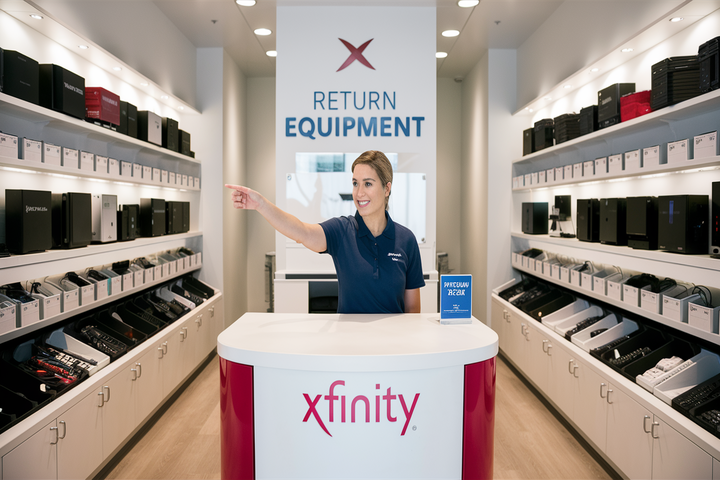
This is often the most straightforward and immediate way to return your Xfinity equipment. Comcast Service Centers are physical locations where you can hand-deliver your modem, router, TV box, or other leased devices directly to an Xfinity representative. This method provides instant confirmation of your return, which can be very reassuring.
How it works:
- Locate a Service Center: The first step is to find the nearest Comcast Service Center. You can do this by visiting the Xfinity Service Center locator on their official website. Enter your ZIP code to find locations, operating hours, and sometimes even specific services offered at each center.
- Gather Your Equipment: Ensure you have all the Xfinity equipment you intend to return. This includes the main device (modem, router, gateway, TV box) and any associated power cords or cables that came with it. It's advisable to keep the original packaging if possible, but it's not strictly required for most returns.
- Visit the Center: Drive to the selected Comcast Service Center during their operating hours.
- Hand Over Equipment: Inform the staff that you are returning equipment. They will typically inspect the items and process the return on the spot.
- Get a Receipt: This is the most critical part of this option. Always ask for and keep a dated receipt that lists the equipment you returned. This receipt serves as proof of your return and can be invaluable if any discrepancies arise later with your final bill.
Pros:
- Immediate confirmation of return.
- No waiting for shipping labels or boxes.
- Direct interaction with Xfinity staff.
- Reduces the risk of equipment getting lost in transit.
Cons:
- Requires travel to a physical location.
- Service center hours may be limited.
- May involve waiting in line during peak times.
2025-26 Considerations: While direct drop-offs are generally efficient, it's wise to call ahead or check the Xfinity website for any specific requirements or appointment needs, as policies can evolve. Some centers might be phasing out certain return types, so confirming is always best.
Option 2: UPS Store Drop-off (with Shipping Label)
This is a widely used and convenient method, especially if a Comcast Service Center is not easily accessible. Xfinity partners with The UPS Store to accept returned equipment. This option usually involves obtaining a prepaid shipping label from Xfinity.
How it works:
- Initiate the Return: You'll typically need to inform Xfinity that you are returning equipment. This can often be done through your online Xfinity account, by calling customer service, or through the Xfinity app.
- Request a Shipping Label: When you initiate the return, you can usually request a prepaid shipping label. Xfinity will either email this label to you, or you may be able to print it directly from your account. Some customers might receive a pre-printed label in the mail if they requested it during the service cancellation process.
- Package Your Equipment: Carefully pack your Xfinity equipment. Use a sturdy box, preferably the original one if you still have it. Include all necessary cables and power adapters. Ensure the equipment is protected from damage during transit.
- Affix the Label: Securely attach the prepaid UPS shipping label to the outside of the box. Make sure any old shipping labels are removed or covered.
- Drop off at The UPS Store: Take the packaged and labeled box to any authorized UPS Store.
- Get a Receipt: Crucially, obtain a receipt from The UPS Store. This receipt will have a tracking number. Keep this receipt safe until your return is fully processed and confirmed by Xfinity.
Pros:
- Convenient if a Comcast Service Center is far away.
- Leverages the extensive UPS network.
- Tracking number provided for monitoring shipment.
Cons:
- Requires printing a label (if not provided physically).
- Risk of damage during shipping if not packed properly.
- Slight delay compared to direct drop-off as it involves shipping time.
- Need to ensure all components are included to avoid partial return issues.
2025-26 Considerations: The process for obtaining labels might vary slightly. Some customers might be prompted to use the Xfinity app for a digital return process. Always verify the return instructions provided by Xfinity at the time of your service termination.
Option 3: UPS Store Drop-off (without Shipping Label - for Certain Equipment)
In some cases, Xfinity allows customers to drop off specific types of equipment at The UPS Store without needing to print a shipping label beforehand. This is usually for smaller, easily identifiable items, and the UPS Store staff will handle the labeling and shipping process internally.
How it works:
- Verify Eligibility: Confirm with Xfinity customer service or through your online account that your specific equipment is eligible for this type of return. This option is often for smaller items like modems or routers, but may not apply to all devices.
- Package Equipment: Pack the eligible equipment securely in a box. You don't need to affix a label yourself.
- Visit The UPS Store: Take the packaged equipment to The UPS Store.
- Inform Staff: Tell the UPS Store associate that you are returning Xfinity equipment. They will have the necessary systems to look up your account, generate a shipping label, and process the return.
- Get a Receipt: Obtain a receipt from The UPS Store, which will include a tracking number.
Pros:
- Eliminates the need to print a shipping label.
- Streamlined process at The UPS Store.
- Still provides tracking information.
Cons:
- Availability is limited to specific equipment types and regions.
- Requires confirmation from Xfinity that your equipment qualifies.
- You are still responsible for ensuring all correct items are in the box.
2025-26 Considerations: This option's prevalence might fluctuate. Always confirm with Xfinity directly before heading to The UPS Store without a pre-arranged label. It’s designed for convenience, so make sure Xfinity has authorized it for your specific situation.
Option 4: Mail-in Kit (for Specific Circumstances)
In certain situations, Xfinity may send customers a pre-paid mail-in kit. This is often used for customers who are moving out of an Xfinity service area and cannot access a service center or UPS Store easily, or for specific promotional returns. The kit typically includes a box and a prepaid shipping label.
How it works:
- Receive the Kit: Xfinity will mail you a return kit if this option is applicable to your situation.
- Package Equipment: Place your Xfinity equipment inside the provided box, ensuring it is well-protected.
- Attach Label: The prepaid shipping label will be included in the kit. Affix it securely to the box.
- Ship the Box: Drop the box off at a designated shipping carrier location (usually USPS or UPS, depending on the label provided).
- Keep Tracking Information: Ensure you receive and keep any tracking information or receipt from the drop-off point.
Pros:
- Convenient for those who cannot reach other return points.
- All necessary packaging and shipping are provided.
Cons:
- Not a universally available option; it's usually initiated by Xfinity.
- Can take longer due to shipping times.
- The kit might be bulky to store if you don't return immediately.
2025-26 Considerations: Mail-in kits are generally reserved for specific scenarios. If you expect to need one, confirm with Xfinity during your service cancellation process. Don't assume a kit will be sent unless explicitly stated by Xfinity.
Preparing Your Equipment for Return
Proper preparation is vital to ensure a smooth return and to avoid any potential issues. Whether you're dropping off at a service center or shipping it back, follow these steps:
1. Identify All Leased Equipment: Before you start, make a list of all the Xfinity equipment you are currently leasing. This includes modems, routers, Wi-Fi extenders, TV boxes (cable boxes, DVRs), voice gateways, and any other devices provided by Xfinity. You can usually find this information on your monthly bills or by logging into your Xfinity account online.
2. Gather All Components: For each piece of equipment, gather all the associated power cords, adapters, and any other cables that were originally provided with it. For example, a modem needs its power adapter and potentially an Ethernet cable. A TV box will need its power cord and remote control.
3. Factory Reset (Optional but Recommended for Modems/Routers): While not always strictly required by Xfinity for leased equipment, performing a factory reset on your modem or router can be a good practice. This wipes any custom settings, network names, or passwords you may have configured. For modems/routers, this is usually done by pressing a small reset button on the back or bottom of the device with a paperclip for about 10-30 seconds while the device is powered on. Consult your device's manual or Xfinity's support site for specific instructions.
4. Securely Package Equipment: If you are shipping the equipment, use a sturdy box and plenty of packing material (bubble wrap, packing peanuts) to protect the items from damage during transit. Ensure the equipment doesn't rattle around in the box. If you have the original Xfinity packaging, use that.
5. Include Necessary Documentation (If Applicable): If you received a return kit with specific instructions or a packing slip, make sure to include it as directed.
6. Keep Your Receipt: As emphasized before, this is non-negotiable. Whether it's a drop-off receipt from a Comcast Service Center or a tracking receipt from The UPS Store, keep it in a safe place. This is your proof of return.
Example Scenario:
Let's say you're returning an Xfinity X1 DVR box. You'll need to gather the DVR box itself, its power cord, the remote control, and any HDMI or coaxial cables that were essential for its operation. If you're dropping it off at a UPS Store with a label, pack these items carefully in a box. If you're taking it to a Comcast Service Center, you can often hand them the items directly, but having them together makes the process quicker.
What Happens If You Don't Return Equipment?
The consequences of not returning Xfinity equipment after your service is terminated can be financially significant. Xfinity, like all service providers, charges customers for unreturned or damaged leased equipment. These charges are typically applied to your final bill or sent as a separate invoice shortly after your service ends.
Unreturned Equipment Fees:
- Device Value: The fees are based on the retail value of the equipment. High-end devices like advanced Wi-Fi routers or multi-room DVRs will incur higher charges than basic modems.
- Range of Costs (2025-26 Estimates):
- Basic Modems/Routers: $75 - $150
- Advanced Gateways (e.g., Xfinity Gateway): $150 - $250
- X1 DVR Boxes: $150 - $300
- TV Boxes (non-DVR): $75 - $150
- Wi-Fi Extenders/Access Points: $50 - $100
These are estimates, and the exact charges can be found in Xfinity's official equipment policy documentation or by contacting customer service. It's crucial to check your final bill carefully.
Impact on Credit: If these fees are not paid, Xfinity may send the outstanding balance to a collection agency. This can negatively impact your credit score, making it harder to rent an apartment, get a loan, or even secure future utility services.
Legal Action: In extreme cases, for very high-value equipment or significant outstanding balances, Xfinity could potentially pursue legal action to recover the cost of the unreturned items.
Service Interruption (if applicable): While typically related to account closure, if there's a misunderstanding or a delayed return process, there's a slim chance it could affect future serviceability if not resolved.
Example: If you cancel Xfinity service and forget to return your Xfinity Gateway modem/router (valued at $200) and an X1 DVR box (valued at $250), you could face a total charge of $450 plus any applicable taxes or fees. This is a substantial amount that could have been avoided by following the return procedure.
Therefore, prioritizing the return of Xfinity equipment is not just about avoiding immediate charges; it's about maintaining your financial health and creditworthiness.
Tips for a Smooth Return Process
To ensure your Xfinity equipment return goes as smoothly as possible, consider these practical tips:
1. Initiate Returns Promptly: Don't delay returning your equipment. Most service agreements require returns within a specific timeframe (e.g., 14-30 days) after service termination. The sooner you act, the less likely you are to forget or incur late fees.
2. Confirm Return Instructions: Before you pack or head out, double-check the return instructions provided by Xfinity. Instructions can sometimes vary based on your specific service plan, location, or the type of equipment you have. Use the official Xfinity website or app, or call customer service directly.
3. Keep All Original Accessories: Make sure to return all the original accessories that came with the equipment, such as power cords, adapters, remotes, and Ethernet cables. Missing accessories can sometimes lead to partial charges.
4. Document Everything: Take photos of the equipment before you pack it, especially if you're shipping it. Keep copies of all communication with Xfinity regarding your return. Most importantly, always get a receipt!
5. Check Your Final Bill Carefully: Once your service is disconnected and equipment is returned, review your final bill thoroughly. Ensure there are no unreturned equipment charges. If there are, immediately provide your return receipt as proof.
6. Understand Equipment Types: Be aware that some equipment might be customer-owned (if you purchased your own modem/router compatible with Xfinity) and does not need to be returned. Always verify which items are leased from Xfinity.
7. Use the Official Xfinity Resources: Rely on Xfinity's official website, app, or customer service for the most accurate and up-to-date information regarding returns. Avoid relying solely on third-party forums or outdated information.
8. Consider the Best Return Method for You: Evaluate the options (Comcast Service Center, UPS Store, mail-in kit) based on your proximity, convenience, and preference for immediate confirmation versus shipping convenience.
Example: If you live near a Comcast Service Center, dropping off your equipment there and getting an immediate receipt is often the most foolproof method. If you live in a rural area, coordinating with The UPS Store using a prepaid label might be more practical. Planning ahead based on these tips can save you time, money, and stress.
Common Questions About Xfinity Returns
Here are answers to some frequently asked questions regarding Xfinity equipment returns:
Q1: How long do I have to return my Xfinity equipment after canceling service?
A1: Typically, you have 14 to 30 days from your service disconnection date to return your leased equipment. It's best to confirm the exact timeframe with Xfinity when you cancel your service, as it can vary.
Q2: What if I lost the power cord or remote for my Xfinity equipment?
A2: You are generally responsible for returning all original components. If you've lost an accessory, you may be charged for it separately in addition to the main equipment fee. Try to locate all parts before returning. If you absolutely cannot find them, return what you have and be prepared for potential accessory charges.
Q3: Can I return equipment if I'm moving to a new address within the Xfinity service area?
A3: If you're transferring service, you usually don't need to return your current equipment. Your technician or the installation process at the new address will handle it. However, if you're upgrading equipment during the move, you might need to return the older devices.
Q4: What if I received my equipment via mail and need to return it?
A4: If you received your equipment through a mail-in kit, Xfinity will likely provide you with a similar mail-in kit or a prepaid shipping label to return it. Follow the specific instructions provided by Xfinity.
Q5: How do I know if my equipment is leased or if I own it?
A5: Equipment provided by Xfinity for your internet, TV, or voice service is almost always leased unless you explicitly purchased a compatible modem or router from a third-party retailer and registered it with Xfinity. Your Xfinity bill will typically list leased equipment. If you're unsure, contact Xfinity customer support.
Q6: What should I do if The UPS Store refuses to accept my Xfinity return?
A6: This is uncommon if you have a valid prepaid label or if Xfinity has authorized that specific UPS Store for returns. Ensure the label is clear and the equipment is properly packaged. If issues persist, contact Xfinity customer service immediately to resolve the problem and get alternative instructions.
Q7: Can I return equipment for someone else?
A7: Generally, the account holder should be present or authorize the return. If you are returning for a family member, ensure you have their account information and authorization. The UPS Store or Service Center might require identification or account verification.
The Future of Xfinity Equipment Returns (2025-26)
As technology and customer service evolve, Xfinity's equipment return process is likely to see further refinements in the coming years. Based on current trends in the telecommunications industry and Xfinity's own innovation trajectory, we can anticipate several developments:
Increased Digital Integration: Expect more seamless integration with the Xfinity app and website for initiating returns, generating labels, and tracking the status. Digital receipts and notifications will become standard, reducing the reliance on paper. The possibility of QR code-based returns, where a code generated on your phone can be scanned at a drop-off location, is also a strong contender.
Expanded Self-Service Options: Xfinity may continue to expand self-service kiosks at select locations, allowing customers to drop off equipment and receive instant confirmation without direct staff interaction. This could be particularly useful for high-traffic areas or off-peak hours.
Sustainability Initiatives: With a growing focus on environmental responsibility, Xfinity might enhance its refurbishment and recycling programs. This could lead to more efficient processing of returned equipment and potentially more eco-friendly packaging for mail-in kits.
Partnership Evolution: While The UPS Store has been a reliable partner, Xfinity might explore additional partnerships or expand options to include other logistics providers or retail locations to increase convenience for customers across diverse geographic areas.
Proactive Communication: Xfinity is likely to improve proactive communication regarding equipment returns. This could involve timely reminders before service termination, clear instructions tailored to the customer's specific equipment, and easier access to support for any return-related queries. For instance, automated reminders sent via SMS or email a week before the return deadline could significantly reduce missed returns.
Data-Driven Improvements: By analyzing return data, Xfinity can identify bottlenecks and areas of customer friction. This data will inform future process improvements, aiming to make returns faster, simpler, and more user-friendly. For example, if many customers struggle with a particular packaging step, Xfinity might revise their instructions or provide better materials.
2025-26 Outlook: In the 2025-26 timeframe, the core methods of returning equipment (Service Center, UPS Store) are expected to remain, but the digital interfaces and efficiency of these processes will likely be enhanced. The emphasis will continue to be on providing multiple convenient options while ensuring that customers understand their responsibilities to avoid unnecessary fees.
Conclusion
Returning your Xfinity equipment doesn't have to be a source of stress. By understanding the available options—dropping off at a Comcast Service Center, utilizing The UPS Store with or without a label, or receiving a mail-in kit—you can choose the most convenient method for your situation. Always prioritize gathering all necessary components, securing your return receipt, and initiating the process promptly after service termination to avoid substantial unreturned equipment fees. Staying informed with Xfinity's current policies, especially for 2025-26, and leveraging their official resources will ensure a smooth and successful return. Following these guidelines will not only save you money but also maintain your good standing with service providers, paving the way for future service needs without complications.