What is the blue port on AT&T fiber?
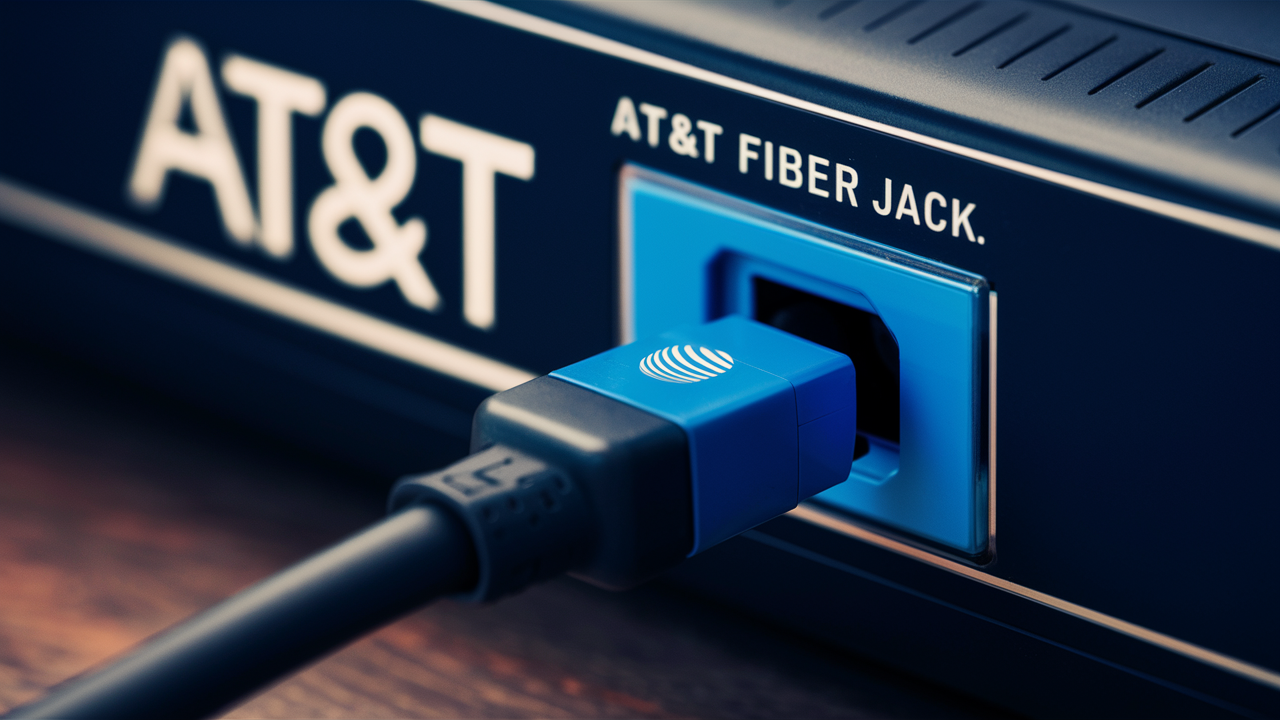
Understanding the blue port on your AT&T Fiber equipment is key to optimizing your home network. This guide demystifies its function, its importance for high-speed internet, and how it impacts your connectivity, ensuring you get the most out of your fiber service.
What is the Blue Port on AT&T Fiber?
The blue port on your AT&T Fiber equipment, typically found on the Optical Network Terminal (ONT), is the gateway for your high-speed internet connection. It's not just any port; it's a specialized fiber optic connector designed to receive and transmit data at incredible speeds. Unlike traditional Ethernet ports that use electrical signals, this blue port utilizes light pulses traveling through a glass fiber cable to deliver your internet service. This fundamental difference is what enables the ultra-fast, low-latency performance characteristic of fiber optic internet, making it a significant upgrade for households and businesses alike. Understanding its purpose is the first step in ensuring your AT&T Fiber service is performing optimally.
The Importance of Fiber Optics in Modern Connectivity
In the landscape of internet connectivity, fiber optics have emerged as the undisputed champion for speed, reliability, and future-proofing. As our reliance on digital services—from streaming high-definition content and online gaming to remote work and smart home devices—continues to grow, the demand for robust and high-capacity internet solutions has never been greater. AT&T Fiber leverages this advanced technology to provide a superior internet experience compared to older copper-based DSL or coaxial cable networks. The core of this superior performance lies in the physical medium: light signals traveling through ultra-thin strands of glass or plastic. This method of data transmission offers several key advantages:
- Unmatched Speed: Fiber optic cables can transmit data at speeds far exceeding those of traditional copper wires. This translates to download and upload speeds that can reach gigabits per second, making buffering, lag, and slow downloads a thing of the past.
- Lower Latency: Latency, or the delay in data transfer, is significantly reduced with fiber optics. This is crucial for real-time applications like video conferencing, online gaming, and virtual reality experiences, where even small delays can be disruptive.
- Increased Bandwidth: Fiber optic cables can carry a much larger volume of data simultaneously. This means that even with multiple devices connected and heavy internet usage, your connection remains stable and fast.
- Immunity to Interference: Unlike copper cables, fiber optic cables are not susceptible to electromagnetic interference (EMI) or radio frequency interference (RFI). This ensures a more stable and reliable connection, unaffected by external electrical noise.
- Longer Transmission Distances: Light signals can travel much longer distances through fiber optic cables without significant signal degradation compared to electrical signals in copper wires. This allows for more consistent performance over greater distances.
AT&T Fiber's commitment to deploying this advanced infrastructure means that users can expect a reliable and high-performance internet service that is well-equipped to handle the demands of today and tomorrow. The blue port on your AT&T Fiber ONT is the physical manifestation of this cutting-edge technology, serving as the critical interface between the fiber optic network and your home's internal network.
The Technical Breakdown: Understanding the Fiber Optic Connection
The journey of your internet data from the AT&T network to your devices begins with the fiber optic cable. This cable, often a thin, flexible strand of glass or plastic, is capable of transmitting information in the form of light pulses. These pulses are generated by lasers or LEDs at the source and detected by sensitive receivers at the destination. The blue port on your AT&T Fiber ONT is where this fiber optic cable terminates and interfaces with your home network equipment.
How Fiber Optics Transmit Data
At its core, fiber optic communication relies on the principle of total internal reflection. The fiber cable consists of a core (the inner part where light travels) and a cladding (an outer layer with a lower refractive index). When light is shone into the core at a specific angle, it bounces off the boundary between the core and the cladding, reflecting back into the core. This process repeats along the length of the cable, allowing the light signal to travel long distances with minimal loss of intensity or data integrity. The light pulses represent binary data – typically, a pulse signifies a '1' and the absence of a pulse signifies a '0'. These pulses are modulated to carry complex information, including internet data, voice, and video.
The Role of the Cable Connector
The fiber optic cable needs a specialized connector to interface with the ONT. These connectors are designed to precisely align the fiber core with the receiving or transmitting component within the ONT. This precise alignment is crucial because the fiber strands are incredibly thin (often around 9 micrometers in diameter for single-mode fiber, which is commonly used for internet services). Even a slight misalignment can lead to significant signal loss or complete loss of connection. The blue connector is a specific type of fiber optic connector, and its color is not arbitrary; it signifies a particular standard and type of fiber optic connection.
Single-Mode vs. Multimode Fiber
For telecommunications and internet service providers like AT&T, single-mode fiber is the standard. This type of fiber has a very small core diameter, allowing only a single path (or mode) for light to travel. This single path minimizes signal dispersion and attenuation, enabling light signals to travel over very long distances (tens or even hundreds of kilometers) with minimal signal degradation. This is essential for the backbone infrastructure of the internet and for delivering high-speed internet to homes and businesses. Multimode fiber, on the other hand, has a larger core diameter and allows multiple modes of light to travel simultaneously. While easier to connect, it suffers from modal dispersion, which limits its effective transmission distance. Multimode fiber is typically used for shorter distances, such as within a data center or a large building.
AT&T Fiber predominantly uses single-mode fiber to deliver its high-speed services, and the blue port on your ONT is designed to accept the corresponding single-mode fiber optic connector.
Why the Blue Color? Decoding the Connector
The distinctive blue color of the fiber optic connector on your AT&T Fiber ONT is a deliberate design choice that serves a practical purpose. In the world of fiber optics, color-coding is a widely adopted convention used to quickly identify different types of connectors, fiber modes, and even the type of fiber cable itself. This standardization helps technicians and users alike to avoid misconnections, which can lead to performance issues or damage to the equipment.
Connector Type Identification
The blue color typically signifies a SC (Subscriber Connector or Standard Connector) or an LC (Lucent Connector or Little Connector) connector, particularly when used with single-mode fiber. These are among the most common types of fiber optic connectors used in telecommunications and networking. While both SC and LC connectors are prevalent, AT&T Fiber commonly utilizes SC connectors for the termination point at the ONT. SC connectors are characterized by their push-pull coupling mechanism, which provides a secure connection and is easy to connect and disconnect. LC connectors are smaller and often used in high-density applications, but SC connectors remain a robust and reliable choice for residential fiber installations.
Fiber Mode and Color Coding Standards
Beyond the connector type, color coding also helps distinguish between single-mode and multimode fiber. Generally:
- Blue connectors often indicate single-mode fiber.
- Beige or black connectors typically indicate multimode fiber (often OM1 or OM2).
- Aqua connectors are commonly used for multimode fiber (OM3 and OM4), which are optimized for higher bandwidth.
- Lime green connectors are often used for single-mode or multimode fiber in applications requiring higher precision or specialized types.
For AT&T Fiber, the blue connector on the ONT strongly suggests that it is designed to interface with a single-mode fiber optic cable. This ensures that the correct type of fiber is being used, which is critical for achieving the high speeds and performance that fiber optic internet is known for. Using the wrong type of fiber or connector can result in significant signal loss, reduced bandwidth, and ultimately, a poor internet experience.
Safety Considerations
While the blue color is primarily for identification, it's also a subtle reminder of the nature of fiber optic light. The lasers used in fiber optic systems, especially those transmitting at high power for long distances, can be harmful to the eyes. Although the light used in residential fiber connections is generally of low power, it's always best practice to avoid looking directly into the end of a fiber optic cable or connector. The blue color helps to draw attention to this specific port, serving as a visual cue to exercise caution.
The Role of the Optical Network Terminal (ONT)
The Optical Network Terminal (ONT) is a crucial piece of equipment in any fiber optic internet setup. It acts as the bridge between the fiber optic network provided by AT&T and your home's internal network. Think of it as a translator, converting the light signals from the fiber optic cable into electrical signals that your router and devices can understand, and vice versa.
What an ONT Does
The primary function of the ONT is to perform optical-to-electrical (O/E) and electrical-to-optical (E/O) conversion. When data arrives from the AT&T network via the fiber optic cable connected to the blue port, the ONT receives the light pulses. Its internal components decode these light pulses and convert them into electrical data signals. These electrical signals are then typically outputted via an Ethernet port (usually labeled "LAN" or "Internet") on the ONT, which is then connected to your router. Conversely, when you send data from your home network (e.g., when you upload a file or send an email), your router sends electrical signals to the ONT. The ONT then converts these electrical signals into light pulses and transmits them back through the fiber optic cable to the AT&T network.
ONT vs. Modem: Key Differences
It's common to confuse an ONT with a traditional modem used for cable or DSL internet. While both devices serve as the interface to the internet service provider's network, they operate on fundamentally different technologies:
| Feature | ONT (Fiber Optic) | Modem (Cable/DSL) |
|---|---|---|
| Technology Used | Fiber Optics (Light Signals) | Coaxial Cable (Electrical Signals) or Phone Line (Electrical Signals) |
| Data Transmission | Light Pulses | Radio Frequency (RF) Signals or Electrical Pulses |
| Speed Potential | Very High (Gigabits per second) | Limited by cable/line technology (Megabits to lower Gigabits per second) |
| Interference Susceptibility | Immune to EMI/RFI | Susceptible to EMI/RFI and signal degradation over distance |
| Typical Output | Ethernet Port | Ethernet Port |
The ONT is a simpler device than a traditional modem in that it doesn't perform complex signal modulation and demodulation for radio frequencies. Its sole purpose is the conversion between light and electrical signals, which is why it can support the immense bandwidth and speed of fiber optics. AT&T often provides a specific ONT model as part of its fiber installation service.
Powering the ONT
Like most networking equipment, the ONT requires a power source to function. It typically comes with a dedicated power adapter that plugs into a standard electrical outlet. In the event of a power outage, the ONT will stop working, and thus your internet service will be interrupted, unless you have a battery backup solution. Some AT&T Fiber installations may include a battery backup unit for the ONT, which can provide limited power during outages, allowing for basic phone service (if subscribed) and internet connectivity for a period. It's essential to ensure the ONT is consistently powered on for uninterrupted internet access.
Connecting Your Router to the ONT
Once your AT&T Fiber service is installed and the ONT is set up, the next critical step is connecting your router to the ONT to distribute the internet connection throughout your home. This connection is typically made using a standard Ethernet cable.
The Ethernet Connection
Your AT&T Fiber ONT will have at least one Ethernet port, often labeled "LAN," "Internet," or with an Ethernet symbol. This port is where you will plug in one end of an Ethernet cable (also known as a network cable or patch cable). The other end of this Ethernet cable connects to the WAN (Wide Area Network) or Internet port on your Wi-Fi router. This WAN port is usually a different color than the other LAN ports on your router and is specifically designed to receive the internet connection from your modem or ONT.
Choosing the Right Ethernet Cable
For AT&T Fiber speeds, especially gigabit and multi-gigabit plans, it's important to use a suitable Ethernet cable to avoid becoming a bottleneck. For speeds up to 1 Gbps, a Cat 5e (Category 5e) cable is generally sufficient. However, for speeds exceeding 1 Gbps (e.g., AT&T's 2 Gbps or 5 Gbps plans), you will need a Cat 6 or, preferably, a Cat 6a (Category 6a) cable. Cat 6a cables are designed to support 10 Gigabit Ethernet over shorter distances and offer better performance for higher-speed fiber connections. Using a cable that is not rated for your internet speed can limit your actual throughput, even if your AT&T plan provides higher speeds.
Router Configuration
After physically connecting the ONT to your router, you will need to configure your router. If you are using an AT&T-provided router (like the AT&T Fiber Gateway), it is typically pre-configured to work with the ONT. However, if you are using your own third-party router, you may need to:
- Access your router's administration interface: This is usually done by typing your router's IP address (e.g., 192.168.1.1 or 192.168.0.1) into a web browser.
- Set up the WAN connection: Ensure the WAN or Internet port is configured to obtain an IP address automatically via DHCP (Dynamic Host Configuration Protocol). This is the most common setting for fiber connections.
- Enter PPPoE credentials (if required): In some cases, AT&T might require you to enter specific PPPoE (Point-to-Point Protocol over Ethernet) username and password credentials. This is less common for residential AT&T Fiber but can occur. Check your AT&T service agreement or contact support if unsure.
- Set up Wi-Fi: Configure your Wi-Fi network name (SSID) and password.
Once your router is configured and has an internet connection, your devices can connect to your router via Wi-Fi or another Ethernet cable to access the internet.
Using AT&T Provided Equipment
AT&T often provides a gateway device that combines the ONT and router functionalities into a single unit. In such cases, the fiber optic cable connects directly to this gateway device, and you won't need a separate router unless you prefer to use your own for advanced features or better Wi-Fi coverage. If you are using a separate ONT and a separate AT&T router, the connection process described above will apply.
Troubleshooting Common Issues with the Blue Port
While AT&T Fiber is known for its reliability, occasional issues can arise. When you experience connectivity problems, the blue port on your ONT and the fiber optic connection are often the first places to investigate. Understanding common issues and their solutions can save you time and frustration.
No Internet Connection
If you suddenly lose internet access, the first step is to check the status lights on your ONT. Most ONTs have indicator lights that show power, signal status, and internet connectivity. Consult your ONT's manual or AT&T's support documentation for the specific meaning of each light. A red or flashing light on the "Optical" or "Service" indicator often points to a problem with the fiber optic connection itself.
- Check the Fiber Cable: Ensure the fiber optic cable is securely plugged into the blue port on the ONT and the corresponding port on the wall or AT&T's demarcation point. Gently push the connector in to ensure it's fully seated.
- Inspect for Damage: Carefully examine the fiber optic cable and connector for any visible signs of damage, such as kinks, cuts, or bent pins. Fiber optic cables are delicate, and even minor damage can disrupt the signal.
- Clean the Connector: Dust or debris on the fiber connector can significantly degrade signal quality. Use a specialized fiber optic cleaning tool (available from electronics retailers) or a lint-free wipe with isopropyl alcohol to gently clean the end of the fiber connector. Never touch the end of the fiber with your fingers.
- Restart Equipment: Power cycle your ONT and router. Unplug both devices from their power sources, wait for about 30 seconds, and then plug them back in. Allow them a few minutes to boot up completely.
Slow Internet Speeds
If your internet is working but is slower than expected, the issue might not always be directly with the blue port, but it's a good starting point:
- Test Directly from ONT (if possible): If you have a separate ONT and router, try connecting a computer directly to the ONT's Ethernet port using a known good Ethernet cable (Cat 6 or higher for gigabit speeds). Run a speed test (e.g., using Speedtest.net). If speeds are good when directly connected to the ONT, the issue likely lies with your router or Wi-Fi setup.
- Check Router Placement and Wi-Fi Interference: If speeds are slow over Wi-Fi, ensure your router is centrally located, away from obstructions and sources of interference (microwaves, cordless phones, thick walls).
- Update Router Firmware: Ensure your router's firmware is up to date, as updates often include performance improvements and bug fixes.
- Number of Connected Devices: A large number of devices actively using the internet simultaneously can strain your bandwidth.
Intermittent Connectivity
If your internet connection drops in and out:
- Check Cable Connections: Loose Ethernet cables between the ONT and router, or between the router and your devices, can cause intermittent drops.
- Fiber Optic Cable Integrity: As mentioned earlier, damage or a poor connection at the blue port can lead to intermittent signal loss. Ensure the fiber connector is clean and securely seated.
- ONT or Router Issues: The ONT or your router might be overheating or experiencing internal issues. Ensure they have adequate ventilation.
When to Contact AT&T
If you've tried the basic troubleshooting steps and are still experiencing problems, it's time to contact AT&T customer support. They can remotely diagnose your connection, check for outages in your area, and schedule a technician visit if necessary. Be prepared to provide them with details about the lights on your ONT and the troubleshooting steps you've already taken.
Optimizing Your AT&T Fiber Network for Peak Performance
Having AT&T Fiber means you have access to incredible speeds, but to truly leverage this potential, you need to ensure your home network is optimized. This involves not just the connection at the blue port but also your router, Wi-Fi setup, and the devices connected to your network.
Router Placement and Settings
Your router is the central hub of your home network. Its placement and configuration significantly impact Wi-Fi performance:
- Central Location: Place your router in a central, elevated location in your home, away from thick walls, metal objects, and other electronic devices that can cause interference.
- Optimize Wi-Fi Channels: Routers broadcast on different Wi-Fi channels. If many nearby networks are using the same channel, it can cause congestion. Most modern routers can automatically select the best channel, but you can also manually select less crowded channels through your router's settings.
- Utilize 5GHz Band: If your router is dual-band (2.4GHz and 5GHz), prioritize the 5GHz band for devices that are close to the router and require high speeds (e.g., streaming devices, gaming consoles). The 2.4GHz band has a longer range but is slower and more prone to interference.
- Firmware Updates: Regularly check for and install firmware updates for your router. These updates often include performance enhancements, security patches, and new features.
Wired Connections vs. Wireless
For the absolute best performance, especially for bandwidth-intensive tasks, wired Ethernet connections are superior to Wi-Fi. If you have devices that are stationary and require maximum speed and stability (e.g., desktop computers, gaming consoles, smart TVs), connect them directly to your router using high-quality Ethernet cables (Cat 6 or Cat 6a). This not only provides a more reliable connection but also frees up Wi-Fi bandwidth for mobile devices.
Mesh Wi-Fi Systems
If you have a large home or areas with weak Wi-Fi signals, a traditional router might not provide adequate coverage. In such cases, consider investing in a mesh Wi-Fi system. These systems consist of a main router and several satellite nodes that work together to create a single, seamless Wi-Fi network throughout your home. They are designed to provide consistent speeds and strong coverage, eliminating dead zones.
Managing Connected Devices
With gigabit speeds, it's easy to connect many devices without noticing a slowdown. However, it's still good practice to manage your network:
- Quality of Service (QoS): Many routers offer QoS settings that allow you to prioritize certain types of traffic or specific devices. For example, you can prioritize video conferencing or gaming traffic to ensure a smooth experience.
- Limit Background Usage: Be mindful of devices that might be consuming significant bandwidth in the background (e.g., automatic cloud backups, large software updates). Schedule these activities for off-peak hours if possible.
- Secure Your Network: Ensure your Wi-Fi network is secured with a strong WPA2 or WPA3 password to prevent unauthorized access, which can consume your bandwidth and compromise your security.
Understanding Your Plan Speeds
Finally, ensure you are aware of the speeds your AT&T Fiber plan provides. While you might have a gigabit plan, actual speeds can vary slightly due to network overhead, router capabilities, and device limitations. Regularly testing your speeds (wired and wireless) can help you identify any discrepancies and ensure you're getting the performance you're paying for. For 2025-2026, AT&T continues to expand its multi-gigabit offerings, with plans reaching 2 Gbps and 5 Gbps, making these optimization strategies even more critical.
The Future of Fiber Connectivity and the Blue Port's Role
The trajectory of internet connectivity is undeniably towards fiber optics. As data demands continue to escalate, driven by emerging technologies and evolving user habits, fiber's inherent advantages in speed, capacity, and reliability make it the only sustainable solution for the future. The blue port on your AT&T Fiber ONT, representing the physical interface to this advanced network, will remain a critical component for years to come.
Increasing Bandwidth Demands
The year is 2025-26, and the digital landscape is more data-intensive than ever. High-resolution video streaming (8K and beyond), immersive virtual and augmented reality experiences, advanced cloud computing, and the proliferation of Internet of Things (IoT) devices are all placing unprecedented demands on internet infrastructure. Fiber optic networks, with their virtually unlimited bandwidth potential, are uniquely positioned to meet these escalating needs. AT&T's ongoing investment in expanding its fiber footprint and upgrading its core network infrastructure ensures that users will continue to benefit from increasingly faster speeds and greater capacity.
Evolution of Fiber Technology
While the fundamental principles of fiber optics remain the same, the technology itself is continuously evolving. Advancements in laser technology, signal processing, and optical networking equipment are enabling even higher transmission speeds and greater efficiency. We are seeing the development and deployment of technologies like:
- Coherent Optics: Advanced modulation techniques that allow for significantly higher data rates over existing fiber infrastructure.
- Wavelength Division Multiplexing (WDM): Technologies like Dense WDM (DWDM) allow multiple data streams to be transmitted simultaneously over a single fiber strand by using different wavelengths (colors) of light. This dramatically increases the capacity of existing fiber cables.
- Next-Generation ONTs: Future ONTs may incorporate more advanced processing capabilities, support for higher Ethernet speeds (e.g., 10 Gbps and beyond), and enhanced security features.
The blue port, as the physical termination point, will need to accommodate these advancements, likely through improved connector designs and compatibility with higher-speed signaling protocols. While the color blue might remain a standard for single-mode fiber, the underlying technology it connects to will continue to push the boundaries.
The Role of 5G and Fiber Synergy
The rollout of 5G wireless technology is also intrinsically linked to fiber optics. While 5G promises revolutionary wireless speeds and low latency, its high-frequency signals require dense networks of small cell towers. These small cells, and the backhaul connections that link them to the core network, are overwhelmingly powered by fiber optic cables. Therefore, the expansion of 5G is, in many ways, a direct driver for further fiber deployment. The blue port on your ONT is part of the fiber infrastructure that ultimately supports not only your home internet but also the broader telecommunications ecosystem.
Preparing for the Future
For consumers and businesses alike, embracing fiber optic technology is essential for staying competitive and connected in the coming years. As AT&T continues to expand its fiber network, understanding the role of components like the ONT and the blue port empowers users to maximize their internet experience. The future of connectivity is bright, fast, and unequivocally fiber-based, with the simple blue port serving as a vital gateway to that future.
Conclusion
The blue port on your AT&T Fiber ONT is more than just a colored connector; it's the critical interface for one of the most advanced internet technologies available today. It signifies the point where light signals, traveling at incredible speeds through fiber optic cables, are translated into the electrical signals that power your digital life. Understanding its role in the Optical Network Terminal (ONT) and the broader fiber optic network is fundamental to appreciating the performance of your AT&T Fiber service.
We've explored the technical intricacies of fiber optics, the importance of color-coding for connector identification, and the vital function of the ONT as a signal converter. Furthermore, we've outlined how to properly connect your router, troubleshoot common connectivity issues, and optimize your home network for peak performance. As we look towards 2025-26 and beyond, fiber optic technology is poised for continued evolution, promising even greater speeds and capabilities. Your AT&T Fiber connection, anchored by the blue port, is your gateway to this future.
To ensure you're getting the most out of your AT&T Fiber service, always use appropriate Ethernet cables for wired connections, consider a mesh Wi-Fi system for comprehensive coverage in larger homes, and keep your router firmware updated. By understanding and properly managing your fiber optic connection, you can unlock the full potential of high-speed internet for all your online activities.






