What Is a Good Internet Speed? A Complete Guide for Streaming, Gaming & Work
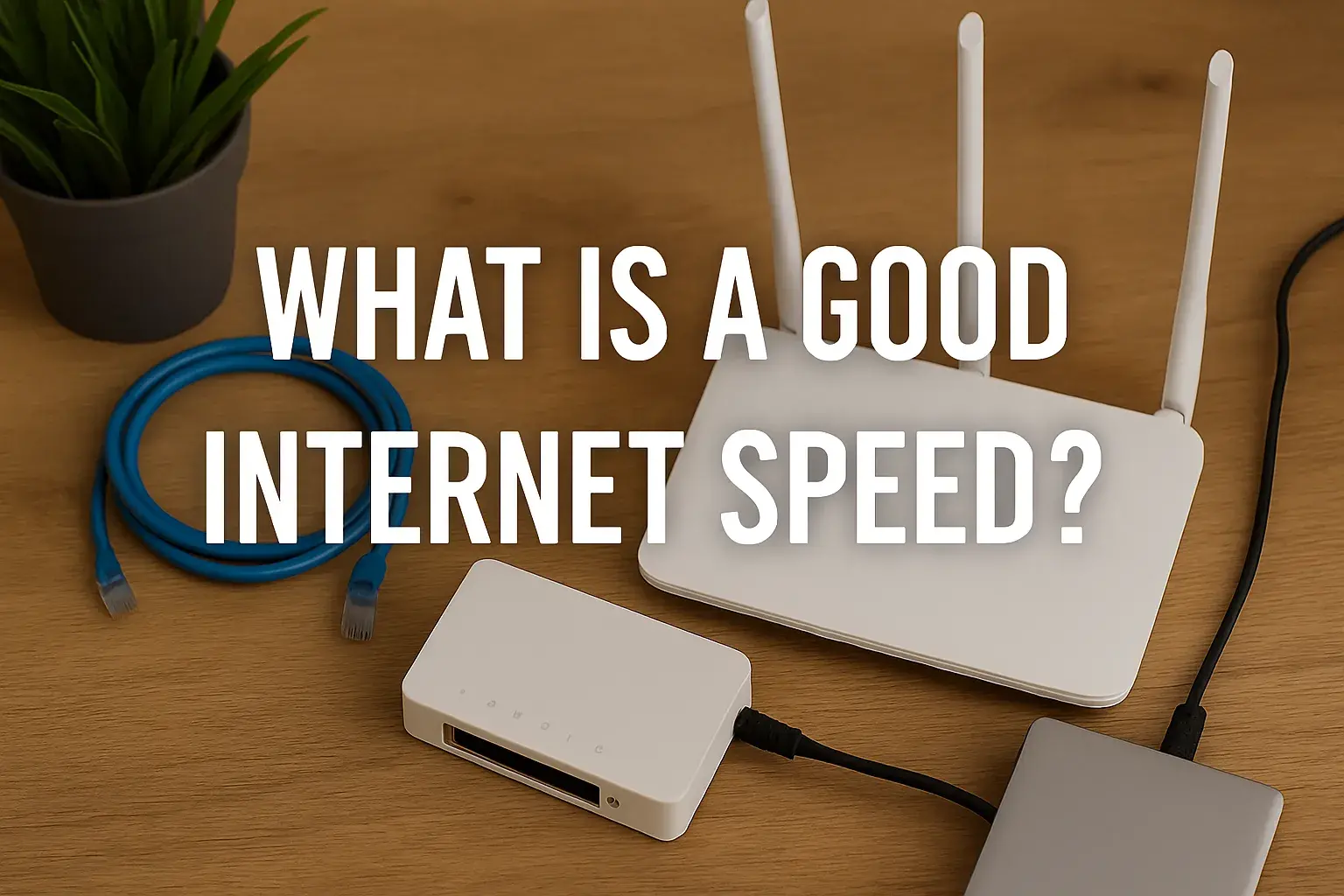
Discover the ideal internet speed for your needs, whether you're streaming 4K movies, dominating online games, or boosting productivity. This comprehensive guide breaks down what constitutes good internet speed in 2025-26, helping you make informed decisions for a seamless online experience.
Understanding Internet Speed: Mbps, Latency, and More
Before diving into what constitutes a "good" internet speed, it's crucial to understand the fundamental metrics that define it. Many users focus solely on download speed, but other factors play an equally significant role in your online experience. In 2025-26, a holistic understanding of these elements is more important than ever as our online activities become increasingly demanding.
Download Speed (Mbps)
Download speed, measured in megabits per second (Mbps), dictates how quickly you can receive data from the internet. This is the most commonly advertised metric by Internet Service Providers (ISPs). Higher download speeds mean faster loading of web pages, quicker downloads of files, and smoother streaming of video content. For instance, downloading a large file like a movie or a software update will be significantly faster with higher download speeds.
Upload Speed (Mbps)
Upload speed, also measured in Mbps, determines how quickly you can send data to the internet. While often lower than download speeds, upload speed is critical for activities like video conferencing, uploading large files to cloud storage, live streaming, and online gaming where your actions need to be transmitted to servers quickly. For professionals relying on video calls or content creators, a decent upload speed is non-negotiable.
Latency (Ping)
Latency, often referred to as ping, measures the time it takes for a data packet to travel from your device to a server and back. It's measured in milliseconds (ms). Lower latency is always better. High latency, or lag, is particularly detrimental to real-time applications like online gaming and video conferencing, leading to delayed responses and choppy experiences. Imagine playing a fast-paced video game; if your ping is high, your character's actions will appear delayed to other players, putting you at a significant disadvantage.
Jitter
Jitter refers to the variation in latency over time. While consistent latency is ideal, jitter means that the delay between data packets is inconsistent. High jitter can cause audio and video to be choppy or distorted during calls and streaming, even if the average latency is acceptable. It's like a car ride where the speed keeps fluctuating erratically – it's much more jarring than a steady, slightly slower speed.
Bandwidth vs. Speed
It's important to distinguish between bandwidth and speed. Bandwidth is the maximum amount of data that can be transmitted over your internet connection at any given time, analogous to the width of a pipe. Speed, on the other hand, is how fast the data travels through that pipe. While related, you can have a wide pipe (high bandwidth) but still experience slow speeds if the connection is congested or there are other bottlenecks.
Understanding these terms will empower you to interpret speed test results and make informed decisions when selecting an internet plan that truly meets your needs in the evolving digital landscape of 2025-26.
What is a Good Internet Speed in 2025-26?
Defining a "good" internet speed is not a one-size-fits-all answer. It entirely depends on your typical online activities, the number of devices connected, and the number of people using the internet simultaneously in your household. However, we can establish benchmarks based on common usage scenarios for 2025-26. The average broadband speed in developed countries continues to rise, with many households now requiring speeds that were considered premium just a few years ago.
General Benchmarks for 2025-26
Based on current trends and the increasing demands of online services, here are some general benchmarks:
Basic Use (Browsing, Email, Social Media): 10-25 Mbps download is generally sufficient. However, for a smoother experience with multiple users or occasional HD streaming, aiming for 25-50 Mbps is advisable.
HD Streaming & Moderate Online Activity: 50-100 Mbps download is a good sweet spot. This allows for seamless streaming of HD content on one or two devices, along with general web browsing and social media use.
4K Streaming, Online Gaming, Multiple Devices: 100-300 Mbps download is recommended. This speed range ensures smooth 4K streaming on multiple devices simultaneously, lag-free online gaming, and efficient handling of video calls and large file transfers.
Heavy Usage, Large Households, Professional Needs: 300 Mbps and above, often gigabit speeds (1000 Mbps), are ideal for households with many connected devices, heavy gamers, remote workers who frequently upload/download large files, or those who stream 4K content on numerous screens.
The Importance of Upload Speed in 2025-26
While download speeds often get the spotlight, upload speeds are becoming increasingly crucial. For instance, the rise of high-definition video conferencing, live streaming on platforms like Twitch and YouTube, and cloud-based productivity tools means that sending data quickly is as important as receiving it. For many, a symmetrical connection (where download and upload speeds are equal) is highly desirable. A minimum upload speed of 10-20 Mbps is often recommended for basic video calls, while 50-100 Mbps or more is better for professional use or content creation.
Latency Considerations
For most general internet users, latency below 50ms is perfectly acceptable. However, for competitive online gamers, latency below 20ms is often considered ideal, and anything above 50ms can start to introduce noticeable lag. Similarly, for crystal-clear video conferencing without dropped frames or audio delays, consistently low latency is key.
In summary, a "good" internet speed in 2025-26 is one that comfortably supports all your primary online activities without interruption or noticeable delays. It's about finding the right balance of download speed, upload speed, and latency for your specific lifestyle and work requirements.
Internet Speed for Streaming: Buffering Begone!
Streaming services like Netflix, Hulu, Disney+, and YouTube have become a primary source of entertainment for millions. The quality of your streaming experience is directly tied to your internet speed. In 2025-26, with the prevalence of 4K content and HDR (High Dynamic Range), the demands on your internet connection have only increased. Let's break down the recommended speeds for various streaming qualities.
Understanding Streaming Bitrates
Streaming services don't just send a single video file; they send a stream of data encoded at a specific bitrate. Bitrate is the amount of data used per second to deliver the video and audio. Higher bitrates generally translate to better picture and sound quality. Different resolutions and qualities require different bitrates.
Recommended Speeds for Different Streaming Qualities (2025-26)
Here’s a breakdown of recommended download speeds for popular streaming platforms:
Streaming Quality | Recommended Download Speed (Mbps) | Notes |
|---|---|---|
Standard Definition (SD) | 3-5 Mbps | Sufficient for basic viewing on smaller screens. Quality may be grainy on larger displays. |
High Definition (HD) - 720p | 5-8 Mbps | Good for most users, offering clear picture quality for general viewing. |
Full High Definition (FHD) - 1080p | 8-15 Mbps | Provides a significantly sharper and more detailed image. Ideal for most TV viewing. |
Ultra High Definition (UHD) / 4K | 25-50 Mbps | Essential for experiencing the full detail and clarity of 4K content. Recommended for larger screens. |
4K with HDR (High Dynamic Range) | 30-60 Mbps | HDR enhances contrast and color, requiring a slightly higher bitrate than standard 4K. |
Simultaneous Streaming
The speeds listed above are typically for a single stream. If multiple people in your household are streaming simultaneously, you'll need to multiply these requirements. For example, if two people are streaming 1080p content (requiring 15 Mbps each), you'd ideally want a connection of at least 30 Mbps to ensure both streams are smooth. If one person is streaming 4K and another is streaming HD, you'd need approximately 50 Mbps + 15 Mbps = 65 Mbps, so a plan of 75-100 Mbps would be prudent.
The Role of Latency and Jitter in Streaming
While download speed is paramount for buffering, latency and jitter can also impact the streaming experience, especially for live TV streaming or interactive content. High latency can cause delays in starting a stream or during live broadcasts. Jitter can lead to intermittent buffering or pixelation, even if your average download speed is sufficient. For a consistently smooth experience, aim for latency below 50ms and low jitter.
Beyond Speed: Other Factors for Streaming
Device Capabilities: Ensure your smart TV, streaming device (like Roku or Apple TV), or computer can support the resolution you're trying to stream. An older device might not be able to process 4K content, regardless of your internet speed.
Wi-Fi vs. Ethernet: A wired Ethernet connection is almost always more stable and faster than Wi-Fi. If you experience buffering issues, try connecting your primary streaming device via Ethernet. If Wi-Fi is your only option, ensure you have a strong signal and a modern router capable of handling the demands.
ISP Throttling: Some ISPs may intentionally slow down (throttle) certain types of traffic, including streaming, during peak hours. This is less common with high-speed plans but can be a factor.
In 2025-26, for a household that enjoys streaming, especially in HD or 4K, a minimum download speed of 50 Mbps is a good starting point. For families with multiple streamers or those who want the absolute best quality without compromise, 100 Mbps or more is highly recommended. This ensures that movie nights and binge-watching sessions are free from frustrating buffering interruptions.
Internet Speed for Gaming: Low Latency is Key
For gamers, internet speed is not just about downloading games quickly; it's about the responsiveness and fluidity of gameplay. In the competitive world of online gaming in 2025-26, low latency (ping) and stable connections are often more critical than raw download speed. Lag can mean the difference between victory and defeat.
Why Latency is King in Gaming
Online games are real-time experiences. When you press a button to make your character jump, shoot, or move, that command needs to be sent to the game server, processed, and then the result sent back to your screen. This entire round trip takes time. Latency (ping) measures this round trip time. High latency means a significant delay between your input and the game's response, leading to:
Input Lag: Your character doesn't react immediately to your commands.
Desync: What you see on your screen doesn't accurately reflect the game state for other players, leading to situations where you appear to be hit by shots you dodged on your screen.
Rubberbanding: Your character appears to jump back and forth as the game tries to reconcile your position with the server's.
Recommended Speeds for Online Gaming (2025-26)
While download and upload speeds are important, let's focus on the critical metrics for gaming:
Metric | Recommended Value for Gaming | Notes |
|---|---|---|
Download Speed (Mbps) | 25-50 Mbps (minimum) | Sufficient for downloading games and updates. Higher speeds are beneficial for faster downloads but less critical for real-time play. |
Upload Speed (Mbps) | 5-10 Mbps (minimum) | Important for sending your actions to the server. Crucial for games with many player interactions or if you stream your gameplay. |
Latency (Ping) (ms) | Under 50 ms (ideal: under 20 ms) | This is the most critical factor. Low ping ensures responsive gameplay. |
Jitter (ms) | Under 20 ms (ideal: under 10 ms) | Consistent latency is key. High jitter causes unpredictable lag spikes. |
Impact of Different Game Genres
The importance of these metrics can vary by game genre:
Fast-Paced Shooters (FPS) & MOBAs (e.g., Call of Duty, Valorant, League of Legends): These genres are extremely sensitive to latency. Sub-20ms ping is highly desirable for competitive play.
MMORPGs (e.g., World of Warcraft, Final Fantasy XIV): While still important, these games can tolerate slightly higher latency (up to 50-70ms) as the action is often less instantaneous.
Strategy Games & Turn-Based Games: Latency is least critical here, as there's no real-time demand on quick reactions.
Download Speeds for Game Downloads and Updates
While not directly impacting gameplay, download speeds are crucial for the modern gamer. Large AAA titles can easily exceed 100 GB. With download speeds of 50 Mbps, downloading a 100 GB game could take over 4 hours. With 200 Mbps, it could take just over an hour. Gigabit speeds (1000 Mbps) can download the same game in minutes. Therefore, for frequent gamers, faster download speeds significantly reduce waiting times.
Upload Speeds for Streamers and Content Creators
If you plan to stream your gameplay on platforms like Twitch or YouTube, upload speed becomes paramount. Streaming in 1080p requires an upload speed of at least 5-6 Mbps, but to ensure a high-quality stream without dropped frames, 8-10 Mbps is a minimum, and 15-25 Mbps or higher is recommended for professional-level streams. Many ISPs offer asymmetrical plans where download speeds are much higher than upload speeds, so gamers looking to stream should pay close attention to the upload component.
Optimizing Your Gaming Connection
Use a Wired Connection: Always opt for an Ethernet cable over Wi-Fi for your gaming rig. Wi-Fi can introduce interference and latency.
Close Background Applications: Ensure no other devices or applications are hogging bandwidth or processing power.
Choose a Server Close to You: Most online games allow you to select a server region. Picking one geographically closer to you will generally result in lower ping.
Upgrade Your Router: A modern, high-quality router can better manage traffic and provide a more stable Wi-Fi signal if Ethernet isn't an option.
Consider a Gaming-Specific ISP Plan: Some ISPs offer plans or features marketed towards gamers, which might prioritize gaming traffic or offer lower latency.
In 2025-26, for a serious gamer, prioritizing an internet plan with consistently low latency (under 50ms, ideally under 20ms) and stable connections is more important than sheer download speed. While 25-50 Mbps download is sufficient for gameplay, faster speeds significantly improve the game download experience. For aspiring streamers, a robust upload speed is equally vital.
Internet Speed for Work and Productivity
In today's increasingly remote and digitally connected work environment of 2025-26, a reliable and fast internet connection is no longer a luxury but a necessity for productivity. Whether you're a remote employee, a freelancer, or running a home-based business, your internet speed directly impacts your efficiency and ability to perform your job effectively.
Key Online Activities for Work
Professional work often involves a variety of internet-intensive tasks:
Video Conferencing: Platforms like Zoom, Microsoft Teams, and Google Meet are staples for communication. High-quality video and audio are essential for effective collaboration.
Cloud-Based Applications: Accessing and working with documents, spreadsheets, and project management tools stored in the cloud (e.g., Google Workspace, Microsoft 365, Asana, Trello).
Large File Transfers: Uploading and downloading large design files, video projects, datasets, or software packages.
Remote Desktop Access: Connecting to office servers or workstations.
Research and Browsing: Standard web browsing for information gathering.
VoIP Calls: Voice over Internet Protocol calls for phone communication.
Recommended Speeds for Professional Use (2025-26)
The demands for work can vary, but here are general recommendations:
Activity | Recommended Download Speed (Mbps) | Recommended Upload Speed (Mbps) | Notes |
|---|---|---|---|
Basic Office Tasks (Email, Browsing, Light Cloud Use) | 10-25 Mbps | 5-10 Mbps | Sufficient for minimal bandwidth needs. |
Frequent Video Conferencing (HD) | 25-50 Mbps | 10-20 Mbps | Ensures clear video and audio for one or two participants. Low latency is also important. |
Heavy Video Conferencing, Collaboration Tools, Moderate File Uploads | 50-100 Mbps | 20-50 Mbps | Supports multiple simultaneous HD video calls and efficient use of cloud-based productivity suites. |
Large File Transfers, Remote Work with Server Access, Content Creation (Uploading) | 100-300 Mbps | 50-100 Mbps (or higher) | Crucial for professionals dealing with large datasets, video editing, graphic design, or frequent large file uploads/downloads. High upload speed is paramount here. |
Gigabit Internet (for Offices/Power Users) | 1000 Mbps | 1000 Mbps (Symmetrical) | Ideal for very large organizations, data-intensive research, or businesses with numerous users and high bandwidth demands. |
The Criticality of Upload Speed for Remote Work
Many remote workers underestimate the importance of upload speed. When you participate in a video conference, you're not just receiving video; you're also sending your video and audio feed. Uploading large files to cloud storage, sending presentations, or collaborating on shared documents in real-time all rely heavily on upload bandwidth. For professionals who frequently upload content or participate in high-definition video meetings, an upload speed of at least 20-50 Mbps is highly beneficial. For those in creative fields or data analysis, 100 Mbps or more might be necessary.
Latency and Jitter for Professional Calls
Just like in gaming, latency and jitter can significantly degrade the quality of video conferences and VoIP calls. High latency leads to awkward pauses and interruptions in conversation. Jitter can cause audio to cut out or become garbled, and video to freeze or pixelate. For professional communication, aiming for latency below 50ms and low jitter (under 20ms) is recommended to ensure smooth and professional interactions.
Multiple Users and Devices
If you work from home and have other family members using the internet simultaneously for streaming, gaming, or schoolwork, your internet plan needs to accommodate these combined demands. A single user might get by with 50 Mbps, but a household with a remote worker and a gamer might require 200-300 Mbps or more to avoid performance degradation for everyone.
Reliability is Key
Beyond speed, reliability is paramount for professional use. Frequent internet outages or inconsistent performance can lead to missed deadlines, lost productivity, and damaged professional reputation. When choosing an ISP, research their uptime statistics and customer reviews regarding service stability.
In 2025-26, a good internet speed for work and productivity generally means a minimum of 50 Mbps download and 20 Mbps upload, with higher speeds being preferable for those who regularly handle large files or participate in frequent, high-quality video conferences. Prioritizing a stable connection with low latency is essential for maintaining professionalism and efficiency.
Factors Affecting Your Actual Internet Speed
The internet speed advertised by your ISP is often the theoretical maximum. Your actual, real-world speed can be influenced by a multitude of factors. Understanding these can help you troubleshoot slow connections and ensure you're getting the most out of your plan.
1. Your Internet Plan's Advertised Speed
This is the most obvious factor. If you're subscribed to a 50 Mbps plan, you won't magically get 100 Mbps. However, even within a plan, speeds can fluctuate. ISPs often advertise "up to" speeds, meaning you might not consistently achieve the advertised rate.
2. Your Modem and Router
Modem: This device connects your home network to your ISP. An older or incompatible modem might not be able to handle the speeds of your plan, acting as a bottleneck. Ensure your modem is DOCSIS 3.0 or 3.1 compatible for cable internet, or supports the latest standards for fiber.
Router: This device distributes the internet connection to your devices. An outdated router, especially one with older Wi-Fi standards (like 802.11n), can significantly limit your speeds, particularly if you have many devices connected or are far from the router. Newer standards like Wi-Fi 6 (802.11ax) and Wi-Fi 6E offer much higher speeds and better performance in congested environments.
3. Wi-Fi vs. Ethernet Connection
Wi-Fi: Wireless connections are convenient but inherently less stable and slower than wired connections. Factors like distance from the router, physical obstructions (walls, furniture), interference from other electronic devices (microwaves, Bluetooth devices), and the number of devices connected to the Wi-Fi network can all degrade speed.
Ethernet: A wired Ethernet connection directly from your router to your device provides the most stable and fastest connection possible, as it bypasses many of the issues associated with Wi-Fi. For critical devices like gaming consoles, streaming boxes, or work computers, an Ethernet connection is highly recommended.
4. Network Congestion
Your Home Network: If multiple devices in your home are simultaneously using a lot of bandwidth (e.g., streaming 4K video, downloading large files, gaming), your total available bandwidth will be divided among them, leading to slower speeds for each individual device.
ISP Network: During peak hours (typically evenings and weekends), more people in your neighborhood are online, which can lead to congestion on your ISP's network. This is more common with cable internet than fiber optic connections.
5. The Website or Server You're Accessing
Your internet speed is only one half of the equation. The speed and capacity of the server you are connecting to also play a significant role. If you're trying to download a file from a server that is overloaded or has a slow connection itself, your download speed will be limited by that server's capabilities, regardless of how fast your own internet is.
6. Device Capabilities
The device you are using (computer, smartphone, tablet) has its own processing power and network interface. An older computer with a slower processor or an older network card might not be able to fully utilize a high-speed internet connection.
7. Malware and Background Processes
Malware or viruses on your computer can consume bandwidth and processing power, slowing down your internet connection. Similarly, background applications that are automatically updating or syncing data can impact performance.
8. Distance from ISP Equipment (for DSL)
For Digital Subscriber Line (DSL) internet, the speed you receive is highly dependent on your distance from the telephone company's central office. The farther away you are, the slower your connection will be.
9. Quality of Cables and Connections
Damaged or low-quality Ethernet cables, or loose coaxial cable connections (for cable internet), can lead to signal degradation and slower speeds.
By understanding these factors, you can better diagnose why your internet speed might not be what you expect and take appropriate steps to improve it, whether it's upgrading your equipment, optimizing your Wi-Fi, or ensuring your devices are running efficiently.
How to Test Your Internet Speed
Accurately testing your internet speed is crucial for understanding your current performance, troubleshooting issues, and determining if your ISP is delivering the speeds you're paying for. Fortunately, performing a speed test is a straightforward process. Here's how to do it effectively in 2025-26:
1. Choose a Reliable Speed Test Tool
There are many online speed test services available. Some of the most popular and reliable include:
Ookla Speedtest: (speedtest.net) Widely recognized and offers apps for various devices.
Fast.com: (fast.com) Developed by Netflix, it's simple and focuses on streaming performance.
Google Speed Test: (search "internet speed test" on Google) Google's built-in tool is quick and easy to use.
Your ISP's Speed Test: Many ISPs provide their own speed test tools on their websites, which can sometimes offer the most accurate reading for their network.
2. Prepare for the Test
To get the most accurate results, follow these preparation steps:
Close Unnecessary Applications: Shut down any applications that might be using bandwidth, such as streaming services, download managers, cloud sync services (Dropbox, Google Drive), and other browser tabs.
Disconnect Other Devices: If possible, temporarily disconnect other devices from your network to ensure your test device has exclusive access to the bandwidth.
Use a Wired Connection: For the most accurate results, connect your computer directly to your router using an Ethernet cable. If this isn't possible, ensure you are close to the router and have a strong Wi-Fi signal.
Choose a Nearby Server: Most speed test tools allow you to select a server. Choose a server geographically close to your location for the most relevant results.
Test at Different Times: Internet speeds can fluctuate throughout the day due to network congestion. Run tests during peak hours (evenings) and off-peak hours (mornings, late nights) to get a comprehensive understanding of your connection's performance.
3. Run the Speed Test
Once you've prepared, navigate to your chosen speed test website and click the "Go," "Start," or "Run Test" button. The test will typically measure:
Download Speed: How quickly data can be downloaded from the server to your device.
Upload Speed: How quickly data can be uploaded from your device to the server.
Ping (Latency): The time it takes for a data packet to travel to the server and back.
Jitter: The variation in ping over the duration of the test.
The test usually takes about 30-60 seconds to complete.
4. Interpret Your Results
Compare the results to the recommendations outlined in previous sections:
Download Speed: Is it close to your ISP's advertised speed? Is it sufficient for your streaming, gaming, and work needs?
Upload Speed: Is it adequate for your video calls, file uploads, and any streaming you do?
Latency: Is it low enough for your gaming and video conferencing activities? High ping is a common indicator of lag.
Jitter: Is it consistently low? High jitter can cause intermittent problems even with good average latency.
5. What to Do If Your Speed Is Low
If your speed test results are consistently lower than expected or insufficient for your needs:
Restart Your Modem and Router: This is often the first and simplest troubleshooting step.
Check Your Equipment: Ensure your modem and router are up-to-date and compatible with your plan's speed.
Improve Your Wi-Fi Signal: Relocate your router to a central location, reduce interference, or consider a Wi-Fi extender or mesh system.
Use Ethernet: If possible, switch to a wired connection for critical devices.
Contact Your ISP: If you've tried the above steps and speeds are still consistently low, contact your ISP. They can check for issues on their end, test your line, and potentially send a technician.
Regularly testing your internet speed is a proactive way to ensure you're getting the performance you need. It empowers you to identify issues and make informed decisions about your internet service.
Choosing the Right Internet Plan for Your Needs
Selecting the right internet plan can feel overwhelming with the variety of speeds, technologies, and pricing structures available in 2025-26. The key is to match the plan to your household's specific usage patterns and budget. Here’s a step-by-step guide to help you make an informed decision.
Step 1: Assess Your Household's Internet Usage
This is the most critical step. Consider:
Number of Users: How many people will be using the internet simultaneously?
Number of Devices: How many devices (smartphones, laptops, tablets, smart TVs, gaming consoles, smart home devices) are connected at any given time?
Primary Activities: What do you primarily use the internet for? (e.g., basic browsing, HD/4K streaming, online gaming, video conferencing, large file transfers, remote work).
Peak Usage Times: When is your internet usage highest? (e.g., evenings, weekends).
Refer back to the speed recommendations for streaming, gaming, and work provided earlier in this guide.
Step 2: Understand Internet Technologies
The type of internet technology available in your area will significantly influence your options:
Fiber Optic: Generally the fastest and most reliable, offering symmetrical upload and download speeds. Ideal for heavy users.
Cable: Widely available, offers high download speeds but often lower upload speeds. Speeds can be affected by neighborhood congestion.
DSL: Uses phone lines, speeds are generally lower than cable or fiber and decrease with distance from the provider's hub.
5G Home Internet / Fixed Wireless: Newer technologies offering competitive speeds, especially in areas where wired options are limited. Performance can vary based on signal strength and network load.
Satellite Internet: Typically the slowest and most expensive option, with high latency. Best suited for very rural areas with no other options.
Step 3: Compare Download and Upload Speeds
Based on your usage assessment and available technologies, determine the download and upload speeds you need. Remember that upload speeds are increasingly important for video conferencing, live streaming, and cloud-based work. Don't just focus on the download number.
Step 4: Consider Latency and Jitter
If online gaming or real-time video conferencing is a priority, look for plans that offer consistently low latency and jitter. Fiber optic and some 5G services tend to perform well in this regard.
Step 5: Evaluate Data Caps
Some internet plans, particularly satellite and some fixed wireless plans, come with data caps. Exceeding these caps can result in extra charges or significantly reduced speeds. For most streaming, gaming, and remote work, unlimited data is highly recommended. Cable and fiber plans from major ISPs are often unlimited.
Step 6: Look at the Total Cost
Consider the monthly price, but also factor in:
Installation Fees: Are there one-time setup costs?
Equipment Rental Fees: Do you need to rent a modem or router, or can you use your own?
Contract Length: Are you locked into a long-term contract? What are the early termination fees?
Promotional Pricing: Many plans offer introductory rates that increase after a year or two. Understand the long-term cost.
Step 7: Read the Fine Print and Reviews
Before signing up, carefully read the terms of service. Research customer reviews for ISPs in your area to gauge their reliability, customer service quality, and actual performance versus advertised speeds.
Example Scenarios:
The Casual User: A small household (1-2 people) primarily using the internet for email, social media, and occasional HD streaming. A plan of 50-100 Mbps download with 10-20 Mbps upload should suffice.
The Streaming Family: A household with multiple users who enjoy streaming HD and 4K content simultaneously. A plan of 100-300 Mbps download with 20-50 Mbps upload is recommended.
The Remote Worker & Gamer: A household where one person works remotely (frequent video calls, large file uploads) and another is an avid online gamer. A plan of 200-500 Mbps download with 50-100 Mbps upload (or higher for symmetrical fiber) is ideal.
The Power User/Content Creator: Individuals or families who download very large files, stream 4K content on many devices, or upload high-resolution video regularly. Gigabit (1000 Mbps) symmetrical fiber internet is the best choice.
By carefully assessing your needs and understanding the options available, you can choose an internet plan that provides a fast, reliable, and frustration-free online experience for all your activities in 2025-26 and beyond.
In conclusion, a "good" internet speed in 2025-26 is a dynamic concept, tailored to individual needs. For basic browsing, 25-50 Mbps download is a solid baseline. However, for the modern digital lifestyle, encompassing 4K streaming, competitive online gaming, and robust remote work, speeds of 100-300 Mbps download and significant upload bandwidth (20-50 Mbps or more) are increasingly becoming the standard. Prioritizing low latency is paramount for gamers and professionals relying on real-time communication. Always test your current speed, understand your household's unique demands, and consider the underlying technology when selecting a plan. Making an informed choice ensures a seamless, productive, and enjoyable online experience, free from the frustrations of buffering and lag.