Quantum Fiber Return Equipment: How to Return Modem, Pods, and Other Devices Easily
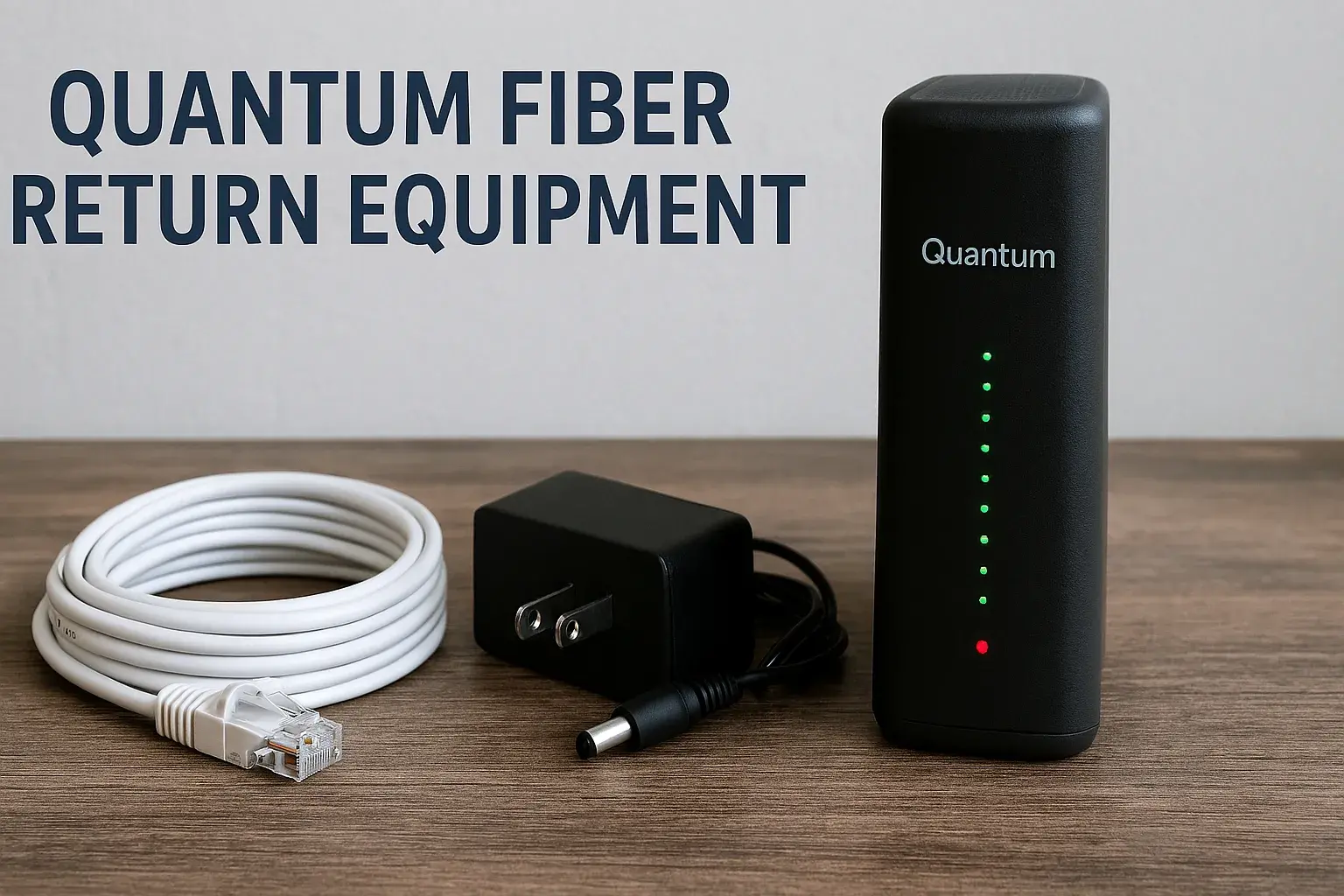
Returning Quantum Fiber equipment like modems and pods doesn't have to be a hassle. This guide provides a clear, step-by-step process, ensuring you can easily send back your devices and avoid unnecessary charges, making the transition smooth and stress-free for all Quantum Fiber customers.
Understanding Quantum Fiber Equipment Returns
Quantum Fiber, a rapidly expanding fiber internet provider, aims to offer a seamless customer experience, which extends to the process of returning their provided equipment. Whether you're upgrading your service, moving to an area not yet covered by Quantum Fiber, or discontinuing service, knowing the correct procedure for returning your modem, Wi-Fi pods, and any other leased devices is crucial. This process is designed to be straightforward, but like any service, it has specific steps and requirements that customers must follow to avoid complications, such as unreturned equipment fees. This comprehensive guide will walk you through every aspect of returning your Quantum Fiber gear, ensuring you have all the information needed for a smooth and efficient return.
In 2025, the landscape of home internet is increasingly dominated by fiber optic technology, and Quantum Fiber is at the forefront of this expansion. As more households adopt high-speed fiber services, the management of customer equipment becomes a significant operational aspect for providers. Quantum Fiber, like many telecommunications companies, leases essential networking hardware to its subscribers. This equipment, including advanced modems and Wi-Fi extenders (often referred to as pods), is vital for delivering their service. When a customer's relationship with Quantum Fiber concludes, or when upgrades necessitate a change in hardware, the return of this leased equipment is a standard procedure. This guide is specifically crafted to address the common questions and potential challenges users face when returning their Quantum Fiber devices, ensuring a positive post-service experience.
The primary goal of this extensive guide is to demystify the Quantum Fiber equipment return process. We aim to provide unparalleled clarity and actionable advice that surpasses what is currently available in competing online resources. By delving deep into each stage of the return, from initial preparation to final confirmation, we empower users to navigate the process with confidence. We will cover everything from identifying which devices need to be returned, how to package them safely, and the various methods available for their return. Furthermore, we will address potential pitfalls, such as late returns or damaged equipment, and offer practical solutions. Our objective is to ensure that by the time you finish reading this, you will have a complete understanding of how to return your Quantum Fiber modem, pods, and other devices easily and efficiently.
Why You Might Need to Return Quantum Fiber Equipment
There are several common reasons why a Quantum Fiber customer might find themselves needing to return their leased equipment. Understanding these scenarios can help you anticipate the process and be prepared. The most frequent trigger for equipment returns is the discontinuation of Quantum Fiber service. This could be due to a customer moving to a location outside of Quantum Fiber's service area, a decision to switch to a different internet provider, or simply no longer requiring internet service at that address. In such cases, all leased equipment must be returned to Quantum Fiber to avoid being charged for its unreturned value.
Another significant reason for equipment returns is service upgrades or changes. Quantum Fiber may occasionally introduce newer, more advanced modem or Wi-Fi pod models. If you opt to upgrade your hardware to take advantage of enhanced speeds, better Wi-Fi coverage, or new features, you will typically be required to return your old equipment. This ensures that Quantum Fiber can manage its inventory of devices effectively and provide the latest technology to its customer base. Similarly, if your current equipment is malfunctioning and needs to be replaced, you might be sent new hardware and asked to return the defective unit. The process for returning faulty equipment might differ slightly, often involving a direct swap or a prepaid shipping label provided by Quantum Fiber.
In some instances, customers might be returning equipment as part of a trial period for a specific service or hardware. While less common for standard internet installations, some promotional offers or new service introductions might involve a trial phase where equipment needs to be returned if the service is not retained. Additionally, if a customer experiences persistent issues with their Quantum Fiber service that cannot be resolved through troubleshooting, they might decide to terminate their contract. In these situations, returning the provided modem and other devices is a mandatory step to finalize the account closure and prevent ongoing charges. The overarching principle is that any equipment provided by Quantum Fiber and not purchased outright is considered leased property and must be returned upon the termination or significant alteration of the service agreement.
What Quantum Fiber Equipment Needs to Be Returned?
Quantum Fiber, like most internet service providers, provides customers with specific hardware necessary to access their network. When you disconnect service or upgrade, it's essential to know exactly which items are considered leased property and therefore require return. The most common pieces of equipment that need to be returned are the Quantum Fiber modem (also known as the Optical Network Terminal or ONT, though sometimes this is installed by a technician and not returned by the customer directly) and any provided Wi-Fi pods or extenders. These devices are fundamental to establishing and maintaining your internet connection and ensuring robust Wi-Fi coverage throughout your home.
The Quantum Fiber modem is the primary gateway device that connects your home network to the Quantum Fiber fiber optic line. It translates the optical signals into data that your devices can use. These modems are typically branded with Quantum Fiber's logo and are essential for the service. Wi-Fi pods, often referred to as mesh Wi-Fi extenders or access points, are used to expand the reach of your wireless network, ensuring strong signal strength in all areas of your home, especially in larger residences or those with complex layouts. If Quantum Fiber provided you with these pods as part of your service package, they are also leased equipment and must be returned.
Beyond the modem and Wi-Fi pods, there might be other accessories or components that came with your Quantum Fiber installation that are considered leased. This could include power adapters and cables specifically designed for the Quantum Fiber modem or pods. It is crucial to return all original accessories that were provided with the leased equipment, as failing to do so might result in charges for incomplete returns. Quantum Fiber will usually provide a detailed list of what needs to be returned when you initiate the disconnection or upgrade process. It's always advisable to refer to this official communication or contact Quantum Fiber customer support directly if you are unsure about any specific item. Generally, if the device has the Quantum Fiber branding and was provided to you upon activation of service, it is likely leased equipment that needs to be returned.
Preparing Your Quantum Fiber Equipment for Return
Proper preparation of your Quantum Fiber equipment before returning it is key to a smooth process and avoiding potential fees. The first and most critical step is to ensure you have gathered all the necessary devices. This includes the Quantum Fiber modem and any Wi-Fi pods or extenders that were provided to you. Additionally, locate all original power adapters, Ethernet cables, and any other accessories that came with the equipment. Missing components can sometimes lead to charges, so it's worth taking the time to find everything.
Once you have all the items, it's time to clean them. Gently wipe down the exterior of the modem and pods with a dry or slightly damp cloth to remove dust and grime. Avoid using harsh chemicals or abrasive cleaners, as these could damage the equipment. Ensure the devices are completely dry before packaging. Next, carefully pack each item. It is highly recommended to use the original packaging if you still have it. The original boxes are designed to protect the equipment during transit. If you no longer have the original boxes, use a sturdy cardboard box that is appropriately sized for the equipment. Ensure there is enough padding, such as bubble wrap or packing peanuts, to prevent the devices from moving around inside the box during shipping.
When packing, place the modem and pods securely, ensuring that cables and power adapters are also protected. Avoid cramming too much into one box. If you have multiple devices, it might be best to pack them separately or in distinct, well-padded compartments within a larger box. Once everything is packed, seal the box securely with strong packing tape. Make sure all seams are covered to prevent the box from opening during transit. If Quantum Fiber provides you with a prepaid shipping label, ensure it is clearly visible and securely attached to the outside of the box. If you are dropping off the equipment at a designated location, follow their specific packaging instructions. Proper preparation minimizes the risk of damage during transit and ensures that Quantum Fiber receives all the necessary components, facilitating a prompt and accurate processing of your return.
Step-by-Step Guide to Returning Quantum Fiber Devices
Returning your Quantum Fiber equipment can be a straightforward process if you follow these steps carefully. This guide is designed to cover the typical procedure, ensuring you know what to expect and how to proceed efficiently.
Step 1: Initiate the Return Process
The first step is to formally begin the return process with Quantum Fiber. This usually happens when you are disconnecting service or upgrading your equipment. Contact Quantum Fiber customer support through their official channels – typically by phone or via their online portal. Inform the representative that you need to return equipment. They will guide you through the necessary procedures, confirm which equipment needs to be returned, and provide you with instructions specific to your account and situation. This initial contact is crucial for obtaining the correct return authorization and information.
Step 2: Obtain Return Authorization and Shipping Materials
During your conversation with customer support, you will likely receive a Return Merchandise Authorization (RMA) number or a similar reference. This number is essential for tracking your return and ensuring it is correctly associated with your account. Quantum Fiber will typically provide you with a prepaid shipping label. This label will have all the necessary information for the courier. If you are not receiving a shipping label, they will inform you of the designated drop-off locations (e.g., a specific retail store or shipping carrier's office). Make sure you understand whether you need to print the label yourself or if it will be mailed to you.
Step 3: Gather and Prepare Your Equipment
As detailed in the previous section, gather all the Quantum Fiber equipment that needs to be returned. This includes the modem, Wi-Fi pods, and all associated power adapters and cables. Ensure the equipment is clean and in good working order, as much as possible. If the equipment is damaged, be sure to note this when you initiate the return process, as it might affect potential charges.
Step 4: Package the Equipment Securely
Use the original packaging if available, or a sturdy cardboard box. Pad the items well with bubble wrap or packing material to prevent any damage during transit. Place all components, including cables and power adapters, inside the box. Seal the box securely with packing tape.
Step 5: Attach Shipping Label and Ship
If you received a prepaid shipping label, securely attach it to the outside of the package. Ensure that any old shipping labels are removed or covered. Take the package to the designated shipping carrier's drop-off location (e.g., UPS Store, FedEx, or as specified by Quantum Fiber). If you are dropping off at a retail location, follow their specific instructions.
Step 6: Keep Proof of Shipment
Once you hand over the package, make sure to get a receipt from the shipping carrier. This receipt will serve as proof that you have returned the equipment and will include a tracking number. Keep this receipt in a safe place until your account is fully closed and you have received confirmation from Quantum Fiber that the return has been processed successfully.
Step 7: Monitor Your Account and Confirm Return
After shipping the equipment, it's advisable to track the package using the provided tracking number. You should also monitor your Quantum Fiber account statements for a period after the return. Look for confirmation from Quantum Fiber that the equipment has been received and that your account has been credited or closed without any unreturned equipment charges. If you do not see confirmation within a reasonable timeframe (typically a few weeks), contact Quantum Fiber customer support to follow up.
Common Return Scenarios and Solutions
While Quantum Fiber aims for a seamless return process, customers may encounter various scenarios. Understanding these common situations and their solutions can save you time and potential frustration.
Scenario 1: I Can't Find the Original Box
Problem: You no longer have the original packaging for your Quantum Fiber modem or pods.
Solution: Don't worry. Most providers understand that original packaging isn't always kept. Use any sturdy cardboard box that is appropriately sized for the equipment. Ensure you use ample packing materials like bubble wrap, packing paper, or foam to protect the devices from damage during transit. The key is secure packaging to prevent physical damage, rather than the specific box.
Scenario 2: I Lost a Power Adapter or Cable
Problem: A crucial accessory, like a power adapter or specific cable, is missing.
Solution: This is a common issue. Contact Quantum Fiber customer support immediately. They will inform you if the missing accessory is critical and if there will be a charge for it. In some cases, they may provide instructions on how to obtain a replacement or waive the fee if it's a standard component. If you must pay, be aware of the cost upfront. Attempting to return without a critical component could lead to an unreturned equipment fee, so proactive communication is key.
Scenario 3: The Equipment is Damaged
Problem: Your Quantum Fiber modem or pods were accidentally damaged (e.g., dropped, water damage).
Solution: Be upfront with Quantum Fiber customer support about the damage when you initiate the return. They will assess the situation and inform you of any potential charges. Depending on the terms of your service agreement, you might be liable for the full replacement cost of the damaged equipment. Documenting the damage (e.g., with photos) before packaging can be helpful. It's important to report damage promptly to avoid misunderstandings.
Scenario 4: I Missed the Return Deadline
Problem: You have exceeded the specified timeframe for returning the equipment after disconnecting service.
Solution: Contact Quantum Fiber customer support as soon as you realize you've missed the deadline. Explain your situation. They may be able to extend the return window or provide alternative instructions. However, be prepared that missing the deadline often results in automatic charges for the unreturned equipment. Acting quickly and communicating openly is your best course of action.
Scenario 5: The Shipping Label is Not Working or Unreadable
Problem: The provided shipping label is smudged, torn, or the courier refuses to accept it.
Solution: If you encounter an issue with the shipping label, contact Quantum Fiber customer support immediately. Request a new, clear shipping label. If you are dropping off at a specific location, explain the problem to the staff there; they might have alternative solutions or be able to assist with label printing if you have the tracking information. Never attempt to ship with an unreadable or invalid label.
Scenario 6: I Did Not Receive a Return Kit or Label
Problem: You were told you would receive a return kit or shipping label, but it never arrived.
Solution: Follow up with Quantum Fiber customer support. Confirm the shipping address they have on file and request that the label or kit be resent. If there's an urgent deadline, ask if there's an alternative method, such as a digital label you can print yourself or a designated drop-off point.
Troubleshooting Common Return Issues
Even with the best intentions, issues can arise during the Quantum Fiber equipment return process. Proactive troubleshooting can help you resolve these problems efficiently. Here are some common challenges and how to address them:
Issue 1: Tracking Shows Delivered, But Quantum Fiber Says Not Received
Problem: The shipping carrier's tracking information indicates your package was delivered to Quantum Fiber's return facility, but your account still shows unreturned equipment, or customer service states they haven't received it.
Solution: This is a critical situation that requires immediate attention. First, double-check the tracking number and the delivery confirmation details. Ensure it was delivered to the correct address provided by Quantum Fiber. If the information is accurate, contact Quantum Fiber's dedicated returns department or customer service. Provide them with the tracking number, delivery confirmation details, and the date of delivery. Request that they investigate the discrepancy with their warehouse or logistics partner. Keep copies of all communication and the tracking receipt. In some cases, it might take a few business days for internal processing after delivery confirmation.
Issue 2: Unexpected Charges on Your Final Bill
Problem: Your final bill from Quantum Fiber includes charges for unreturned equipment, even though you believe you returned everything correctly.
Solution: Review your final bill carefully. Identify the specific equipment listed and the associated charges. If you have proof of return (shipping receipt, tracking information showing delivery), gather this documentation. Contact Quantum Fiber's billing department or customer service to dispute the charges. Clearly explain why you believe the charges are incorrect, referencing your proof of return. Be polite but firm. If the initial representative cannot resolve the issue, ask to speak with a supervisor. It's essential to dispute charges promptly, as per your billing agreement.
Issue 3: Difficulty Contacting Returns Department
Problem: You are having trouble reaching the Quantum Fiber returns department or customer service representatives who can assist with your return.
Solution: Try contacting Quantum Fiber during different times of the day, as call volumes can vary. Utilize their online chat support if available, as this can sometimes be faster than phone queues. If you have an email address for the returns department, use that. If you are unable to get through via phone, consider sending a detailed email outlining your issue, including your account number and any relevant details. Keep a record of the dates and times you attempted to contact them. Persistence is key.
Issue 4: Equipment Not Working During Return Window
Problem: The Quantum Fiber equipment you need to return malfunctions shortly before you plan to send it back.
Solution: Immediately contact Quantum Fiber customer support to report the malfunctioning equipment. They may be able to troubleshoot the issue remotely or arrange for a replacement. If a replacement is issued, clarify whether you need to return both the original and the replacement, or just the original faulty unit. If the equipment fails due to a defect, Quantum Fiber may waive any associated fees for damage, but this needs to be confirmed with them.
Issue 5: Receiving a Return Kit with Incorrect Items or No Label
Problem: The return kit sent by Quantum Fiber is missing items, contains the wrong items, or lacks a prepaid shipping label when one was promised.
Solution: Contact Quantum Fiber customer support immediately upon discovering the issue with the return kit. Clearly state what is missing or incorrect. Request that the correct items or a shipping label be sent to you promptly. If there's a deadline approaching, explain the urgency and ask for expedited shipping or an alternative return method.
Tips for a Smooth Quantum Fiber Equipment Return Process
To ensure your experience returning Quantum Fiber equipment is as seamless as possible, consider these practical tips. They are designed to help you avoid common pitfalls and expedite the process.
- Act Promptly: Once you know you need to return equipment, initiate the process immediately. Don't wait until the last minute. This gives you ample time to gather items, pack them, and ship them without rushing.
- Read All Communications Carefully: When Quantum Fiber sends you information about disconnecting service or upgrading, pay close attention to the details regarding equipment returns. Note any deadlines, required items, and shipping instructions.
- Keep a Detailed Inventory: Before you pack anything, make a list of all the equipment and accessories you are returning. Take photos of the items and their condition, especially if they are not in perfect shape. This documentation can be invaluable if disputes arise later.
- Use the Original Packaging if Possible: The original boxes are designed to protect the equipment during transit. If you no longer have them, ensure you use a sturdy alternative and plenty of protective padding.
- Document Everything: Keep copies of all correspondence with Quantum Fiber, including emails, chat transcripts, and notes from phone calls (date, time, representative's name, and summary of discussion).
- Get a Shipping Receipt and Tracking Number: Always obtain a receipt from the shipping carrier when you drop off your package. This receipt serves as proof of shipment and usually includes a tracking number.
- Track Your Shipment: Use the tracking number to monitor the progress of your return. This helps you confirm when it has been delivered to Quantum Fiber's facility.
- Confirm Receipt with Quantum Fiber: After tracking shows delivery, it's a good idea to follow up with Quantum Fiber customer service to confirm they have received the equipment and that it has been processed.
- Check Your Final Bill Thoroughly: Once you receive your final bill, review it carefully for any charges related to unreturned equipment. If you find any discrepancies, dispute them immediately with supporting documentation.
- Be Honest About Equipment Condition: If any equipment is damaged, be upfront about it when you initiate the return. Hiding damage can lead to more significant issues and potentially higher fees.
- Understand Your Contract: Familiarize yourself with the terms and conditions of your Quantum Fiber service agreement regarding equipment leases and return policies. This knowledge can help you anticipate requirements and potential charges.
- Ask Questions: If anything is unclear about the return process, don't hesitate to ask Quantum Fiber customer support for clarification. It's better to ask upfront than to make a mistake.
By following these tips, you can significantly reduce the chances of encountering problems and ensure that your Quantum Fiber equipment return is handled efficiently and without unnecessary complications.
Understanding Return Timelines and Potential Fees
One of the most critical aspects of returning Quantum Fiber equipment is adhering to the specified timelines and understanding the potential fees associated with non-compliance. Providers like Quantum Fiber have strict policies to manage their leased hardware effectively.
Return Timelines
When you disconnect service or upgrade your equipment, Quantum Fiber will typically provide a specific window within which you must return the leased devices. This timeframe commonly ranges from 15 to 30 days from the date your service is disconnected or the new equipment is activated. It is imperative to note this deadline. Missing this window can automatically trigger penalties. For instance, if your service ends on October 15th, and you have a 30-day return window, your equipment must be shipped or dropped off by November 14th. Always confirm the exact return deadline with Quantum Fiber customer support during your service disconnection or upgrade process.
Potential Fees
Quantum Fiber, like most ISPs, levies fees for unreturned or damaged equipment. These fees are designed to cover the cost of the hardware that the company has leased to you. The specific amounts vary depending on the type of device:
- Modems/ONTs: These are typically the most expensive items. Fees for unreturned modems can range from $100 to $300 or more, depending on the model and its capabilities.
- Wi-Fi Pods/Extenders: These devices are generally less expensive than modems. Fees for unreturned pods might range from $50 to $150 each.
- Cables and Power Adapters: While often overlooked, missing essential accessories like power adapters or specific Ethernet cables can also incur charges. These might be smaller, perhaps $10 to $30 per item, but they can add up.
- Incomplete Returns: If you return the main device but miss essential accessories, Quantum Fiber might charge you for the incomplete return, essentially treating it as if the missing items were unreturned.
- Damaged Equipment: If the equipment is returned in a damaged condition (beyond normal wear and tear), you may be charged for the repair or replacement cost, which can be as high as the full unreturned equipment fee.
How to Avoid Fees:
- Adhere to Deadlines: Ship or drop off equipment well within the specified return window.
- Return All Components: Ensure you return every piece of equipment and all accessories provided by Quantum Fiber.
- Package Securely: Protect the equipment from damage during transit.
- Communicate with Quantum Fiber: If you foresee any issues meeting the deadline or have damaged equipment, contact customer support immediately.
- Keep Proof of Return: Always retain your shipping receipt and tracking information.
Understanding these timelines and potential fees empowers you to take the necessary steps to ensure a smooth return and avoid unexpected costs on your final Quantum Fiber bill. Always refer to your service agreement or confirm details with Quantum Fiber customer service for the most accurate and up-to-date information regarding their return policies and fee structures.
Conclusion: Making Your Quantum Fiber Return Hassle-Free
Successfully returning your Quantum Fiber equipment, whether it's a modem, Wi-Fi pods, or associated accessories, is a crucial step in concluding your service or upgrading your hardware. By understanding the process, preparing your devices meticulously, and adhering to the provided timelines, you can transform what might seem like a daunting task into a straightforward procedure. This comprehensive guide has equipped you with the knowledge to navigate each stage, from initiating the return and packaging your items securely to troubleshooting common issues and avoiding unexpected fees. Remember, proactive communication with Quantum Fiber customer support is your most valuable tool in resolving any potential challenges that may arise. Always keep documentation of your return, including shipping receipts and tracking information, as your proof of compliance. By following the steps and tips outlined here, you ensure a smooth, efficient, and hassle-free return, leaving you with peace of mind and a clear account status.
The key takeaways emphasize prompt action, thorough preparation, and clear communication. When you initiate your Quantum Fiber equipment return, remember to gather all provided devices and accessories, pack them with care to prevent damage, and ensure they are shipped or dropped off within the specified timeframe. Familiarize yourself with the potential fees for unreturned or damaged equipment to avoid surprises on your final bill. Should any issues arise, such as tracking discrepancies or unexpected charges, don't hesitate to contact Quantum Fiber support immediately with your documentation ready. Our actionable recommendation is simple: treat the return process with the same diligence you would any important transaction. By doing so, you safeguard yourself against potential costs and ensure a positive conclusion to your Quantum Fiber service experience. This detailed approach guarantees that returning your Quantum Fiber modem, pods, and other devices becomes an easy and stress-free part of your internet service journey.
null