Quantum Fiber Installation Cost: Fees, Equipment & What to Expect
Understanding Quantum Fiber installation costs is crucial for homeowners and renters. This guide breaks down potential fees, necessary equipment, and what to expect during the setup process, empowering you to make informed decisions about upgrading to high-speed internet in 2025-26.
Optimizing Your Quantum Fiber Setup for Performance and Value
Conclusion: Making the Smart Choice for Your Quantum Fiber Installation
Understanding Quantum Fiber
Quantum Fiber, a division of Lumen Technologies, is rapidly expanding its fiber-optic network across the United States. Promising symmetrical upload and download speeds, Quantum Fiber aims to deliver a superior internet experience for homes and businesses. Unlike traditional cable internet, fiber optics use light signals transmitted through thin strands of glass, enabling significantly faster speeds, lower latency, and greater reliability. As more consumers seek robust internet solutions for remote work, online gaming, streaming high-definition content, and smart home devices, the demand for fiber optic services like Quantum Fiber continues to surge. This makes understanding the associated installation costs and processes essential for anyone considering an upgrade.
In 2025-26, the landscape of home internet is increasingly dominated by fiber-to-the-home (FTTH) technology. Quantum Fiber positions itself as a premium provider within this space, often targeting areas where it can offer next-generation speeds. The appeal lies not just in raw speed, but in the consistent performance that fiber offers, unaffected by network congestion in the same way that cable or DSL can be. However, the transition to a new internet provider, especially one utilizing advanced fiber infrastructure, often involves initial setup costs that can vary. This guide aims to demystify these expenses, providing a clear picture of what to anticipate when opting for Quantum Fiber installation.
Quantum Fiber Installation Fees: A Detailed Breakdown
The primary concern for many potential Quantum Fiber customers revolves around the initial installation fees. These charges cover the physical labor, materials, and technical expertise required to bring fiber optic service directly to your home. While Quantum Fiber strives for transparency, fees can fluctuate based on several factors, including your location, the complexity of the installation, and any ongoing promotions or bundles offered at the time of signup.
Standard Installation Fees
In most cases, Quantum Fiber offers a standard installation service. This typically involves a technician visiting your home to connect the fiber optic line from the nearest network point to your premises and setting up the necessary indoor equipment. For 2025-26, the standard installation fee for Quantum Fiber often ranges from $0 to $99. This variability is significant and is often influenced by promotional offers. Many providers, including Quantum Fiber, frequently waive installation fees as an incentive for new customers to sign up for their services, especially for multi-year contracts or higher-tier internet plans.
It's crucial to inquire about current promotions when you are ready to subscribe. A "free installation" offer is common and can significantly reduce the upfront cost. If a fee is applicable, it usually covers the technician's visit, the connection of the fiber line to your home's exterior, and the internal setup of the modem/router and Optical Network Terminal (ONT).
Potential Additional Fees
While standard installations are generally straightforward, certain circumstances can lead to additional charges. These might include:
Complex Wiring or Routing: If your home requires extensive or difficult wiring to reach the desired location for the modem/ONT (e.g., long distances, difficult wall penetrations, finished basements requiring special attention), the technician might charge extra for the labor involved. This is typically billed on an hourly basis after a certain threshold of complexity is met.
Mounting and Exterior Work: In some instances, specialized mounting equipment for the exterior fiber drop or significant work to secure the line might incur a minor fee.
Multiple Connection Points: If you require more than the standard single connection point for your ONT or modem, additional charges may apply.
Relocation or Reinstallation: If you are moving to a new address and need to transfer Quantum Fiber service, there might be a service transfer fee, though this is often waived with new service agreements. If you need to move an existing installation within your home, it could be treated as a new installation or incur a specific relocation fee.
Early Termination Fees (ETFs): While not strictly an installation fee, it's important to be aware of ETFs if you sign a contract. If you cancel service before the contract term ends, you could face penalties, which can sometimes be substantial.
For 2025-26, it's advisable to ask your Quantum Fiber representative for a detailed quote that outlines all potential fees, even those that are less common. Understanding these possibilities upfront can prevent surprises.
Promotional Offers and Bundles
Quantum Fiber, like many internet service providers (ISPs), frequently uses promotional offers to attract new customers. These can include:
Waived installation fees.
Discounted monthly rates for the first 12-24 months.
Bundled services (e.g., internet with voice or mobile services) that might include installation benefits.
Free equipment rentals or upgrades.
Always ask about current deals. A $99 installation fee might be completely waived if you sign up for a 2-year agreement or bundle services. These promotions are a key way to manage the overall cost of Quantum Fiber installation.
Equipment Costs and Considerations
When you install Quantum Fiber, you'll need specific equipment to connect to their network and distribute the internet signal throughout your home. This typically includes an Optical Network Terminal (ONT) and a router. The cost and management of this equipment can vary.
Optical Network Terminal (ONT)
The ONT is a crucial piece of hardware that converts the light signals from the fiber optic cable into electrical signals that your devices can use. Quantum Fiber typically provides and installs the ONT as part of the standard installation process. In most cases, the ONT is included with your service and is not an additional purchase or rental fee. It's considered essential infrastructure for fiber service. The technician will mount this device, usually near where the fiber enters your home.
Modem/Router
The ONT itself does not typically provide Wi-Fi. You will need a router to create a wireless network in your home and connect your various devices. Quantum Fiber often offers a proprietary router or gateway device that combines modem and Wi-Fi router functionalities. The cost structure for this device can vary:
Included with Service: Many Quantum Fiber plans include the rental of a Wi-Fi router at no additional monthly cost. This is a common practice to simplify the setup for customers and ensure compatibility with their network.
Monthly Rental Fee: In some plans or regions, Quantum Fiber might charge a monthly fee for the rental of their Wi-Fi router. This fee can range from $10 to $15 per month.
Purchase Option: Occasionally, customers may have the option to purchase a router outright, though this is less common for the primary gateway device provided by ISPs.
Bring Your Own Device (BYOD): Quantum Fiber's policy on allowing customers to use their own compatible routers can vary. If permitted, this could save you monthly rental fees. However, ensure that any third-party router you choose is compatible with Quantum Fiber's network and supports the speeds you are subscribing to. You'll need to verify compatibility with Quantum Fiber support before purchasing your own equipment.
For 2025-26, it's best to confirm the exact terms regarding the router with your Quantum Fiber sales representative. If a rental fee applies, factor this into your monthly internet bill. If you opt to use your own router, ensure it meets the necessary specifications to avoid performance issues.
Wi-Fi Extenders and Mesh Systems
While the router provided by Quantum Fiber is designed to cover a standard-sized home, larger homes or those with thick walls may experience Wi-Fi dead zones. To address this, you might consider:
Wi-Fi Extenders: These devices boost the Wi-Fi signal from your main router. They are relatively inexpensive but can sometimes halve the available bandwidth.
Mesh Wi-Fi Systems: These systems use multiple nodes placed strategically around your home to create a seamless, strong Wi-Fi network. They offer better performance than extenders but come at a higher cost, typically ranging from $150 to $500+ for a system.
These are optional purchases and not part of the Quantum Fiber installation cost itself, but they are important considerations for achieving optimal Wi-Fi coverage throughout your home.
Installation Kits
The installation kit provided by the technician typically includes the necessary cables, connectors, and mounting hardware for the ONT and router. These components are generally covered by the installation fee or are included in the overall service cost and are not itemized separately for the customer.
What to Expect During Installation
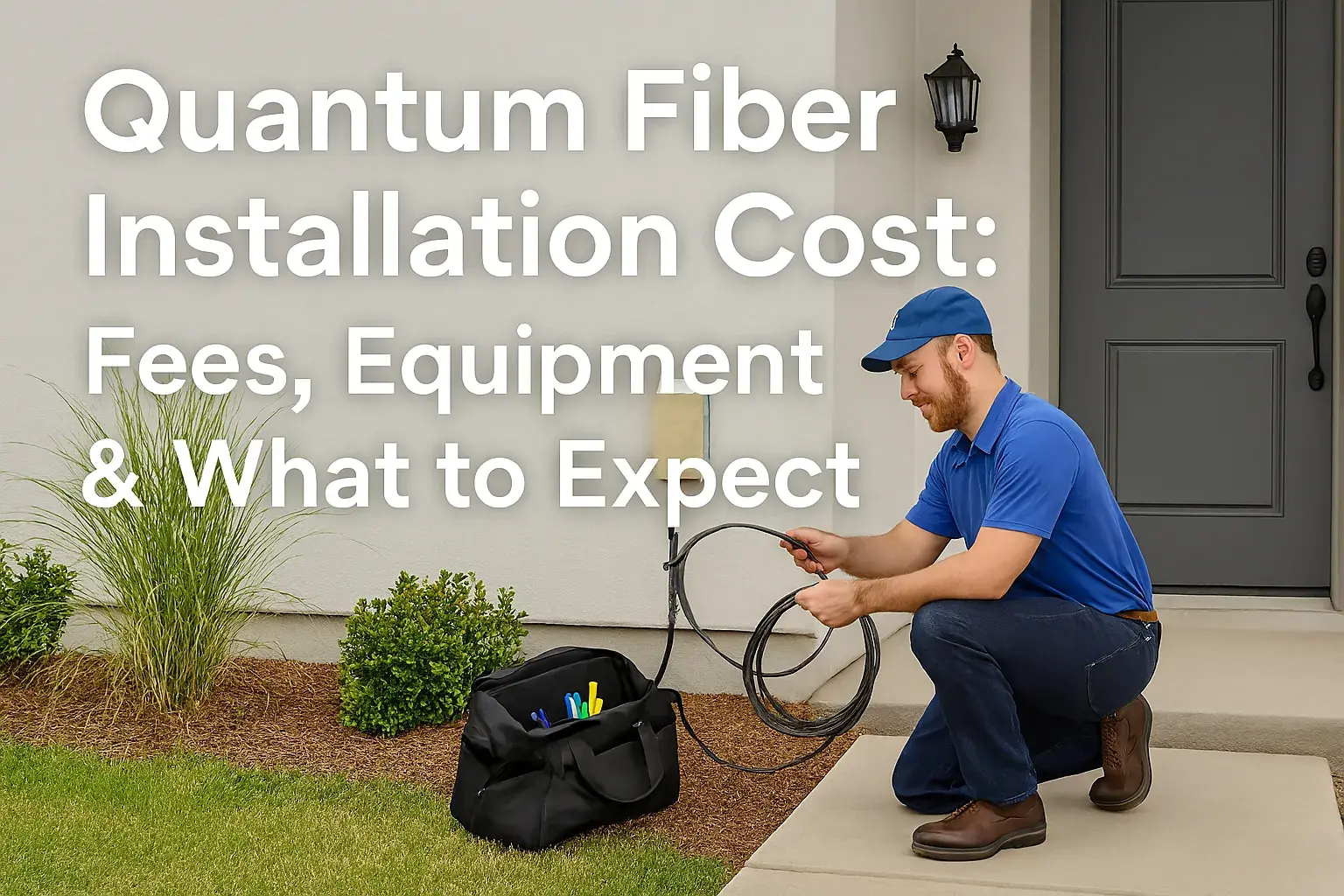
The Quantum Fiber installation process is designed to be as efficient and non-disruptive as possible. Understanding the typical steps involved can help alleviate any concerns you might have.
Scheduling the Appointment
Once you've signed up for Quantum Fiber service, you'll work with the provider to schedule an installation appointment. Installation windows are usually several hours long (e.g., 8 AM - 12 PM, 1 PM - 5 PM). You'll typically receive a confirmation email or text with the date and time window. It's important to ensure someone over 18 is present at the home for the entire duration of the appointment.
The Technician's Arrival and Assessment
On the scheduled day, a certified Quantum Fiber technician will arrive. They will first assess your property to determine the best location for the fiber optic cable entry point and the placement of the ONT. They will discuss these options with you, considering factors like:
The location of the nearest Quantum Fiber network access point (e.g., a utility pole or underground conduit).
The most direct and least intrusive path for the fiber cable to enter your home.
Your preferred location for the ONT and router (often a central area for good Wi-Fi coverage).
The type of construction of your home (e.g., brick, wood, stucco) which can affect installation methods.
The technician will explain the proposed installation plan and address any questions you may have before proceeding.
Fiber Cable Installation
This is the core of the installation process. The technician will:
Exterior Connection: Run a thin fiber optic cable from the nearest network access point to your home. This might involve attaching the cable to the exterior of your house, running it underground if feasible, or utilizing existing conduit.
Entry Point: Drill a small hole through your exterior wall to bring the fiber cable inside. The technician will use appropriate sealing materials to ensure the entry point is weatherproof.
Interior Routing: Route the fiber cable from the entry point to the designated location for the ONT. They will aim to do this as discreetly as possible, often running it along baseboards or through inconspicuous pathways.
ONT and Router Setup
Once the fiber cable is in place:
ONT Installation: The technician will connect the fiber cable to the ONT and mount it securely on the wall.
Router Connection: The technician will then connect the Quantum Fiber router (or your own compatible router) to the ONT using an Ethernet cable.
Powering Up and Testing: The ONT and router will be powered on. The technician will perform tests to ensure a stable connection and verify that you are receiving the subscribed internet speeds. They will also help you connect a device (like a laptop or smartphone) to the Wi-Fi network to confirm it's working.
Final Walkthrough and Information
Before leaving, the technician will:
Demonstrate Functionality: Ensure you can access the internet and understand how to connect your devices.
Provide Documentation: Give you any necessary paperwork, including account information, Wi-Fi network name (SSID) and password, and support contact details.
Answer Questions: Address any remaining questions about your new service.
The entire installation process typically takes between 2 to 4 hours, depending on the complexity and the technician's efficiency.
Post-Installation
After the technician leaves, you can begin enjoying your Quantum Fiber service. It's a good idea to periodically check your Wi-Fi signal strength throughout your home and consider mesh systems or extenders if you experience any dead spots. Keep the technician's contact information handy in case of any immediate issues.
Factors Influencing Installation Cost
The final cost of your Quantum Fiber installation isn't a one-size-fits-all figure. Several variables can influence whether you pay the standard fee, get it waived, or incur additional charges. Understanding these factors empowers you to budget effectively and potentially find ways to reduce your upfront expenses.
Promotional Offers and New Customer Incentives
This is arguably the biggest factor in determining installation cost. ISPs, including Quantum Fiber, frequently run aggressive promotions to attract new subscribers. These can include:
Waived Installation Fees: Many plans offer $0 installation, especially for new customers signing up for a 12- or 24-month contract. This is the most common way to eliminate the upfront installation charge.
Bundled Deals: Packaging internet with other services (like mobile or home phone) can sometimes come with installation fee discounts or waivers.
Limited-Time Offers: Promotions can be seasonal or tied to specific marketing campaigns. What's available today might change tomorrow, so acting within a promotional window can be beneficial.
Actionable Tip: Always ask your Quantum Fiber sales representative about current promotions and new customer deals. Don't assume there are no offers; inquire specifically about installation fee waivers.
Location and Infrastructure Availability
Your geographical location plays a significant role:
Urban vs. Rural: In densely populated urban areas, Quantum Fiber infrastructure might be more readily available, potentially leading to simpler and less costly installations. Rural installations can sometimes be more complex and expensive due to longer distances to connect to the network.
Existing Conduit/Wiring: If your neighborhood already has fiber optic infrastructure in place, the installation might be simpler. If new trenching or pole attachments are required, it can increase complexity and cost.
Home Type: Apartments, condos, and townhouses might have different installation procedures and potential fees compared to single-family homes, often depending on building management agreements.
Complexity of the Installation
The physical setup within your home can also impact the cost:
Distance from Entry Point to ONT: If the fiber needs to be routed a considerable distance inside your home to reach the desired ONT location, it might incur additional labor charges.
Wall Materials and Obstructions: Drilling through concrete, brick, or dealing with numerous internal walls can make the installation more time-consuming and potentially more expensive.
Finished vs. Unfinished Basements: Running cables through finished living spaces often requires more care and potentially more labor to maintain aesthetics compared to unfinished basements or crawl spaces.
Mounting Requirements: If specialized mounting hardware is needed for the ONT or exterior fiber entry point, this could add to the cost.
Service Tier and Contract Length
While not a direct installation fee, the speed tier you choose and the contract you sign can indirectly influence the overall cost:
Higher Speed Tiers: Sometimes, higher-speed plans might come with more attractive installation offers (e.g., guaranteed free installation) to incentivize upgrades.
Contract Length: Longer contract commitments (e.g., 24 months) often come with better upfront deals, including installation fee waivers, compared to month-to-month plans.
Time of Year and Demand
While less common, high demand periods or specific times of the year might see slight variations in promotional availability or technician scheduling, which could indirectly affect your experience and any associated costs.
Additional Services or Equipment
If you opt for additional services like a static IP address, advanced network setup, or purchase extra equipment beyond the standard router, these will add to your overall expenditure, though they are separate from the core installation fee.
Key Takeaway: The most effective way to manage Quantum Fiber installation costs is to leverage promotional offers. Always confirm all fees in writing before the installation takes place.
Comparing Quantum Fiber to Competitors
When evaluating Quantum Fiber installation costs, it's helpful to see how it stacks up against other major internet service providers (ISPs) in 2025-26. The competitive landscape for high-speed internet is dynamic, with providers constantly offering new plans and promotions.
Installation Fee Comparison (2025-26 Estimates)
Here's a general comparison of typical installation fees. Remember, these are estimates and can change based on promotions:
Provider | Standard Installation Fee | Typical Promotions | Equipment (Router) |
|---|---|---|---|
Quantum Fiber | $0 - $99 | Often waived for new customers, contract discounts | Included or $10-$15/month rental |
Xfinity (Comcast) | $100 - $150 | Free professional installation with new service, self-install kits | $15-$25/month rental |
Spectrum | $0 - $99 | Free installation often available, especially with bundles | Included or $10-$15/month rental |
Verizon Fios | $0 - $99 | Installation often included, especially for multi-year contracts | Included or $15/month rental |
AT&T Fiber | $0 - $99 | Installation typically included, especially with higher speed tiers | Included (no rental fee for gateway) |
Note: Table styling is minimal as per requirements. Actual fees and promotion availability vary by location and specific plan.
Key Differentiators
Fiber vs. Cable: Quantum Fiber, Verizon Fios, and AT&T Fiber are pure fiber providers, offering symmetrical speeds and generally lower latency than cable providers like Xfinity and Spectrum. This means upload speeds are as fast as download speeds, which is crucial for video conferencing, large file uploads, and cloud backups.
Equipment Costs: While many providers offer free installation promotions, the ongoing cost of renting a modem/router can add up. AT&T Fiber notably includes their gateway at no extra charge, which can be a significant long-term saving. Quantum Fiber's policy of including the router or having a modest rental fee is competitive.
Installation Complexity: For providers like Xfinity, professional installation can be more expensive if not covered by a promotion. Quantum Fiber generally aims for a straightforward installation process.
Network Reach: Quantum Fiber's network is still expanding, meaning availability might be more limited than established cable providers in some areas.
What This Means for You
When comparing Quantum Fiber to competitors, consider the total cost of ownership, not just the initial installation fee. A free installation today could be offset by higher monthly equipment rental fees or slower, less reliable service compared to fiber. Quantum Fiber often competes favorably by offering:
Competitive Installation Fees: With frequent waivers and reasonable standard fees.
Superior Technology: True fiber optic service for high-speed, symmetrical performance.
Transparent Equipment Costs: Often including a router or having a predictable rental fee.
Always get a personalized quote from each provider in your area, detailing all fees, contract terms, and equipment costs to make the most informed decision.
Optimizing Your Quantum Fiber Setup for Performance and Value
Once your Quantum Fiber is installed, achieving optimal performance and ensuring you're getting the best value involves a few key considerations. It's not just about the speed on paper; it's about how that speed translates to your daily internet usage.
Router Placement is Key
The router is the heart of your home's Wi-Fi network. Its placement significantly impacts signal strength and coverage. For 2025-26, best practices include:
Central Location: Place the router in a central, open area of your home, away from exterior walls or corners.
Elevated Position: Mounting the router on a shelf or table, rather than the floor, can improve signal dispersion.
Avoid Obstructions: Keep the router away from large metal objects, thick walls, mirrors, and appliances that can interfere with Wi-Fi signals (e.g., microwaves, cordless phones).
Antenna Orientation: If your router has adjustable antennas, experiment with different positions (e.g., one vertical, one horizontal) to optimize coverage.
Leveraging Your ONT and Router
Understand the capabilities of the equipment Quantum Fiber provides:
ONT Functionality: The ONT is purely a signal converter. It doesn't provide Wi-Fi.
Router Features: If Quantum Fiber provides a combined gateway, familiarize yourself with its features. Some offer guest networks, parental controls, or Quality of Service (QoS) settings that can prioritize certain types of traffic (e.g., gaming, video calls).
Firmware Updates: Ensure your router's firmware is up-to-date. Providers typically push updates automatically, but manual checks can sometimes resolve performance issues.
Considering a Mesh Wi-Fi System
For larger homes or those with challenging layouts, a mesh Wi-Fi system can be a worthwhile investment to complement your Quantum Fiber service:
Seamless Coverage: Mesh systems use multiple nodes that communicate with each other to create a single, strong Wi-Fi network across your entire home.
Easy Setup: Most mesh systems are designed for user-friendly setup via a mobile app.
Scalability: You can often add more nodes to expand coverage as needed.
Cost: Systems range from approximately $150 for a basic 2-node setup to $500+ for advanced multi-node systems. This is an additional cost beyond the Quantum Fiber installation but can significantly improve your home network experience.
Popular mesh brands in 2025-26 include Google Nest Wifi, TP-Link Deco, and Eero.
Optimizing Your Internet Plan
Ensure your Quantum Fiber plan aligns with your household's needs:
Speed Assessment: Regularly test your internet speeds using online speed test tools (e.g., Speedtest.net, Fast.com). Compare these results to the speeds you are paying for.
Symmetrical Speeds: Appreciate the benefit of Quantum Fiber's symmetrical upload and download speeds. If you frequently upload large files, stream to platforms like Twitch, or participate in high-quality video conferences, this is a major advantage.
Avoid Overpaying: If your speed tests consistently show you're receiving far more speed than you actually use, consider downgrading to a lower-tier plan to save money. Conversely, if you're experiencing buffering or slowdowns, you might need to upgrade.
Security Best Practices
Protecting your network is crucial:
Strong Wi-Fi Password: Use a unique, complex password for your Wi-Fi network (WPA2 or WPA3 encryption).
Change Default Credentials: If your router has default login credentials for its administrative interface, change them immediately.
Guest Network: Utilize a guest network for visitors to keep your main network more secure.
Troubleshooting Common Issues
If you experience slow speeds or connectivity problems:
Reboot Equipment: The first step is always to power cycle your ONT and router. Unplug them, wait 30 seconds, and plug them back in.
Check Connections: Ensure all cables are securely plugged in.
Test Wired vs. Wireless: Connect a device directly to the router via Ethernet cable to see if the issue is with the Wi-Fi or the internet connection itself.
Contact Support: If problems persist, reach out to Quantum Fiber customer support.
By implementing these strategies, you can maximize the performance and value of your Quantum Fiber installation, ensuring a smooth and reliable internet experience throughout your home in 2025-26 and beyond.
Conclusion: Making the Smart Choice for Your Quantum Fiber Installation
Navigating the Quantum Fiber installation cost involves understanding a mix of potential fees, equipment considerations, and the installation process itself. In 2025-26, Quantum Fiber continues to position itself as a leading provider of high-speed fiber internet, with installation costs that are often competitive, especially when leveraging new customer promotions. While standard fees can range from $0 to $99, the likelihood of a waived installation is high for new subscribers signing up for service agreements. Remember to factor in the cost of your router, which is often included or available for a modest monthly rental fee. By carefully reviewing your contract, inquiring about all available promotions, and understanding the factors that can influence the final price—such as installation complexity and your location—you can effectively manage your upfront investment.
The true value of Quantum Fiber lies in its superior fiber optic technology, offering symmetrical speeds and reliable performance that outshines many traditional internet options. While initial costs are a consideration, the long-term benefits of a robust, future-proof internet connection for remote work, entertainment, and smart home integration are substantial. Always confirm all details with your Quantum Fiber representative, and consider optimizing your home network with strategic router placement or a mesh system to ensure you're getting the most out of your investment. Making an informed decision about your Quantum Fiber installation today will pave the way for a seamless and powerful online experience for years to come.