What is the Difference Between Panoramic WiFi and Regular WiFi?
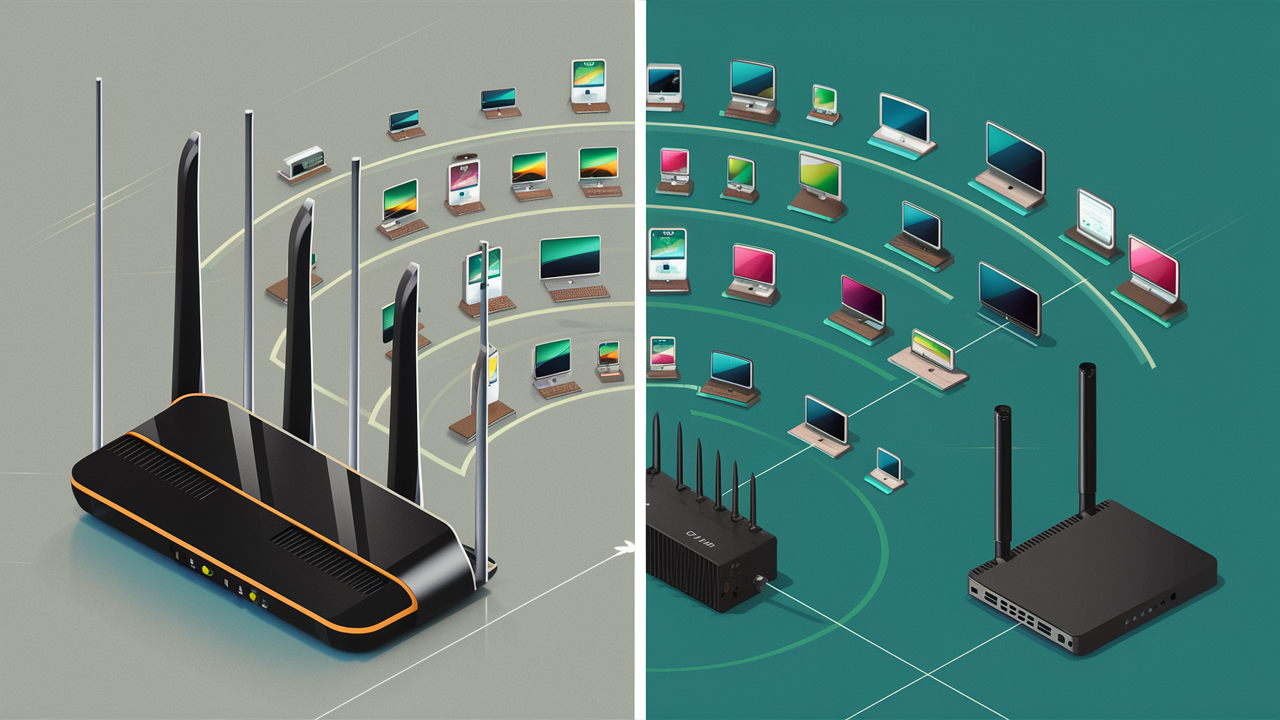
Navigating the world of home internet can feel overwhelming, especially when terms like "Panoramic WiFi" and "regular WiFi" are thrown around. This guide cuts through the jargon, offering a clear comparison to help you understand the differences and choose the best solution for your needs. Discover how advanced WiFi systems can revolutionize your online experience.
Understanding the Fundamentals: What is WiFi?
Before diving into the specifics of Panoramic WiFi versus regular WiFi, it's essential to grasp the basic principles of wireless fidelity (WiFi). At its core, WiFi is a wireless networking technology that allows devices like smartphones, laptops, tablets, and smart home gadgets to connect to the internet or communicate with each other without the need for physical cables. This is achieved by using radio waves to transmit data between a wireless router and your devices. The router acts as a central hub, receiving internet signals from your Internet Service Provider (ISP) and broadcasting them wirelessly.
The performance of any WiFi network is largely determined by several factors, including the router's capabilities, the internet speed provided by your ISP, the layout and size of your home, and the number of devices connected. In a typical home setup, a single router is responsible for covering the entire living space. However, as homes have become larger and the number of connected devices has exploded, the limitations of a single-point WiFi system have become increasingly apparent.
Understanding these fundamentals is crucial because it lays the groundwork for appreciating the innovations that Panoramic WiFi brings to the table. It’s not just about faster speeds; it’s about a more robust, reliable, and comprehensive internet experience throughout your entire home. The evolution from basic WiFi to more advanced systems like Panoramic WiFi reflects the growing demands of modern digital life.
Regular WiFi: The Traditional Approach
Regular WiFi, often referred to as traditional or standard WiFi, is what most households have been accustomed to for years. This setup typically involves a single wireless router provided by your ISP or purchased separately. This router connects directly to your modem, which in turn connects to your internet service. The router then broadcasts a WiFi signal that your devices can pick up within a certain range.
The primary characteristic of regular WiFi is its reliance on a single point of broadcast. While effective for smaller homes or apartments, this approach often struggles in larger or multi-story dwellings. Dead zones, where the WiFi signal is weak or nonexistent, are a common problem. These areas can occur due to distance from the router, physical obstructions like thick walls, metal appliances, or even the sheer number of devices competing for bandwidth.
Key Characteristics of Regular WiFi:
- Single Router: The entire network relies on one central device for WiFi signal distribution.
- Limited Range: Signal strength diminishes with distance, leading to dead zones.
- Interference Susceptibility: More prone to interference from other electronic devices and building materials.
- Basic Features: Often lacks advanced features like mesh networking, intelligent band steering, or advanced security protocols found in newer systems.
- Manual Configuration: Setting up and managing the network can sometimes require technical knowledge.
The technology behind regular WiFi has evolved over the years, with different WiFi standards (like 802.11n, 802.11ac, and the emerging Wi-Fi 6/6E) offering improvements in speed and efficiency. However, the fundamental limitation of a single broadcast point remains. For many users, especially those with growing families and an increasing reliance on smart home technology, the limitations of regular WiFi become a significant bottleneck, impacting everything from streaming quality to the responsiveness of online gaming and the reliability of video calls.
In 2025-26, many households are still using this traditional setup, often unaware of the potential for a significantly better experience. The average home internet usage continues to climb, with statistics from Statista indicating a steady increase in data consumption per user globally. This growing demand puts further strain on single-router systems, exacerbating the issues of slow speeds and unreliable connections in less-than-ideal signal areas.
Panoramic WiFi: A Modern Evolution
Panoramic WiFi represents a significant leap forward from traditional single-router setups. It's not just a brand name; it signifies a system designed to provide seamless, high-performance WiFi coverage throughout an entire home. The core innovation behind Panoramic WiFi is its adoption of mesh network technology, often combined with advanced routing and software capabilities. Instead of a single router, a Panoramic WiFi system typically consists of a main router and one or more satellite units (also called nodes or extenders) strategically placed around the home.
These satellite units work together to create a unified WiFi network. They communicate with each other and the main router, intelligently directing your devices to the strongest signal source as you move around your house. This eliminates dead zones and ensures a consistent, robust connection everywhere. The system often uses intelligent band steering, which automatically connects your devices to the most optimal WiFi band (2.4 GHz or 5 GHz) for their needs and location, further enhancing performance and efficiency.
Key Features of Panoramic WiFi:
- Mesh Network Architecture: Multiple access points work in harmony to cover a larger area.
- Seamless Roaming: Devices automatically connect to the strongest signal without interruption as you move.
- Intelligent Band Steering: Automatically optimizes device connections to the best available WiFi band.
- Advanced Management: Often includes user-friendly mobile apps for easy setup, monitoring, and control.
- Enhanced Security: Typically incorporates more robust security features and automatic updates.
- Scalability: Ability to add more nodes to expand coverage further if needed.
Panoramic WiFi systems are engineered to handle the demands of modern connected homes, supporting numerous devices simultaneously and providing the bandwidth necessary for high-definition streaming, online gaming, video conferencing, and the growing ecosystem of smart home devices. This approach addresses the fundamental limitations of regular WiFi by distributing the signal more effectively and intelligently managing network traffic. For instance, a typical Panoramic WiFi setup might cover up to 3,000-5,000 square feet, depending on the specific system and home layout, a considerable improvement over the limited range of a single router.
The underlying technology often leverages the latest WiFi standards, such as Wi-Fi 6 (802.11ax) or even Wi-Fi 6E, which offer significant improvements in speed, capacity, and efficiency, especially in crowded wireless environments. This means that even with many devices connected, your internet experience remains smooth and responsive. The focus is on creating a single, powerful, and pervasive network rather than relying on multiple, often conflicting, signal sources.
Key Differences: Panoramic WiFi vs. Regular WiFi
The distinction between Panoramic WiFi and regular WiFi boils down to their fundamental architecture, coverage capabilities, and the user experience they provide. While both aim to connect your devices to the internet wirelessly, their methods and effectiveness vary significantly, especially in larger or more complex home environments.
| Feature | Regular WiFi (Single Router) | Panoramic WiFi (Mesh System) |
|---|---|---|
| Architecture | Single router acts as the sole access point. | Multiple interconnected nodes (router + satellites) create a unified network. |
| Coverage Area | Limited, prone to dead zones in larger homes or with obstructions. | Extensive, designed to cover entire homes, eliminating dead zones. |
| Signal Strength | Weakens significantly with distance from the router. | Consistent signal strength throughout the coverage area. |
| Device Roaming | Devices may struggle to switch to stronger signals, leading to disconnections. | Seamless handoff between nodes for uninterrupted connectivity. |
| Management & Setup | Can be complex, often requires technical knowledge. | Typically user-friendly mobile apps for easy setup and management. |
| Performance in Crowded Networks | Can become congested and slow with many devices. | Better equipped to handle multiple devices and high bandwidth demands. |
| Cost | Generally lower upfront cost for a single router. | Higher upfront cost for a multi-unit system. |
| Technology | Varies by router, can be older standards. | Often utilizes latest standards like Wi-Fi 6/6E for improved efficiency. |
The primary advantage of Panoramic WiFi lies in its ability to overcome the inherent limitations of a single WiFi source. For homes larger than 1,500 square feet, or those with multiple floors, thick walls, or complex layouts, the difference in performance and reliability can be dramatic. While a regular WiFi setup might suffice for a small apartment, it quickly becomes inadequate as the demands on the network increase and the physical space expands.
Consider a scenario where you're on a video call in your home office on the second floor. With regular WiFi, the signal might be weak, leading to choppy audio and video. With a Panoramic WiFi system, you would seamlessly connect to the nearest node, ensuring a stable and high-quality connection, regardless of your location within the house. This consistent performance is a hallmark of mesh networking.
Performance and Coverage: A Deeper Dive
When comparing Panoramic WiFi and regular WiFi, performance and coverage are often the most critical factors for users. The way each system handles signal distribution and maintains connection quality directly impacts the daily online experience.
Signal Strength and Range
Regular WiFi: The signal strength of a regular WiFi network is directly proportional to the distance from the single router. As you move further away, the signal weakens, leading to slower speeds and potential connection drops. Thick walls (especially brick or concrete), large metal appliances (like refrigerators or microwaves), and even aquariums can significantly degrade the signal. For homes exceeding 1,500 square feet, it's almost guaranteed that dead zones will emerge.
Panoramic WiFi: Panoramic WiFi systems are designed to combat this by using multiple nodes. The main router connects to your modem, and satellite nodes are placed strategically throughout your home. These nodes create a single, unified network, and your devices automatically connect to the node that provides the strongest signal. This mesh architecture ensures that signal strength remains relatively consistent across the entire coverage area, effectively eliminating dead zones. For example, a typical 3-pack Panoramic WiFi system can cover up to 5,000 square feet, providing robust connectivity in every room, basement, and even outdoor patio areas.
Speed and Bandwidth
Regular WiFi: While a single router can offer high speeds, those speeds are only achievable near the router. As the signal degrades with distance, so does the speed. Furthermore, when multiple devices are connected to a single router, especially for bandwidth-intensive activities like streaming 4K video or online gaming, the available bandwidth is shared, potentially leading to slowdowns for everyone.
Panoramic WiFi: Panoramic WiFi systems, especially those employing the latest Wi-Fi 6 or Wi-Fi 6E standards, are built for speed and efficiency. The mesh design ensures that devices are always connected to the nearest, strongest access point, thus maintaining optimal speeds. Wi-Fi 6, for instance, introduces technologies like OFDMA (Orthogonal Frequency Division Multiple Access) and MU-MIMO (Multi-User, Multiple Input, Multiple Output) that allow the router to communicate with multiple devices simultaneously and more efficiently. This means better performance even when many devices are active. For 2025-26, Wi-Fi 6E is becoming more prevalent, offering an additional 6 GHz band that is less congested, leading to even faster and more reliable connections for compatible devices.
Handling Multiple Devices
Regular WiFi: A single router can become a bottleneck when many devices are connected. Each device competes for the router's processing power and bandwidth. This is particularly noticeable in households with numerous smart home devices, multiple smartphones, tablets, laptops, and streaming devices.
Panoramic WiFi: Mesh systems are inherently better at managing multiple devices. The distributed nature of the network means that the processing load is shared among the nodes. Intelligent band steering also plays a crucial role, directing less demanding devices to the 2.4 GHz band and more demanding ones to the faster, less congested 5 GHz or 6 GHz bands. This results in a smoother experience for all connected devices, preventing the lag and buffering often experienced with traditional setups.
Seamless Roaming
Regular WiFi: If you have WiFi extenders with a regular setup, you often have to manually switch between networks or devices might not seamlessly transition to the stronger signal, leading to dropped connections as you move around. This is a common frustration for users trying to maintain a stable connection while walking through their home.
Panoramic WiFi: One of the most significant advantages of Panoramic WiFi is its seamless roaming capability. The system creates a single network name (SSID). As you move from one area of your home to another, your device is automatically and intelligently handed off to the node with the strongest signal without any interruption to your connection. This is crucial for activities like taking a video call or streaming music, where dropped connections are highly disruptive.
In summary, for performance and coverage, Panoramic WiFi systems offer a demonstrably superior experience compared to regular WiFi, especially in homes that are not small or open-plan. The investment in a mesh system directly translates to a more reliable, faster, and more consistent internet connection throughout your entire living space.
Features and Technology: What Sets Them Apart?
Beyond basic connectivity, modern WiFi systems are packed with advanced features and technologies designed to enhance performance, security, and user experience. Panoramic WiFi systems typically incorporate more of these cutting-edge advancements compared to standard, single-router setups.
Mesh Networking
This is the foundational technology of Panoramic WiFi. Unlike traditional extenders that create separate networks or suffer from significant speed degradation, mesh systems use multiple nodes that communicate with each other to form a single, robust network. This allows for true seamless roaming and consistent coverage.
Intelligent Band Steering
Modern routers, especially those in Panoramic WiFi systems, often feature band steering. This technology automatically directs your devices to the most appropriate WiFi band (2.4 GHz for longer range and compatibility, or 5 GHz/6 GHz for faster speeds and less interference) based on the device's capabilities, its current location, and network congestion. This optimizes performance without manual intervention.
Wi-Fi Standards (Wi-Fi 6, Wi-Fi 6E, Wi-Fi 7)
Regular WiFi: Many older or basic routers still operate on older standards like Wi-Fi 5 (802.11ac). While functional, these standards are less efficient in handling multiple devices and high bandwidth demands compared to newer ones.
Panoramic WiFi: Most new Panoramic WiFi systems are built with Wi-Fi 6 (802.11ax) or Wi-Fi 6E. Wi-Fi 6 offers significant improvements in speed, capacity, and efficiency, especially in congested environments. Wi-Fi 6E adds the 6 GHz band, which is less crowded, leading to even faster and more stable connections for compatible devices. By 2025-26, Wi-Fi 7 (802.11be) is also beginning to emerge, promising even greater speeds and lower latency. Panoramic WiFi systems are more likely to adopt these latest standards to deliver peak performance.
Quality of Service (QoS)
QoS allows you to prioritize certain types of traffic or specific devices on your network. For example, you can set your system to give priority to video conferencing or online gaming traffic over background downloads. While some regular routers offer basic QoS, Panoramic WiFi systems often provide more granular control and intelligent QoS algorithms.
Advanced Security Features
Regular WiFi: Security features can vary widely. Basic routers might offer WPA2 encryption, but updates might be infrequent.
Panoramic WiFi: These systems often come with enhanced security protocols, including WPA3 encryption, built-in firewalls, and automatic firmware updates to protect against emerging threats. Many also offer parental controls and guest network management through their companion apps.
User-Friendly Mobile Apps
A significant differentiator is the management interface. Panoramic WiFi systems are almost universally managed via intuitive mobile apps. These apps simplify setup, allow you to monitor network performance, view connected devices, set up guest networks, implement parental controls, and even run speed tests – all from your smartphone or tablet. This level of ease-of-use is often lacking in the more complex web-based interfaces of traditional routers.
Dedicated Backhaul
Some higher-end mesh systems offer a dedicated wireless backhaul or the option for wired Ethernet backhaul. A dedicated wireless backhaul uses a separate WiFi band (often the 5 GHz or 6 GHz band) exclusively for communication between the nodes, freeing up the other bands for your devices and improving overall performance. Wired backhaul, where nodes are connected via Ethernet cables, provides the absolute fastest and most stable connection between them.
The integration of these advanced features and technologies in Panoramic WiFi systems means they are not just about broader coverage but also about delivering a faster, more secure, and more manageable internet experience tailored to the demands of modern digital life. For example, with Wi-Fi 6, a Panoramic WiFi system can handle up to four times the capacity of older WiFi standards, making it ideal for homes with dozens of connected devices.
Security Considerations
In today's interconnected world, WiFi security is paramount. Both regular WiFi and Panoramic WiFi systems have security features, but the sophistication and implementation can differ significantly. Understanding these differences is crucial for protecting your home network from unauthorized access and cyber threats.
Encryption Standards
Regular WiFi: Most regular routers support WPA2 (Wi-Fi Protected Access 2) encryption, which has been the standard for many years. While still considered reasonably secure, WPA2 has known vulnerabilities that could be exploited by sophisticated attackers. Some older routers might even still use the outdated and insecure WEP encryption, which should be avoided at all costs.
Panoramic WiFi: Modern Panoramic WiFi systems typically support WPA3, the latest WiFi security standard. WPA3 offers enhanced protection, including stronger encryption, protection against brute-force attacks, and individualized data encryption for each device on the network. Many Panoramic WiFi systems also automatically update their firmware to patch security vulnerabilities as they are discovered, ensuring your network remains protected against evolving threats.
Firewalls and Intrusion Detection
Many advanced routers and Panoramic WiFi systems include built-in firewalls that act as a barrier between your home network and the internet, blocking unauthorized access. Some also offer intrusion detection systems that can identify and alert you to suspicious activity on your network.
Parental Controls and Guest Networks
Parental Controls: This feature is increasingly important for families. Panoramic WiFi systems often provide robust parental controls through their mobile apps, allowing you to set internet access schedules for specific devices, block certain websites or content categories, and monitor your children's online activity. While some regular routers offer basic parental controls, the ease of use and comprehensiveness are often superior in mesh systems.
Guest Networks: Creating a separate guest network is a smart security practice. It allows visitors to access your internet without giving them access to your personal devices or files on your main network. Panoramic WiFi systems make it very easy to set up and manage guest networks, often with options to set time limits or bandwidth restrictions for guests.
Automatic Updates
One of the most significant security advantages of well-designed Panoramic WiFi systems is their ability to receive automatic firmware updates. These updates are critical for patching security holes and improving the overall stability and security of the network. With a regular router, users often have to manually check for and install firmware updates, a step that many overlook, leaving their networks vulnerable.
Network Segmentation
While not always explicitly advertised, the distributed nature of mesh networks can offer a form of network segmentation. By placing nodes strategically, and with features like guest networks, you can isolate certain devices or user groups, limiting the potential impact of a security breach on one part of your network.
For 2025-26, cybersecurity threats are more sophisticated than ever. Investing in a Panoramic WiFi system that prioritizes security features like WPA3, automatic updates, and user-friendly controls is a proactive step towards safeguarding your digital home. While regular WiFi can be secured, the inherent design and management features of Panoramic WiFi often provide a more robust and easier-to-maintain security posture.
Cost and Value: Making the Right Investment
When deciding between Panoramic WiFi and regular WiFi, cost is a significant consideration. However, it's essential to look beyond the initial price tag and consider the overall value and long-term benefits each option provides.
Upfront Costs
Regular WiFi: The upfront cost of a single regular WiFi router can vary widely, from as little as $50 for a basic model to $200-$300 for a high-performance router supporting the latest standards. Many ISPs also offer a router for a monthly rental fee, which can add up over time.
Panoramic WiFi: Panoramic WiFi systems, being mesh networks with multiple units, generally have a higher upfront cost. A typical 2- or 3-pack system can range from $200 to $500 or more, depending on the brand, features, and the Wi-Fi standard supported (e.g., Wi-Fi 6 vs. Wi-Fi 6E). While the initial investment is higher, it's important to remember that you are purchasing a complete system designed for comprehensive coverage.
Long-Term Costs and Value
ISP Rental Fees: If you opt for a router from your ISP with a regular WiFi setup, you'll likely incur monthly rental fees. Over several years, these fees can significantly exceed the cost of purchasing your own router. Panoramic WiFi systems are typically purchased outright, eliminating these ongoing rental charges.
Performance and Productivity: The value of Panoramic WiFi extends beyond just internet speed. Reliable, consistent WiFi throughout the home can improve productivity for remote workers, enhance the learning experience for students, and provide uninterrupted entertainment for all family members. The elimination of dead zones and buffering can translate into tangible benefits, saving time and reducing frustration.
Scalability: Many Panoramic WiFi systems allow you to expand coverage by purchasing additional nodes. This means that if your needs change or you move to a larger home, you can often scale your existing system rather than needing a completely new setup. This offers flexibility and can be more cost-effective in the long run.
Reduced Need for Extenders: While some regular WiFi users might try to extend their range with separate WiFi extenders, these often create separate networks, reduce speeds, and can be cumbersome to manage. A Panoramic WiFi system replaces the need for multiple, less effective extenders with a single, cohesive solution.
Total Cost of Ownership
When considering the total cost of ownership over a 3-5 year period, the value proposition of Panoramic WiFi becomes clearer. While the upfront cost is higher, the absence of ISP rental fees, the enhanced performance that supports productivity and entertainment, and the potential for scalability can make it a more cost-effective solution for many households. For example, if an ISP charges $10/month for a router rental, that's $120 per year, or $600 over five years. A $300 Panoramic WiFi system could therefore pay for itself in rental savings alone within 2-3 years, while also providing superior performance.
In 2025-26, as internet-dependent activities continue to grow, the investment in a robust WiFi infrastructure like Panoramic WiFi is increasingly seen not as a luxury but as a necessity for a smooth and efficient digital life. The value it provides in terms of reliability, speed, and convenience often outweighs the initial cost difference.
Choosing the Right Solution for Your Home
Selecting between Panoramic WiFi and a regular WiFi setup ultimately depends on your specific needs, home environment, and budget. Here’s a guide to help you make the best choice:
When Regular WiFi Might Suffice:
- Small Apartments or Homes: If your living space is under 1,000-1,200 square feet and has an open floor plan, a single, good-quality regular WiFi router might provide adequate coverage.
- Limited Number of Devices: If you only have a few devices connected to your WiFi and don't engage in bandwidth-heavy activities like 4K streaming or competitive online gaming, a regular setup might be sufficient.
- Budget Constraints: If your budget is very limited and a higher upfront cost is prohibitive, a regular router is the more affordable initial option.
- Minimal Connectivity Issues: If you currently experience no dead zones or significant performance issues with your existing setup, there might be no immediate need to upgrade.
When Panoramic WiFi is the Better Choice:
- Larger Homes (1,500 sq ft+): For homes exceeding 1,500 square feet, especially those with multiple floors, thick walls, or complex layouts, a mesh system is almost essential to ensure consistent coverage.
- Numerous Connected Devices: If your household has many smart home devices (smart TVs, speakers, thermostats, security cameras), multiple smartphones, tablets, and laptops, a Panoramic WiFi system can handle the load much more effectively.
- High Bandwidth Activities: If you frequently stream high-definition or 4K content, play online games, or conduct video conferences, the consistent speed and low latency of a mesh network are invaluable.
- Eliminating Dead Zones: If you experience WiFi dead zones or weak signal areas in certain rooms or parts of your home, a Panoramic WiFi system is the most effective solution.
- Seamless Roaming Needs: If you move around your house with devices (e.g., taking calls, streaming music) and want uninterrupted connectivity, the seamless roaming of a mesh system is a significant advantage.
- Ease of Management: If you prefer a user-friendly interface for managing your network, including parental controls and guest networks, the mobile apps associated with Panoramic WiFi systems are ideal.
- Future-Proofing: Investing in a system with the latest Wi-Fi standards (Wi-Fi 6/6E) provides better performance and capacity for future devices and increasing internet demands.
Steps to Consider When Choosing:
- Assess Your Home: Measure your home's square footage and note any structural elements (e.g., concrete walls, multiple floors) that might impede WiFi signals.
- Count Your Devices: Tally the number of WiFi-enabled devices you currently use and anticipate in the near future.
- Identify Your Usage Habits: Determine how your household uses the internet – for basic browsing, streaming, gaming, remote work, smart home integration, etc.
- Set a Budget: Decide how much you are willing to invest upfront, keeping in mind the long-term value and potential savings (e.g., on ISP rental fees).
- Research Brands and Models: Look for reputable brands known for reliable mesh systems. Consider systems that support the latest Wi-Fi standards and offer features important to you (e.g., advanced security, parental controls).
- Check Coverage Estimates: Most Panoramic WiFi systems provide estimated coverage areas. Choose a system designed to cover at least your home's square footage, with some buffer.
By carefully evaluating these factors, you can confidently choose between a regular WiFi setup and a Panoramic WiFi system that best meets the connectivity needs of your household in 2025-26 and beyond.
The Future of WiFi: What's Next?
The evolution of WiFi technology is relentless, driven by the ever-increasing demand for faster speeds, lower latency, and greater capacity. As we look towards 2025-26 and beyond, several key trends are shaping the future of wireless networking, building upon the foundations laid by systems like Panoramic WiFi.
Wi-Fi 7 (802.11be)
The next major iteration, Wi-Fi 7, is already beginning to emerge and promises significant advancements over Wi-Fi 6E. Key features include:
- Extremely High Throughput (EHT): Significantly faster speeds, potentially reaching tens of gigabits per second.
- Multi-Link Operation (MLO): Devices can connect to multiple bands (2.4 GHz, 5 GHz, 6 GHz) simultaneously, aggregating bandwidth for increased speed and reliability, and reducing interference.
- Wider Channels: Support for 320 MHz channels in the 6 GHz band, doubling the capacity of Wi-Fi 6E.
- Lower Latency: Improved technologies to reduce latency, crucial for real-time applications like AR/VR and cloud gaming.
Panoramic WiFi systems will undoubtedly adopt Wi-Fi 7 technology, offering even more powerful and seamless connectivity for the most demanding applications.
Increased Integration of AI and Machine Learning
Artificial intelligence and machine learning will play a more prominent role in managing WiFi networks. Future systems will likely use AI to:
- Optimize Network Performance: Dynamically adjust settings based on usage patterns, device types, and environmental factors to ensure optimal speed and stability.
- Predict and Prevent Issues: Identify potential network problems before they impact users.
- Enhance Security: Detect and respond to sophisticated cyber threats more effectively.
- Personalize User Experience: Tailor network performance to individual user preferences and device needs.
Expansion of the 6 GHz Band and Beyond
The 6 GHz band, introduced with Wi-Fi 6E, offers a vast amount of unlicensed spectrum, significantly reducing congestion. Future WiFi standards will likely continue to leverage and expand upon these higher frequency bands, potentially exploring even higher spectrum ranges as technology allows, to accommodate the growing number of connected devices and data demands.
Ubiquitous Connectivity and IoT Growth
The Internet of Things (IoT) continues to expand at an exponential rate. Future WiFi networks will need to seamlessly support an ever-increasing number of low-power, always-on devices, from smart appliances and wearables to industrial sensors and autonomous vehicles. Mesh networks and technologies like Wi-Fi 7 are well-positioned to handle this massive influx of connected devices.
Enhanced Security Protocols
As threats evolve, so will security measures. We can expect to see continued advancements in WiFi security protocols, including more robust encryption, advanced authentication methods, and better protection against emerging cyberattacks. Features like automatic security updates and AI-driven threat detection will become standard.
The trajectory of WiFi technology points towards a future where seamless, high-speed, and secure wireless connectivity is not just a convenience but a fundamental utility. Panoramic WiFi, with its mesh architecture and adaptability to new standards, is at the forefront of this evolution, ensuring that homes are equipped to handle the digital demands of tomorrow.
In conclusion, the comparison between Panoramic WiFi and regular WiFi highlights a clear technological evolution. While regular WiFi served us well for years, the demands of modern digital life—characterized by an explosion of connected devices, high-bandwidth streaming, and remote work—necessitate more robust solutions. Panoramic WiFi, with its mesh networking, intelligent features, and superior coverage, directly addresses these demands, offering a more reliable, faster, and seamless internet experience throughout the entire home. For most households in 2025-26, especially those in medium to large homes, upgrading to a Panoramic WiFi system is not just an improvement; it's an essential step to ensure optimal connectivity and unlock the full potential of your internet service.