Is Xfinity Self Install Easy?
Considering Xfinity self-installation? This comprehensive guide dives deep into whether setting up your Xfinity service yourself is truly easy, comparing it to professional installation. We'll break down the process, costs, and potential pitfalls, equipping you with all the information needed to make an informed decision for your home in 2025-26.
Introduction: Is Xfinity Self-Install Really Easy?
The question of whether Xfinity self-installation is easy is a common one for new and relocating customers. Many are drawn to the potential cost savings and flexibility it offers. This guide aims to provide a definitive answer by dissecting the entire process, from unboxing to activation, and comparing it directly with the traditional professional installation route. We'll explore the typical steps, common challenges, and the tools you'll need, ensuring you can confidently decide if DIY is the right path for your internet and TV setup in 2025-26.
What is Xfinity Self-Install?
Xfinity self-install is a service offered by Comcast that allows customers to set up their internet, TV, and phone services without the need for a technician visit. Instead of scheduling an appointment and waiting for a professional, customers receive a self-install kit containing all the necessary equipment and instructions to connect their services themselves. This approach is designed to be user-friendly and cost-effective, empowering customers to get online and connected on their own schedule. The core idea is to simplify the setup process by providing pre-configured equipment and clear, step-by-step guidance, often supplemented by online resources and customer support.
The self-install kit typically includes a modem/router (or gateway), coaxial cables, power cords, and an Ethernet cable. For TV services, it might include Xfinity TV boxes (like the XiD or Xi5/Xi6 streaming TV boxes) and their respective remotes and power adapters. The process generally involves connecting the equipment to your home's existing cable outlets, powering it on, and then activating the service through Xfinity's online portal or mobile app. This method has become increasingly popular as technology advances and consumers become more comfortable with DIY solutions.
The Xfinity Self-Install Process: A Step-by-Step Breakdown
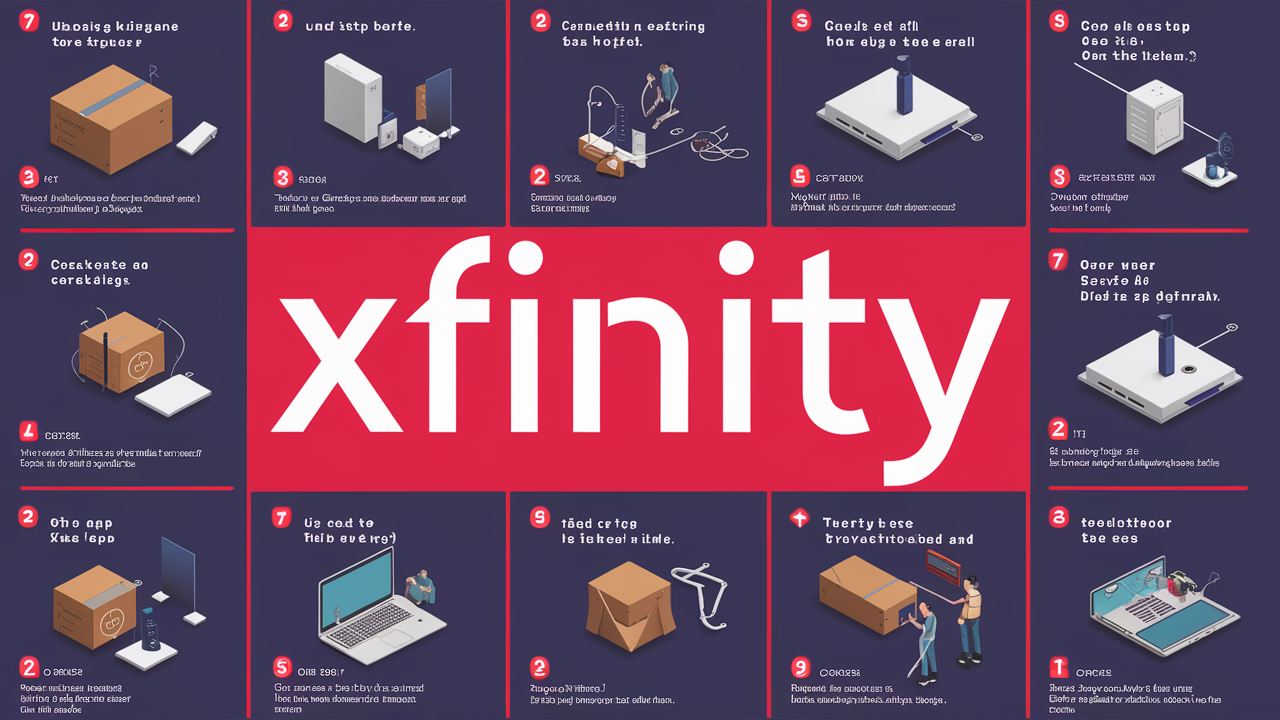
Embarking on the Xfinity self-install journey requires a methodical approach. While Xfinity strives to make it as straightforward as possible, understanding each step can prevent frustration and ensure a successful setup. Here's a detailed breakdown of what you can typically expect:
1. Receiving Your Self-Install Kit
Once you've ordered Xfinity services and opted for self-installation, a kit will be shipped directly to your home. This usually arrives within a few business days. It's crucial to check the contents of the box immediately upon arrival to ensure everything is present and undamaged. The kit is designed to be comprehensive, but it's always wise to verify.
2. Unboxing and Identifying Components
Carefully unpack the box. You'll find your Xfinity Gateway (modem/router combo), coaxial cables, power cords, and potentially an Ethernet cable. If you've ordered TV services, you'll also find your TV boxes, remotes, and associated cables. Familiarize yourself with each component; the included quick-start guide will label them and explain their purpose.
3. Choosing the Right Location
For the best Wi-Fi signal, place your Xfinity Gateway in a central, open location in your home, away from obstructions like thick walls, metal objects, or other electronics that can cause interference. For internet, the gateway needs to be connected to an active coaxial cable outlet. For TV, the TV boxes need to be near your television and a power outlet.
4. Connecting the Equipment
For Internet:
- Connect one end of the coaxial cable to the wall outlet and the other end to the "Cable In" or "RF In" port on your Xfinity Gateway.
- Connect the power cord to the gateway and plug it into a power outlet.
- If you are connecting a computer directly via Ethernet, connect one end of the Ethernet cable to the gateway and the other to your computer's Ethernet port.
For TV:
- Connect the coaxial cable from the wall outlet to the "Cable In" port on your Xfinity TV box.
- Connect the TV box to your television using an HDMI cable (usually included or you can use your own).
- Connect the power cord to the TV box and plug it into a power outlet.
5. Powering On and Waiting for Boot-Up
Once everything is connected, power on the gateway and any TV boxes. The equipment will go through a boot-up sequence, which can take several minutes (sometimes up to 15-20 minutes for the gateway). During this time, various lights on the device will blink and change. Wait until the lights indicate that the device is ready for activation (refer to your quick-start guide for specific light patterns).
6. Activating Your Service
This is the crucial step. You can activate your service in a few ways:
- Online: Visit xfinity.com/activate on a device connected to the new network (either via Ethernet or Wi-Fi if the network name and password are printed on the gateway).
- Mobile App: Download the Xfinity app and follow the on-screen instructions.
- Phone: Call the Xfinity activation line.
You'll typically need your Xfinity account number or the MAC address of your equipment, which is usually found on a sticker on the gateway or TV box. Follow the prompts to confirm your service and activate your equipment.
7. Setting Up Your Wi-Fi Network (for Internet)
After activation, you can customize your Wi-Fi network name (SSID) and password using the Xfinity app or by logging into the gateway's administration page. This is highly recommended for security and ease of use. The app also allows you to manage your network settings, view connected devices, and troubleshoot issues.
8. Testing Your Service
Once activation is complete, test your internet connection by browsing websites or running a speed test. For TV, check if you can access channels and if the picture and sound quality are satisfactory. If you encounter any issues, refer to the troubleshooting section or contact Xfinity support.
The Advantages: Why Choose Self-Installation?
Opting for Xfinity self-installation presents several compelling benefits that appeal to a wide range of consumers. These advantages often outweigh the perceived complexities for many households, making it a popular choice in 2025-26.
Cost Savings
This is arguably the most significant advantage. Xfinity typically charges a professional installation fee, which can range from $89.99 to $100 or more, depending on the service and any current promotions. By choosing self-installation, you completely avoid this charge. In some cases, Xfinity may even offer a small discount or promotional credit for opting for self-setup, further enhancing the savings. Over the long term, avoiding these recurring fees can add up.
Flexibility and Convenience
With self-installation, you are not tied to a specific appointment window. You can receive your equipment and set it up whenever it's most convenient for you. This is particularly beneficial for busy individuals or families who cannot afford to take time off work or rearrange their schedules for a technician visit. You can install it on a weekend, an evening, or whenever you have a free moment, allowing for immediate access to your new services.
Speed of Setup
In many instances, self-installation can be faster than waiting for a professional appointment. Once you receive your kit, you can begin the setup process immediately. While the activation can take some time, you're in control of when that process begins. This means you could potentially be online and watching TV within a few hours of receiving your equipment, rather than waiting days for an installer.
Empowerment and Learning
For tech-savvy individuals or those who enjoy understanding how their home technology works, self-installation offers a hands-on learning experience. You gain a better understanding of your network setup, the equipment involved, and how to manage it. This knowledge can be invaluable for future troubleshooting or upgrades.
No Need to Be Home for a Technician
If you're moving into a new home or need to set up service at a rental property, self-installation means you don't need to coordinate with a technician's schedule. You can set up the service before you fully move in or at a time that doesn't disrupt your daily routine. This is especially useful if you're managing a move remotely.
Reduced Environmental Impact
While not always the primary consideration, fewer technician truck rolls can contribute to a reduced carbon footprint. This is a minor, but still present, benefit of the self-installation model.
The Challenges: Potential Hurdles of Self-Installation
While Xfinity self-installation is designed to be accessible, it's not without its potential difficulties. Understanding these challenges is crucial for setting realistic expectations and preparing for them.
Technical Complexity for Some Users
Despite simplified instructions, some users may find the process daunting. Connecting cables, understanding port labels, and navigating the activation portal can be confusing for individuals who are not comfortable with technology. The perceived complexity can lead to anxiety and errors.
Existing Wiring Issues
The success of self-installation heavily relies on the existing coaxial cable infrastructure within your home. If the outlets are old, damaged, or improperly wired, the signal strength may be weak or nonexistent, preventing the equipment from working correctly. Issues like splitters that are too old or improperly installed can also degrade signal quality.
Equipment Malfunctions
While rare, the equipment provided in the self-install kit might be faulty or defective. This could be a defective modem, a damaged cable, or a malfunctioning TV box. Identifying and resolving these hardware issues can be more challenging for a DIY user compared to a professional who has diagnostic tools.
Troubleshooting Difficulties
When things go wrong, troubleshooting can be a significant hurdle. Without the hands-on experience of a technician, diagnosing problems like intermittent connectivity, slow speeds, or TV signal degradation can be frustrating. Relying solely on online guides or phone support might not always resolve complex issues quickly.
Limited Customization and Optimization
A professional installer can optimize the placement of your equipment for the best signal strength and Wi-Fi coverage throughout your home. They can also advise on the best configurations for your specific home layout. Self-installers might not achieve the same level of optimization, potentially leading to weaker Wi-Fi in certain areas.
Incompatibility with Older Homes or Complex Setups
Older homes may have outdated wiring or unique configurations that a standard self-install kit isn't designed to handle. Similarly, if you have a complex home network setup or multiple entertainment systems, a professional installer might be better equipped to integrate Xfinity services seamlessly.
Potential for Activation Delays
While activation is usually quick, sometimes there can be delays or issues with the activation servers. This can leave you waiting longer than anticipated to get your services up and running, even after correctly setting up the hardware.
Self-Install vs. Professional Install: A Detailed Comparison
Choosing between self-installation and professional installation involves weighing various factors. Below is a comparative table highlighting the key differences to help you make the most informed decision for your needs in 2025-26.
| Feature | Xfinity Self-Install | Xfinity Professional Install |
|---|---|---|
| Cost | No installation fee; potentially lower overall cost. | Installation fee (typically $89.99 - $100+). |
| Time Commitment | On your schedule; setup can take 1-3 hours. | Requires scheduling an appointment; technician visit typically 1-2 hours. |
| Convenience | Install anytime, no need to wait for an appointment. | Requires being present during the scheduled window. |
| Technical Expertise Required | Basic technical comfort; follow instructions carefully. | Minimal technical knowledge needed; technician handles all setup. |
| Troubleshooting | DIY troubleshooting via guides, app, or phone support. | Technician on-site to diagnose and resolve issues immediately. |
| Equipment Optimization | DIY placement for best signal; may not be optimal. | Professional assessment and placement for optimal signal and Wi-Fi coverage. |
| Home Wiring Issues | May struggle with or be unable to fix wiring problems. | Can identify and potentially fix basic wiring issues. |
| Best For | Tech-comfortable users, simple setups, budget-conscious individuals, those needing quick setup. | Users uncomfortable with tech, complex home setups, older wiring, those wanting guaranteed professional setup. |
| Included Equipment | Shipped directly to your home. | Brought by the technician. |
Key Considerations for Your Choice
When deciding, consider your comfort level with technology. If you've successfully set up routers or smart home devices before, self-installation is likely a viable option. If you prefer a hands-off approach and want the assurance of a professional assessment, then the installation fee for professional service might be worthwhile.
Also, think about the complexity of your home. Do you have multiple floors? Thick walls that might impede Wi-Fi? A history of poor signal strength with previous providers? These factors might lean you towards professional installation. For straightforward, single-story homes with accessible cable outlets, self-installation is often a smooth process.
Who is Xfinity Self-Install Best Suited For?
Xfinity self-installation is an excellent option for a specific segment of customers who meet certain criteria. Identifying if you fall into one of these categories can help you confidently choose this path.
The Tech-Savvy Individual or Family
If you're comfortable with technology, have set up routers, smart TVs, or other home electronics before, and can follow instructions with relative ease, self-installation is a natural fit. You likely understand basic networking concepts and can troubleshoot minor issues independently.
New Movers in a Standard Apartment or House
For individuals or families moving into a standard apartment or a house where previous internet service was active and functional, self-installation is often ideal. This usually means the existing cable wiring is in good condition and readily accessible. The process is typically straightforward in these environments.
Budget-Conscious Consumers
If saving money is a primary concern, avoiding the professional installation fee is a significant advantage. The cost savings can be substantial, especially if you're on a tight budget or looking to minimize upfront expenses when setting up new services.
Those Seeking Immediate Service
If you need internet and TV service up and running as quickly as possible, self-installation can be faster than waiting for a technician appointment. Once the kit arrives, you can begin the setup process without delay, potentially getting online the same day.
Individuals Who Prefer Control Over Their Setup
Some people simply prefer to have control over how their equipment is installed and configured. Self-installation allows you to choose the placement of your modem/router and TV boxes, ensuring they fit your specific needs and preferences.
Customers with Existing, Functional Cable Outlets
If you know that your home has active, well-maintained coaxial cable outlets that have previously supported internet or TV services, you are a prime candidate for self-installation. This significantly reduces the risk of encountering wiring-related problems.
Essential Tools and What to Expect in Your Xfinity Kit
To ensure a smooth Xfinity self-installation experience, it's helpful to know what tools you might need and what exactly comes packed in your self-install kit. Xfinity aims to provide everything necessary, but having a few common household items on hand can make the process even easier.
What's Inside Your Xfinity Self-Install Kit:
Your kit is designed to be comprehensive. The exact contents can vary slightly depending on the services you order (internet-only, internet + TV, etc.), but generally, you can expect:
- Xfinity Gateway: This is your modem and Wi-Fi router combined. It's pre-configured to work with Xfinity services.
- Power Cord: To power your gateway.
- Coaxial Cable: A cable to connect your gateway to the wall's cable outlet.
- Ethernet Cable: For a wired connection from the gateway to a computer or other device.
- Quick-Start Guide: This booklet contains step-by-step instructions, diagrams, and information on what to do if you encounter issues.
- For TV Services:
- Xfinity TV Box(es) (e.g., XiD, Xi5, Xi6)
- HDMI Cable(s)
- Remote Control(s)
- Power Cord(s) for TV Boxes
Tools You Might Need (Often Not Included):
While Xfinity provides most of what you need, having these common household tools can be beneficial:
- Screwdriver (Phillips head): Occasionally, you might need to tighten a coaxial connector if it feels loose, though most connectors are hand-tightened.
- Scissors or Box Cutter: To open the shipping box and packaging.
- Level: If you plan to mount your TV box or gateway aesthetically.
- Smartphone or Tablet: For accessing the Xfinity app or the activation website. Ensure it's connected to Wi-Fi or cellular data.
- Pen and Paper: To jot down network names, passwords, or account information if needed.
Important Notes on Equipment:
The Xfinity Gateway provided is typically a rental device. You'll be responsible for its return if you cancel service. Ensure you place the gateway in a central location for optimal Wi-Fi coverage. For TV boxes, ensure they are placed with adequate ventilation to prevent overheating.
Always refer to the specific instructions in your quick-start guide, as they are tailored to the equipment you receive. If any component appears damaged, do not proceed with installation and contact Xfinity support immediately.
Troubleshooting Common Self-Install Issues
Even with the best preparation, sometimes self-installation doesn't go perfectly. Here are some common issues and how to troubleshoot them, ensuring you can get back online or watching TV as quickly as possible.
No Internet Connection / Gateway Not Coming Online
Issue: The lights on your Xfinity Gateway are not indicating a successful connection, or you cannot access the internet after activation.
Troubleshooting Steps:
- Check Cable Connections: Ensure the coaxial cable is securely screwed into both the wall outlet and the gateway. A loose connection is the most common culprit.
- Verify Power: Make sure the gateway is plugged into a working power outlet and that the power adapter is securely connected to the gateway.
- Restart the Gateway: Unplug the power cord from the gateway, wait 30 seconds, and plug it back in. Allow several minutes for it to reboot and reconnect.
- Test the Outlet: If possible, try connecting the gateway to a different coaxial outlet in your home to rule out a faulty outlet.
- Check Activation Status: Revisit xfinity.com/activate or use the Xfinity app to ensure the activation process completed successfully.
- Signal Strength: If you have access to your gateway's status page (usually via IP address like 10.0.0.1), check the signal levels. Poor signal strength might require a technician.
Slow Internet Speeds
Issue: You can connect to the internet, but speeds are significantly slower than expected.
Troubleshooting Steps:
- Test with a Wired Connection: Connect a computer directly to the gateway using an Ethernet cable. If speeds improve, the issue might be with your Wi-Fi signal.
- Optimize Wi-Fi Placement: Ensure your gateway is in a central, open location, away from obstructions and other electronics.
- Reduce Wi-Fi Interference: Change your Wi-Fi channel in the gateway settings (using the Xfinity app or admin page) if there's a lot of network congestion in your area.
- Check for Bandwidth Hogs: Ensure no other devices on your network are consuming excessive bandwidth (e.g., large downloads, streaming on multiple devices).
- Run a Speed Test: Use a reliable speed test tool (like Ookla Speedtest) on a wired connection to compare results against your subscribed plan.
TV Box Not Working / No Signal
Issue: Your TV box is not powering on, displaying an error message, or showing no signal.
Troubleshooting Steps:
- Check Connections: Ensure the coaxial cable, HDMI cable, and power cord are all securely connected to the TV box, TV, and wall outlet.
- Restart the TV Box: Unplug the power cord from the TV box, wait 30 seconds, and plug it back in.
- Verify TV Input: Make sure your television is set to the correct HDMI input source for the TV box.
- Check Coaxial Outlet: If possible, try connecting the TV box to a different, known-working coaxial outlet.
- Activation: Confirm that the TV box has been activated through your Xfinity account.
Wi-Fi Network Not Visible or Unreachable
Issue: Your Wi-Fi network name (SSID) is not appearing in the list of available networks on your devices.
Troubleshooting Steps:
- Check Gateway Lights: Ensure the Wi-Fi indicator light on your gateway is on.
- Restart Gateway: As mentioned above, restarting the gateway can resolve temporary glitches.
- Verify Network Name and Password: Double-check that you are looking for the correct network name (SSID) and entering the correct password. This information is usually on a sticker on the gateway.
- Device Proximity: Move your device closer to the gateway to ensure you're within range.
If these steps don't resolve your issue, it's time to contact Xfinity support. Be prepared to provide them with details about the problem, the troubleshooting steps you've already taken, and the status lights on your equipment.
Current Statistics and Trends (2025-26)
The landscape of home internet and entertainment services is constantly evolving, with self-installation becoming an increasingly dominant trend. In 2025-26, several statistics and trends highlight the growing preference for DIY solutions, including Xfinity's self-install program.
Adoption Rates of Self-Installation
Industry reports from 2025 indicate that approximately 60-70% of new broadband installations are now self-installed, a significant jump from just a few years prior. This trend is driven by improved technology, clearer instructions, and customer demand for convenience and cost savings. For major providers like Comcast (Xfinity), this means a substantial portion of their customer base is opting for self-setup.
Cost Savings as a Primary Driver
A survey conducted in late 2025 revealed that 75% of consumers who choose self-installation cite cost savings as their primary motivation. The average professional installation fee, which can hover around $100, is a significant deterrent for many, especially younger demographics and those in competitive rental markets. The ability to save this fee directly influences purchasing decisions.
Customer Satisfaction with Self-Install
While initial concerns about complexity existed, customer satisfaction rates for successful self-installations are high. Reports from 2026 suggest that over 85% of customers who successfully complete a self-install report being satisfied with the process and the outcome. This satisfaction is often linked to the convenience and the sense of accomplishment.
Technological Advancements Enabling Self-Install
The reliability of self-installation is bolstered by advancements in equipment. Modern Xfinity Gateways are designed for plug-and-play functionality, with robust auto-configuration and simplified activation processes. Cloud-based activation and remote diagnostics by providers also contribute to a smoother experience, allowing support teams to assist remotely if needed.
Impact on Technician Resources
The surge in self-installations has allowed service providers like Xfinity to reallocate technician resources. Technicians are increasingly focused on more complex installations, network upgrades, and troubleshooting issues that cannot be resolved remotely or through self-help. This efficiency can lead to better service for all customers.
Growth in Bundled Services via Self-Install
Initially, self-installation was more common for internet-only setups. However, by 2025-26, there's a noticeable trend in customers successfully self-installing bundled services, including TV and voice. This indicates that the kits and instructions for these services have also improved, making them more accessible to the average consumer.
Challenges Remain for Specific Demographics
Despite the overall positive trend, statistics also show that older adults (65+) and individuals in rural areas with potentially older or less reliable infrastructure are more likely to opt for professional installation. This highlights the ongoing need for both options to cater to diverse customer needs and technical aptitudes.
Expert Tips for a Smooth Self-Install Experience
To maximize your chances of a seamless Xfinity self-installation, consider these expert-backed tips. Following these recommendations can help you avoid common pitfalls and ensure your service is up and running without a hitch.
1. Read the Entire Guide Before You Start
Don't just skim the quick-start guide. Read it thoroughly from beginning to end before you even open the box. This gives you a complete overview of the process, helps you identify any potential issues early, and ensures you have all necessary items and tools ready.
2. Choose the Optimal Location for Your Gateway
As mentioned, placement is key for Wi-Fi. Think of your home as a sphere of Wi-Fi coverage. The center of that sphere is the best place. Avoid basements, corners, or areas near metal objects or appliances that can interfere with the signal. Elevating the gateway slightly can also improve signal distribution.
3. Test Your Coaxial Outlet
If possible, before you even order, check if your existing coaxial outlet is functional. If you have an old TV connected to it, ensure it's receiving a clear signal. If you're moving into a new place, look for the outlet – it's usually a round, screw-on connector near your power outlets.
4. Don't Rush the Boot-Up Process
The gateway and TV boxes need time to boot up and establish a connection. This can take 10-20 minutes. Resist the urge to unplug or restart them prematurely. Wait for the indicator lights to signal readiness as described in your guide.
5. Activate Via the Xfinity App
The Xfinity app is often the most user-friendly way to activate your service. It provides clear, interactive steps and can often pre-populate information, making the process smoother than using a web browser, especially if you're connecting wirelessly for the first time.
6. Customize Your Wi-Fi Name and Password Immediately
Once activated, change the default Wi-Fi network name (SSID) and password. Use a strong, unique password that's easy for you to remember but hard for others to guess. This is crucial for network security.
7. Have Your Account Information Handy
Before you begin activation, ensure you have your Xfinity account number, the MAC address of your gateway (usually on a sticker on the device), and your service address readily available. This will speed up the activation process.
8. Understand the Difference Between Gateway Lights
Familiarize yourself with what the different LED lights on your gateway signify. Your quick-start guide will explain this. It's your primary indicator of the equipment's status and connection strength.
9. Don't Be Afraid to Call Support
If you encounter persistent issues that you cannot resolve with the troubleshooting steps, don't hesitate to contact Xfinity customer support. They can often diagnose problems remotely or guide you through more complex solutions. Be specific about the problem and what you've tried.
10. Consider a Wi-Fi Extender or Mesh System (If Needed)
If you have a large home or multiple floors and find that Wi-Fi coverage is still spotty after optimal gateway placement, consider investing in a Wi-Fi extender or a mesh Wi-Fi system. These can significantly improve coverage and eliminate dead zones.
Conclusion: Making the Right Choice for Your Home
The question of whether Xfinity self-install is easy is best answered by understanding your own technical comfort level and home environment. For many users in 2025-26, it is indeed a straightforward and rewarding process, offering significant cost savings and unparalleled flexibility. The advancements in Xfinity's equipment and activation procedures have made DIY setup more accessible than ever before. By carefully following the provided instructions, choosing an optimal location for your equipment, and utilizing the Xfinity app for activation, you can successfully set up your internet and TV services independently.
However, it's crucial to acknowledge the potential challenges. If your home has outdated wiring, you're not comfortable with basic technical setups, or you simply prefer the assurance of expert service, then opting for a professional installation is the wiser choice. The installation fee is an investment in a guaranteed, optimized setup. Ultimately, the "easiness" of Xfinity self-install is subjective. By weighing the pros and cons, considering the expert tips, and assessing your own capabilities, you can confidently make the decision that best suits your needs, ensuring a smooth transition to Xfinity services.