Is the AT&T fiber box a modem?
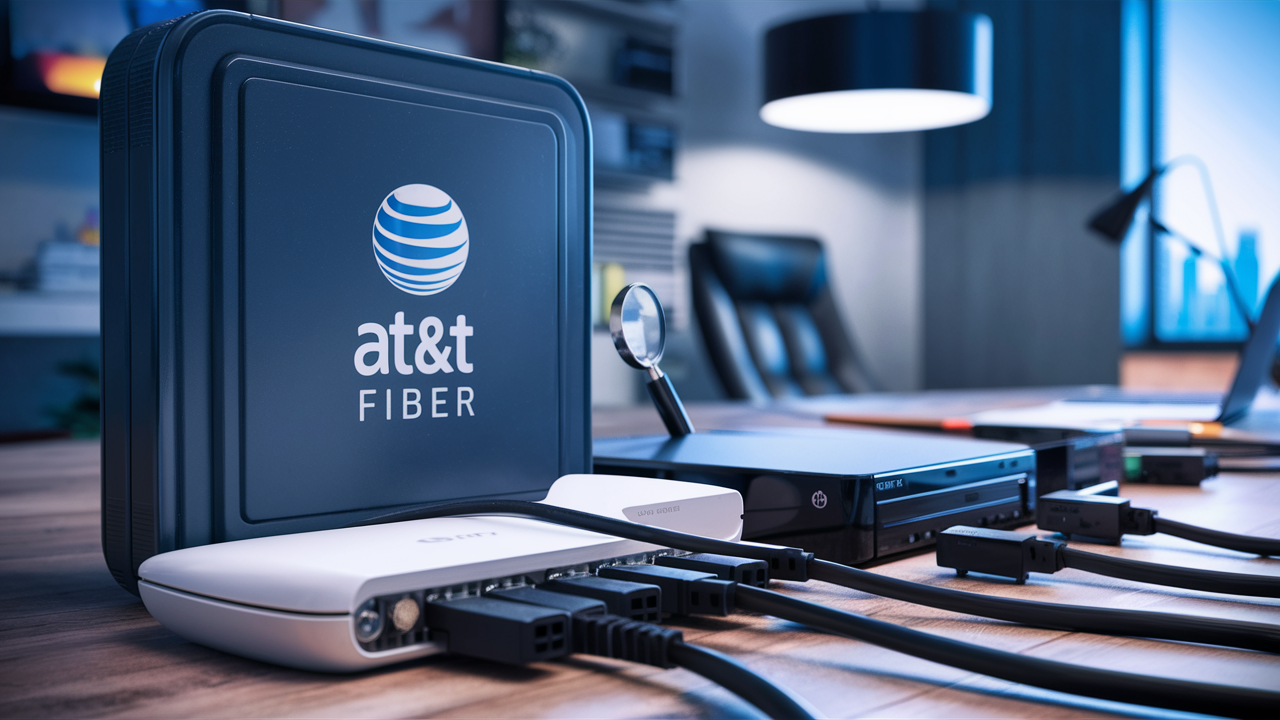
Understanding your AT&T Fiber equipment is crucial for optimal home networking. This guide directly answers whether the AT&T Fiber box functions as a modem, clarifying its role and differentiating it from traditional modems to help you manage your internet connection effectively.
Understanding AT&T Fiber Equipment: The Core Question
When you sign up for AT&T Fiber internet, you're typically provided with a piece of equipment that connects your home to AT&T's fiber optic network. Many users, accustomed to traditional cable or DSL internet, wonder if this AT&T device functions as a modem. This question is fundamental to understanding your home network setup, managing your internet connection, and potentially optimizing it for better performance. In essence, the AT&T Fiber box plays a crucial role, but its designation as a "modem" requires a nuanced explanation. Let's dive deep into what this equipment is and how it works.
What Exactly Is a Modem?
Before we can definitively answer whether the AT&T Fiber box is a modem, it's essential to understand what a modem is and what its primary function is in a home network. The term "modem" is a portmanteau of "modulator-demodulator." Its core purpose is to translate signals between your home network and the wider internet service provider (ISP) network.
Modulation and Demodulation Explained
In simpler terms, a modem takes the digital data generated by your devices (computers, smartphones, smart TVs) and converts it into an analog signal that can be transmitted over the physical infrastructure of your ISP (like coaxial cable for cable internet, or phone lines for DSL). This process is called modulation. Conversely, when data comes from the internet to your home, the modem receives the analog signal from the ISP's infrastructure and converts it back into a digital signal that your devices can understand. This is called demodulation.
The Modem's Role in Different Technologies
The type of modem required depends heavily on the internet technology used by your ISP:
- Cable Modems: These connect to your home via a coaxial cable (the same kind used for cable TV) and translate the DOCSIS (Data Over Cable Service Interface Specification) signals.
- DSL Modems: These connect via a standard telephone line and translate the digital subscriber line signals.
- Fiber Modems (or Optical Network Terminals): This is where things get interesting. Fiber optic internet uses light pulses transmitted through glass or plastic fibers. The device that translates these light signals into usable data for your network is not technically a "modem" in the traditional sense, but rather an Optical Network Terminal (ONT).
The distinction is crucial because the underlying technology and signal types are fundamentally different. While both a modem and an ONT serve the purpose of bridging your home network to the ISP's network, they do so using distinct physical mediums and signal encoding methods. For 2025-26, the understanding of these distinctions is becoming even more critical as fiber adoption continues to surge, with projections indicating that over 70% of new broadband installations will be fiber by the end of 2026, according to industry reports from firms like Omdia.
The Role of the AT&T Fiber ONT
AT&T Fiber utilizes fiber optic technology to deliver internet service. This means that light signals are transmitted through thin strands of glass or plastic to bring internet to your home. The device that receives these light signals and converts them into electrical signals that your home network can use is called an Optical Network Terminal, or ONT.
What is an ONT?
An ONT is the demarcation point between AT&T's fiber optic network and your home's internal wiring. Its primary function is to receive optical signals from the fiber optic cable and convert them into electrical signals. These electrical signals can then be routed to your router, which distributes the internet connection to your various devices. The ONT also performs the reverse process: converting electrical signals from your router back into optical signals to be sent back to AT&T's network.
AT&T's Integrated Gateway
In many AT&T Fiber installations, the ONT functionality is integrated into a single device that AT&T calls a "Gateway." This AT&T Fiber Gateway is a sophisticated piece of hardware that typically combines several functions:
- ONT Functionality: It handles the conversion of light signals from the fiber optic cable into usable data.
- Router Functionality: It acts as a router, managing your home network, assigning IP addresses to your devices, and directing traffic between them and the internet.
- Wi-Fi Access Point: Most AT&T Gateways also include built-in Wi-Fi capabilities, broadcasting a wireless network for your devices.
This integration is a key reason why the question of whether the AT&T Fiber box is a modem arises. Because it performs routing and Wi-Fi functions, it behaves much like a combination modem-router unit that was common with older DSL and cable services. However, the core signal conversion from light to electrical is handled by the ONT component within the Gateway.
For 2025-26, AT&T is heavily promoting its latest generation of Fiber Gateways, often featuring Wi-Fi 6E or even Wi-Fi 7 capabilities, designed to maximize the speeds offered by their fiber plans, which can range from 300 Mbps to 5 Gigabits per second. The ONT within these devices is engineered to handle these extremely high speeds efficiently.
Is the AT&T Fiber Box a Modem? The Verdict
So, to directly answer the question: No, the AT&T Fiber box (the AT&T Fiber Gateway) is not technically a modem in the traditional sense. It is an integrated device that includes an Optical Network Terminal (ONT) and a router, often with Wi-Fi capabilities. The ONT is the component that performs the signal conversion from light (fiber optic) to electrical signals, which is analogous to what a modem does for other technologies, but it uses a different physical medium and signal type.
Why the Confusion?
The confusion arises because:
- Integrated Functionality: Unlike older setups where a separate modem connected to a separate router, AT&T often provides a single "Gateway" device that handles both the signal conversion (ONT) and the network management (router).
- Similar Role: Both a modem and the ONT component of the AT&T Fiber Gateway serve as the entry point for internet service into your home, translating signals from the ISP's network.
- Common Terminology: People are accustomed to referring to the primary internet connection device as a "modem."
However, from a technical standpoint, the device that translates light signals from fiber optic cables is an ONT. The AT&T Fiber Gateway is a more advanced, integrated unit that incorporates this ONT functionality along with routing and Wi-Fi.
The Importance of the Distinction
While the terminology might seem like semantics, understanding the difference is important for several reasons:
- Troubleshooting: Knowing that the "modem" part is actually an ONT helps in diagnosing connection issues.
- Third-Party Routers: If you plan to use your own router, you need to understand how it interacts with the AT&T Gateway. In many cases, you can put the AT&T Gateway into "IP Passthrough" or "Bridge Mode" to allow your own router to handle all routing functions, effectively disabling the Gateway's routing features and using it primarily as an ONT.
- Network Understanding: A clearer understanding of your network components leads to better management and optimization.
In 2025-26, with the proliferation of multi-gigabit fiber speeds, the capabilities of the integrated Gateway are paramount. AT&T's latest Gateways are designed to handle these speeds, and understanding their components helps users leverage them fully.
AT&T Fiber Gateway vs. Traditional Modem: Key Differences
To further clarify the distinction, let's break down the key differences between the AT&T Fiber Gateway and a traditional modem used for cable or DSL internet. This comparison highlights the technological advancements and functional integration present in fiber optic networking equipment.
| Feature | AT&T Fiber Gateway | Traditional Modem (Cable/DSL) |
|---|---|---|
| Primary Technology | Fiber Optic (uses light signals) | Coaxial Cable (DOCSIS) or Telephone Line (DSL) (uses electrical signals) |
| Signal Conversion Component | Optical Network Terminal (ONT) | Modulator-Demodulator (Modem) |
| Integrated Functions | ONT, Router, Wi-Fi Access Point (often) | Primarily Modem (sometimes combined with basic router in gateway devices) |
| Connection Type to ISP | Fiber optic cable | Coaxial cable or telephone line |
| Typical Speeds (2025-26) | Up to 5 Gbps (Gigabits per second) | Up to 1 Gbps (Cable), significantly lower for DSL |
| Purpose of Signal Conversion | Light pulses to electrical signals | Analog electrical signals to digital data (and vice versa) |
| User Interaction | Often a single device for all core functions. May offer advanced settings for bridge mode. | May require separate router for Wi-Fi and advanced network management. |
Speed and Latency
One of the most significant differences is the inherent capability of fiber optic technology. Fiber optic cables can transmit data at much higher speeds and with significantly lower latency compared to copper-based technologies like cable and DSL. This is because light travels faster and is less susceptible to interference than electrical signals over copper. For 2025-26, AT&T Fiber plans regularly offer symmetrical upload and download speeds (e.g., 1 Gbps upload and 1 Gbps download), a feat rarely achievable with traditional cable or DSL, where upload speeds are typically much lower.
Integration and Simplicity
AT&T's approach with the Fiber Gateway is to provide a simplified, all-in-one solution for most users. This integration reduces the number of devices and cables needed, making setup easier. For users who prefer more control over their network, the ability to put the Gateway into a passthrough or bridge mode is a critical feature, allowing them to connect their own high-performance router.
Understanding Your AT&T Fiber Gateway Features
The AT&T Fiber Gateway is more than just a signal converter; it's a central hub for your home's internet connectivity. Understanding its various features can help you maximize your internet experience and troubleshoot issues more effectively. Let's explore some of the key functionalities typically found in these devices, especially the latest models deployed in 2025-26.
ONT Functionality
As discussed, this is the core component that interfaces with the AT&T fiber optic line. It's responsible for receiving light pulses and converting them into digital data that your router can process. This is the fiber equivalent of a modem's signal conversion.
Routing Capabilities
Your AT&T Fiber Gateway acts as a router. This means it manages the local network within your home. It assigns unique IP addresses to all your connected devices (computers, phones, smart home gadgets) using DHCP (Dynamic Host Configuration Protocol). It also directs internet traffic, ensuring that data packets are sent to the correct destination, both within your home network and out to the internet.
Wi-Fi Connectivity
Most AT&T Fiber Gateways come equipped with built-in Wi-Fi. Newer models, especially those deployed in 2025-26, often support the latest Wi-Fi standards like Wi-Fi 6E (802.11ax) or even Wi-Fi 7 (802.11be). These standards offer:
- Higher Speeds: Support for faster wireless data transfer rates.
- Increased Capacity: Better handling of multiple devices simultaneously without performance degradation.
- Lower Latency: Crucial for online gaming and real-time applications.
- Extended Range: Improved signal strength and coverage within your home.
- New Frequency Bands: Wi-Fi 6E and Wi-Fi 7 utilize the 6 GHz band, which is less congested than the 2.4 GHz and 5 GHz bands, leading to more stable and faster connections for compatible devices.
Ethernet Ports
The Gateway will have several Ethernet ports (typically 1 Gbps or 2.5 Gbps on newer models). These ports allow you to connect devices directly to the Gateway via an Ethernet cable, providing a more stable and often faster connection than Wi-Fi for devices like desktop computers, gaming consoles, or smart TVs.
Management Interface
You can access the Gateway's settings through a web browser by entering its IP address (usually something like 192.168.1.254). This interface allows you to:
- View network status.
- Manage Wi-Fi settings (SSID, password, security).
- Configure connected devices.
- Set up parental controls.
- Enable/disable features like IP Passthrough.
- Update firmware (though this is often handled automatically by AT&T).
IP Passthrough (Bridge Mode)
This is a critical feature for users who want to use their own advanced router. When IP Passthrough is enabled, the AT&T Fiber Gateway essentially disables its routing and Wi-Fi functions and passes the public IP address directly to your connected router. This allows your router to manage your entire home network, giving you full control over features like VPNs, custom firewall rules, and advanced QoS (Quality of Service) settings. For users with high-speed fiber plans (e.g., 1 Gbps or higher), using a capable third-party router is often recommended to fully utilize the available bandwidth, especially for Wi-Fi performance.
In 2025-26, AT&T's Gateways are increasingly sophisticated, with some models offering advanced features like integrated mesh Wi-Fi capabilities or enhanced security protocols. Understanding these features empowers you to tailor your home network to your specific needs.
Optimizing Your AT&T Fiber Network
Having AT&T Fiber is the first step towards a high-speed internet experience. However, to truly harness its potential, you need to optimize your home network. This involves configuring your AT&T Fiber Gateway effectively and ensuring your connected devices are set up for peak performance. Here are some key strategies for optimization in 2025-26.
1. Placement of Your AT&T Fiber Gateway
If you're relying on the Gateway's Wi-Fi, its placement is crucial. For optimal coverage:
- Central Location: Place the Gateway in a central location in your home, away from corners or exterior walls.
- Elevated Position: Position it on a shelf or table, rather than on the floor.
- Avoid Obstructions: Keep it clear of large furniture, metal objects, and other electronics that can cause interference (like microwaves or cordless phones).
2. Leveraging Wi-Fi 6E/7 (If Applicable)
If your AT&T Fiber Gateway supports Wi-Fi 6E or Wi-Fi 7, ensure your devices are also compatible. Connecting compatible devices to the 6 GHz band (if available) will provide the fastest and most stable wireless connections, as this band is less congested.
3. Using Ethernet for Critical Devices
For devices that require the most stable and fastest connection, such as gaming consoles, desktop computers, streaming boxes, or network-attached storage (NAS) devices, use an Ethernet cable connection directly to the Gateway or your own router. This bypasses potential Wi-Fi interference and provides the full speed of your internet plan.
4. Configuring IP Passthrough (Bridge Mode)
As mentioned, if you have a high-performance third-party router, enabling IP Passthrough on your AT&T Fiber Gateway is often the best way to optimize your network. This allows your router to handle all the heavy lifting, including advanced QoS, VPNs, and potentially better Wi-Fi management, especially for multi-gigabit connections. Ensure your chosen router supports the speeds provided by your AT&T plan (e.g., a router with a 2.5 Gbps or 10 Gbps WAN port for multi-gig plans).
5. Updating Router Firmware (If Using Your Own)
If you're using your own router, always keep its firmware updated. Manufacturers regularly release updates that improve performance, security, and compatibility. Check your router's management interface for firmware update options.
6. Network Segmentation and QoS
For advanced users, consider network segmentation (using VLANs if your router supports it) to prioritize traffic. Quality of Service (QoS) settings on your router can also be configured to give priority to certain applications or devices (e.g., prioritizing video conferencing over background downloads during work hours). This is particularly useful for ensuring smooth performance on high-speed connections with many active devices.
7. Monitoring Network Performance
Regularly test your internet speeds using reputable speed test websites (like Ookla Speedtest or Fast.com). Perform tests both via Ethernet and Wi-Fi, and at different times of the day, to identify any potential bottlenecks or performance issues. Monitoring tools available through your router's interface can also provide insights into network traffic and device usage.
By implementing these optimization strategies, you can ensure that your AT&T Fiber connection delivers the best possible performance for all your online activities, from streaming and gaming to remote work and smart home management. The year 2025-26 is seeing an increased demand for reliable, high-speed home networks, making these optimization steps more critical than ever.
Troubleshooting Common AT&T Fiber Issues
Even with advanced technology like fiber optics, occasional issues can arise. Understanding how to troubleshoot common problems with your AT&T Fiber connection can save you time and frustration. Since the AT&T Fiber box is an integrated ONT/router, troubleshooting often involves checking both aspects of its functionality.
1. No Internet Connection
This is the most common issue. Start with these steps:
- Check Lights on Gateway: Look at the status lights on your AT&T Fiber Gateway. Consult your AT&T manual or online support for what each light color and pattern signifies (e.g., solid green usually indicates a good connection, blinking or red lights suggest a problem).
- Reboot the Gateway: The classic "turn it off and on again" often works wonders. Unplug the power cord from the Gateway, wait about 30 seconds, and plug it back in. Allow a few minutes for it to fully boot up and re-establish the connection.
- Check Cables: Ensure the fiber optic cable is securely connected to the ONT port on the Gateway and the wall jack. Also, check the power adapter connection.
- Test with Ethernet: If Wi-Fi is not working but you suspect the internet is connected, try connecting a computer directly to the Gateway via an Ethernet cable. If you get internet access this way, the issue is likely with your Wi-Fi settings or the Gateway's Wi-Fi radio.
- Check for Outages: Visit the AT&T website or use their app to check if there's a known service outage in your area.
2. Slow Internet Speeds
If your speeds are consistently lower than expected:
- Test Wired vs. Wireless: Perform speed tests using both an Ethernet connection and Wi-Fi. If Ethernet speeds are good but Wi-Fi is slow, the issue is likely with your Wi-Fi signal, interference, or the Gateway's Wi-Fi capabilities.
- Check Wi-Fi Interference: Move your Gateway away from other electronics that can cause interference. Consider changing the Wi-Fi channel in your Gateway's settings if you have access to it.
- Too Many Devices: If many devices are actively using the internet simultaneously (streaming, downloading, gaming), speeds can be divided. Try disconnecting some devices to see if performance improves.
- Router Bottleneck: If you're using your own router, ensure it's capable of handling your AT&T Fiber speeds. An older or lower-spec router can be a bottleneck. Ensure it's running the latest firmware.
- AT&T Service Issues: If wired speeds are also slow, there might be an issue with the AT&T network or your specific service provisioning. Contact AT&T support.
3. Wi-Fi Connectivity Problems
If devices can't connect to your Wi-Fi or the connection is unstable:
- Reboot Gateway: As with general connection issues, rebooting the Gateway can resolve temporary Wi-Fi glitches.
- Check Wi-Fi Name (SSID) and Password: Ensure you are trying to connect to the correct network name and entering the password accurately.
- Distance and Obstructions: Move closer to the Gateway or try to reduce obstructions between your device and the Gateway.
- Too Many Devices Connected: Some routers have a limit on the number of devices they can support simultaneously.
- Wi-Fi Channel Congestion: If you have access to your Gateway's settings, try changing the Wi-Fi channel. Auto-selection is usually best, but manual selection can sometimes help in congested areas.
4. Issues After Using Your Own Router
If you've enabled IP Passthrough or Bridge Mode and are experiencing problems:
- Verify IP Passthrough Settings: Double-check that IP Passthrough is correctly configured on the AT&T Gateway, ensuring the correct device (your router's MAC address) is specified.
- Router Configuration: Ensure your own router is set up to obtain an IP address automatically (DHCP) from the WAN port.
- Reboot Both Devices: Reboot the AT&T Gateway first, then your own router.
- Temporarily Revert: As a test, try disabling IP Passthrough and see if the AT&T Gateway's built-in Wi-Fi and routing work again. This helps isolate whether the issue lies with the Gateway or your router.
When to Contact AT&T Support
If you've gone through these troubleshooting steps and are still experiencing issues, it's time to contact AT&T customer support. They can remotely diagnose your connection, check the status of the network in your area, and schedule a technician visit if necessary. Be prepared to describe the issue and the troubleshooting steps you've already taken.
For 2025-26, AT&T's support infrastructure is increasingly leveraging AI and remote diagnostics, so providing clear information about your equipment and the problem will expedite the resolution process.
The Future of Fiber Internet and Networking
The landscape of home internet is rapidly evolving, and fiber optic technology is at the forefront of this transformation. As we look ahead into 2025-26 and beyond, several key trends are shaping the future of fiber internet and home networking, making the understanding of equipment like the AT&T Fiber Gateway even more critical.
Ubiquitous Multi-Gigabit Speeds
The push towards multi-gigabit internet speeds (1 Gbps, 2 Gbps, 5 Gbps, and even 10 Gbps) will continue to accelerate. Fiber's inherent capacity makes it the ideal technology to deliver these speeds reliably. We'll see more residential plans offering symmetrical upload and download speeds, essential for emerging applications like high-definition video conferencing, cloud gaming, and large file transfers. AT&T and other providers are investing heavily in expanding their fiber footprint to meet this demand.
Advanced Wi-Fi Standards
The capabilities of home Wi-Fi are crucial for realizing the full potential of high-speed internet. Wi-Fi 7 (802.11be) is becoming more mainstream in 2025-26, offering significant improvements in speed, latency, and capacity through features like multi-link operation (MLO) and wider channel bandwidths. Future Wi-Fi standards will continue to evolve to handle the increasing number of connected devices and the demand for bandwidth-intensive applications.
The Rise of the Smart Home Ecosystem
As smart homes become more sophisticated, the demand for a robust and responsive network increases. Fiber internet provides the necessary bandwidth and low latency for seamless operation of smart home devices, from high-resolution security cameras and smart appliances to immersive virtual and augmented reality experiences. The network needs to be able to handle a multitude of devices communicating simultaneously without lag.
Edge Computing and IoT
The growth of the Internet of Things (IoT) and the development of edge computing will further necessitate high-speed, low-latency connectivity. Data processing is increasingly moving closer to the source, requiring fast and reliable connections between devices, local gateways, and the cloud. Fiber optics are ideally suited to support this distributed computing model.
Network Virtualization and Software-Defined Networking (SDN)
ISPs are increasingly adopting network virtualization and SDN technologies to manage their networks more efficiently and flexibly. This can translate to faster service provisioning, dynamic bandwidth allocation, and improved network resilience for end-users. For consumers, this might mean more customizable service options and quicker deployment of new features.
Security and Privacy
As our reliance on digital connectivity grows, so does the importance of network security. Future Gateways and routers will incorporate more advanced security features, including AI-driven threat detection, enhanced firewalls, and improved encryption protocols. The integration of these features directly into the ISP-provided equipment will become more common.
In this evolving landscape, understanding your AT&T Fiber Gateway not just as a "modem" but as a sophisticated integrated device is key. Whether you use it as provided or opt for your own router, its role as the gateway to these future possibilities is undeniable. The ability to manage and optimize this connection will be paramount for individuals and businesses alike.
Conclusion: Clarifying Your AT&T Fiber Setup
In conclusion, the AT&T Fiber box, commonly referred to as the AT&T Fiber Gateway, is not a traditional modem. Instead, it's an advanced, integrated device that houses an Optical Network Terminal (ONT) responsible for converting light signals from the fiber optic cable into usable data. This ONT functionality is combined with a router and often a Wi-Fi access point, creating an all-in-one solution for your home internet connection.
Understanding this distinction is vital for effective network management. While the ONT performs a similar role to a modem in bridging your home to the ISP's network, the underlying technology and signal types are different. For users seeking greater control or enhanced Wi-Fi performance, the ability to configure the AT&T Fiber Gateway into IP Passthrough or Bridge Mode allows for the integration of custom routers, unlocking the full potential of multi-gigabit fiber speeds.
By grasping the features of your AT&T Fiber Gateway, optimizing its placement and settings, and knowing how to troubleshoot common issues, you can ensure a reliable and high-performing internet experience. As fiber optic technology continues to evolve, delivering ever-increasing speeds and enabling new applications, a clear understanding of your network's foundational equipment will be your greatest asset. Embrace the power of your AT&T Fiber connection by knowing exactly what powers it.






