Is Peacock Premium Free With Xfinity?
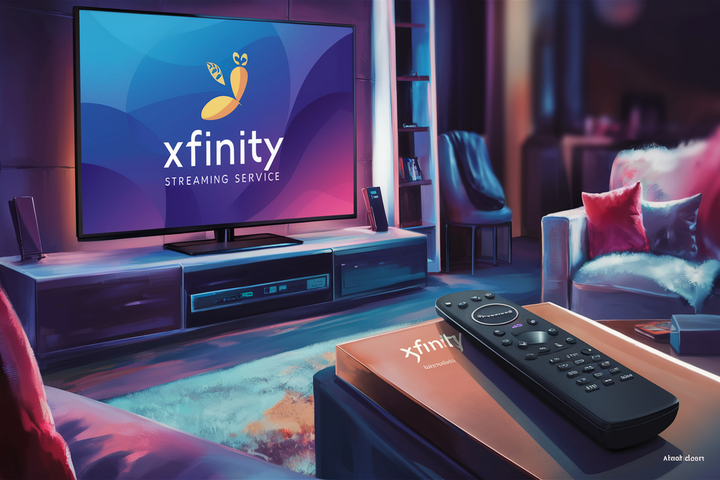
Discover if Peacock Premium is truly free with your Xfinity service in 2025-26. This comprehensive guide breaks down the current Xfinity and Peacock bundles, clarifies eligibility, and helps you maximize your streaming benefits. Get the definitive answer to your streaming questions right here.
Understanding the Xfinity and Peacock Partnership
The relationship between Xfinity and Peacock is a strategic alliance designed to enhance the value proposition for Xfinity customers. In 2025 and 2026, this partnership continues to evolve, offering a compelling reason for many to consider Xfinity as their primary internet and entertainment provider. The core of this partnership revolves around providing access to Peacock's streaming content, often at a discounted or complimentary rate, depending on the specific Xfinity package a customer subscribes to. This isn't just a minor perk; it's a significant feature that can save consumers a considerable amount of money on their monthly entertainment bills. Peacock, NBCUniversal's streaming service, boasts a vast library of content, including live sports like the NFL and Premier League, hit movies, current NBC and Bravo shows, original series, and more. By integrating Peacock access, Xfinity aims to consolidate a customer's entertainment needs under one provider, simplifying their subscriptions and offering a richer viewing experience.
The evolution of this partnership is driven by the increasingly competitive streaming landscape. With countless streaming services vying for consumer attention and subscription dollars, providers like Xfinity are looking for unique selling points. Offering bundled access to a popular streaming platform like Peacock is a powerful differentiator. It allows Xfinity to attract new subscribers and retain existing ones by demonstrating tangible value beyond just internet and cable television services. For consumers, this means a more streamlined approach to accessing a wide array of entertainment options. Instead of managing multiple streaming subscriptions and their associated costs, Xfinity customers can potentially enjoy a significant portion of Peacock's offerings as part of their existing cable or internet bill. This integration also extends to Xfinity's own platforms, making it easier for subscribers to discover and access Peacock content directly through their Xfinity X1 or Flex devices.
The specifics of what's included can vary, leading to common questions about whether Peacock Premium is *truly* free. The answer, as we'll explore, is nuanced. It's often free with specific Xfinity internet plans or cable packages, but not universally. Understanding these tiers and eligibility requirements is crucial for any Xfinity customer or prospective customer looking to leverage this partnership. The goal of this partnership is to create a symbiotic relationship: Xfinity gains a competitive edge, and Peacock gains a massive distribution channel, reaching millions of households directly. This mutually beneficial arrangement is a testament to the changing dynamics of media consumption and the growing importance of integrated entertainment solutions.
Peacock Premium vs. Peacock Premium Plus with Xfinity
A common point of confusion for Xfinity customers is the distinction between Peacock Premium and Peacock Premium Plus, and how these tiers are offered through their service. It's essential to understand these differences to know precisely what content and features you're entitled to. As of 2025-26, Xfinity's standard offering typically includes access to Peacock Premium. This is the core subscription tier that unlocks a vast majority of Peacock's content library.
Peacock Premium generally includes:
- Thousands of hours of on-demand movies and TV shows.
- Current season NBC and Bravo shows, often available the day after they air.
- Live sports, including select Premier League matches, Sunday Night Football, and more.
- Original series and films exclusive to Peacock.
- Ad-supported viewing. While it's considered "premium," this tier still features advertisements, though typically fewer than traditional broadcast television.
On the other hand, Peacock Premium Plus is a higher tier that offers an enhanced experience. The primary advantage of Premium Plus is the removal of commercials from almost all content. It also includes the ability to download select titles for offline viewing. However, the crucial point for Xfinity customers is that Xfinity typically does NOT include Peacock Premium Plus for free. The free offering, when available, is almost always limited to the Peacock Premium tier.
This distinction is vital. If an Xfinity customer believes they have "free Peacock" and are expecting an ad-free experience or offline downloads, they might be mistaken if they haven't specifically upgraded their Peacock subscription. The value Xfinity provides is access to the robust Peacock Premium library, which is substantial on its own. The inclusion of ads in Peacock Premium is a standard feature of that tier, designed to keep the subscription costs lower for both the consumer and the partner provider.
To illustrate the difference in features and content, consider this comparison:
| Feature | Peacock Premium (Typically Free with Xfinity) | Peacock Premium Plus (Generally Not Free with Xfinity) |
|---|---|---|
| On-Demand Content | Full access | Full access |
| Live Sports | Included | Included |
| NBC & Bravo Shows | Included | Included |
| Originals | Included | Included |
| Advertisements | Yes, limited ads | No ads (on most content) |
| Offline Downloads | No | Yes, for select titles |
| Cost with Eligible Xfinity Plan | Free | Additional monthly fee |
Therefore, when asking if Peacock Premium is free with Xfinity, the answer is generally yes, but it refers to the Premium tier, not the ad-free, download-enabled Premium Plus tier. Customers wishing to upgrade to Premium Plus will need to pay the difference directly to Peacock or through their Xfinity bill, depending on how the subscription is managed.
Eligibility Criteria for Free Peacock Premium
The question of whether Peacock Premium is free with Xfinity hinges entirely on your specific Xfinity service plan and, in some cases, your location. Xfinity doesn't offer free Peacock Premium to every single customer. Instead, it's a benefit tied to certain bundles and tiers, designed to incentivize customers to choose or maintain specific Xfinity services. Understanding these criteria is the first step to confirming if you're eligible.
As of 2025-26, the most common way to receive free Peacock Premium is by subscribing to qualifying Xfinity Internet plans. Typically, these are the higher-tier internet packages that offer faster speeds. The rationale behind this is that customers investing more in their internet service are more likely to be heavy streamers and appreciate the added value of a premium streaming service. Xfinity often highlights these bundles as a key differentiator, allowing customers to enjoy a robust streaming experience without an additional subscription fee for Peacock Premium.
Another pathway to free Peacock Premium can be through specific Xfinity TV packages. While less common than internet-based eligibility, some premium cable bundles might include Peacock Premium as part of their entertainment offerings. These packages are usually more comprehensive, offering a wider selection of channels and features, and the inclusion of Peacock Premium is an added perk to justify the higher cost of the TV package.
It's also important to note that eligibility can sometimes be tied to new customer promotions or special offers. Xfinity frequently runs campaigns where new subscribers signing up for certain services might receive a complimentary period of Peacock Premium, sometimes extending for a year or more. Existing customers might also be eligible for these offers during promotional periods or if they upgrade their current services to a qualifying plan.
Key Eligibility Factors to Consider:
- Xfinity Internet Plan Tier: Higher-speed internet plans are the most consistent route to free Peacock Premium. Check your plan's specific details.
- Xfinity TV Package: Certain premium or bundled TV packages may include the benefit.
- New vs. Existing Customer Status: Promotions often favor new sign-ups, but existing customers can also benefit from upgrades or special offers.
- Geographic Location: While less frequent, service availability and promotional offers can sometimes vary by region.
- Promotional Period: Some offers might be for a limited time (e.g., 12 or 24 months), after which the subscription may convert to a paid one unless canceled.
To definitively check your eligibility, the best course of action is to consult your Xfinity account details or contact Xfinity customer support directly. They can verify your current plan and inform you whether Peacock Premium is included at no extra cost. Relying on general information can be misleading, as Xfinity's offerings and promotional strategies are dynamic and can change.
Example Scenario:
Sarah has the Xfinity "Gigabit Extra" internet plan. When she checks her Xfinity account dashboard, she sees a notification stating, "Congratulations! You're eligible for free Peacock Premium." She then proceeds to activate it through the provided link. Her neighbor, Mark, has the basic "Performance Starter" internet plan. When he checks his account, there is no mention of free Peacock Premium, indicating his plan does not qualify.
Understanding these specific criteria ensures that you are not misinformed and can take the correct steps to access your entitled streaming benefits. If your current plan doesn't qualify, you might consider upgrading to a plan that does, weighing the cost of the upgrade against the savings from a Peacock Premium subscription.
How to Activate Your Free Peacock Premium
Once you've confirmed your eligibility for free Peacock Premium through your Xfinity service, the activation process is generally straightforward. Xfinity has streamlined this to make it as user-friendly as possible. The exact steps might vary slightly depending on your specific Xfinity account setup and the platform you're using (e.g., Xfinity website, Xfinity Stream app, or X1/Flex device), but the core process remains consistent. The goal is to link your Xfinity account to a Peacock account, thereby granting you access to the Premium tier.
Here’s a step-by-step guide to activating your free Peacock Premium:
-
Verify Eligibility (If you haven't already):
Log in to your Xfinity account online at Xfinity.com. Navigate to your account dashboard or the "Services" section. Look for any notifications or offers related to Peacock Premium. If you're unsure, contact Xfinity customer support.
-
Locate the Activation Link or Instructions:
If you are eligible, Xfinity will typically provide a direct link or clear instructions on how to activate. This might be within your account portal, via an email from Xfinity, or through your Xfinity X1 or Flex device.
-
Navigate to the Peacock Activation Page:
Click on the provided activation link. This will usually redirect you to a dedicated page on the Peacock website or a co-branded Xfinity-Peacock activation portal.
-
Sign In or Create a Peacock Account:
- Existing Peacock Account: If you already have a Peacock account (even a free one), you'll typically be prompted to sign in with your existing Peacock credentials. The system will then recognize your Xfinity eligibility and upgrade your account to Premium.
- New Peacock Account: If you don't have a Peacock account, you'll need to create one. Follow the prompts to set up your new account, which will then be linked to your Xfinity service and automatically assigned the Premium tier. You'll need to provide an email address and create a password.
-
Confirm Subscription Details:
During the process, you may be asked to confirm that you understand the terms, including that your Peacock Premium subscription is included with your Xfinity service. If you are upgrading to Peacock Premium Plus, you will likely see the associated costs and be prompted to agree to them.
-
Complete Activation:
Once you've signed in or created an account and confirmed the details, the activation should be complete. You should receive a confirmation message.
-
Start Streaming:
You can now access Peacock Premium on any supported device by logging in with the Peacock account credentials you just used or created. This includes smart TVs, streaming devices (Roku, Fire TV, Apple TV), smartphones, tablets, and computers.
Activating via Xfinity X1 or Flex Device:
If you have an Xfinity X1 or Flex box, the process can often be initiated directly from your TV:
- Press the Xfinity button on your remote.
- Navigate to the Apps section.
- Select Peacock.
- Follow the on-screen prompts to sign in or create an account. Your TV box is linked to your Xfinity account, so it should recognize your eligibility.
Important Notes:
- Use the Correct Credentials: Ensure you are using the email address and password associated with your intended Peacock account.
- Check for Upgrades: If you previously had a paid Peacock subscription, linking your Xfinity service might automatically cancel your direct subscription or convert it. It's wise to check your billing statements from Peacock directly to avoid duplicate charges.
- Troubleshooting: If you encounter issues, refer to the troubleshooting section or contact Xfinity support.
By following these steps, you should be able to successfully activate your free Peacock Premium subscription and begin enjoying its extensive content library.
Troubleshooting Common Activation Issues
While the activation process for free Peacock Premium with Xfinity is generally smooth, users can sometimes encounter hiccups. These issues can range from not being able to find the activation link to problems with account recognition. Fortunately, most common problems have straightforward solutions. Being prepared with troubleshooting steps can save you time and frustration.
Here are some common issues and how to resolve them:
Issue 1: Not Seeing the Peacock Premium Offer or Activation Link
Possible Causes:
- Your Xfinity plan does not qualify for the free offer.
- The offer has expired or is not currently active for your account.
- You are not logged into the correct Xfinity account.
- A technical glitch on the Xfinity website or app.
Solutions:
- Double-check Eligibility: Revisit the eligibility criteria section and confirm your Xfinity plan details on your Xfinity account dashboard.
- Clear Browser Cache and Cookies: Sometimes, outdated browser data can prevent new offers from displaying.
- Try a Different Browser or Device: Access the Xfinity website from a different web browser (e.g., Chrome, Firefox, Edge) or a different device.
- Use the Xfinity App: Check for offers within the Xfinity mobile app, as it may display information differently.
- Contact Xfinity Support: If you are certain your plan should qualify and you still don't see the offer, reach out to Xfinity customer service. They can verify your account status and provide direct assistance.
Issue 2: Unable to Link Xfinity Account to Peacock Account
Possible Causes:
- Incorrect login credentials for either Xfinity or Peacock.
- An existing, active paid Peacock subscription is interfering.
- The activation portal is experiencing technical difficulties.
- You are trying to link to a Peacock account that is already linked to another Xfinity account (if applicable).
Solutions:
- Verify Credentials: Carefully re-enter your Xfinity username/password and your Peacock email/password. Ensure Caps Lock is off.
- Check for Existing Paid Subscriptions: If you have a current paid Peacock subscription directly through Peacock or another provider, you may need to cancel it first or ensure it's managed correctly. Xfinity's offer typically applies to new or eligible existing Peacock accounts.
- Use the Correct Peacock Account: If you have multiple Peacock accounts, ensure you are logging into the one you intend to use.
- Wait and Retry: If the activation portal seems slow or unresponsive, wait a few minutes and try again.
- Contact Peacock Support: If the issue persists after verifying Xfinity eligibility and credentials, Peacock customer support may be able to help diagnose account-specific linking problems.
Issue 3: Peacock App Not Showing Premium Features After Activation
Possible Causes:
- The activation is not fully complete or has not propagated to the app.
- You are logged into the wrong Peacock account on the app.
- A temporary app glitch.
Solutions:
- Log Out and Log Back In: On the Peacock app, log out of your account and then log back in using the same credentials you used for activation.
- Restart the Device: Turn off and then on again the device you are using to stream Peacock (TV, phone, tablet).
- Update the Peacock App: Ensure you have the latest version of the Peacock app installed. Check your device's app store for updates.
- Clear App Cache (Mobile Devices): On smartphones and tablets, you can often clear the cache for individual apps in the device's settings.
- Verify Subscription Status on Peacock Website: Log in to Peacock directly via a web browser and check your subscription status. It should indicate "Premium" and mention it's provided by Xfinity.
Issue 4: Receiving Ads on Peacock Premium
Possible Causes:
- You may have accidentally activated Peacock Premium Plus and are being charged for it.
- The content you are viewing is part of a special live event or a specific program that still includes ads even in the Premium tier.
Solutions:
- Confirm Tier: Check your Peacock account settings (via web browser) to confirm you are on the "Premium" tier and not "Premium Plus." If you are on Premium Plus and didn't intend to be, you may need to contact Peacock to adjust your subscription.
- Understand Ad Policy: Remember that Peacock Premium, as provided by Xfinity, does include advertisements. The ad-free experience is exclusive to Peacock Premium Plus.
If none of these solutions resolve your issue, the most effective next step is to contact Xfinity customer support. They have access to your account information and can provide specific guidance tailored to your situation. Be prepared to provide details about the issue you're experiencing, including any error messages you see.
Maximizing Your Streaming Experience Beyond Peacock
While the allure of free Peacock Premium is significant, it's just one piece of the modern entertainment puzzle. To truly maximize your streaming experience in 2025-26, consider how Peacock integrates with your other viewing habits and how Xfinity's broader offerings can enhance your overall entertainment setup. Beyond just accessing content, think about convenience, cost-effectiveness, and the breadth of options available.
Leveraging Xfinity's Platform:
Xfinity's X1 and Flex platforms are designed to be central hubs for your entertainment. If you have an X1 box, you can access Peacock directly through the app. For Flex users, Peacock is also readily available. This means you don't necessarily need multiple streaming devices or apps cluttering your setup. You can search for content across different services, including Peacock, directly from your Xfinity remote. This unified search functionality is a key benefit that simplifies content discovery and access.
Integrating with Other Streaming Services:
While Peacock Premium is a great addition, it's unlikely to be your sole streaming service. Consider how Peacock's content library complements what you get from other platforms like Netflix, Max, Disney+, Hulu, or Amazon Prime Video. For instance, if you're a fan of live sports, Peacock's coverage of the Premier League and NFL might fill a gap not covered by other services. If you enjoy NBCUniversal content, from classic sitcoms to current dramas, Peacock is your go-to. By strategically choosing your subscriptions and understanding what each offers, you can avoid overlap and ensure you're getting the most diverse range of content for your money.
Utilizing Xfinity Internet Speeds:
If your eligibility for free Peacock Premium stems from a high-speed Xfinity internet plan, ensure you're taking full advantage of those speeds. High-definition and 4K streaming require robust bandwidth. With faster internet, you'll experience less buffering and higher quality playback across all your streaming services, not just Peacock. This is particularly important for live sports and action-packed movies where smooth streaming is crucial.
Exploring Xfinity Bundles and Add-ons:
Beyond Peacock, Xfinity offers various bundles that can include other streaming perks or discounts. For example, some packages might offer discounts on premium movie channels or other entertainment services. It's worth reviewing your current Xfinity package and comparing it with available bundles to see if there are opportunities to save money or gain access to more content. Sometimes, upgrading your Xfinity package to include more channels or faster internet can unlock additional streaming benefits that outweigh the cost difference.
Content Discovery Tips:
- Check Peacock's "What's New" Section: Regularly browse Peacock's interface to discover new additions, trending shows, and upcoming live events.
- Follow Sports Schedules: If you're a sports fan, keep track of which leagues and events are broadcast on Peacock to ensure you don't miss out.
- Utilize Xfinity's Voice Remote: Simply saying "Peacock" or the name of a specific show or movie into your Xfinity voice remote can quickly launch the app or take you to the content.
- Explore Xfinity On Demand: While Peacock is a streaming service, Xfinity also offers a vast library of content through its On Demand platform. You might find movies and shows there that aren't available on Peacock.
By thinking holistically about your entertainment setup, you can ensure that your Xfinity service, including the free Peacock Premium benefit, works in synergy with your other subscriptions and devices to provide a seamless, enjoyable, and cost-effective streaming experience. The key is to stay informed about the offerings and to tailor your choices to your personal viewing preferences and budget.
Comparing Xfinity Bundles and Peacock Value
Understanding the true value of free Peacock Premium requires a comparative analysis of Xfinity's various bundles and the standalone cost of Peacock Premium. This helps ascertain whether the inclusion of Peacock is a significant perk or a minor addition to an already expensive package. As of 2025-26, Xfinity offers a range of bundles that combine internet, TV, and sometimes mobile services. The value proposition of free Peacock Premium is most evident when contrasted with its individual subscription cost.
Standalone Peacock Premium Cost:
Currently, a standalone Peacock Premium subscription typically costs around $5.99 per month (or $59.99 annually) for the ad-supported tier. The ad-free Peacock Premium Plus tier usually costs around $11.99 per month (or $119.99 annually). These prices are subject to change and may vary based on promotions.
Xfinity Bundles and Peacock Value:
Xfinity bundles are structured in various tiers, often categorized by internet speed and the number of TV channels included. The free Peacock Premium benefit is most commonly associated with mid-to-high-tier Xfinity Internet plans. Let's consider a few hypothetical scenarios:
| Xfinity Bundle/Plan | Estimated Monthly Cost (2025-26) | Included Services | Peacock Premium Value | Overall Value Consideration |
|---|---|---|---|---|
| Xfinity Performance Starter Internet | ~$70-$80 | Basic Internet | Not Included | Standard internet service. If Peacock is desired, an additional ~$6/month subscription is needed. |
| Xfinity Gigabit Extra Internet | ~$85-$95 | High-Speed Internet | Free | Excellent value if high-speed internet is needed. The free Peacock Premium (~$6/month savings) adds to the appeal. |
| Xfinity TV Preferred Bundle (with Internet) | ~$130-$150 | Expanded TV Channels, Mid-Tier Internet | Free | Good for those wanting a comprehensive TV package. Free Peacock Premium is a bonus, but the primary cost is for TV and internet. |
Analyzing the Value:
If you are already planning to subscribe to a high-speed Xfinity internet plan that includes free Peacock Premium, the value is clear. You are essentially getting a service that would otherwise cost you nearly $60-$120 annually for free. This makes the internet plan more attractive, especially if you are a fan of Peacock's content.
However, if your primary goal is just to get Peacock Premium, subscribing directly to Peacock might be more cost-effective than upgrading to a higher-tier Xfinity plan solely for this benefit, unless you also need the faster internet speeds. For example, if your current internet plan is sufficient and does not include free Peacock, paying $5.99/month directly for Peacock Premium is significantly less than the potential $15-$25+ monthly increase for a qualifying Xfinity internet bundle.
Key Considerations for Value:
- Your Internet Needs: Do you genuinely need the faster speeds offered by the qualifying Xfinity plans?
- Your Viewing Habits: How much do you watch Peacock? Is it a primary streaming service for you?
- Alternative Bundles: Are there other bundles or promotions from Xfinity or competitors that offer better overall value for your specific needs?
- Standalone Subscription Costs: Factor in the cost of other streaming services you subscribe to. Does the Xfinity bundle simplify things or add unnecessary costs?
In summary, the value of free Peacock Premium with Xfinity is highest for customers who are already subscribing to or considering qualifying Xfinity Internet plans and who actively use or wish to use Peacock's content. It acts as a significant value-add, reducing the overall monthly entertainment expenditure. For those whose needs are met by lower-tier Xfinity plans or who are not interested in Peacock, the value diminishes, and direct subscription to Peacock might be a more economical choice.
The Future of Peacock and Xfinity Integration
The partnership between Peacock and Xfinity has proven to be a successful model for both companies, and its integration is likely to deepen and evolve in the coming years. As the media landscape continues to shift towards streaming and bundled services, the strategic alliance between a major cable/internet provider and a streaming platform offers significant advantages. Looking ahead to the post-2025-26 period, we can anticipate several key trends and developments in this integration.
Deepening Content Integration:
One of the most probable future developments is even tighter integration of Peacock's content within Xfinity's platforms. This could mean more sophisticated content discovery features, personalized recommendations that span both Xfinity's linear channels and Peacock's on-demand library, and potentially exclusive content or early access windows for Xfinity subscribers. Imagine a scenario where Xfinity's interface intelligently suggests Peacock Originals based on your viewing history of NBC shows, or where live sports events shown on Peacock are seamlessly integrated into the Xfinity TV guide.
Evolving Bundle Offerings:
Xfinity will likely continue to leverage Peacock as a key differentiator in its service bundles. We might see new tiers of Xfinity service that offer enhanced Peacock benefits, such as complimentary access to Peacock Premium Plus, or bundled packages that include other streaming services alongside Peacock. As competition intensifies, Xfinity will aim to offer increasingly attractive bundles that cater to diverse consumer preferences, with Peacock playing a central role in the entertainment component.
Technological Enhancements:
Advancements in technology will also play a role. Xfinity's platforms are constantly being updated, and future iterations could offer a more seamless and immersive Peacock viewing experience. This might include improved app performance, enhanced search capabilities, and better integration with smart home devices. For instance, voice commands could become even more sophisticated, allowing users to control playback and navigate content across both services with greater ease.
Data Synergy and Personalization:
Both Xfinity and Peacock collect vast amounts of user data. In the future, there could be a greater synergy in how this data is used to personalize the user experience. This could lead to more targeted advertising on Peacock (if ads remain a part of the model) and more relevant content recommendations across all Xfinity services. While privacy concerns will remain paramount, the potential for hyper-personalized entertainment experiences is significant.
Potential for New Revenue Streams:
As the partnership matures, there might be exploration of new revenue streams. This could involve co-branded advertising opportunities, exclusive events or merchandise tied to Peacock content offered through Xfinity, or even innovative ways to monetize viewer engagement. The goal will be to create a more comprehensive ecosystem that benefits both providers and consumers.
Challenges and Considerations:
Despite the positive outlook, challenges remain. The competitive streaming market means that both Peacock and Xfinity must continually innovate to retain subscribers. Changes in NBCUniversal's corporate structure or strategic priorities could also impact the partnership. Furthermore, consumers are becoming increasingly discerning about the value they receive from bundled services, so Xfinity will need to ensure that the integration with Peacock continues to offer tangible benefits.
In conclusion, the integration of Peacock and Xfinity is a dynamic and ongoing process. Based on current trends and industry analysis, we can expect this partnership to not only continue but to become even more integral to the Xfinity customer experience. The focus will likely remain on providing convenience, value, and a rich content offering that keeps subscribers engaged in an ever-evolving media landscape.
Conclusion
In 2025-26, the question of whether Peacock Premium is free with Xfinity has a clear answer: yes, for many customers, but with important distinctions. Free access is typically limited to the Peacock Premium tier, which includes ads, and is contingent upon subscribing to specific Xfinity Internet or TV packages. The ad-free, download-enabled Peacock Premium Plus tier generally requires an additional monthly fee. Eligibility hinges on your specific Xfinity plan, and activation is a straightforward process managed through your Xfinity account. By understanding these details, troubleshooting any issues, and integrating Peacock into your broader streaming strategy, you can effectively maximize the value of your Xfinity service. Always verify your eligibility directly with Xfinity to ensure you're taking full advantage of this valuable streaming perk.