Is Fios G1100 Compatible With Xfinity?
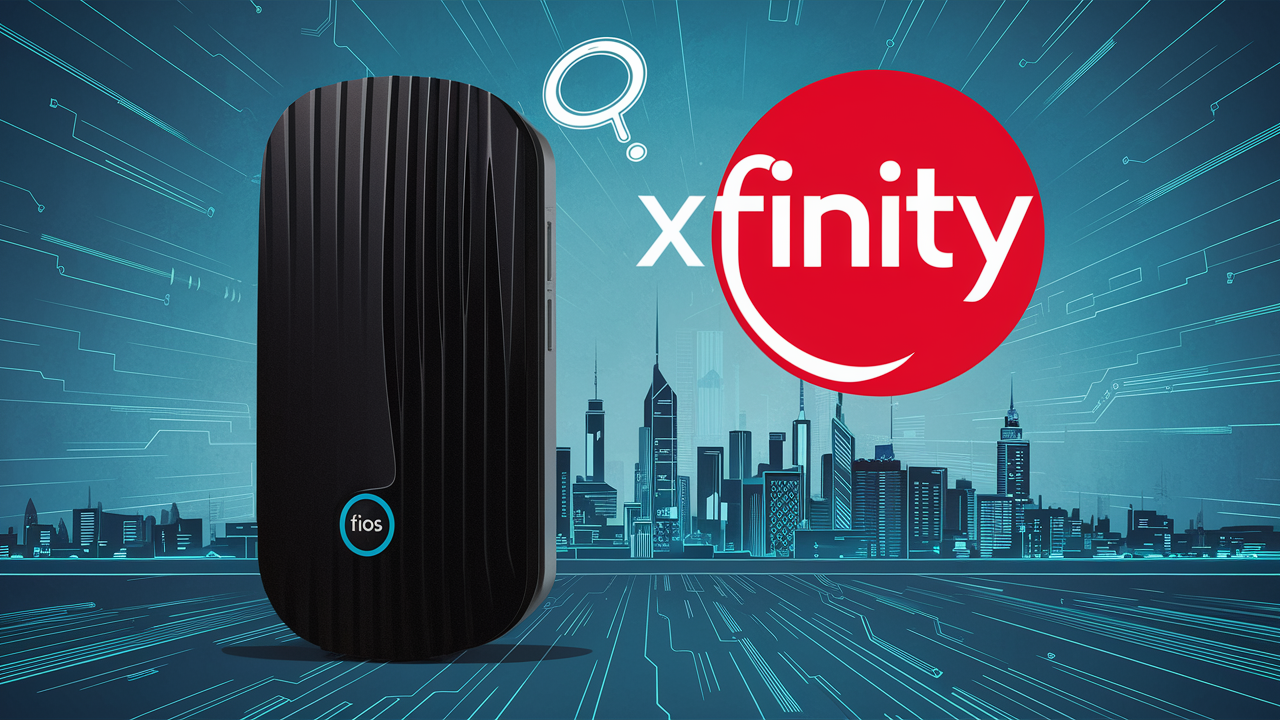
Wondering if your Verizon Fios G1100 router can work with Xfinity internet? This comprehensive guide breaks down the compatibility, the technical hurdles, and the practical implications for your home network. We'll explore the core differences between these ISP technologies and provide clear answers to help you make an informed decision.
Understanding ISP Hardware and Technology
When it comes to internet service providers (ISPs) like Verizon Fios and Xfinity, the hardware they provide is intricately linked to the underlying technology used to deliver their services. Understanding these fundamental differences is crucial before attempting to mix and match equipment. Fios, for instance, is a fiber-optic network, while Xfinity primarily relies on a hybrid fiber-coaxial cable infrastructure. This distinction impacts everything from the type of modem or router required to the data transmission speeds and reliability.
Verizon Fios (Fiber Optic Service) uses pure fiber optic cables that run directly to your home. This technology is known for its exceptional speed, low latency, and consistent performance, largely unaffected by distance or network congestion. The hardware designed for Fios, such as the Fios G1100 router, is specifically engineered to interface with the optical network terminal (ONT) that Verizon installs at your premises. The ONT converts the optical signals from the fiber network into electrical signals that your router can understand and distribute.
Xfinity, on the other hand, uses a combination of fiber optic cables running to neighborhood nodes and coaxial cable (the same type used for cable TV) to reach individual homes. This is known as a Hybrid Fiber-Coaxial (HFC) network. While Xfinity offers very high speeds, the performance can sometimes be more susceptible to factors like signal degradation over coaxial cable, network load in the local area, and the quality of the coaxial wiring within your home. Xfinity typically requires a cable modem, which communicates with their network via coaxial cable, and often a separate Wi-Fi router or a combined modem/router gateway.
The hardware provided by ISPs is not just a generic networking device; it's a specialized piece of equipment designed to communicate with their specific network infrastructure. This specialization is the primary reason why attempting to use a router designed for one type of service with another is generally not possible without significant workarounds, and often, not at all. The protocols, signal types, and authentication methods are fundamentally different.
Fios G1100 vs. Xfinity Modems: The Core Differences
The Verizon Fios G1100 router and Xfinity's provided modems or gateways are built on distinct technological foundations, making direct compatibility an impossibility. Let's break down the key differences that prevent a simple plug-and-play scenario.
Fios G1100 Router: A Fiber-Centric Device
The Fios G1100 is a router designed to work exclusively with Verizon's fiber optic network. It receives its internet connection not through a coaxial cable or an Ethernet cable directly from a wall jack, but typically via an Ethernet connection from a Verizon-provided Optical Network Terminal (ONT). The ONT is the device that translates the light signals from the fiber optic cable into usable data. The G1100's internal hardware and firmware are programmed to communicate with the ONT and then distribute that internet connection wirelessly (Wi-Fi) and via Ethernet ports to your devices. It does not have the internal components or firmware necessary to interpret the DOCSIS (Data Over Cable Service Interface Specification) signals that Xfinity's network uses.
Xfinity Modems/Gateways: DOCSIS-Based Devices
Xfinity utilizes DOCSIS technology for its internet service. This means that any modem or gateway provided by Xfinity must be DOCSIS-compliant. DOCSIS modems communicate with Xfinity's cable network via a coaxial cable connection. They translate the radio frequency (RF) signals carrying data over coaxial cable into a format that can be used by your router and connected devices. Xfinity gateways are often combined modem-router units, meaning they handle both the modem function (connecting to the cable line) and the routing function (creating a Wi-Fi network and managing wired connections). These devices are programmed to authenticate with Xfinity's network, which the Fios G1100 is not.
Key Differentiating Technologies
The fundamental difference lies in the communication protocols and signal types:
- Fios G1100: Operates on an Ethernet connection from an ONT, handling optical-to-electrical signal conversion upstream. It's designed for high-speed, low-latency fiber optic data.
- Xfinity Modems: Operate using DOCSIS standards over coaxial cable. They handle RF signal modulation and demodulation, interpreting data transmitted via radio frequencies.
Because the G1100 lacks DOCSIS capabilities and the necessary firmware to authenticate with Xfinity's network, it cannot function as a modem for Xfinity internet. Similarly, an Xfinity modem cannot connect to a Fios ONT because it doesn't understand the optical or Ethernet protocols used in that context.
Summary Table of Differences
| Feature | Fios G1100 Router | Xfinity Modem/Gateway |
|---|---|---|
| Primary Technology | Fiber Optic (FTTH) | Hybrid Fiber-Coaxial (HFC) / DOCSIS |
| Connection Type to ISP Network | Ethernet from ONT | Coaxial Cable |
| Data Transmission Signal | Optical Signals (converted by ONT) | Radio Frequencies (RF) |
| ISP Compatibility | Verizon Fios Only | Xfinity Only |
| Modem Functionality | N/A (relies on ONT) | Integrated (DOCSIS modem) |
Can You Use a Fios Router with Xfinity? The Technical Answer
The direct and unequivocal technical answer is no, you cannot use a Verizon Fios G1100 router directly with an Xfinity internet connection. This isn't a matter of simple configuration or a firmware update; it's a fundamental incompatibility rooted in the distinct technologies employed by Verizon Fios and Xfinity.
When you subscribe to Xfinity internet, their service requires a modem that can communicate using the DOCSIS (Data Over Cable Service Interface Specification) standard. This standard dictates how data is transmitted over the coaxial cable network that Xfinity uses. The Xfinity modem acts as a translator, converting the DOCSIS signals from the cable line into a standard Ethernet connection that your router can then use to create a local network (LAN) and distribute internet access via Wi-Fi or wired connections.
The Fios G1100, on the other hand, is designed exclusively for Verizon's fiber optic network. It receives its internet signal via an Ethernet cable from a Verizon-provided Optical Network Terminal (ONT). The ONT is the device that converts the light signals from the fiber optic cable into electrical signals. The G1100's internal hardware and firmware are programmed to work with this Ethernet input and the specific protocols used by Verizon's fiber infrastructure. It does not possess the necessary DOCSIS modem components or the firmware to interact with Xfinity's coaxial cable network.
Think of it like trying to plug a USB-C cable into a headphone jack – the connectors might look vaguely similar in function (both transfer data/audio), but the underlying electrical signals, protocols, and intended use are entirely different. The G1100 is built to speak the "language" of fiber optics via an ONT, while Xfinity requires a device that speaks the "language" of DOCSIS over coaxial cable.
Even if you were to bypass the modem function (which the G1100 doesn't have for cable) and try to use it purely as a Wi-Fi router, you would still need a separate DOCSIS-compliant modem to establish the internet connection with Xfinity. The G1100 cannot function as that modem. Therefore, any attempt to connect a G1100 directly to an Xfinity coaxial cable outlet will result in no internet connectivity.
Key Takeaway: The Fios G1100 is a router designed for a fiber optic network and requires an ONT. Xfinity uses a coaxial cable network and requires a DOCSIS-compliant modem. These technologies are mutually exclusive at the hardware interface level.
Why Direct Compatibility is Unlikely: A Deeper Dive
The fundamental incompatibility between the Fios G1100 and Xfinity stems from several critical technical distinctions. These aren't minor software glitches that can be patched; they are inherent differences in hardware design and network protocols.
1. Modulation and Demodulation Standards
Xfinity operates on a cable network that uses DOCSIS (Data Over Cable Service Interface Specification) standards. A cable modem's primary function is to modulate and demodulate signals within the DOCSIS framework. Modulation is the process of encoding data onto radio frequency (RF) carrier waves, while demodulation is the reverse process of decoding these waves back into data. The Fios G1100 router does not have DOCSIS modem components and therefore cannot perform these essential functions for Xfinity's network.
Verizon Fios, conversely, uses fiber optic technology. The signal transmitted over fiber is light, not RF waves. The Optical Network Terminal (ONT) at your home converts these light signals into electrical signals, typically delivered via an Ethernet connection. The Fios G1100 is designed to accept this Ethernet input and process the data accordingly. It lacks the RF circuitry and DOCSIS firmware required for cable internet.
2. Network Authentication and Provisioning
When you connect a modem to an ISP's network, it needs to authenticate itself. This process involves the modem communicating with the ISP's network management systems to verify its identity and ensure it's authorized to receive service. This authentication is specific to the ISP and the technology used.
Xfinity's network uses specific authentication protocols for DOCSIS modems. The Fios G1100 is programmed to authenticate with Verizon's network infrastructure, not Xfinity's. Even if you could somehow bypass the physical connection issue, the G1100 would not be recognized or provisioned by Xfinity's network, meaning it wouldn't receive an IP address or any internet service.
3. Signal Type and Interface
The physical interface is another major barrier. Xfinity modems connect via a coaxial cable connector (typically an F-type connector). This cable carries the RF signals. The Fios G1100, as mentioned, connects via an Ethernet cable to the ONT. The ONT itself connects to the fiber optic line. There is no direct physical or electrical interface that allows a G1100 to plug into an Xfinity coaxial outlet and function as a modem.
4. Firmware and Software
The firmware running on the Fios G1100 is specifically tailored for its role within the Verizon Fios ecosystem. It includes drivers and software that manage the Ethernet connection from the ONT, handle the routing of traffic, and manage the Wi-Fi network. This firmware does not contain the necessary code to interpret DOCSIS signals, interact with Xfinity's network management, or perform modem functions for a cable internet service.
5. Router vs. Modem Functionality
It's important to distinguish between a modem and a router. A modem's job is to connect your home network to the ISP's network. A router's job is to create a local network (LAN) within your home, manage traffic between devices, and provide Wi-Fi.
The Fios G1100 is primarily a router, although it is designed to work in conjunction with the ONT, which acts as the "modem" equivalent in the fiber optic chain. It does not have the built-in modem capabilities for cable internet. Xfinity often provides "gateways," which are combined modem-router units. If you were to use a separate Xfinity modem, you would then need a separate router.
Scenario Illustration:
- Fios Setup: Fiber Line -> ONT -> Ethernet Cable -> Fios G1100 (Router) -> Devices
- Xfinity Setup: Coaxial Cable -> Xfinity DOCSIS Modem -> Ethernet Cable -> Router (or Xfinity Gateway) -> Devices
As you can see, the Fios G1100 does not fit into the Xfinity setup as a modem. If you were to use it as a router *behind* an Xfinity modem, that's a different scenario, but it wouldn't be replacing the Xfinity modem itself.
Alternative Solutions for Network Flexibility
While directly using your Fios G1100 with Xfinity is not feasible, there are several effective strategies to achieve network flexibility and utilize your existing equipment in a hybrid setup, or to ensure optimal performance with your chosen ISP. These solutions focus on separating the modem and router functions or leveraging your existing router's capabilities.
1. Using the Fios G1100 as a Wi-Fi Access Point/Extender (with Xfinity Modem)
This is the most common and practical way to repurpose a Fios G1100 if you switch to Xfinity. You would use a DOCSIS-compliant modem provided by Xfinity (or a compatible third-party modem). The Xfinity modem connects to the coaxial cable and establishes your internet connection. Then, you can connect the Fios G1100 to the Xfinity modem via an Ethernet cable.
To do this effectively, you would typically need to:
- Put the Xfinity Modem in Bridge Mode: If your Xfinity gateway is a combined modem/router, you'll want to disable its routing functions so it acts purely as a modem. This prevents two devices from performing Network Address Translation (NAT) simultaneously, which can cause network issues.
- Configure the Fios G1100 in Access Point (AP) Mode: The Fios G1100 has a feature that allows it to function as an access point. In this mode, it disables its routing functions (like DHCP server) and simply extends your existing network by providing Wi-Fi coverage. It receives its IP address from the Xfinity modem's router.
- Connect via Ethernet: Connect an Ethernet cable from one of the LAN ports on the Xfinity modem/router to the WAN port (or a designated LAN port if the G1100 doesn't have a distinct WAN port in AP mode) on the Fios G1100.
This setup allows you to use the Fios G1100's Wi-Fi capabilities to cover a larger area or in a different part of your home, leveraging its existing hardware. You'll benefit from the Xfinity modem's connection to their network and the G1100's Wi-Fi signal.
Note: Accessing the G1100's specific settings to enable AP mode might require consulting Verizon's documentation or support, as the interface can vary.
2. Using a Third-Party DOCSIS Modem with Your Own Router
If you're switching to Xfinity and want maximum control over your network, consider purchasing your own DOCSIS 3.0 or 3.1 modem. This is often more cost-effective in the long run than renting a modem from Xfinity. You can then use your Fios G1100 (or any other compatible router) as your primary router.
The process involves:
- Purchase a Compatible Modem: Ensure the modem is on Xfinity's approved modem list. Popular choices include Arris, Motorola, and Netgear models.
- Connect the Modem: Plug the modem into the coaxial outlet and power it on.
- Activate the Modem: Follow Xfinity's online or phone activation process to provision your new modem.
- Connect Your Router: Connect the WAN port of your Fios G1100 (or another router) to the Ethernet port on the new DOCSIS modem.
- Configure Your Router: Set up your Wi-Fi network name (SSID), password, and any other desired settings on the G1100.
This approach gives you the freedom to choose hardware that best suits your needs and avoids ISP equipment rental fees. It also allows you to leverage the advanced features of a router you're already familiar with, like the G1100, for its Wi-Fi capabilities.
3. Utilizing Your Fios G1100 for Gaming or Specific Networks
In some advanced scenarios, users might maintain both Fios and Xfinity services for different purposes (e.g., Fios for low-latency gaming, Xfinity for general internet). In such cases, the Fios G1100 would remain connected to the Fios ONT and serve its dedicated purpose. You would then use a separate Xfinity modem and router for the rest of your home network. This is a more complex setup and typically only beneficial for users with very specific, high-demand networking needs.
4. Selling or Repurposing the Fios G1100
If the goal is simply to switch to Xfinity and you don't intend to use the G1100 as an access point, you could consider selling it. There's often a market for used ISP equipment, especially if it's still in good condition. Alternatively, if you have a friend or family member who is a Verizon Fios customer and needs a router, you could potentially give it to them (though they would need to ensure it's compatible with their specific Fios plan and potentially have it activated by Verizon).
Managing Your Network with Separate Equipment
When you transition from a single ISP-provided gateway to a setup involving separate modems and routers, effective network management becomes paramount. This is especially true if you decide to use your Fios G1100 as an access point behind an Xfinity modem. Understanding how these components interact and how to configure them correctly will ensure a stable and high-performing home network.
Understanding the Modem-Router Separation
In a typical Xfinity setup, you'll have:
- The Modem: This device connects to the coaxial cable and translates the DOCSIS signals into a standard Ethernet connection. It obtains a public IP address from Xfinity.
- The Router: This device takes the Ethernet connection from the modem and creates your private local area network (LAN). It assigns private IP addresses to your devices (via DHCP), manages traffic, and provides Wi-Fi.
If you use an Xfinity gateway, these two functions are combined into one device. When you use a separate Xfinity modem and your Fios G1100 as a router, you are essentially performing this separation.
Configuring the Fios G1100 as an Access Point (AP)
To use the G1100 effectively as an AP behind an Xfinity modem, follow these general steps:
- Connect the Devices: Plug an Ethernet cable from a LAN port on your Xfinity modem/router into the WAN port of your Fios G1100.
- Access the G1100's Settings: Open a web browser and navigate to the G1100's IP address (usually 192.168.1.1, but check your documentation). You'll need to log in with its admin credentials.
- Find AP Mode: Look for a setting related to "Network Mode," "Operating Mode," or "Access Point Mode." Select this option.
- Disable DHCP: When in AP mode, the G1100 should automatically disable its DHCP server. This is crucial because the Xfinity modem will be handling DHCP for the entire network. If both devices try to assign IP addresses, you'll encounter conflicts.
- Configure Wi-Fi: Set up your Wi-Fi network name (SSID) and password on the G1100. You can choose to use the same SSID and password as your Xfinity router for a single, seamless network, or different ones if you want to manually select which access point to connect to.
- Save and Reboot: Save your settings and reboot both the G1100 and the Xfinity modem for the changes to take effect.
Important Considerations for AP Mode:
- IP Address Range: Ensure the G1100 is configured to operate within the same IP subnet as the Xfinity modem. If the Xfinity modem uses 192.168.1.x, the G1100 should also be configured with an IP address in that range (e.g., 192.168.1.2) if it's not automatically assigned.
- WAN vs. LAN Port: In AP mode, the WAN port on the G1100 often functions like a LAN port, receiving the internet connection from the main router. Consult the G1100's manual for specific instructions.
Using a Dedicated Router with an Xfinity Modem
If you opt for a separate Xfinity modem and use a router that isn't the G1100 (or if you're setting up the G1100 as the primary router *after* getting an Xfinity modem), the setup is more straightforward:
- Connect Modem to Coax: Plug the Xfinity modem into the coaxial outlet and power it on.
- Activate Modem: Activate the modem with Xfinity.
- Connect Router to Modem: Plug an Ethernet cable from the modem's LAN port to the router's WAN port.
- Power on Router: Power on your router.
- Configure Router: Access your router's settings (e.g., 192.168.0.1 or 192.168.1.1) and set up your Wi-Fi SSID, password, and any other desired network configurations.
Monitoring Network Performance
Once your network is set up, regular monitoring is key.
- Speed Tests: Use online speed test tools (like Ookla Speedtest or Fast.com) from various devices and locations to check if you're getting the speeds you expect.
- Device Connectivity: Ensure all your devices can connect to the Wi-Fi network reliably.
- Router Interface: Periodically check the admin interfaces of both your Xfinity modem and your G1100 (if used as AP) for any error messages or firmware update notifications.
Managing a network with separate components offers greater flexibility and often better performance, but it requires a bit more technical understanding than a single ISP gateway.
Future-Proofing Your Home Network in 2025-26
As we navigate through 2025 and look ahead into 2026, the landscape of home networking is continuously evolving. Technologies are advancing rapidly, and the demand for faster, more reliable internet is only increasing. Future-proofing your home network involves making choices today that will accommodate these advancements and ensure your connectivity remains robust for years to come.
The Rise of Wi-Fi 7 and Beyond
Wi-Fi 6 (802.11ax) has become the standard for modern Wi-Fi, offering significant improvements in speed, efficiency, and capacity over Wi-Fi 5. However, the next generation, Wi-Fi 7 (802.11be), is already emerging and will become more prevalent in 2025-26. Wi-Fi 7 promises even higher speeds (up to 40 Gbps), lower latency, and improved reliability through features like wider channels, Multi-Link Operation (MLO), and advanced modulation schemes.
When considering new networking equipment, look for routers that support Wi-Fi 7. While your current Fios G1100 likely supports Wi-Fi 5 or perhaps an earlier iteration of Wi-Fi 6, it won't be compatible with Wi-Fi 7 devices. If you're investing in new hardware, prioritizing Wi-Fi 7 compatibility will ensure your network can handle the demands of future devices, including high-bandwidth applications like 8K streaming, immersive VR/AR experiences, and advanced smart home ecosystems.
Higher Internet Speeds and DOCSIS Standards
ISPs like Xfinity are continually upgrading their networks to offer higher internet speeds. For cable internet, this means advancements in DOCSIS standards. DOCSIS 3.1 is the current mainstream standard, capable of delivering multi-gigabit speeds. However, DOCSIS 4.0 is on the horizon and is being rolled out, promising symmetrical multi-gigabit speeds (upload and download) and even greater capacity.
If you're using a third-party modem with Xfinity, ensure it's DOCSIS 3.1 compatible to take advantage of current high-speed tiers. For future-proofing, consider modems that are also DOCSIS 4.0 ready or that can be firmware-updated to support it. This will prevent you from needing to replace your modem again when Xfinity introduces higher speed plans.
Fiber Optic Expansion and its Implications
While Xfinity is a dominant player, fiber optic internet continues its expansion. Services like Verizon Fios are investing heavily in fiber-to-the-home (FTTH) deployments. Fiber offers inherent advantages in speed, latency, and future scalability. If fiber becomes available in your area, it's often worth considering as a primary internet service for its long-term potential.
For those already on fiber, ensure your ONT and router can support the highest speeds offered by your provider. Many newer fiber deployments can easily support symmetrical multi-gigabit speeds, and future-proofing involves having a router capable of handling these speeds wirelessly and via Ethernet.
Mesh Wi-Fi Systems and Extended Coverage
As homes become larger and more devices connect, ensuring seamless Wi-Fi coverage throughout the entire property is crucial. Mesh Wi-Fi systems, which consist of a main router and satellite nodes, are excellent for this purpose. They create a single, unified Wi-Fi network that your devices can seamlessly roam between.
Investing in a mesh system (whether Wi-Fi 6 or Wi-Fi 7) can future-proof your wireless experience. If you're using your Fios G1100 as an access point, you might eventually consider upgrading to a full mesh system for more advanced features and better overall coverage management.
Security and Network Management Tools
In 2025-26, cybersecurity threats continue to evolve. Future-proof networking equipment should offer robust built-in security features, such as advanced firewalls, intrusion detection, and regular security updates. Many modern routers also come with companion apps that provide enhanced network management tools, parental controls, and the ability to monitor connected devices. Prioritizing these features will help keep your home network secure and manageable.
Ultimately, future-proofing your home network is about making informed decisions based on current technological trends and anticipating future needs. While the Fios G1100 served its purpose well, understanding its limitations and the capabilities of newer technologies is key to maintaining optimal connectivity.
In conclusion, while the Verizon Fios G1100 router is a capable device for its intended fiber optic network, it is fundamentally incompatible with Xfinity's coaxial cable network. The technologies, protocols, and hardware are distinct, preventing direct use. However, by understanding these differences, you can effectively repurpose the G1100 as a Wi-Fi access point behind an Xfinity modem, or opt for a separate, compatible modem and router setup. This ensures you can maintain flexibility in your home network, leverage existing equipment where possible, and achieve reliable internet connectivity with your chosen provider.