Is Cox WiFi Wireless?
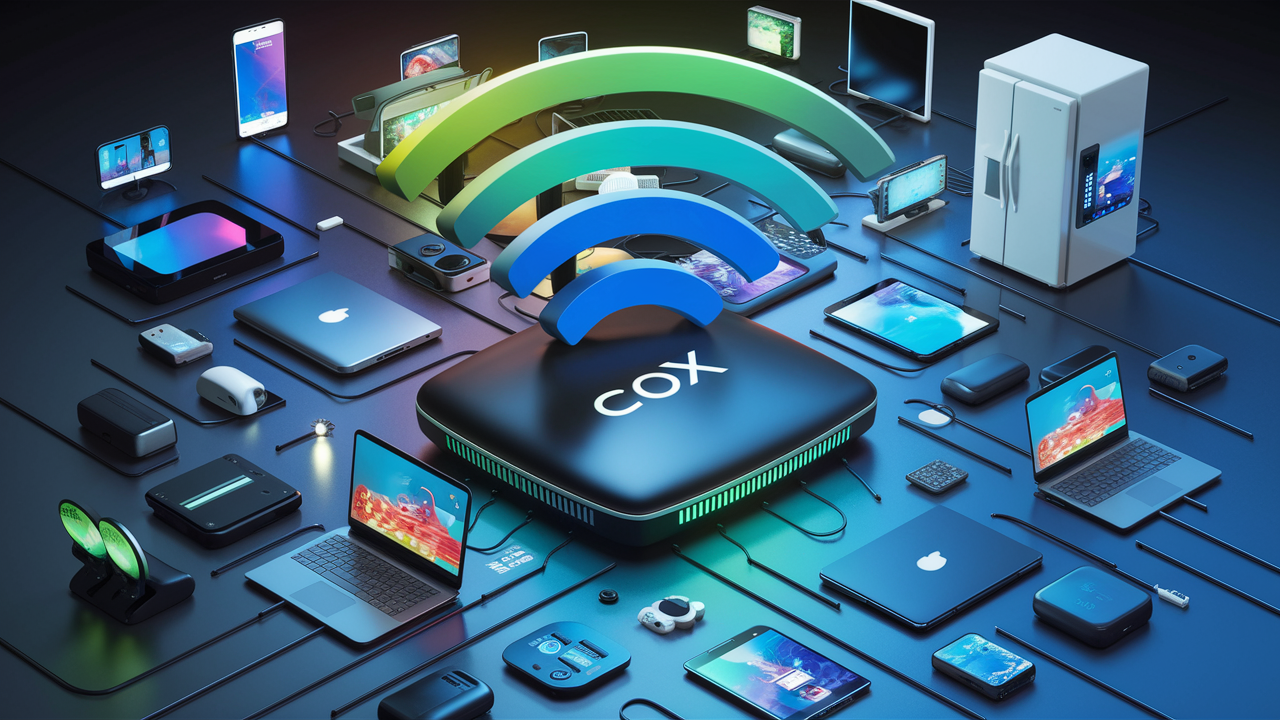
Navigating the world of home internet can be complex, and a common question is whether Cox WiFi is truly wireless. This comprehensive guide dives deep into Cox's offerings, explaining what "wireless" means in their context, the technology involved, and how to maximize your Cox WiFi experience for seamless connectivity in 2025-26.
Understanding Cox WiFi: Is It Truly Wireless?
The term "wireless" in the context of home internet, particularly with providers like Cox, can be a source of confusion. When we talk about Cox WiFi, we are referring to the wireless local area network (WLAN) that your Cox internet connection enables within your home. The internet service itself, delivered to your residence, typically arrives via a wired connection (cable or fiber optic). However, once this wired connection enters your home and is connected to a Cox modem or a modem/router combo unit, it is then broadcast wirelessly using radio waves through a WiFi router. This allows your devices—smartphones, laptops, tablets, smart TVs, and more—to connect to the internet without needing a physical Ethernet cable. So, while the *delivery* of the internet to your home is wired, the *distribution* within your home is indeed wireless via WiFi. This distinction is crucial for understanding the capabilities and limitations of your Cox internet service.
Cox Communications is one of the largest cable internet providers in the United States, offering a range of internet plans designed to meet various user needs. Their service relies on a robust cable infrastructure, which provides high-speed internet access to millions of households. The "WiFi" aspect comes into play through the equipment you use within your home. When you subscribe to Cox internet, you are provided with or can rent a modem, and often a router. These devices are the gateways that translate the incoming wired internet signal into a broadcastable WiFi signal. This means that once the internet is physically connected to your home, the connectivity experienced by your devices is wireless, offering convenience and mobility throughout your living space.
It's important to differentiate between "Cox WiFi" as the service that enables wireless connectivity within your home and other forms of wireless internet, such as 5G home internet or satellite internet. Cox's primary offering is a wired broadband connection that is then made available wirelessly. This means you are not relying on cellular towers or satellites for your primary home internet connection, but rather on the extensive coaxial cable network that Cox has built and maintained. This wired backbone is what allows Cox to offer generally more stable and higher-speed internet compared to some other wireless-only solutions, especially in areas where their infrastructure is well-established.
In essence, when you ask "Is Cox WiFi wireless?", the answer is yes, in the sense that the internet signal is distributed throughout your home wirelessly. However, the fundamental delivery mechanism to your home is wired. This allows for a robust and high-performance internet experience that leverages the benefits of both wired and wireless technologies. Understanding this fundamental difference helps in setting expectations and optimizing your home network for the best possible performance. For the latest information on Cox's service areas and technology, visiting ctvforme.com provides valuable insights.
The Technology Behind Cox Internet and WiFi
Cox Communications primarily utilizes a hybrid fiber-coaxial (HFC) network to deliver internet services to its customers. This technology is a cornerstone of modern broadband, combining the high bandwidth capabilities of fiber optic cables with the widespread existing infrastructure of coaxial cable. The fiber optic lines run from Cox's central offices to neighborhood nodes, and from these nodes, coaxial cables extend to individual homes. This HFC architecture allows Cox to deliver high-speed internet, digital cable television, and voice services efficiently.
When you subscribe to Cox Internet, the service enters your home via a coaxial cable. This cable connects to a Cox modem, which is a device that translates the digital signals from the cable network into a format that your home network can use. In many cases, the modem provided by Cox also includes integrated WiFi router functionality, or you might use a separate WiFi router connected to the modem. This router is the device that creates your home's wireless network, broadcasting a WiFi signal using specific radio frequencies (typically 2.4 GHz and 5 GHz bands).
The WiFi technology itself relies on standards developed by the Institute of Electrical and Electronics Engineers (IEEE), most notably the 802.11 standards. As of 2025-26, the most common standards in use are:
- 802.11n (Wi-Fi 4): An older standard, still present in some devices, offering speeds up to 600 Mbps.
- 802.11ac (Wi-Fi 5): Widely adopted, offering significantly faster speeds (up to several Gbps in ideal conditions) and better performance on the 5 GHz band.
- 802.11ax (Wi-Fi 6): The current leading standard, designed for higher efficiency, better performance in crowded environments, and increased speeds. It utilizes technologies like OFDMA and MU-MIMO to improve capacity and reduce latency.
- 802.11be (Wi-Fi 7): Emerging standard, promising even higher speeds, lower latency, and improved reliability through features like multi-link operation and wider channels. While not yet mainstream in 2025-26, it's on the horizon.
Your Cox modem/router will support one or more of these WiFi standards. The speed and performance of your wireless network are influenced by several factors:
- The WiFi Standard Supported: Newer standards like Wi-Fi 6 offer superior performance.
- The Router's Capabilities: The quality and processing power of the router play a significant role.
- Frequency Bands Used: The 2.4 GHz band offers wider coverage but slower speeds and is more prone to interference. The 5 GHz band offers faster speeds but has a shorter range. Newer routers may also utilize the 6 GHz band with Wi-Fi 6E and Wi-Fi 7.
- Number of Devices Connected: Each device consumes bandwidth, and too many can slow down the network.
- Distance from the Router: Signal strength decreases with distance and obstructions.
- Interference: Other electronic devices and neighboring WiFi networks can interfere.
Cox provides modems and routers that are designed to meet the demands of their internet plans. For instance, if you have a gigabit internet plan from Cox, you will need a modem and router capable of handling those speeds, ideally supporting Wi-Fi 6 or higher to take full advantage of the wired connection wirelessly. Understanding the technology behind your Cox WiFi helps you make informed decisions about your equipment and network setup. For detailed information on Cox's specific equipment and their compatibility with different WiFi standards, resources like ctvforme.com can be very helpful.
Modem vs. Router Explained
It's essential to distinguish between a modem and a router, as they perform different but complementary functions in your home network:
- Modem: This device acts as the translator. It connects to the internet service provider's (ISP) network (in Cox's case, the coaxial cable) and converts the incoming signal into a format that your home network can understand. It essentially brings the internet into your home.
- Router: This device takes the internet connection from the modem and distributes it to multiple devices within your home. It creates your local network (LAN) and manages the traffic between your devices and the internet. Most modern routers also provide WiFi, broadcasting the internet signal wirelessly.
Many Cox offerings are "gateway" devices, which are modem-router combo units, simplifying setup and reducing the number of devices needed. However, some users opt for their own separate, high-performance routers to gain more control over their network settings and potentially achieve better WiFi performance.
Understanding IP Addresses
When your devices connect to the internet via Cox WiFi, they are assigned IP addresses. Your modem receives a public IP address from Cox, which is how the internet identifies your home network. Within your home, your router assigns private IP addresses to each of your connected devices. This allows the router to manage traffic and ensure data reaches the correct device. The dynamic nature of these IP addresses means they can change periodically, though for most home users, this is not a concern.
Cox Internet Plans and Speeds: What to Expect in 2025-26
Cox Communications offers a diverse portfolio of internet plans, catering to a wide spectrum of user needs and budgets in 2025-26. The availability and specific names of these plans can vary by region, but the underlying technology and speed tiers remain consistent. Understanding these plans is crucial for ensuring your home network, including your Cox WiFi, can support your online activities.
In 2025-26, Cox's internet plans generally fall into several categories, distinguished by their download and upload speeds. These speeds are delivered over their HFC network, which is capable of supporting very high bandwidths. Here's a breakdown of what you can typically expect:
| Plan Tier (Typical Name) | Download Speeds (Up to) | Upload Speeds (Up to) | Ideal Use Cases |
|---|---|---|---|
| Essential/Starter | 50-100 Mbps | 5-10 Mbps | Basic browsing, email, social media, streaming on 1-2 devices. |
| Preferred/Standard | 100-300 Mbps | 10-20 Mbps | HD streaming on multiple devices, online gaming, video conferencing, moderate downloads. |
| Gigablast/Ultra | 500 Mbps - 1 Gbps+ | 20-50 Mbps (or higher with DOCSIS 3.1/4.0) | 4K streaming, heavy online gaming, large file downloads/uploads, multiple smart home devices, remote work with large data transfers. |
It's important to note that these are "up to" speeds. Actual speeds can vary based on network congestion, your home wiring, the quality of your modem and router, and the specific WiFi standard your devices are using. For instance, while you might have a 1 Gbps internet plan, your WiFi connection might only achieve several hundred Mbps if you're using older devices or a router that doesn't support the latest WiFi standards.
Understanding Download vs. Upload Speeds
For most home users, download speeds are more critical as they determine how quickly you can access content from the internet (streaming, browsing, downloading files). Upload speeds are important for activities like video conferencing, uploading large files to cloud storage, live streaming, and online gaming. Cox's HFC network, while excellent for downloads, historically offered lower upload speeds compared to download speeds. However, with advancements like DOCSIS 3.1 and the upcoming DOCSIS 4.0, Cox is increasingly offering symmetrical or near-symmetrical speeds in some areas, significantly boosting upload performance.
Data Caps and Unlimited Data in 2025-26
A significant consideration with Cox internet plans is data caps. Historically, Cox has imposed monthly data allowances on many of its plans. Exceeding these limits can result in throttling (reduced speeds) or overage charges. However, in response to increasing internet usage and competition, Cox has been evolving its data policies. As of 2025-26, many of their plans now offer unlimited data, either standard or as an optional add-on. It is crucial to verify the data policy associated with your specific Cox plan to avoid unexpected charges or performance issues. For detailed information on current data policies and unlimited data options, checking ctvforme.com can provide the most up-to-date details.
Choosing the Right Plan for Your Household
To select the most suitable Cox internet plan, consider the following:
- Number of Users: How many people regularly use the internet in your home?
- Types of Activities: What do you primarily use the internet for? (e.g., basic browsing, streaming, gaming, remote work).
- Number of Devices: How many devices are connected simultaneously? (Smartphones, tablets, laptops, smart TVs, gaming consoles, smart home devices).
- Streaming Habits: Do you stream in HD, 4K, or multiple streams at once?
- Gaming Needs: Online gaming requires stable, low-latency connections, and higher download/upload speeds can be beneficial.
- Budget: Balance your needs with the cost of the plan.
For a typical household with a few users who stream HD content and browse the web, a plan in the 100-300 Mbps range is often sufficient. For power users, households with many connected devices, or those who engage in heavy online gaming or frequent large file transfers, a gigabit plan is recommended. Remember that your WiFi setup needs to be capable of delivering these speeds wirelessly to your devices.
Optimizing Your Cox WiFi Experience
Even with a high-speed Cox internet plan, your WiFi experience can be hampered by poor signal strength, interference, or an improperly configured network. Optimizing your Cox WiFi setup is key to enjoying the full potential of your internet service throughout your home. This involves strategic placement of your router, selecting the right equipment, and making adjustments to your network settings.
Router Placement is Key
The location of your WiFi router significantly impacts signal strength and coverage. Follow these best practices:
- Central Location: Place your router in a central location within your home, ideally on the main floor, to ensure the signal can reach all areas evenly.
- Elevated Position: Mount your router on a shelf or wall, rather than on the floor. This helps the signal propagate more effectively.
- Open Space: Avoid placing your router in enclosed cabinets, behind furniture, or near large metal objects, as these can obstruct and weaken the signal.
- Minimize Obstructions: Thick walls (especially brick or concrete), large appliances (microwaves, refrigerators), and aquariums can interfere with WiFi signals.
Understanding Frequency Bands
Modern routers broadcast on two main frequency bands: 2.4 GHz and 5 GHz. Some newer routers also support 6 GHz (Wi-Fi 6E/7).
- 2.4 GHz: Offers a wider range and better penetration through walls but has slower speeds and is more susceptible to interference from devices like microwaves, cordless phones, and Bluetooth devices.
- 5 GHz: Provides faster speeds and less interference but has a shorter range and struggles more with obstructions.
- 6 GHz (Wi-Fi 6E/7): Offers the fastest speeds and least interference but has the shortest range.
For devices that are far from the router or require less speed (e.g., smart home devices), the 2.4 GHz band is often suitable. For devices that are closer and require high bandwidth (e.g., streaming devices, gaming consoles), the 5 GHz or 6 GHz bands are preferable. Many routers allow you to create separate network names (SSIDs) for each band, giving you manual control over which band your devices connect to.
Upgrading Your Router and Modem
If your Cox internet plan offers speeds of 300 Mbps or higher, and you're experiencing slower WiFi speeds, your router might be the bottleneck. Consider upgrading to a router that supports the latest WiFi standards, such as Wi-Fi 6 (802.11ax) or Wi-Fi 6E. These routers offer:
- Higher Speeds: Capable of delivering faster data transfer rates.
- Improved Efficiency: Better handling of multiple devices simultaneously.
- Reduced Latency: Crucial for gaming and real-time applications.
- Better Range: Often with improved beamforming technology to direct signals towards devices.
If you are renting a modem/router combo from Cox, inquire about their latest gateway models. If you own your equipment, ensure it's compatible with your Cox plan and supports the latest WiFi standards. For the most up-to-date information on recommended equipment and compatibility, resources like ctvforme.com can be invaluable.
Using Mesh WiFi Systems
For larger homes or those with dead zones where the WiFi signal doesn't reach, a mesh WiFi system is an excellent solution. A mesh system consists of a main router and one or more satellite nodes that work together to create a single, seamless WiFi network throughout your home. Unlike traditional range extenders, mesh systems provide consistent speeds and a unified network name, allowing your devices to automatically connect to the strongest signal as you move around.
Securing Your WiFi Network
Protecting your Cox WiFi network is paramount. Ensure you have a strong, unique password for your WiFi network (using WPA2 or WPA3 encryption) and change the default administrator password for your router. Regularly update your router's firmware to patch security vulnerabilities.
Adjusting Router Settings
Some advanced settings on your router can impact performance:
- Channel Selection: If you experience interference, try manually selecting a less congested WiFi channel within the 2.4 GHz or 5 GHz bands. Many routers have an "auto" setting that can do this.
- QoS (Quality of Service): This feature allows you to prioritize certain devices or applications (e.g., gaming, video conferencing) to ensure they receive sufficient bandwidth.
By implementing these optimization strategies, you can significantly improve the speed, reliability, and coverage of your Cox WiFi network, ensuring a seamless wireless experience for all your connected devices.
Troubleshooting Common Cox WiFi Issues
Even with the best setup, you might encounter issues with your Cox WiFi. Fortunately, many common problems can be resolved with simple troubleshooting steps. Understanding how to diagnose and fix these issues can save you time and frustration.
Slow Internet Speeds
If your WiFi speeds are consistently slower than expected, consider the following:
- Test Wired Speed: Connect a computer directly to your Cox modem or router using an Ethernet cable and run a speed test (e.g., at Speedtest.net). If the wired speed is also slow, the issue might be with your Cox service or modem. Contact Cox support.
- Test WiFi Speed Near Router: If wired speeds are good, test your WiFi speed with a device close to the router. If it's still slow, the issue is likely with your WiFi setup or router.
- Check Router Capabilities: Ensure your router supports the speeds of your Cox plan and the latest WiFi standards (Wi-Fi 6/6E). Older routers can be a bottleneck.
- Reduce Network Congestion: Too many devices streaming or downloading simultaneously can slow down your network. Try disconnecting some devices temporarily.
- Restart Your Equipment: Power cycle your modem and router by unplugging them for 30 seconds, then plugging them back in. This often resolves temporary glitches.
- Check for Interference: Other electronic devices or neighboring WiFi networks can cause interference. Try changing your WiFi channel in your router settings.
- Update Router Firmware: Ensure your router has the latest firmware installed for optimal performance and security.
Intermittent Disconnections
If your WiFi connection drops frequently, try these steps:
- Check Cable Connections: Ensure all coaxial and Ethernet cables are securely connected to your modem, router, and wall outlets.
- Router Placement: Move your router away from potential sources of interference (microwaves, cordless phones, large metal objects).
- Test Different Bands: If you're using the 5 GHz band, try connecting to the 2.4 GHz band to see if the connection is more stable (though potentially slower).
- Update Firmware: Outdated router firmware can cause instability.
- Check for Overheating: Ensure your modem and router have adequate ventilation and are not overheating.
- Contact Cox: If the problem persists, there might be an issue with the Cox signal coming into your home or with their equipment.
Weak WiFi Signal or Dead Zones
If certain areas of your home have a weak or no WiFi signal:
- Relocate Router: Try moving your router to a more central location.
- Adjust Antennas: If your router has external antennas, experiment with their positioning.
- Use a Mesh WiFi System: For larger homes, a mesh system is the most effective solution for extending coverage.
- Consider a WiFi Extender: While less effective than mesh systems, an extender can boost the signal in a specific area.
Unable to Connect to WiFi
If you can't connect a device to your Cox WiFi network:
- Verify Network Name and Password: Double-check that you are selecting the correct network name (SSID) and entering the password accurately. Passwords are case-sensitive.
- Restart Device: Reboot the device you are trying to connect.
- Restart Router: Power cycle your modem and router.
- Check Device Compatibility: Ensure your device supports the WiFi standards your router is using.
- Forget Network and Reconnect: On your device, "forget" the WiFi network and then try to reconnect, entering the password again.
- Check Router's Connected Devices List: Some routers have a limit on the number of devices that can connect. Check your router's settings.
Contacting Cox Support
If you've exhausted these troubleshooting steps and are still experiencing issues, it's time to contact Cox Communications. Be prepared to provide them with details about the problem, including:
- The specific issue you're experiencing (e.g., slow speeds, disconnections).
- When the problem started.
- Any troubleshooting steps you've already taken.
- The model of your modem and router.
Cox support can check the signal strength to your home, diagnose issues with their network equipment, and guide you through advanced troubleshooting. For additional tips and guides, ctvforme.com offers valuable resources.
Cox Hotspots and Mobility: Extending Your Wireless Reach
Beyond your home WiFi network, Cox offers a network of public WiFi hotspots that can extend your wireless internet access to various locations outside your residence. These hotspots are a valuable perk for Cox internet subscribers, providing a way to stay connected on the go and potentially save on mobile data usage.
What Are Cox Hotspots?
Cox hotspots are WiFi access points located in public areas such as coffee shops, libraries, parks, and retail centers. These hotspots are powered by Cox's extensive broadband network. When you are a Cox internet subscriber, you can typically connect to these hotspots using your Cox account credentials. This allows you to access the internet wirelessly without using your cellular data plan.
How to Access Cox Hotspots
Accessing Cox hotspots is generally straightforward:
- Find a Hotspot: Use the Cox Hotspots locator tool on the Cox website or mobile app to find nearby hotspots.
- Connect to the Network: On your device, search for available WiFi networks and select the network named "CoxWiFi."
- Log In: Open a web browser. You will typically be redirected to a Cox login page. Enter your Cox primary username and password.
- Browse: Once authenticated, you can browse the internet freely.
The availability and performance of these hotspots can vary depending on their location and the network infrastructure supporting them. For the most current information on hotspot locations and how to access them, the official Cox Communications website or app is the best resource.
Benefits of Using Cox Hotspots
- Save Mobile Data: Connect to a Cox hotspot instead of using your cellular data plan, which can help you avoid overage charges or conserve your data allowance.
- Extended Connectivity: Stay connected even when you're away from home, making it easier to work remotely, stream content, or stay in touch.
- Cost Savings: For many users, utilizing free WiFi hotspots can lead to significant savings on their monthly mobile bills.
- Convenience: Easily find and connect to a reliable internet source when you're out and about.
Limitations and Considerations
- Security: Public WiFi networks, including hotspots, can be less secure than your private home network. Avoid accessing sensitive information (like online banking or making purchases) when connected to a public hotspot unless you are using a VPN (Virtual Private Network).
- Speed and Reliability: Hotspot speeds can vary greatly depending on the number of users connected and the underlying infrastructure. Some hotspots may offer slower speeds or be less reliable than your home WiFi.
- Availability: Hotspot coverage is not as ubiquitous as cellular service. You may not always find a Cox hotspot when you need one.
- Device Limitations: Some older devices or operating systems might have compatibility issues with certain hotspot login portals.
Utilizing Cox hotspots is a great way to leverage your existing internet subscription for added mobility. For detailed information on Cox's hotspot network and how to maximize its benefits, resources such as ctvforme.com can provide further guidance and updates.
Comparing Cox WiFi to Other Wireless Internet Solutions
When considering internet options, it's helpful to compare Cox's primarily wired-then-wireless approach to other forms of wireless internet. This comparison helps in understanding the trade-offs and determining the best fit for your specific needs.
Cox HFC vs. 5G Home Internet
Cox (HFC - Hybrid Fiber-Coaxial):
- Technology: Uses a combination of fiber optic and coaxial cable to deliver internet to your home. WiFi is then broadcast wirelessly within the home.
- Pros: Generally offers high and consistent speeds, especially in areas with advanced infrastructure. Reliable and less prone to atmospheric interference than satellite. Often provides symmetrical or near-symmetrical upload speeds with newer technologies.
- Cons: Availability is limited to areas where Cox has deployed its network. Can be more expensive than some basic DSL plans.
- 2025-26 Outlook: Cox continues to upgrade its HFC network with DOCSIS 4.0, pushing speeds towards multi-gigabit symmetrical services in many areas.
5G Home Internet:
- Technology: Utilizes 5G cellular networks to deliver internet directly to your home via a receiver/router.
- Pros: Wide availability in many urban and suburban areas. Can offer competitive speeds and lower latency than previous cellular technologies. Easy setup, often requiring just plugging in a device.
- Cons: Speeds can be variable and dependent on signal strength, network congestion, and distance from the cell tower. Upload speeds are often lower than download speeds. Data caps may still apply to some plans.
- 2025-26 Outlook: 5G Home Internet is rapidly expanding, with providers like T-Mobile and Verizon offering increasingly robust plans. Speeds are improving, but consistency remains a key differentiator from wired broadband.
Cox HFC vs. Satellite Internet
Cox (HFC):
- Technology: As described above.
- Pros: High speeds, low latency, reliable service.
- Cons: Limited availability to Cox service areas.
Satellite Internet (e.g., Starlink, HughesNet, Viasat):
- Technology: Internet signals are transmitted between your home satellite dish and a satellite in orbit.
- Pros: Available virtually anywhere with a clear view of the sky, making it a viable option for rural and remote areas where other options are unavailable. Starlink offers significantly improved speeds and lower latency compared to traditional satellite.
- Cons: Traditional satellite (HughesNet, Viasat) suffers from high latency, slow speeds, and often strict data caps, making it unsuitable for demanding applications like online gaming or high-definition video conferencing. Starlink offers better performance but is still subject to atmospheric conditions and potential congestion.
- 2025-26 Outlook: Starlink continues to expand its constellation, offering a compelling alternative for underserved areas. Traditional satellite providers are also working to improve their offerings, but latency remains a fundamental challenge.
Cox HFC vs. Fixed Wireless
Cox (HFC):
- Technology: As described above.
- Pros: High speeds, reliability.
- Cons: Limited availability to Cox service areas.
Fixed Wireless:
- Technology: Uses radio waves to connect a fixed location (your home) to a provider's tower.
- Pros: Can be faster and have lower latency than satellite internet, and is available in some rural or suburban areas where cable or fiber is not.
- Cons: Performance can be affected by distance from the tower, line-of-sight obstructions (trees, buildings), and weather. Speeds and reliability can vary significantly between providers and locations.
- 2025-26 Outlook: Fixed wireless providers are leveraging newer technologies to offer more competitive speeds and capacity, especially in areas where wired infrastructure is costly to deploy.
In summary, Cox's HFC internet, once connected to your home, provides a robust foundation for your WiFi network. It generally offers a superior balance of speed, reliability, and low latency compared to most purely wireless alternatives, especially for users in areas where Cox service is available. For those in rural or underserved regions, satellite or fixed wireless solutions might be the only or best available option. For detailed comparisons and availability checks in your area, resources like ctvforme.com can provide valuable insights.
The Future of Cox WiFi: Innovations and Trends
The landscape of internet connectivity is constantly evolving, and Cox Communications is at the forefront of these advancements. The future of Cox WiFi is intrinsically linked to the ongoing development of broadband technology, WiFi standards, and the increasing demands of connected consumers. Here's a look at what's on the horizon for Cox's wireless offerings in 2025-26 and beyond.
Continued Fiber Optic Expansion
While Cox primarily uses HFC, there's a growing trend across the industry, and likely within Cox's long-term strategy, towards greater fiber-to-the-home (FTTH) deployment. Fiber optics offer significantly higher bandwidth potential and lower latency than coaxial cable. As Cox continues to upgrade its network, we can expect to see more areas benefiting from direct fiber connections, which will provide an even more powerful backbone for in-home WiFi. This means faster and more reliable internet speeds delivered to the modem, enabling even more advanced wireless experiences.
Advancements in DOCSIS Technology
For areas that continue to rely on coaxial cable, the evolution of DOCSIS (Data Over Cable Service Interface Specification) technology is key. DOCSIS 3.1 is already widely deployed, enabling multi-gigabit speeds. The upcoming DOCSIS 4.0 standard promises to significantly boost both download and upload speeds, moving towards symmetrical multi-gigabit services. This will allow Cox to offer much faster upload speeds, which are increasingly important for video conferencing, cloud backups, and content creation. These improvements will directly translate to a better wireless experience, as the bottleneck shifts further away from the wired connection and more towards the WiFi itself.
Adoption of Wi-Fi 7 and Beyond
As newer WiFi standards emerge, Cox will undoubtedly adapt its equipment and services to support them. Wi-Fi 6E is already becoming more common, offering access to the 6 GHz band for less interference and higher speeds. Wi-Fi 7 (802.11be) is the next frontier, promising even greater speeds, lower latency, and enhanced reliability through features like Multi-Link Operation (MLO). We can expect Cox to offer gateway devices and recommendations for routers that support these advanced standards, ensuring that customers can fully utilize the high-speed internet delivered to their homes wirelessly. This will be crucial for supporting the growing number of bandwidth-intensive applications and connected devices.
Enhanced Smart Home Integration
The proliferation of smart home devices—from thermostats and lighting to security cameras and voice assistants—places increased demand on home WiFi networks. Future Cox offerings will likely focus on providing the capacity, reliability, and security needed to seamlessly support these interconnected ecosystems. This could include more intelligent network management features, improved security protocols, and potentially partnerships with smart home technology providers.
Personalized and Intelligent Networking
Expect Cox to leverage AI and machine learning to offer more personalized and intelligent networking solutions. This could manifest in features that automatically optimize WiFi performance based on usage patterns, prioritize critical traffic, and proactively identify and resolve potential issues before they impact users. The goal will be to make managing a complex home network simpler and more efficient for the average consumer.
Continued Focus on Security
As internet threats become more sophisticated, security will remain a paramount concern. Cox will continue to invest in robust security measures for its network infrastructure and provide tools and guidance to help customers secure their home WiFi networks. This includes promoting the use of strong encryption, secure passwords, and regular firmware updates.
The future of Cox WiFi is bright, driven by technological advancements that promise faster speeds, greater reliability, and more seamless connectivity. By staying informed about these trends and ensuring your home network is equipped to handle them, you can continue to enjoy the best possible wireless internet experience. For the latest updates on Cox's technological roadmap and offerings, keeping an eye on resources like ctvforme.com is highly recommended.
Conclusion
In conclusion, the question "Is Cox WiFi wireless?" is best answered by understanding that while Cox delivers high-speed internet to your home via a wired connection (cable or fiber), the distribution of that internet signal throughout your home is indeed wireless, powered by WiFi technology. Cox's robust HFC network provides a strong foundation for your home's wireless connectivity, enabling speeds and reliability that are essential for modern online activities in 2025-26. From basic browsing and streaming to demanding online gaming and remote work, your Cox WiFi experience hinges on both the quality of the service delivered to your home and the optimization of your internal network.
We've explored the underlying technologies, the diverse range of Cox internet plans available, and the critical importance of optimizing your WiFi setup through strategic router placement, understanding frequency bands, and considering equipment upgrades like mesh systems. Furthermore, we've provided actionable steps for troubleshooting common issues and highlighted the benefits of Cox's public WiFi hotspots for extended mobility. By comparing Cox's offerings to other wireless solutions like 5G home internet and satellite, it's clear that Cox provides a compelling option for many, especially where its wired infrastructure is well-established.
Looking ahead, the future of Cox WiFi is poised for even greater advancements, with continued network upgrades, the adoption of the latest WiFi standards like Wi-Fi 7, and enhanced smart home integration. To truly maximize your Cox WiFi experience, stay informed about your plan's capabilities, invest in appropriate equipment, and implement best practices for network management and security. For the most up-to-date information and comprehensive guides, continually referencing resources like ctvforme.com is a wise strategy.