How to get free Xfinity Wi-Fi?
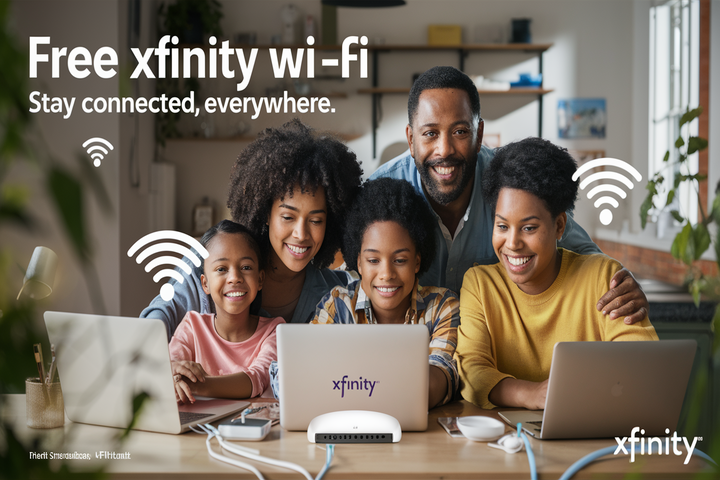
Discover legitimate ways to access free Xfinity Wi-Fi in 2025-26. This guide explores available options, from public hotspots to potential promotions, helping you stay connected without incurring extra costs. Learn how to leverage existing infrastructure and understand the limitations of free Wi-Fi services.
Understanding Xfinity Wi-Fi Hotspots
Xfinity, a major internet service provider in the United States, offers a vast network of public Wi-Fi hotspots. These are strategically placed in various locations to provide internet access to their subscribers when they are away from home. The primary purpose of these hotspots is to extend the convenience of internet connectivity beyond the residential premises, allowing users to check emails, browse the web, and stay connected on the go. Understanding how this network operates is the first step in potentially accessing free Wi-Fi.
What are Xfinity Wi-Fi Hotspots?
Xfinity Wi-Fi hotspots are essentially public access points that utilize a portion of the bandwidth from Xfinity's residential internet subscribers. When a subscriber opts into the Wi-Fi hotspot program, their compatible modem broadcasts a secondary, secure Wi-Fi signal separate from their home network. This signal is then available for other Xfinity customers to use. These hotspots are commonly found in areas with high foot traffic, such as downtown districts, parks, shopping centers, transit hubs, and even some residential complexes.
How the Hotspot Network Works
The Xfinity Wi-Fi hotspot network is a significant infrastructure. As of 2025, Xfinity boasts millions of these hotspots across its service areas. The system is designed to be user-friendly. When you are in proximity to an Xfinity hotspot, your device will detect the network, often named "xfinitywifi". To connect, you typically need to authenticate using your Xfinity account credentials (username and password). Once authenticated, your device will remember the network, and you can automatically connect whenever you are within range of a hotspot.
The Role of Residential Modems
It's crucial to understand that these public hotspots are powered by the same infrastructure that provides internet to Xfinity's home customers. A portion of the internet speed and bandwidth from a subscriber's home connection is allocated to the public hotspot. This is a key feature that allows Xfinity to offer such an extensive network without building entirely separate infrastructure for public access. However, this also means that the availability and performance of hotspots can be influenced by the home user's internet plan and usage.
Benefits of Using Xfinity Hotspots
The primary benefit is obvious: access to free Wi-Fi for Xfinity subscribers. This can significantly reduce reliance on cellular data, saving money and preventing data overages. For travelers, students, or anyone frequently on the move, these hotspots provide a reliable way to stay connected. They offer a convenient alternative to purchasing daily or monthly Wi-Fi passes at cafes or airports. Furthermore, the widespread availability means that you are likely to find a hotspot when you need one in many urban and suburban areas.
Cost Savings
For many users, the ability to avoid using their mobile data plan is a substantial cost-saving measure. Mobile data can be expensive, especially for heavy users. By connecting to Xfinity hotspots, users can preserve their data allowances for situations where hotspots are not available. This is particularly beneficial for streaming video, downloading large files, or engaging in video calls while away from home.
Convenience and Accessibility
The convenience of having a readily available Wi-Fi connection cannot be overstated. Whether you need to quickly check an important email, look up directions, or simply browse the internet, Xfinity hotspots offer a quick and easy solution. Their placement in common public areas ensures that you are rarely far from a connection point. This accessibility is a cornerstone of Xfinity's value proposition for its subscribers.
Limitations and Considerations
While the Xfinity Wi-Fi hotspot network is extensive, it's not without its limitations. The speed and reliability can vary depending on the number of users connected, the subscriber's home internet plan, and the physical location of the hotspot. Not all areas are covered, and some hotspots might be less robust than others. It's also important to be aware of the security implications of using public Wi-Fi, which we will discuss in more detail later.
Coverage Gaps
Despite the millions of hotspots, Xfinity's service area is not universal. Therefore, if you live in or travel to areas outside of Xfinity's primary service footprint, you won't be able to leverage these hotspots. Even within service areas, coverage can be spotty in less densely populated regions or specific indoor environments where Wi-Fi signals may be weaker.
Performance Variability
The performance of an Xfinity hotspot is directly tied to the residential internet connection it's broadcasting from. If the home subscriber has a lower-tier internet plan or is experiencing issues with their own service, the hotspot performance will suffer. Additionally, during peak usage times, when many users are connected to the same hotspot, speeds can slow down significantly, impacting your browsing experience.
Leveraging Your Existing Xfinity Subscription
The most straightforward and legitimate way to access "free" Xfinity Wi-Fi is by utilizing the public Wi-Fi hotspot network that comes bundled with an active Xfinity internet subscription. This isn't about getting Wi-Fi without paying for internet at all; rather, it's about maximizing the value of the service you're already paying for. If you are an Xfinity internet customer, you already have access to this expansive network of public hotspots.
Eligibility Requirements
To access Xfinity Wi-Fi hotspots, you must be an active Xfinity internet subscriber. This means you have a current, active account with Xfinity for home internet service. The specific tier of internet service you subscribe to generally doesn't limit your access to the hotspots, though higher-tier plans might indirectly benefit from better overall network performance. Business internet accounts may have different access policies or dedicated business hotspot networks.
Active Xfinity Internet Account
This is the primary prerequisite. If you do not have an Xfinity internet service at your residence, you cannot use the "xfinitywifi" network. The service is designed as an added benefit for their residential customers. This is a crucial distinction: you are not getting Xfinity internet for free; you are getting access to public Wi-Fi as part of your paid home service.
Account Status
Your account must be in good standing. If your service is suspended or disconnected due to non-payment or other account issues, you will lose access to the hotspots. Maintaining an active and current account is essential for continued access.
How to Connect to Xfinity Hotspots
Connecting to an Xfinity hotspot is a simple process, designed for ease of use. Once you have an eligible Xfinity internet account, you can follow these steps:
Step 1: Locate a Hotspot
Use the Xfinity Wi-Fi Hotspots map, available on the Xfinity website or through the Xfinity app. This map shows the locations of available hotspots in your area. You can also simply look for the "xfinitywifi" network name on your device's Wi-Fi settings when you are out and about.
Step 2: Select the "xfinitywifi" Network
On your smartphone, tablet, or laptop, open your Wi-Fi settings. Scan for available networks and select "xfinitywifi" from the list. This is the public network name broadcast by Xfinity hotspots.
Step 3: Authenticate Your Account
Once you select the network, a login portal will typically appear. You will be prompted to enter your Xfinity username and password. This is the same username and password you use to log into your Xfinity account online. If you have forgotten your credentials, you can usually reset them through the Xfinity website.
Step 4: Accept Terms and Conditions (if prompted)
Some first-time connections might require you to agree to the terms and conditions of using the Xfinity Wi-Fi hotspot service. Review these and accept to proceed.
Step 5: Enjoy Free Wi-Fi
After successful authentication, your device will be connected to the internet. For future connections, your device should automatically connect to "xfinitywifi" whenever it detects a strong signal from a hotspot, provided you have the "Connect automatically" option enabled.
Troubleshooting Connection Issues
If you encounter problems connecting, here are a few common troubleshooting steps:
- Verify Credentials: Ensure you are using the correct Xfinity username and password. Try logging into your Xfinity account online to confirm.
- Restart Your Device: Sometimes, a simple restart of your phone, tablet, or laptop can resolve temporary glitches.
- Check Hotspot Availability: Use the Xfinity Hotspots map to confirm that the location you are in actually has an active hotspot.
- Signal Strength: Move closer to the perceived location of the hotspot. Signal strength can vary significantly even within a small area.
- Contact Xfinity Support: If you continue to experience issues, reaching out to Xfinity customer support is the best course of action. They can check your account status and provide specific guidance.
The "Free" Aspect Explained
It's important to reiterate that this access is "free" in the sense that it does not incur additional charges beyond your existing Xfinity internet bill. You are not obtaining Xfinity internet service for free. The cost of maintaining and operating the hotspot network is factored into the overall pricing of Xfinity's internet packages. Therefore, while you don't pay an extra fee to connect to a hotspot, the service is indirectly funded by your subscription.
Alternatives to Xfinity Free Wi-Fi
While Xfinity hotspots are a primary source of free Wi-Fi for their subscribers, they are not the only option. If you are not an Xfinity customer, or if you find yourself outside of Xfinity's coverage area, there are numerous other ways to access free internet. These alternatives cater to a broader audience and often involve leveraging public services or community resources.
Public Libraries
Public libraries are often unsung heroes when it comes to providing free internet access. Most libraries offer free Wi-Fi to patrons, and many also have public computers available for use. This is an excellent resource for students, job seekers, or anyone needing to get online for essential tasks. The availability and speed can vary by library, but it's a consistent and reliable option in most communities.
How to Access
Typically, you just need to be present at the library. Connect to the library's Wi-Fi network (usually clearly named) and follow any on-screen prompts to accept terms of use. Some libraries might require a library card number for access, while others offer open access.
Benefits
Libraries offer a quiet, safe environment conducive to work or study. They also provide access to valuable resources beyond just the internet, such as books, research databases, and often printing services (sometimes for a small fee).
Public Parks and Municipal Wi-Fi
Many cities and towns are investing in public Wi-Fi initiatives to provide connectivity in public spaces like parks, town squares, and community centers. These networks are often funded by local governments to improve digital inclusion and support local economies. The availability and quality of these networks are growing rapidly.
Finding Municipal Wi-Fi
Check your local city or town government's website for information on public Wi-Fi initiatives. Look for networks named after the municipality or specific park locations.
Considerations
These networks can sometimes be less stable or slower than commercial options, and they may have time limits or data caps. However, for casual browsing or checking emails, they are a valuable free resource.
Cafes, Restaurants, and Retail Stores
A vast number of businesses offer free Wi-Fi to their customers as a way to attract and retain patronage. This includes coffee shops (like Starbucks, Dunkin'), fast-food restaurants (McDonald's, Burger King), and various retail stores. While you are expected to be a customer, the Wi-Fi is often available even if you only make a small purchase.
How to Connect
Simply ask an employee for the Wi-Fi password or look for signs indicating Wi-Fi availability. You may need to connect through a portal that requires you to view an advertisement or provide an email address.
Etiquette and Expectations
It's good practice to make a purchase if you plan to use the Wi-Fi for an extended period. Avoid hogging bandwidth with large downloads if the network is busy.
Government and Community Programs
Various government agencies and non-profit organizations offer programs aimed at providing affordable or free internet access, especially to low-income households, students, and seniors. These can include subsidized internet plans or access to community Wi-Fi hotspots.
Examples
Programs like the Affordable Connectivity Program (ACP) in the US (though its future funding is subject to change) have provided discounts on internet service. Local community centers or housing authorities might also offer dedicated Wi-Fi access points.
Eligibility and Application
These programs often have specific eligibility criteria based on income or other factors. You will likely need to apply and provide documentation to qualify.
Free Wi-Fi Hotspot Aggregators
Several apps and websites act as aggregators for free Wi-Fi hotspots. They compile databases of public Wi-Fi locations, including those offered by businesses and municipalities. While they don't provide the Wi-Fi themselves, they are invaluable tools for finding available connections.
Popular Aggregators
Examples include Wi-Fi Map, Instabridge, and Wiman. These apps often allow users to contribute information about new hotspots and share passwords (where permitted).
Caveats
Be cautious when using passwords shared by users, as they might be outdated or for private networks. Always prioritize official, publicly advertised networks.
Maximizing Free Access Strategies
Simply knowing that free Wi-Fi exists is one thing; effectively utilizing it to your advantage requires a strategic approach. This involves planning, preparation, and understanding how to optimize your connection when you do find a free network. Whether you're an Xfinity subscriber leveraging hotspots or using alternative free Wi-Fi, these strategies will help you stay connected reliably and efficiently.
Planning Your Connectivity
Before you leave home, consider where you might need internet access. If you're an Xfinity subscriber, consult the Xfinity Wi-Fi Hotspots map to identify potential connection points along your route or at your destination. For non-subscribers or those in areas without Xfinity coverage, research local libraries, cafes, or public Wi-Fi zones in advance. Having a general plan can save you time and frustration.
Using Hotspot Maps and Apps
As mentioned, hotspot locator apps and websites are indispensable. Make sure you have them downloaded and are familiar with their functionality. For Xfinity users, the official Xfinity app is crucial. For others, apps like Wi-Fi Map or Wiman can be very helpful.
Identifying High-Density Areas
Areas with a high concentration of businesses or public facilities are more likely to have free Wi-Fi. Think downtown cores, shopping malls, university campuses, and transportation hubs.
Optimizing Your Device for Free Wi-Fi
Your device settings can significantly impact your ability to connect and the performance you experience on free Wi-Fi networks.
Enable Wi-Fi Scanning
Ensure that your device's Wi-Fi is turned on and set to scan for available networks. On mobile devices, this is usually a straightforward toggle. On laptops, it's typically found in the network settings.
Manage Network Preferences
Most devices allow you to prioritize certain Wi-Fi networks or forget networks you no longer use. For Xfinity subscribers, ensuring "xfinitywifi" is set to connect automatically can streamline the process. Regularly clearing out old or unused networks can prevent your device from trying to connect to weaker or irrelevant signals.
Disable Auto-Connect to Unknown Networks
For security reasons, it's often wise to disable the feature that automatically connects your device to any open Wi-Fi network it finds. This prevents you from inadvertently connecting to a malicious hotspot.
Maximizing Speed and Reliability
Free Wi-Fi can often be slower or less stable than a paid, private connection. Here's how to make the most of it:
Connect During Off-Peak Hours
If possible, try to access free Wi-Fi during times when fewer people are likely to be using it. Early mornings or late evenings can sometimes offer better speeds.
Be Mindful of Bandwidth Usage
Avoid large downloads or bandwidth-intensive activities like high-definition video streaming if the network is slow or congested. Prioritize essential tasks.
Restart Your Router (if applicable)
If you are using a public Wi-Fi network that is experiencing issues, and you have access to a router (e.g., in a shared workspace or a cafe where you can ask staff), sometimes a simple router reboot can resolve temporary connectivity problems. This is less applicable to Xfinity hotspots powered by individual modems.
Use a Wired Connection (if available)
Some public places, like libraries or co-working spaces, might offer Ethernet ports. A wired connection is almost always more stable and faster than Wi-Fi.
Leveraging Promotions and Trials
While not strictly "free Wi-Fi," keep an eye out for promotional offers or free trial periods from internet service providers, including Xfinity. Sometimes, new service installations might come with temporary free Wi-Fi access or discounted rates.
Limited-Time Offers
ISPs occasionally run campaigns offering a certain number of hours or days of free Wi-Fi access in public areas as a promotion for their services. These are often advertised on their websites or through partnerships.
Trial Periods
When signing up for new services, always inquire about any available trial periods. This can give you a chance to test the service before committing and enjoy temporary free access.
Security and Limitations of Free Wi-Fi
While the allure of free Wi-Fi is strong, it's imperative to understand the inherent limitations and, more importantly, the security risks associated with using public networks. Free Wi-Fi, by its nature, is often less secure than a private, password-protected home network. Being aware of these issues is crucial for protecting your personal information and ensuring a safe online experience.
Security Risks on Public Networks
Public Wi-Fi networks, including Xfinity hotspots, are more vulnerable to various cyber threats. This is because the network is shared among many users, and the security measures are often less robust than those on private networks. Attackers can exploit these vulnerabilities to intercept your data or gain unauthorized access to your devices.
Man-in-the-Middle (MITM) Attacks
In a MITM attack, a hacker positions themselves between your device and the internet connection. They can then intercept, read, and even modify the data you send and receive. This is particularly dangerous if you are transmitting sensitive information like login credentials or financial details.
Unsecured Networks
Many public Wi-Fi networks are "open," meaning they don't require a password. While convenient, this also means that any data transmitted over these networks is sent in plain text, making it easy for anyone with the right tools to snoop on your activity.
Malicious Hotspots (Evil Twins)
Hackers can set up fake Wi-Fi hotspots with names that mimic legitimate ones (e.g., "Free_Airport_WiFi" instead of "Airport_WiFi"). If you connect to an "evil twin" hotspot, all your internet traffic is routed through the attacker's device.
Malware Distribution
Some compromised public Wi-Fi networks can be used to distribute malware to connected devices. This can happen automatically or through deceptive pop-ups and links.
Protecting Your Data on Free Wi-Fi
Fortunately, you can take several steps to mitigate these security risks and protect your sensitive information when using public Wi-Fi:
Use a Virtual Private Network (VPN)
A VPN is one of the most effective tools for securing your online activity on public Wi-Fi. It encrypts your internet traffic, making it unreadable to anyone who might intercept it. Even if you connect to a malicious hotspot, your data remains protected.
Ensure Websites Use HTTPS
When browsing, always look for "https://" at the beginning of the website address and a padlock icon in the address bar. This indicates that the connection to the website is encrypted, providing a layer of security for the data exchanged between your browser and the website.
Avoid Sensitive Transactions
Refrain from conducting sensitive online activities, such as online banking, making purchases, or accessing confidential work documents, while connected to public Wi-Fi. Save these for a secure, private network.
Enable Firewall and Keep Software Updated
Ensure your device's firewall is enabled and that your operating system, browser, and antivirus software are up-to-date. Updates often include critical security patches.
Disable File Sharing
On your device's network settings, disable any options for file or printer sharing when connected to public Wi-Fi. This prevents others on the network from accessing your files.
Use Strong, Unique Passwords and Two-Factor Authentication (2FA)
While not directly related to network security, using strong, unique passwords for all your online accounts and enabling 2FA wherever possible adds a crucial layer of security that can prevent unauthorized access even if your credentials are compromised.
Limitations of Free Wi-Fi Services
Beyond security, free Wi-Fi often comes with practical limitations that users should be aware of:
Speed and Bandwidth
As previously discussed, free Wi-Fi is often slower and less reliable than paid services. This is due to the shared nature of the connection and the potential for a large number of users to be connected simultaneously. You may experience buffering, slow loading times, and dropped connections.
Data Caps and Time Limits
Some free Wi-Fi providers impose limits on how much data you can use or how long you can stay connected. This is common in public spaces like airports or train stations, and sometimes even with municipal Wi-Fi.
Limited Availability
Free Wi-Fi is not available everywhere. Coverage can be inconsistent, and you may find yourself without a connection when you need it most, especially in rural areas or less developed regions.
Content Restrictions
Some public Wi-Fi networks may block access to certain websites or online services. This is often done for legal reasons, to manage bandwidth, or to prevent the use of the network for inappropriate activities.
No Guarantee of Service
Unlike a paid internet service, there is generally no service level agreement (SLA) or guarantee of uptime for free Wi-Fi. If the network goes down, there's usually no recourse or compensation.
Conclusion: Free Xfinity Wi-Fi in 2025-26
Accessing free Xfinity Wi-Fi in 2025-26 is primarily achieved through leveraging the extensive public hotspot network provided as a benefit to active Xfinity internet subscribers. This method offers a legitimate and convenient way to stay connected while on the go, saving on mobile data costs. By understanding how to locate, connect to, and troubleshoot these hotspots, Xfinity customers can maximize the value of their existing subscription. For those not subscribed to Xfinity, or when Xfinity hotspots are unavailable, a variety of alternative free Wi-Fi sources exist, including public libraries, municipal networks, and business establishments, each with its own set of benefits and considerations. Regardless of the method used, prioritizing online security by employing tools like VPNs and practicing safe browsing habits is paramount when connecting to any public network. While free Wi-Fi offers significant advantages, users must remain aware of its inherent limitations in speed, reliability, and potential security vulnerabilities, ensuring they are well-prepared for a connected experience in 2025-26.