How Many Devices is Too Much for Home WiFi?
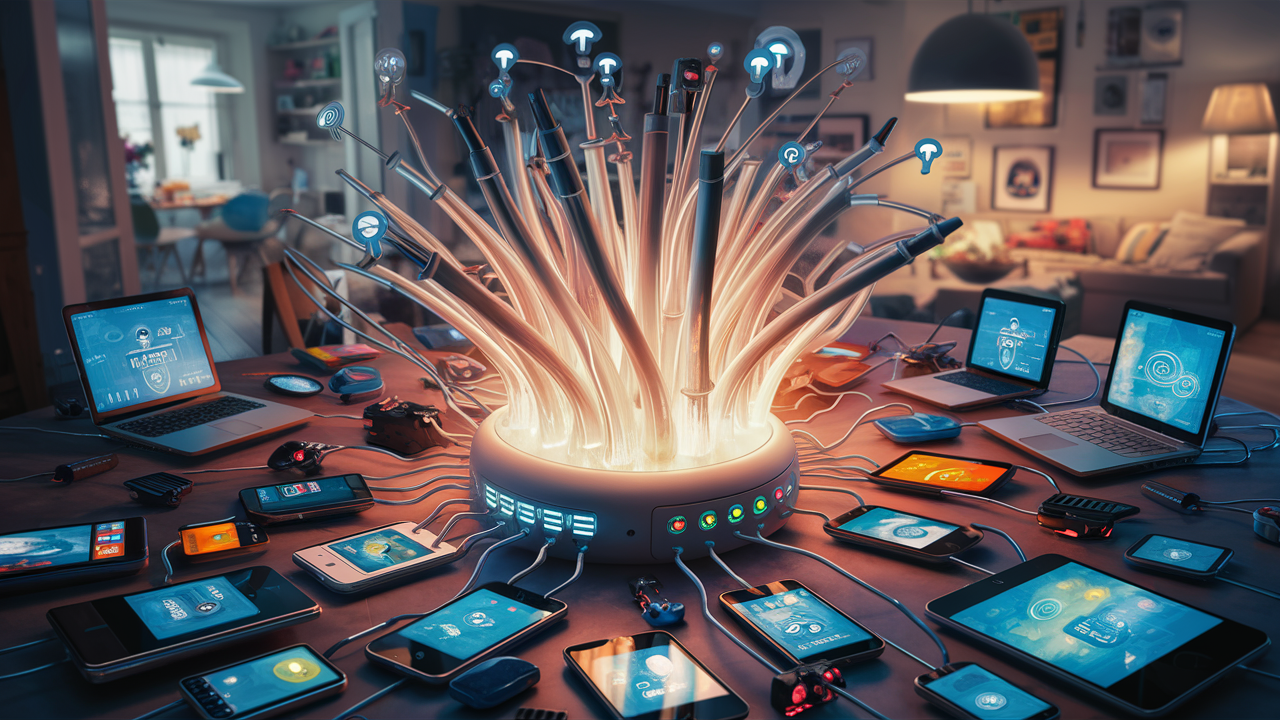
Determining the optimal number of devices for your home Wi-Fi is crucial for a smooth online experience. This guide explores the factors influencing Wi-Fi capacity and provides actionable insights to ensure your network can handle your connected lifestyle in 2025-26, preventing frustrating slowdowns and connection drops.
Understanding Wi-Fi Capacity: The Foundation
At its core, Wi-Fi capacity refers to the maximum number of devices your wireless network can effectively support simultaneously without significant performance degradation. It's not just about the raw number of connections, but how well those connections perform. Think of your Wi-Fi network as a highway. Each device is a vehicle, and the bandwidth is the number of lanes. If you have too many vehicles on too few lanes, traffic slows to a crawl, and some vehicles might not even be able to get on the road.
Several interconnected elements contribute to this capacity. The router is the central hub, managing all traffic. The internet service plan dictates the total data available to your home. The Wi-Fi standard (e.g., Wi-Fi 5, Wi-Fi 6, Wi-Fi 6E) influences how efficiently data is transmitted. Finally, the individual bandwidth demands of each connected device play a critical role. Understanding these components is the first step to answering how many devices is too much for home Wi-Fi.
Key Factors Affecting Your Wi-Fi's Device Limit
The exact number of devices your Wi-Fi can handle is not a fixed figure; it's dynamic and depends on a confluence of factors. To truly grasp this, we need to break down each influential element:
1. Router's Processing Power and Memory
Your router isn't just a signal emitter; it's a small computer. It needs to process incoming and outgoing data packets for every connected device. A more powerful router with a faster processor and more RAM can handle more simultaneous connections and manage traffic more efficiently. Older or entry-level routers often have limited processing capabilities, quickly becoming bottlenecks as the number of devices increases.
2. Wi-Fi Standard (802.11ac, 802.11ax, etc.)
The Wi-Fi standard dictates the technology used for wireless communication. Newer standards are designed for better efficiency, speed, and the ability to handle more devices. For instance, Wi-Fi 6 (802.11ax) introduced technologies like OFDMA (Orthogonal Frequency Division Multiple Access) and MU-MIMO (Multi-User, Multiple-Input, Multiple-Output) specifically to improve performance in environments with many connected devices. Wi-Fi 6E extends this by utilizing the 6 GHz band, offering more channels and less interference.
3. Frequency Bands (2.4 GHz vs. 5 GHz vs. 6 GHz)
Routers typically broadcast on multiple frequency bands. The 2.4 GHz band offers wider coverage but is slower and more prone to interference from other devices (microwaves, Bluetooth). The 5 GHz band is faster with less interference but has a shorter range. Wi-Fi 6E adds the 6 GHz band, which is even faster and less congested. The ability to distribute devices across these bands is crucial for managing load. Devices that don't require high speeds (like smart home sensors) can be placed on the 2.4 GHz band, freeing up the 5 GHz and 6 GHz bands for more demanding devices like streaming 4K TVs or gaming consoles.
4. Bandwidth Requirements of Each Device
This is arguably the most significant factor. A device that's merely checking email uses minimal bandwidth, while a device streaming 4K video or participating in a video conference uses substantially more. The total bandwidth demand from all active devices simultaneously determines how many can operate smoothly. If you have 20 devices but only a few are actively consuming significant data, your network might cope. Conversely, if 10 devices are all streaming HD content, even a router capable of handling 30 devices might struggle.
5. Network Congestion and Interference
External factors can significantly impact Wi-Fi performance. Neighboring Wi-Fi networks operating on the same channels can cause interference, slowing down your own network. Physical obstructions like thick walls, metal objects, and even aquariums can weaken the Wi-Fi signal. The more devices you have, the more likely you are to experience issues exacerbated by these external factors.
6. Router Placement
A router placed in a central, open location will provide a stronger signal to more devices than one tucked away in a corner or basement. Poor placement can effectively reduce the range and performance for devices further away, making it seem like you have fewer devices connected than you actually do.
Typical Device Usage and Bandwidth Needs (2025-26)
The landscape of connected devices in the average home continues to expand rapidly. By 2025-26, we're seeing an even greater proliferation of smart home gadgets, wearables, and an increased reliance on high-bandwidth activities. Understanding the typical demands of these devices is key to assessing your network's capacity.
Smart Home Devices
Smart home ecosystems are becoming more integrated. Devices like smart plugs, lights, thermostats, security cameras, smart speakers, and even smart refrigerators are common. Most of these consume very little bandwidth individually, often operating on the 2.4 GHz band. However, a large number of these devices can still strain a router's ability to manage connections and traffic, especially if they have frequent communication needs (e.g., security cameras uploading footage).
- Smart Speakers (e.g., Alexa, Google Home): 0.1 - 0.5 Mbps (for voice commands, music streaming)
- Smart Lights/Plugs/Thermostats: < 0.1 Mbps (for status updates, commands)
- Smart Security Cameras (HD): 2 - 5 Mbps (uploading continuous or motion-triggered video)
- Smart TVs (HD/4K Streaming): 5 - 25 Mbps (depending on resolution and content)
Personal Computing and Entertainment Devices
These are often the biggest bandwidth hogs. Laptops, smartphones, tablets, gaming consoles, and streaming devices are used for a wide range of activities, from basic browsing to intensive online gaming and high-definition video streaming.
- Smartphones/Tablets (Browsing, Social Media): 1 - 5 Mbps
- Laptops (Browsing, Email, Light Streaming): 2 - 10 Mbps
- Gaming Consoles (Online Gaming): 3 - 15 Mbps (for gameplay; downloads require significantly more)
- Streaming Devices (HD/4K): 5 - 25 Mbps (for content playback)
- Video Conferencing (HD): 5 - 10 Mbps (upload and download)
Wearables and Other Connected Gadgets
Smartwatches, fitness trackers, and other personal connected devices are becoming more prevalent. While their individual bandwidth needs are typically low, they add to the overall connection count.
- Smartwatches/Fitness Trackers: < 0.1 Mbps (for syncing data)
Statistics for 2025-26:
By 2025, the average US household is projected to have over 50 connected devices. Of these, an estimated 15-20 are likely to be actively used at any given time, with a significant portion being high-bandwidth devices like smart TVs, gaming consoles, and multiple smartphones/laptops. The average broadband connection speed in the US is expected to exceed 150 Mbps download, but the effective speed per device will depend heavily on the router's ability to manage the load. A study by Statista in late 2024 indicated that households with over 25 active devices are 40% more likely to experience Wi-Fi slowdowns compared to those with under 10 active devices, especially if their router is not Wi-Fi 6 or newer.
Router Capabilities and Limitations
Your router is the gateway to your home network, and its capabilities are paramount in determining how many devices it can handle. Understanding its specifications and limitations is crucial.
Router Classes and Device Limits
Routers are often categorized by their capabilities, which directly correlate to the number of devices they can manage:
- Entry-Level/Basic Routers: Typically designed for smaller homes with fewer users and devices (under 10-15 devices). They often support older Wi-Fi standards (like Wi-Fi 4 or early Wi-Fi 5) and have less powerful processors.
- Mid-Range Routers: Suitable for average-sized homes with a moderate number of devices (15-30 devices). These usually support Wi-Fi 5 or Wi-Fi 6 and offer better performance and features.
- High-End/Gaming Routers: Built for demanding users, large homes, and a high density of devices (30-50+ devices). They feature the latest Wi-Fi standards (Wi-Fi 6, Wi-Fi 6E, and increasingly Wi-Fi 7), powerful processors, advanced QoS (Quality of Service) settings, and robust MU-MIMO support.
Key Router Specifications to Consider:
Wi-Fi Standard:
Wi-Fi 5 (802.11ac): Introduced MU-MIMO for better multi-device performance but is less efficient than Wi-Fi 6. Can typically handle up to 20-30 devices reasonably well, depending on usage.
Wi-Fi 6 (802.11ax): Significantly improves efficiency and capacity with OFDMA and enhanced MU-MIMO. Designed to handle 4x more devices than Wi-Fi 5. Can comfortably manage 30-50+ devices.
Wi-Fi 6E: Adds the 6 GHz band, reducing congestion and increasing speeds. Ideal for very dense device environments, supporting 50-70+ devices.
Wi-Fi 7 (802.11be): The latest standard, offering even higher speeds, lower latency, and improved capacity. Expected to support 70-100+ devices with superior performance.
Processor and RAM:
A dual-core processor running at 1 GHz or higher is generally recommended for modern routers. More RAM (e.g., 512 MB or 1 GB) allows the router to manage more concurrent connections and data streams without performance drops.
MU-MIMO (Multi-User, Multiple-Input, Multiple-Output):
This technology allows a router to communicate with multiple devices simultaneously, rather than sequentially. Routers with more MU-MIMO streams (e.g., 4x4 or 8x8) can handle more devices more efficiently. Wi-Fi 6 and later standards have significantly improved MU-MIMO capabilities.
OFDMA (Orthogonal Frequency Division Multiple Access):
Exclusive to Wi-Fi 6 and later, OFDMA breaks down a Wi-Fi channel into smaller sub-channels, allowing the router to communicate with multiple devices at once, even if they require different amounts of data. This drastically improves efficiency in crowded networks.
Limitations to Watch For:
- Firmware Limitations: Some routers, even if hardware-capable, may have firmware that limits the number of connected devices.
- Age of the Router: Older routers (pre-Wi-Fi 5) are generally not equipped to handle the demands of modern smart homes.
- Single-Band vs. Dual-Band vs. Tri-Band: Single-band routers are severely limited. Dual-band (2.4 GHz + 5 GHz) is standard, while tri-band (adding another 5 GHz or a 6 GHz band with Wi-Fi 6E/7) offers much better capacity and traffic management.
For a typical household in 2025-26 with 20-30 active devices, a Wi-Fi 6 dual-band or tri-band router is often the minimum recommended for a smooth experience. For households with 40+ active devices, a Wi-Fi 6E or Wi-Fi 7 router becomes highly advisable.
Internet Speed vs. Device Count: What's More Important?
This is a common point of confusion. While both your internet speed and the number of devices are critical, their importance shifts depending on the context. It's not an either/or situation; they are two sides of the same coin that determine your home network's performance.
Internet Speed (Bandwidth)
Your internet speed, provided by your Internet Service Provider (ISP), is the total amount of data that can enter and leave your home network per second. It's measured in Mbps (megabits per second) or Gbps (gigabits per second). This is the "pipe" through which all your online activity flows.
- High Speed, Few Devices: If you have a very fast internet connection (e.g., 1 Gbps) but only a few devices, you'll likely experience excellent performance. Each device has ample bandwidth available.
- Low Speed, Many Devices: If you have a slow internet connection (e.g., 50 Mbps) and many devices actively using the internet, you will experience significant slowdowns. The limited total bandwidth is being shared among too many demands.
In essence, your internet speed sets the absolute ceiling for your network's capacity. If your total demand from all devices exceeds your internet speed, you will have problems, regardless of how good your router is.
Device Count
The number of devices, and more importantly, their simultaneous activity, dictates how the available internet speed is utilized. A router's ability to manage these devices efficiently is what allows for a good user experience even with many connections.
- Many Devices, High Speed: A robust router (Wi-Fi 6/6E/7) with good processing power and MU-MIMO/OFDMA can effectively manage dozens of devices, distributing the available internet bandwidth efficiently. You might have 30 devices connected, but if only 5 are streaming 4K video, the router can prioritize and allocate bandwidth so that those 5 get what they need, while others get enough for their tasks.
- Few Devices, Low Speed: If you have only a few devices but they are all very demanding (e.g., multiple 4K streams, large game downloads), even a good router might struggle if the total demand exceeds your internet speed.
The device count and their usage patterns highlight the importance of the router's efficiency in managing and distributing the available internet bandwidth.
The Interplay:
It's the combination that matters most:
- Ideal Scenario: High internet speed + a capable router + a manageable number of active devices.
- Problem Scenario 1: Low internet speed + many devices = Bottleneck at the ISP level.
- Problem Scenario 2: High internet speed + old/weak router + many devices = Bottleneck at the router level.
- Problem Scenario 3: High internet speed + capable router + extremely high simultaneous demand from many devices = Potential for slowdowns, even if the router is good.
For 2025-26, with the average household having numerous smart devices and high-bandwidth activities, having at least 200-300 Mbps internet speed is recommended for a smooth experience with 20-30 active devices. If you have 50+ devices, aiming for 500 Mbps or higher, coupled with a Wi-Fi 6E or Wi-Fi 7 router, becomes essential.
Signs Your Wi-Fi is Overloaded
Your Wi-Fi network will often give you clear signals when it's struggling to keep up with the demands placed upon it. Recognizing these symptoms can help you diagnose issues before they become major disruptions. Here are the most common indicators that your Wi-Fi is overloaded:
1. Slow Internet Speeds
This is the most obvious sign. Websites take longer to load, videos buffer frequently or play at a lower resolution, and downloads crawl. This isn't just about your overall internet speed; it's about the speed *per device* dropping significantly.
2. Frequent Disconnections
Devices might randomly drop their Wi-Fi connection. This can happen because the router is overwhelmed and can no longer maintain stable connections with all devices, or because devices are being kicked off to make room for others.
3. Buffering and Lag in Streaming/Gaming
If your streaming services constantly buffer, or if online games suffer from high ping and lag spikes, it's a strong indication that your network can't handle the real-time data demands of these activities. This is especially true for 4K streaming and competitive online gaming.
4. Inability to Connect New Devices
You might find that you can't add new devices to your network. The router might simply refuse new connections, or if it allows them, the performance for all connected devices will plummet.
5. Wi-Fi Signal Strength Degradation
While not always directly an overload issue, an overloaded router might struggle to maintain a strong signal across your home, especially for devices further away. This can be a compounding problem.
6. Router Overheating or Unresponsiveness
An overworked router can sometimes overheat. You might also notice that accessing your router's admin interface becomes slow or impossible. Some routers might even require frequent reboots to function.
7. Specific Devices Performing Poorly
You might notice that only certain devices are affected, or that devices closer to the router are fine while those further away suffer. This can indicate that the router is struggling to manage the traffic flow to all connected endpoints.
8. Latency Issues in Video Calls
During video conferences, you might experience dropped frames, choppy audio, or significant delays in communication. This is a direct result of the network's inability to maintain consistent, low-latency data transfer.
9. Smart Home Devices Malfunctioning
Smart home devices that rely on consistent connectivity might become unresponsive, laggy, or disconnect entirely. This can range from smart lights not turning on immediately to security cameras failing to send alerts.
A simple test to diagnose overload: Try disconnecting half of your devices. If your Wi-Fi performance dramatically improves, it's a strong sign that you have too many devices for your current setup.
Optimizing Your Wi-Fi for More Devices
Once you've identified that your Wi-Fi is struggling with the number of devices, the good news is that you don't always need to immediately upgrade. There are several optimization strategies you can employ to improve performance and capacity.
1. Router Placement and Antenna Adjustment
Central Location: Position your router in a central location in your home, away from obstructions like thick walls, metal objects, and large appliances. Elevating the router also helps.
Antenna Orientation: If your router has external antennas, try adjusting their angles. For single-floor coverage, point them upwards. For multi-floor coverage, try one vertically and one horizontally.
2. Utilize Different Frequency Bands Strategically
Separate Bands: If your router is dual-band or tri-band, consider creating separate SSIDs (network names) for the 2.4 GHz and 5 GHz (and 6 GHz if available) bands. This allows you to manually connect devices.
Assign Devices: Connect bandwidth-hungry devices (streaming devices, gaming consoles, laptops) to the 5 GHz or 6 GHz band for faster speeds and less interference. Connect low-bandwidth devices (smart plugs, thermostats, older smart speakers) to the 2.4 GHz band, which has better range and is less critical for speed.
3. Enable MU-MIMO and OFDMA (If Supported)
Ensure that MU-MIMO and OFDMA are enabled in your router's settings. These technologies are crucial for efficiently managing multiple devices simultaneously, especially on Wi-Fi 6 and newer routers.
4. Update Router Firmware
Router manufacturers regularly release firmware updates that can improve performance, security, and stability. Check your router's admin interface for available updates and install them promptly.
5. Prioritize Devices with QoS (Quality of Service)
Many modern routers offer QoS settings. This feature allows you to prioritize certain devices or types of traffic over others. For example, you can set your work laptop or gaming console to have higher priority, ensuring it gets sufficient bandwidth even when other devices are heavily active.
Steps for QoS:
- Access your router's admin panel (usually via a web browser).
- Locate the QoS settings.
- Enable QoS.
- Add rules to prioritize specific devices (by MAC address or IP address) or applications (e.g., streaming, gaming).
6. Reduce Network Congestion
Limit Unnecessary Devices: Turn off or disconnect devices that are not in use. This includes old smartphones, tablets, or smart home devices that you no longer actively use.
Disable Auto-Updates on Non-Essential Devices: Configure devices to update apps and software manually or during off-peak hours to avoid sudden bandwidth spikes.
7. Consider a Mesh Wi-Fi System or Extenders
If your primary issue is poor signal coverage throughout a large home, a mesh Wi-Fi system can provide a more seamless and robust solution than traditional extenders. Mesh systems use multiple nodes to create a single, unified network, ensuring strong Wi-Fi in every corner.
8. Wired Connections for High-Demand Devices
For devices that require the most stable and fastest connection (e.g., gaming consoles, desktop PCs, smart TVs), consider using an Ethernet cable to connect them directly to the router. Wired connections are always more reliable and faster than Wi-Fi.
9. Reboot Your Router Regularly
A simple reboot can often clear temporary glitches and refresh the router's memory, improving performance. Schedule a weekly reboot if necessary.
When to Upgrade Your Router or Internet Plan
While optimization can go a long way, there comes a point where your current equipment or service plan is simply insufficient for your needs. Recognizing when an upgrade is necessary is key to avoiding ongoing frustration.
Signs You Need a New Router:
- Age of Router: If your router is more than 5-7 years old, it likely doesn't support modern Wi-Fi standards (Wi-Fi 6 or newer) and lacks the processing power to handle numerous devices efficiently.
- Constant Overload Symptoms: If you've tried all optimization techniques and still experience frequent slowdowns, buffering, and disconnections, your router is likely the bottleneck.
- Limited Wi-Fi Bands: If you only have a single-band (2.4 GHz) router, you're severely limited. Even a dual-band router might struggle if it's an older Wi-Fi 5 model and you have many devices.
- Poor Signal Coverage: If your router struggles to provide adequate Wi-Fi coverage throughout your home, even after repositioning, it might be time for a more powerful router or a mesh system.
- New Device Requirements: If you're investing in new, high-performance devices (e.g., latest gaming consoles, 8K TVs) that demand the latest Wi-Fi standards, your old router won't let them reach their full potential.
- Security Vulnerabilities: Older routers may no longer receive security updates, leaving your network vulnerable.
Recommendation for 2025-26: For most households with 20+ active devices, a Wi-Fi 6 router is a good starting point. For households with 40+ devices or those with high-bandwidth activities like frequent 4K/8K streaming or online gaming, a Wi-Fi 6E or Wi-Fi 7 router is highly recommended.
Signs You Need to Upgrade Your Internet Plan:
- Insufficient Total Bandwidth: If your total internet speed (e.g., 100 Mbps) is consistently less than the combined bandwidth needs of your active devices (e.g., multiple 4K streams at 25 Mbps each, plus gaming, video calls, etc.), you need more speed.
- ISP Throttling or Data Caps: If your ISP imposes data caps that you frequently exceed, or if they throttle your speed after a certain usage threshold, you might need a plan with higher or unlimited data.
- Slow Downloads/Uploads Despite Good Router: If you have a top-tier router but still experience very slow download or upload speeds for large files, it's likely your internet plan that's limiting you.
- Multiple Users Experiencing Issues Simultaneously: If everyone in the household complains about slow internet at the same time, it's a strong indicator that the total available bandwidth is insufficient.
- ISP Recommendations: Sometimes, your ISP will suggest upgrading your plan based on your usage patterns.
Recommendation for 2025-26: For households with 20-30 active devices, a minimum of 300-500 Mbps download speed is advisable. For households with 40-50+ active devices or heavy users, 1 Gbps or higher is increasingly becoming the standard for a smooth experience.
The Synergy of Router and Internet Upgrade:
Often, the best solution involves upgrading both. A faster internet plan provides more raw data, and a more capable router ensures that this data is distributed efficiently and effectively to all your connected devices. For example, upgrading to a 1 Gbps internet plan is most beneficial when paired with a Wi-Fi 6E or Wi-Fi 7 router that can actually deliver those high speeds wirelessly to multiple devices.
Future-Proofing Your Home Network
The digital world is constantly evolving, with new devices and higher bandwidth demands emerging regularly. To ensure your home network remains capable for years to come, consider these future-proofing strategies:
1. Invest in the Latest Wi-Fi Standards
When purchasing a new router, prioritize the latest standards. Wi-Fi 7 is becoming more accessible in 2025-26. While Wi-Fi 6E is a solid choice now, investing in Wi-Fi 7 will offer greater longevity, higher speeds, lower latency, and improved capacity for the next wave of connected devices and applications, such as immersive AR/VR experiences and more sophisticated IoT ecosystems.
2. Opt for Higher Bandwidth Internet Plans
While you might not need 10 Gbps today, consider subscribing to plans that offer speeds significantly higher than your current needs. Many ISPs are rolling out fiber optic networks that can support multi-gigabit speeds. A plan of 1 Gbps or higher will provide ample headroom for future bandwidth increases.
3. Choose Routers with Powerful Hardware
Look for routers with robust processors (multi-core, high clock speed) and ample RAM (512MB to 1GB or more). This ensures the router can handle the complex traffic management required by future devices and protocols without becoming a bottleneck.
4. Embrace Mesh Wi-Fi Systems
For larger homes or those with challenging layouts, mesh Wi-Fi systems are inherently scalable. You can easily add more nodes to expand coverage as needed, ensuring a consistent Wi-Fi experience throughout your property without performance degradation.
5. Prioritize Wired Connections Where Possible
As bandwidth demands increase, wired Ethernet connections will remain the most reliable and fastest option. Ensure your home is wired with Cat 6 or Cat 6a Ethernet cables, and consider upgrading to Cat 7 or Cat 8 if undertaking new construction or major renovations. This future-proofs your ability to connect high-demand devices directly.
6. Select Devices with Latest Connectivity Standards
When buying new devices, check their Wi-Fi capabilities. Opt for devices that support Wi-Fi 6, Wi-Fi 6E, or Wi-Fi 7 to ensure they can take full advantage of your future-proofed network.
7. Consider Smart Home Hubs with Enhanced Connectivity
As smart home ecosystems grow, look for hubs that support advanced protocols like Thread and Matter, which are designed for low-power, reliable mesh networking for IoT devices. This reduces reliance on Wi-Fi for basic smart home functions, freeing up Wi-Fi bandwidth.
8. Stay Informed About Emerging Technologies
Keep an eye on advancements in networking technology. Technologies like Li-Fi (Light Fidelity) or new Wi-Fi iterations will continue to emerge, offering potential for even greater speeds and capacity.
By making informed choices today, you can build a home network that not only meets your current needs but also gracefully accommodates the technological advancements of tomorrow, ensuring a seamless and robust online experience for years to come.
Conclusion
Navigating the question of "how many devices is too much for home Wi-Fi" in 2025-26 reveals a complex interplay of router capabilities, internet speed, and device bandwidth demands. While there's no single magic number, understanding these factors empowers you to optimize your network. A modern Wi-Fi 6 or Wi-Fi 6E router can typically handle 30-50 active devices, but this is heavily dependent on your internet speed and the specific activities of those devices. High-bandwidth tasks like 4K streaming, online gaming, and video conferencing consume significantly more resources than basic browsing or smart home device pings.
Pay close attention to the signs of an overloaded network: slow speeds, frequent disconnections, and buffering. If you're experiencing these issues, start by optimizing your current setup – reposition your router, strategically assign devices to frequency bands, and utilize QoS settings. However, if these steps don't suffice, it's time to consider an upgrade. For most households in 2025-26, a robust Wi-Fi 6E router paired with an internet plan of at least 500 Mbps to 1 Gbps offers a strong foundation for handling a multitude of connected devices. Investing in future-proof technologies like Wi-Fi 7 and higher-speed internet plans will ensure your home network remains capable and efficient as technology continues to advance.