How Many Devices can 15 Mbps Handle?
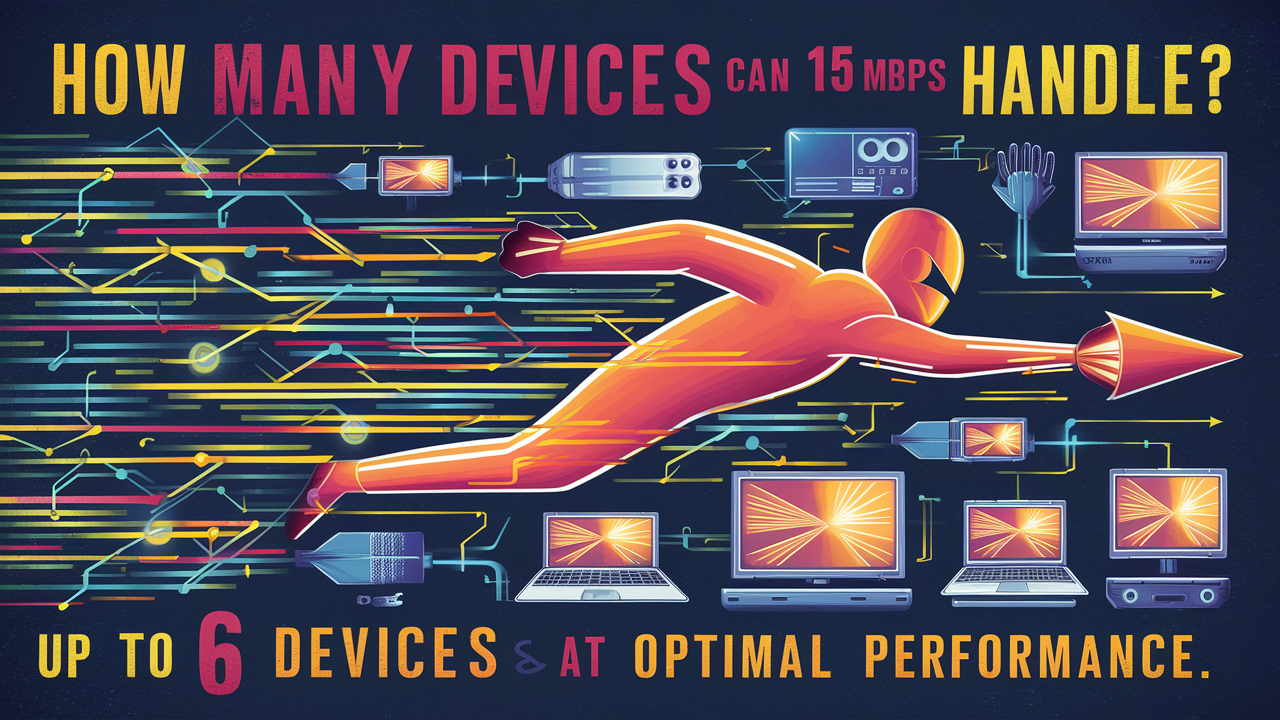
Understanding how many devices your 15 Mbps internet connection can support is crucial for a smooth online experience. This guide breaks down the bandwidth needs of common devices and activities, helping you determine if your current speed is sufficient for your household's digital demands in 2025-26.
Understanding Bandwidth: The Foundation of Your Internet Speed
In today's digitally interconnected world, the speed of your internet connection is paramount. It dictates how quickly you can access information, stream content, communicate with others, and even work from home. At the heart of this speed lies the concept of bandwidth. Bandwidth, often measured in megabits per second (Mbps), represents the maximum amount of data that can be transferred over your internet connection in a given time. Think of it as the width of a highway; a wider highway (higher bandwidth) allows more cars (data) to travel simultaneously without congestion.
When we talk about internet speed, we're generally referring to download and upload speeds. Download speed is the rate at which data is transferred from the internet to your device, crucial for activities like browsing websites, streaming videos, and downloading files. Upload speed, conversely, is the rate at which data is sent from your device to the internet, important for tasks like sending emails with large attachments, video conferencing, and uploading photos or videos to social media. For most home users, download speed is the primary concern, as the majority of online activities involve receiving data.
The term "Mbps" stands for Megabits per second. A megabit is one million bits. Therefore, 15 Mbps means your connection can theoretically download 15 million bits of data every second. This measurement is fundamental to understanding your internet's capacity. It's not just about how fast a single download can complete, but how many simultaneous data streams your connection can manage. This becomes particularly relevant when multiple devices are using the internet at the same time, each vying for a portion of that available bandwidth.
Understanding the nuances of bandwidth is the first step in determining whether a particular speed, like 15 Mbps, is adequate for your household. It’s not a one-size-fits-all answer, as the number of devices and the types of activities they engage in will significantly influence the perceived performance of your internet connection. For instance, a single device streaming standard-definition video will consume far less bandwidth than multiple devices simultaneously streaming high-definition content or engaging in online gaming.
The internet service providers (ISPs) advertise speeds in Mbps, and it's essential to understand that these are often "up to" speeds. Actual speeds can fluctuate due to various factors, including network congestion, the quality of your modem and router, the distance from the ISP's server, and even the time of day. Therefore, when evaluating your internet plan, it's wise to consider the typical speeds you experience rather than just the advertised maximum. This practical understanding of bandwidth is key to making informed decisions about your internet service and ensuring it meets your household's evolving digital needs in the coming years.
What Exactly is 15 Mbps?
To put 15 Mbps into perspective, it's essential to understand its place within the spectrum of internet speeds available today. In the landscape of internet connectivity in 2025-26, 15 Mbps is generally considered a modest, entry-level broadband speed. It's sufficient for basic online tasks but can become a bottleneck for more demanding applications or when multiple users are online simultaneously.
Historically, 15 Mbps would have been considered quite fast. However, as online content has become richer and more data-intensive – think 4K video streaming, large file downloads, and immersive online gaming – the average bandwidth requirements for households have significantly increased. For context, many experts now recommend a minimum of 25-50 Mbps for a single user to comfortably browse the web and stream standard-definition video. For households with multiple users and devices, these recommendations often climb to 100 Mbps and beyond.
Let's break down what 15 Mbps means in practical terms. It translates to approximately 1.875 megabytes per second (MBps) for downloads (since 1 Byte = 8 bits). This means that, in ideal conditions, you could download a 100 MB file in about 53 seconds, or a 1 GB file in roughly 90 minutes. While this might be acceptable for occasional downloads, it quickly becomes impractical for larger files or frequent large downloads.
For streaming, 15 Mbps can handle standard-definition (SD) video (around 3 Mbps) and even some high-definition (HD) video (around 5-8 Mbps) for a single stream. However, attempting to stream multiple HD streams simultaneously would likely lead to buffering and a degraded viewing experience. Similarly, online gaming, which requires a stable and responsive connection with relatively low bandwidth but high consistency, can be impacted by a 15 Mbps connection if other devices are consuming significant bandwidth.
The Federal Communications Commission (FCC) in the United States, as of recent reports and projections for 2025-26, defines broadband as a minimum download speed of 25 Mbps and an upload speed of 3 Mbps. By this definition, 15 Mbps falls below the current benchmark for broadband. This classification highlights that while 15 Mbps might still be offered by some providers, particularly in rural areas or as a budget option, it is at the lower end of what is considered adequate for modern internet usage.
It's also crucial to remember that this 15 Mbps is the speed delivered to your modem. The actual speed experienced on your devices depends on your home network setup, particularly your Wi-Fi router. An older or less capable router can significantly bottleneck your internet speed, even if your ISP is delivering the full 15 Mbps to your home. Therefore, when assessing if 15 Mbps is enough, consider not only the ISP-provided speed but also the efficiency of your entire home network infrastructure.
Device Bandwidth Requirements: A Closer Look
Each device connected to your network has its own unique bandwidth demands. Understanding these individual needs is fundamental to calculating how many devices a 15 Mbps connection can realistically support. The type of device and, more importantly, what you are doing with it, are the primary determinants of its bandwidth consumption.
Smartphones and Tablets
These versatile devices can range from very low bandwidth users to moderate consumers. A smartphone used for occasional web browsing, checking emails, and social media might only consume 0.5-2 Mbps. However, if you're streaming YouTube videos in HD or engaging in video calls, the requirement can jump to 3-8 Mbps. Gaming apps can also vary significantly, from a few hundred kilobits per second (Kbps) for simple online multiplayer games to several Mbps for more graphically intensive titles.
Laptops and Desktops
Similar to smartphones, the bandwidth needs of computers are highly dependent on usage. Basic web browsing, word processing, and email might only require 1-3 Mbps. Streaming HD video content will push this to 5-8 Mbps, and 4K streaming can demand 15-25 Mbps or more. Online gaming, especially competitive or graphically demanding games, can require a consistent 5-10 Mbps for download and a stable upload speed, though latency is often more critical than raw bandwidth for gaming.
Smart TVs and Streaming Devices (Roku, Apple TV, Fire Stick)
These are often the biggest bandwidth consumers in a household. Standard Definition (SD) streaming typically requires around 3-5 Mbps. High Definition (HD) streaming (1080p) generally needs 5-8 Mbps. For those with 4K Ultra HD TVs, the bandwidth requirement jumps significantly, often needing 15-25 Mbps per stream. Some premium streaming services or specific content might even push this higher, especially if HDR (High Dynamic Range) is involved.
Gaming Consoles (PlayStation, Xbox, Nintendo Switch)
While actively playing online games, consoles often require a stable connection with moderate bandwidth. A typical online multiplayer session might use 3-5 Mbps for downloads. However, the real bandwidth hog for consoles comes from downloading game updates, patches, or entire new games. These downloads can easily consume 20-50 Mbps or more, depending on the size of the game or update. A 100 GB game download at 15 Mbps could take over 15 hours.
Smart Home Devices (Smart Speakers, Thermostats, Security Cameras)
Most smart home devices are relatively low bandwidth consumers when operating normally. Smart speakers like Amazon Echo or Google Home might only use a few hundred Kbps for voice commands and music streaming. Smart thermostats and lighting systems are even lower, often using less than 1 Mbps. However, smart security cameras can be a different story. A single 1080p security camera continuously streaming to the cloud can consume 2-4 Mbps, and multiple cameras can quickly add up. Some higher-resolution cameras might even exceed this.
Other Devices
This category includes devices like smart refrigerators, smart appliances, fitness trackers, and even some IoT (Internet of Things) devices. Generally, these devices have very low bandwidth requirements, often in the Kbps range, and are unlikely to significantly impact your overall connection speed unless you have an exceptionally large number of them.
It's important to note that these are general estimates. Actual bandwidth usage can vary based on the specific application, device manufacturer, software optimization, and the quality of the content being streamed or downloaded. Furthermore, many devices may be connected but not actively using bandwidth at any given moment. However, for a realistic assessment of your 15 Mbps connection, it's best to consider the peak demands your devices might place on the network.
Activity Bandwidth Consumption: What Uses the Most Data?
Beyond individual devices, the activities performed on those devices are the true drivers of bandwidth consumption. Understanding which online activities are the most data-intensive is crucial for managing your internet connection effectively, especially with a 15 Mbps plan. In 2025-26, the digital landscape is dominated by high-bandwidth activities, making this understanding more critical than ever.
Video Streaming (The Biggest Culprit)
Video streaming is by far the most significant bandwidth consumer for most households. The resolution of the video directly correlates with its bandwidth demand:
- Standard Definition (SD): Typically requires 3-5 Mbps. This is suitable for older TVs or when bandwidth is limited.
- High Definition (HD - 720p/1080p): Generally needs 5-8 Mbps. This is the most common resolution for streaming services and offers a good balance of quality and bandwidth usage.
- Full HD (1080p) Premium: Some services might offer higher quality streams at 1080p, pushing requirements to 8-10 Mbps.
- 4K Ultra HD (UHD): This is where bandwidth demands skyrocket, typically requiring 15-25 Mbps per stream. Some premium 4K content, especially with HDR, can push this even higher, potentially to 30 Mbps or more.
The number of people streaming simultaneously is a multiplier. Two people streaming HD content would require 10-16 Mbps, already pushing the limits of a 15 Mbps connection. Three or more people streaming HD, or even one person streaming 4K, will likely exceed 15 Mbps.
Online Gaming
While active gameplay often requires less bandwidth than streaming (typically 3-5 Mbps download for multiplayer), the critical factor is stability and low latency. However, the significant bandwidth drain comes from:
- Downloading Games and Updates: Modern games are massive, often exceeding 50 GB, and updates can be several gigabytes. Downloading a 50 GB game at 15 Mbps (approx. 1.875 MBps) would take over 7 hours. A large update could similarly consume hours.
- Game Streaming Services (e.g., Xbox Cloud Gaming, GeForce NOW): These services stream games to your device, similar to video streaming. While they might aim for lower resolutions to be accessible, they can still demand 10-20 Mbps for a smooth experience, especially for higher visual fidelity.
Video Conferencing and VoIP Calls
High-quality video conferencing, especially with multiple participants or in HD, can consume a surprising amount of bandwidth. A single HD video call might use 3-5 Mbps download and 1-3 Mbps upload. For business users or those with frequent video meetings, a stable upload speed is also crucial. Multiple simultaneous calls can easily strain a 15 Mbps connection.
Large File Downloads and Uploads
Downloading large files (software, documents, media) or uploading significant amounts of data (photos, videos, backups) directly impacts your available bandwidth. A 1 GB file download at 15 Mbps takes about 15 minutes. Uploading the same amount at a typical 1 Mbps upload speed would take over 2 hours. This can make sharing large files or performing cloud backups very time-consuming.
Web Browsing and Social Media
These activities are generally less bandwidth-intensive on a per-page basis. A typical web page might only require a few hundred Kbps to load. However, modern websites are increasingly rich with embedded videos, high-resolution images, and interactive elements, which can increase the load time and bandwidth consumption. Social media feeds, especially those with auto-playing videos, can also add up.
Music Streaming
Music streaming is relatively light on bandwidth. Standard quality (e.g., Spotify, Apple Music at ~256 kbps) uses around 0.3 Mbps. High-fidelity audio might use up to 1 Mbps. This is unlikely to be a bottleneck unless you have many devices streaming music simultaneously.
The key takeaway is that video streaming and large downloads/uploads are the primary bandwidth hogs. If your household frequently engages in these activities, a 15 Mbps connection will likely feel insufficient, especially with multiple users. It's about the aggregate demand. Even if one device is streaming 4K, it consumes the entire 15 Mbps, leaving nothing for other devices or activities.
Calculating Your Household's Needs: Putting It All Together
Now that we've examined individual device requirements and activity consumption, it's time to synthesize this information and calculate your household's specific bandwidth needs. This is a crucial step in determining if your 15 Mbps connection is adequate. The goal is to estimate the *peak simultaneous usage* – the maximum bandwidth your household might consume at any given moment.
Step 1: Inventory Your Devices
List all the internet-connected devices in your home. Don't forget smart home gadgets, gaming consoles, and older devices that might still be connected.
Step 2: Identify Primary Users and Their Activities
Who uses the internet in your household, and what do they typically do? Are there multiple people working from home, children attending online classes, or family members who love streaming movies?
Step 3: Estimate Peak Bandwidth Consumption Per Activity
This is where you apply the data from the previous sections. For each primary user and their common activities, estimate the bandwidth needed during peak times. Be realistic and err on the side of caution (i.e., assume higher bandwidth needs).
Example Scenario Calculation (Illustrative for 2025-26):
Let's consider a hypothetical household of four:
- Person A (Works from Home): Needs stable HD video conferencing (5 Mbps download, 2 Mbps upload) and occasional large file uploads (assume peak of 3 Mbps upload).
- Person B (Student): Attends online classes with HD video (5 Mbps download, 2 Mbps upload) and does research/browsing (2 Mbps download).
- Person C (Teenager): Streams YouTube/TikTok (HD, 8 Mbps download) and plays online games (uses 5 Mbps download, but needs stable connection).
- Person D (Casual User): Streams Netflix (HD, 8 Mbps download) and browses social media (2 Mbps download).
Step 4: Sum the Peak Requirements
Add up the estimated bandwidth needs for all activities happening *simultaneously* during the busiest periods. It's unlikely everyone will be doing their most demanding activity at the exact same moment, but it's good to account for likely overlaps.
In our example, let's assume the following overlap during a typical evening:
- Person A is in a video conference: 5 Mbps download, 2 Mbps upload.
- Person B is also in an online class: 5 Mbps download, 2 Mbps upload.
- Person C is streaming HD video: 8 Mbps download.
- Person D is streaming HD video: 8 Mbps download.
Total Estimated Simultaneous Download Need: 5 + 5 + 8 + 8 = 26 Mbps
Total Estimated Simultaneous Upload Need: 2 + 2 = 4 Mbps
This calculation suggests that for this specific household during this specific time, a 15 Mbps connection would be insufficient, as the download demand alone (26 Mbps) significantly exceeds the available speed. Even if Person C and D were only streaming SD, the download demand would be 5 + 5 + 4 + 4 = 18 Mbps, still over the 15 Mbps limit.
Step 5: Consider Background Usage and Overhead
Remember that devices perform background tasks like software updates, syncing, and network maintenance. These consume additional bandwidth. Also, Wi-Fi is not 100% efficient; there's always some overhead. It's wise to add a buffer of 10-20% to your total estimated need.
Step 6: Factor in Future Needs
Consider how your household's internet usage might change in the next 1-2 years. Will you add more smart devices? Will children need higher bandwidth for online learning? Will you upgrade to 4K streaming? Planning ahead can save you from needing an immediate upgrade soon after.
By following this systematic approach, you can move beyond a general understanding and arrive at a data-driven assessment of whether your 15 Mbps connection is truly meeting your household's demands in 2025-26.
So, How Many Devices Can 15 Mbps Actually Handle?
The question of "how many devices" a 15 Mbps connection can handle is not a simple number. It's a dynamic answer heavily influenced by the types of devices and, more importantly, the activities they are engaged in simultaneously. Based on our analysis of bandwidth requirements for 2025-26, a 15 Mbps connection is quite limited when multiple devices are actively consuming data.
Scenario 1: Light Usage (Potentially 5-7 devices)
If your household primarily consists of devices performing low-bandwidth tasks, you might be able to support a moderate number of devices. This scenario typically involves:
- A few smartphones/tablets used for email, social media, and light browsing (0.5-2 Mbps each).
- One or two smart home devices (e.g., smart speaker, thermostat) consuming minimal bandwidth (<1 Mbps total).
- Perhaps one device streaming SD video (3-5 Mbps).
- One laptop for basic web browsing (2 Mbps).
In this ideal, low-demand situation, the total bandwidth consumption might hover around 8-12 Mbps, leaving a small buffer. This could accommodate around 5-7 such devices without significant performance degradation. However, even one device switching to HD streaming would push this over the limit.
Scenario 2: Moderate Usage (Potentially 2-4 devices)
This is a more common scenario for many households, involving a mix of activities:
- One person streaming HD video on a smart TV (5-8 Mbps).
- One person on a laptop for work or study, possibly with a video call (5-7 Mbps download, 2 Mbps upload).
- A smartphone used for social media and occasional browsing (2 Mbps).
- A gaming console downloading updates in the background (can spike significantly, but let's assume it's not actively gaming).
In this case, the simultaneous usage could easily reach 12-17 Mbps, pushing or exceeding the 15 Mbps limit. This means that even with just 2-4 devices actively engaged in these moderate activities, you're likely to experience buffering, slow loading times, and a generally frustrating online experience. The upload speed would also be a concern for the person on the video call.
Scenario 3: Heavy Usage (Potentially 1-2 devices)
If your household engages in more demanding activities, a 15 Mbps connection will struggle significantly:
- One person streaming 4K video (15-25 Mbps). This single activity consumes the entire bandwidth.
- Two people streaming HD video simultaneously (10-16 Mbps).
- A gaming console downloading a large game update (can max out the connection for hours).
- Multiple HD video calls happening concurrently.
In these scenarios, a 15 Mbps connection can realistically only handle one or perhaps two very light-usage devices *in addition* to the primary demanding activity. For example, one person streaming 4K video might leave virtually no bandwidth for anything else. If two people are streaming HD, adding even a single smartphone for browsing might cause noticeable slowdowns.
Key Considerations for 15 Mbps:
- Simultaneity is Key: It's not the total number of devices connected over a day, but how many are actively using bandwidth *at the same time*.
- Activity Matters Most: Streaming HD/4K video, large downloads, and high-quality video conferencing are the biggest bandwidth consumers.
- Upload Speed Limitations: 15 Mbps plans often come with very low upload speeds (e.g., 1-3 Mbps). This can severely impact video calls, online gaming responsiveness, and uploading files.
- Wi-Fi Performance: An older or poorly placed router can further reduce the effective speed reaching your devices.
- Network Congestion: External factors like ISP network congestion can also reduce your actual available speed.
Conclusion for 15 Mbps: For a typical household in 2025-26 with moderate to heavy internet usage, a 15 Mbps connection is likely insufficient to comfortably support more than 2-3 devices engaged in simultaneous, non-trivial activities. If your household has multiple users, relies heavily on streaming, online gaming, or video conferencing, you will almost certainly experience performance issues. It's best suited for single-user households with basic internet needs or as a backup connection.
Optimizing Your 15 Mbps Connection for Maximum Performance
While a 15 Mbps connection has its limitations, especially in 2025-26, there are several strategies you can employ to optimize its performance and get the most out of your available bandwidth. These optimizations focus on managing usage, improving your home network, and making smart choices about your online activities.
1. Prioritize Bandwidth-Heavy Activities
If you have multiple users or devices needing internet access, establish a hierarchy. If someone needs to stream a 4K movie, ensure that device has the most stable connection and minimize other high-bandwidth activities happening concurrently. Communicate with household members about when peak usage occurs.
2. Schedule Large Downloads and Updates
Downloads for games, operating system updates, or large files can consume your entire bandwidth for extended periods. Schedule these to occur during off-peak hours when fewer people are using the internet, such as overnight. Many devices and applications allow you to set download schedules.
3. Optimize Streaming Settings
If you're experiencing buffering, try reducing the video quality on your streaming services. Most platforms allow you to select SD, HD, or 4K. Opting for HD (1080p) instead of 4K can cut bandwidth requirements by more than half. Even dropping from HD to SD can make a significant difference if your connection is struggling.
4. Manage Background Applications
Ensure that applications on your computers and mobile devices aren't consuming bandwidth in the background without your knowledge. Close unnecessary tabs in your web browser, disable auto-play videos on social media sites if possible, and check for any cloud syncing services that might be actively uploading or downloading data.
5. Upgrade Your Router
Your router is the gateway to your home network. An old or underpowered router can be a significant bottleneck, even if your ISP is delivering the full 15 Mbps. Consider upgrading to a modern Wi-Fi 5 (802.11ac) or Wi-Fi 6 (802.11ax) router. These routers offer better performance, range, and the ability to handle multiple devices more efficiently. Ensure your router is placed in a central, open location in your home, away from obstructions and other electronic devices that could cause interference.
6. Use Wired Connections When Possible
Wi-Fi is convenient, but it's not always the most efficient. For devices that are stationary and critical for performance (like a smart TV used for streaming or a desktop computer used for work), connecting them directly to the router via an Ethernet cable can provide a more stable and slightly faster connection by eliminating Wi-Fi interference and overhead.
7. Limit Simultaneous Streaming
If your household has multiple people who want to stream, try to coordinate. Perhaps one person watches TV while another listens to music via a lower-bandwidth service. Avoid having multiple 4K or HD streams running at the exact same time if possible.
8. Monitor Your Bandwidth Usage
Many routers and third-party applications can help you monitor your internet usage. This can help you identify which devices or applications are consuming the most bandwidth, allowing you to make informed decisions about usage or potential upgrades. Look for features like Quality of Service (QoS) settings on your router, which allow you to prioritize certain types of traffic (e.g., video conferencing over file downloads).
9. Consider a Mesh Wi-Fi System (for larger homes)
If you have a larger home or areas with weak Wi-Fi signal, a mesh Wi-Fi system can extend coverage. While it doesn't increase your overall 15 Mbps bandwidth, it ensures that the bandwidth you have is more consistently available throughout your home, improving the experience on devices further from the router.
10. Restart Your Modem and Router Regularly
A simple reboot of your modem and router can often resolve temporary performance issues and clear out any glitches that might be slowing down your connection. Aim to do this weekly or bi-weekly.
By implementing these optimization strategies, you can make the most of your 15 Mbps connection, ensuring a smoother and more reliable internet experience for essential tasks, even within the constraints of limited bandwidth in the current digital environment.
When 15 Mbps Isn't Enough: Signs and Solutions
Recognizing the signs that your 15 Mbps internet connection is no longer sufficient is the first step toward resolving performance issues. In the evolving digital landscape of 2025-26, many households find themselves outgrowing this speed tier. If you're experiencing any of the following, it's a strong indication that your bandwidth is insufficient:
Common Signs of Insufficient Bandwidth:
- Constant Video Buffering: Whether streaming on Netflix, YouTube, or during video calls, frequent pauses for buffering are a hallmark of insufficient bandwidth.
- Slow Loading Websites: Pages taking an unusually long time to load, especially those with rich media content, indicate your connection is struggling to download the necessary data.
- Lag and Latency in Online Gaming: Even if your ping is low, a limited download/upload speed can cause stuttering, delayed actions, and a poor gaming experience.
- Dropped Video Calls or Poor Call Quality: If video conferencing participants are pixelated, audio is choppy, or calls frequently disconnect, your upload and download speeds are likely inadequate.
- Slow File Downloads and Uploads: Waiting hours for a game update or days for a large file to upload to cloud storage is a clear sign of bandwidth limitations.
- Multiple Devices Causing Network Slowdowns: As soon as a second or third device starts a demanding task (like streaming or downloading), the entire network grinds to a halt.
- "Internet is Slow" Complaints from Multiple Users: If everyone in the household is complaining about the internet speed, it's a collective signal that the current plan is not meeting demands.
- Inability to Stream in HD or 4K: If you're subscribed to services offering higher resolutions but can only consistently watch in SD due to buffering, your plan is too slow.
Solutions When 15 Mbps Isn't Enough:
If you've identified that your 15 Mbps connection is insufficient, here are the primary solutions:
1. Upgrade Your Internet Plan
This is the most direct and effective solution. Contact your Internet Service Provider (ISP) and inquire about higher speed tiers. For most households in 2025-26, a plan offering at least 100 Mbps download and 10-20 Mbps upload is recommended for a comfortable experience with multiple devices and activities. If fiber optic internet is available in your area, it often provides the best performance and reliability.
When choosing a new plan, consider:
- Download Speed: Essential for streaming, browsing, and downloading. Aim for 100 Mbps or higher.
- Upload Speed: Crucial for video conferencing, online gaming, and uploading files. Look for at least 10 Mbps, preferably 20 Mbps or more.
- Data Caps: Ensure the new plan doesn't have restrictive data caps that could limit your usage.
- Contract Length and Fees: Understand the terms of service, including any installation fees or early termination penalties.
2. Optimize Your Home Network (If Upgrading Isn't Immediately Possible)
While not a substitute for a higher speed plan, optimizing your existing network can make a 15 Mbps connection more manageable for a while. Refer to the "Optimizing Your Connection" section for detailed strategies, including upgrading your router, using wired connections, and managing bandwidth-intensive activities.
3. Evaluate Your ISP's Offerings
Sometimes, ISPs offer promotional pricing or bundle deals that can make a higher speed tier more affordable. It's worth exploring all available options with your current provider or comparing offers from competing ISPs in your area.
4. Consider a Second Internet Connection (for specific needs)
In some niche cases, if you have a very specific, high-demand need (e.g., a home business requiring a separate, robust connection for critical operations), you might consider a secondary internet line. This is usually a more expensive and complex solution, typically reserved for businesses.
5. Investigate Fixed Wireless or Satellite Internet (if wired options are poor)
If you are in a rural area where high-speed wired internet is unavailable, fixed wireless or satellite internet might be your only options. However, these technologies often come with limitations in terms of speed, latency, and data caps. Research providers thoroughly to understand their performance characteristics in your specific location.
The decision to upgrade your internet plan is often driven by the realization that the limitations of a 15 Mbps connection are hindering productivity, entertainment, and communication. By understanding the signs and exploring the available solutions, you can ensure your household has the reliable and fast internet access it needs in 2025-26.
Future-Proofing Your Internet in 2025-26
The digital world evolves at an astonishing pace. What is considered fast today might be considered slow in just a few years. For households relying on a 15 Mbps connection in 2025-26, future-proofing their internet requires foresight and a proactive approach. The goal is to select an internet plan and home network setup that can accommodate the increasing demands of emerging technologies and evolving online habits.
Understanding Future Bandwidth Trends
Several key trends are driving the need for higher bandwidth:
- 4K and 8K Video Streaming: As 4K becomes standard and 8K content starts to gain traction, the bandwidth requirements for streaming will continue to rise. A single 8K stream could potentially require upwards of 50-100 Mbps.
- Immersive Technologies (AR/VR): Augmented Reality and Virtual Reality applications, especially in gaming and social interaction, are data-intensive and require low latency and high bandwidth for a seamless experience.
- Internet of Things (IoT) Growth: While individual IoT devices use little bandwidth, the sheer number of connected devices in smart homes is increasing exponentially. This cumulative effect can strain networks.
- Cloud Computing and Remote Work: The shift towards cloud-based applications and sustained remote work models necessitates robust, reliable, and high-speed internet connections for productivity.
- AI Integration: As Artificial Intelligence becomes more integrated into everyday applications and services, the data processing and communication demands will likely increase.
Strategies for Future-Proofing:
1. Opt for Higher Speed Tiers Now:
If you are upgrading from 15 Mbps, don't just jump to the next tier; consider a plan that offers significantly more bandwidth. For most households in 2025-26, a plan with at least 200-500 Mbps download and 20-50 Mbps upload is a wise investment for future-proofing. Fiber optic internet is particularly well-suited for this, as it offers symmetrical speeds (equal download and upload) and can often scale to gigabit speeds.
2. Invest in a High-Quality, Modern Router:
Your router is the backbone of your home network. Ensure it supports the latest Wi-Fi standards, such as Wi-Fi 6 (802.11ax) or even Wi-Fi 6E/Wi-Fi 7 if available and compatible with your devices. These standards offer higher speeds, better efficiency in crowded networks, and improved performance with multiple devices. A router with features like Quality of Service (QoS) can also help manage traffic effectively.
3. Plan for Wired Connections:
While Wi-Fi is convenient, Ethernet connections offer superior speed, stability, and reliability. As you plan your home network, consider running Ethernet cables to key locations, such as where you intend to place smart TVs, gaming consoles, desktop computers, or home office setups. This ensures these critical devices have the best possible connection.
4. Consider a Mesh Wi-Fi System:
For larger homes or those with dead zones, a mesh Wi-Fi system can provide consistent coverage. When selecting a mesh system, look for one that supports the latest Wi-Fi standards and offers sufficient backhaul capacity (the connection between the mesh nodes) to avoid becoming a bottleneck for your internet speed.
5. Evaluate Your ISP's Network Technology:
Fiber optic internet is generally considered the most future-proof technology due to its capacity for extremely high speeds and symmetrical upload/download capabilities. If fiber is available, it's often the best choice for long-term internet needs. Cable internet (DOCSIS 3.1 and newer) is also a strong contender, offering high download speeds, though upload speeds can still be a limitation compared to fiber.
6. Be Mindful of Device Capabilities:
While upgrading your internet plan and router is crucial, ensure your devices can actually take advantage of the higher speeds. Older devices might have limitations in their Wi-Fi chipsets or Ethernet ports that prevent them from reaching the full potential of your new connection.
By adopting a forward-thinking approach to your internet service and home network infrastructure, you can ensure that your connectivity keeps pace with technological advancements and your evolving digital lifestyle, avoiding the limitations experienced by those on slower plans like 15 Mbps.
Conclusion
In conclusion, a 15 Mbps internet connection, while once considered adequate, is increasingly becoming a bottleneck for modern households in 2025-26. Our analysis reveals that this speed tier can realistically support only a handful of devices engaged in light, simultaneous usage. The moment high-bandwidth activities like 4K streaming, multiple HD video calls, or large game downloads occur, a 15 Mbps connection will struggle, leading to buffering, lag, and frustration.
The key takeaway is that the number of devices a connection can handle is entirely dependent on what those devices are doing. For a typical family with varied online activities, a 15 Mbps plan is likely insufficient. Signs like constant buffering, slow loading times, and poor video call quality are clear indicators that an upgrade is necessary.
Our recommendation is clear: if your household engages in activities beyond basic web browsing and email, it's time to consider upgrading your internet plan. Aim for a speed tier of at least 100-200 Mbps download and 10-20 Mbps upload, with fiber optic being the most future-proof option. Coupled with a modern router and strategic optimization of your home network, this will provide a stable, reliable, and enjoyable internet experience that can accommodate the demands of today and the foreseeable future.
Don't let an outdated internet plan hold back your digital life. Invest in the speed and capacity your household truly needs to stay connected, productive, and entertained in the dynamic digital landscape of 2025-26 and beyond.