How long does fibre take to install?
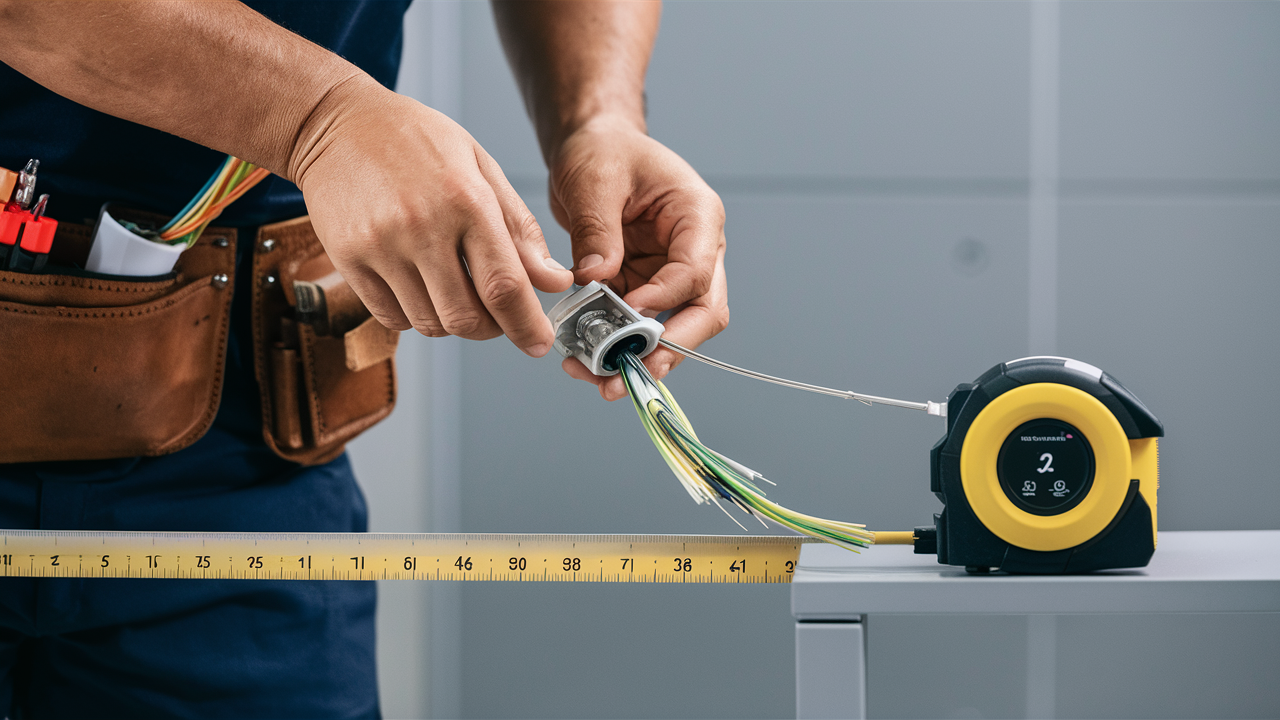
Wondering about the typical timeline for fibre optic internet installation? This comprehensive guide breaks down the entire process, from initial order to the moment you're online. We'll explore factors influencing installation duration, provide realistic timeframes for 2025-26, and offer actionable tips to expedite your setup.
Understanding Fibre Optic Installation
Fibre optic internet represents the pinnacle of modern broadband technology, offering unparalleled speeds and reliability. Unlike traditional copper-based connections, fibre uses thin strands of glass or plastic to transmit data as pulses of light. This fundamental difference in transmission medium underpins its superior performance. The installation process, while generally straightforward, involves several critical steps that collectively determine the overall time it takes to get you connected. Understanding these stages is key to managing expectations and ensuring a smooth transition to fibre. This section will delve into the core aspects of what fibre installation entails, setting the stage for a detailed look at timelines and influencing factors. We'll explore the physical infrastructure involved, the role of the internet service provider (ISP), and the typical technician's role in bringing fibre to your home or business.
What is Fibre Optic Internet?
Fibre optic internet, often referred to as Fibre-to-the-Home (FTTH) or Fibre-to-the-Premises (FTTP), involves laying new fibre optic cables directly to your property. These cables are made of extremely thin strands of glass or plastic, capable of transmitting data at the speed of light. This allows for significantly higher bandwidth, lower latency, and greater reliability compared to older technologies like DSL or cable internet. The infrastructure for fibre deployment can be extensive, often requiring trenching or aerial cable installation to connect neighbourhoods and individual homes. The speed and capacity of fibre are not just marginal improvements; they represent a generational leap in internet connectivity, crucial for demanding applications like high-definition streaming, online gaming, cloud computing, and the burgeoning Internet of Things (IoT). The investment in fibre infrastructure by ISPs is a long-term commitment, aimed at future-proofing connectivity for decades to come.
The Role of the ISP and Technicians
Your Internet Service Provider (ISP) is the central orchestrator of the fibre installation process. They manage everything from network planning and infrastructure deployment to customer service and technician dispatch. When you sign up for fibre service, the ISP is responsible for ensuring that the necessary fibre optic cables are accessible to your location. This might involve connecting to an existing fibre network in your street or, in some cases, requiring new cable runs to be laid. The ISP's technicians are the skilled professionals who perform the physical installation at your property. They are trained to handle delicate fibre optic cables, connect them to the network, install the necessary equipment (like an Optical Network Terminal or ONT), and ensure your service is active and performing optimally. Their expertise is vital for a successful and reliable fibre connection. The ISP also plays a crucial role in scheduling appointments, coordinating with local authorities for permits if new infrastructure is needed, and providing post-installation support.
Key Factors Influencing Fibre Installation Time
The duration of a fibre optic installation isn't a one-size-fits-all scenario. Several variables can significantly impact how long it takes from placing your order to enjoying high-speed internet. Understanding these factors is crucial for setting realistic expectations and potentially mitigating delays. This section will explore the most common influences, from the availability of existing infrastructure to the complexity of your specific property and the ISP's operational capacity.
Infrastructure Availability
Perhaps the most significant factor is whether fibre optic infrastructure is already present in your neighbourhood or on your street.
- Existing Fibre Network: If your area is already well-covered by fibre optic cables, the installation process is generally much quicker. The technician primarily needs to connect your home to the nearest fibre access point, often located at the street or a local cabinet. This is the ideal scenario for a fast installation.
- New Fibre Deployment: If fibre is being newly deployed in your area, the timeline can extend considerably. This involves planning, obtaining permits, trenching or laying new cables along streets and potentially across private property, and connecting to the wider network. This process can take weeks or even months before individual home installations can begin.
- Distance to Network Node: Even with existing fibre, the distance from your property to the nearest active fibre node or junction box can influence the complexity and time required for the connection. Longer distances may necessitate more extensive cable work.
Property Type and Complexity
The nature of your home or business premises plays a vital role in the installation's duration.
- Single-Family Homes: These are often the most straightforward, with clear access to the exterior for cable entry and a relatively direct path to where the modem/ONT will be installed inside.
- Apartments and Multi-Dwelling Units (MDUs): Installations in apartments can be more complex. They often require coordination with building management, navigating existing building infrastructure, and potentially longer internal cable runs. The availability of existing conduit or pathways for new cables is a major consideration.
- Business Premises: Commercial installations can vary greatly in complexity, depending on the size of the building, the required number of connection points, and any specific networking needs.
- Accessibility: Difficult terrain, dense landscaping, or restricted access to your property can add time to the installation process.
ISP Workload and Scheduling
The operational capacity of your chosen ISP is a crucial determinant of installation speed.
- Technician Availability: High demand for fibre installations, especially in newly serviceable areas, can lead to longer wait times for appointments. ISPs need to balance technician resources with customer demand.
- Order Volume: During periods of high sign-up rates or after major infrastructure rollouts, the ISP's scheduling system can become backlogged, extending the time between order placement and the actual installation date.
- Permitting and External Factors: For new deployments, ISPs must obtain permits from local authorities, which can sometimes cause delays. Weather conditions can also impact outdoor cable laying work.
Type of Installation Required
The specific work needed at your premises dictates the installation time.
- New Connection to Existing Fibre: This is typically the fastest, often taking 1-3 hours for the technician to complete once on-site.
- New Fibre Line Installation: If a new fibre line needs to be run from the street to your home, this can add significant time, potentially requiring multiple visits or a full day's work, depending on the distance and complexity.
- Internal Wiring: The routing of the fibre cable from the entry point to the desired location of your modem or ONT inside your home can also add time, especially if walls need to be drilled or conduits used.
Typical Fibre Installation Durations (2025-26)
Based on current industry trends and deployment strategies for 2025-26, we can outline realistic timelines for fibre optic internet installations. These figures represent averages and can fluctuate based on the factors previously discussed. It's important to note that these are estimates for the *actual installation appointment*, not necessarily the total time from ordering to connection.
New Connections in Fibre-Ready Areas
If fibre optic cables are already present on your street and readily accessible, the installation appointment itself is usually quite efficient.
- On-site time: 1 to 3 hours. This covers the technician running the fibre cable from the external access point (e.g., a street cabinet or pole) to your home, installing the Optical Network Terminal (ONT), and setting up your modem and initial connection.
- Total time from order to installation: This can range from a few days to 2-4 weeks, depending heavily on the ISP's current workload and your ability to schedule an appointment. In high-demand periods or areas, it might stretch to 4-6 weeks.
New Fibre Line Installations
This scenario applies when fibre needs to be brought to your property for the first time, often involving external civil works.
- Initial survey/assessment: May be required, taking 1-2 hours.
- External cable laying: This is the most variable part. It could involve trenching, aerial cable deployment, or utilizing existing conduits. This phase can take anywhere from a few days to several weeks, depending on the scale of the project in your neighbourhood and permitting. It might require multiple visits.
- On-site connection: Once the external line is in place, the final connection to your home and internal setup typically takes 2 to 4 hours.
- Total time from order to installation: This can be the longest process, ranging from 4 weeks to 3 months, or even longer if significant new infrastructure development is required for your specific street or building.
Apartment and MDU Installations
The complexity of multi-dwelling units introduces unique timelines.
- Coordination: Requires liaison with building management for access and potentially shared infrastructure.
- Internal routing: Running cables within the building can be time-consuming, especially if existing pathways are limited.
- On-site time: Typically 2 to 4 hours, but can extend if significant internal work is needed or if multiple units are being connected simultaneously.
- Total time from order to installation: Similar to new line installations, this can range from 3 weeks to 2 months, heavily influenced by building management cooperation and the availability of internal pathways.
Comparison of Timelines (2025-26)
The following table provides a general overview of expected installation times. Remember these are estimates and actual times may vary.
| Scenario | Typical On-Site Installation Time | Estimated Total Time (Order to Connection) |
|---|---|---|
| Fibre already on street (easy access) | 1-3 hours | 2-6 weeks |
| New fibre line to property (trenching/aerial) | 2-4 hours (after external work) | 4 weeks - 3 months+ |
| Apartment/MDU installation | 2-4 hours | 3 weeks - 2 months |
| Business/Complex Commercial Installation | Variable (days to weeks) | Variable (weeks to months) |
The Fibre Installation Process: A Step-by-Step Breakdown
Understanding the sequence of events during a fibre installation can demystify the process and help you prepare. While specific procedures may vary slightly between ISPs, the core steps remain consistent. This section walks you through what to expect from the moment you book your appointment until your service is live.
Step 1: Scheduling and Confirmation
After you place your order, the ISP will contact you to schedule an installation appointment.
- Appointment Window: You'll typically be offered a date and a time window (e.g., 8 AM - 12 PM).
- Confirmation: Ensure you confirm the appointment and understand any specific instructions or requirements from the ISP.
- Pre-installation checks: Some ISPs may perform remote checks to assess feasibility before the technician arrives.
Step 2: Technician Arrival and Assessment
On the scheduled day, the technician will arrive within the agreed-upon window.
- Arrival: The technician will typically call ahead to confirm their arrival.
- Site Survey: They will assess the best route for the fibre cable from the external network point to your desired internal location for the ONT.
- Discussion: They will discuss the plan with you, including where the cable will enter your home and where the ONT will be mounted.
- Permits/Access: If new external work is required, they may need to confirm permits or access rights.
Step 3: External Cable Installation
This step involves running the fibre optic cable from the nearest network point to your property.
- Connection Point: The technician locates the nearest fibre optic junction box, pole, or street cabinet.
- Cable Laying: The fibre cable is then run along the exterior of your property. This might involve:
- Aerial Installation: Attaching the cable to existing poles or your house exterior.
- Trenching: Digging a shallow trench from the street to your home (often for new deployments).
- Conduit Use: Utilizing existing underground conduits if available.
- Entry Point: The cable is brought into your home through a small, drilled hole, typically near where the ONT will be installed.
Step 4: Internal Installation and ONT Setup
Once the fibre cable is inside, the technician completes the internal setup.
- Cable Routing: The technician will carefully route the fibre cable from the entry point to the chosen location for the ONT. This might involve running it along baseboards or through walls, depending on your preference and the property's structure.
- ONT Installation: The Optical Network Terminal (ONT) is a small device that converts the optical signal into an electrical signal your network can use. It's typically mounted on a wall.
- Power Connection: The ONT requires a power source.
Step 5: Modem Connection and Service Activation
The final stage involves connecting your router and activating the service.
- Router Connection: Your router (or the ISP-provided modem/router combo) is connected to the ONT via an Ethernet cable.
- Service Activation: The technician will then activate your service with the ISP's network.
- Testing: They will perform speed tests and check connectivity to ensure everything is working correctly.
- Demonstration: The technician will usually show you how to connect your devices and confirm you have a stable internet connection.
Step 6: Cleanup and Completion
The technician will tidy up the work area.
- Site Cleanup: They will remove any debris, tools, and packaging materials.
- Documentation: You may be asked to sign a completion form.
- Support Information: The technician should provide you with contact information for technical support if you encounter any issues.
Common Fibre Installation Scenarios and Their Timelines
To provide a clearer picture, let's examine typical installation scenarios based on common living situations and the associated timeframes for 2025-26.
Scenario 1: Suburban Single-Family Home (Existing Fibre)
Description: A detached house in a neighbourhood where fibre optic cables have already been deployed along the street. The fibre access point is relatively close to the house.
Process:
- Order Placed: Customer orders fibre service.
- Appointment Scheduled: ISP offers an appointment within 1-3 weeks.
- Technician Arrives: On the day, the technician connects the fibre from the street pole/cabinet to the house exterior.
- Internal Work: A small hole is drilled, the cable is run to a chosen wall location inside, and the ONT is mounted and powered.
- Router Connected: Ethernet cable connects ONT to the router.
- Activation & Testing: Service is activated, speeds are tested.
Estimated Time:
- On-site: 1.5 - 2.5 hours.
- Total (Order to Live): 2 - 5 weeks.
Scenario 2: Urban Apartment Building (MDU)
Description: A customer living in a multi-dwelling unit (apartment building) where the building owner/management has agreed to fibre installation.
Process:
- Order Placed: Customer orders fibre service.
- Building Coordination: ISP liaises with building management to arrange access and determine internal routing. This can add significant lead time.
- Appointment Scheduled: Once building access is confirmed, an appointment is scheduled, potentially 3-6 weeks out.
- Technician Arrives: Technician may need to run fibre from a central point in the building to the apartment, potentially through risers or existing conduits.
- Internal Work: ONT installed within the apartment, often near the main communication panel or a preferred location.
- Router Connected & Activated: Standard connection and activation.
Estimated Time:
- On-site: 2 - 3.5 hours.
- Total (Order to Live): 4 - 10 weeks (heavily dependent on building management).
Scenario 3: New Housing Development (New Fibre Rollout)
Description: A customer moving into a new home or an established home in an area where fibre is being newly deployed. This requires significant infrastructure work.
Process:
- Order Placed: Customer orders fibre service.
- Infrastructure Rollout: ISP undertakes civil works: trenching, laying fibre along the street, connecting to the wider network. This phase can take months.
- Permits & Approvals: Local authority permits are obtained.
- Property Connection: Once street fibre is active, a new line is run from the street to the property (may involve trenching across the yard).
- Appointment Scheduled: Once the property line is ready, an installation appointment is booked, often 2-4 weeks after the external line is complete.
- On-site Installation: Technician completes internal ONT setup and router connection.
Estimated Time:
- On-site: 2 - 4 hours (after external infrastructure is ready).
- Total (Order to Live): 3 months - 1 year+ (depending on the scale and speed of the neighbourhood rollout).
Comparison Table: Installation Scenarios
This table summarizes the timelines for different common scenarios.
| Scenario | Key Challenge | Estimated On-Site Time | Estimated Total Time (Order to Live) |
|---|---|---|---|
| Suburban Home (Existing Fibre) | Scheduling availability | 1.5 - 2.5 hours | 2 - 5 weeks |
| Apartment Building (MDU) | Building management coordination | 2 - 3.5 hours | 4 - 10 weeks |
| New Development (New Fibre) | Major infrastructure rollout | 2 - 4 hours | 3 months - 1 year+ |
Troubleshooting Common Installation Delays
Despite best efforts, fibre installations can sometimes encounter delays. Understanding common pitfalls can help you navigate them more effectively.
Unforeseen Infrastructure Issues
Sometimes, the planned route for the fibre cable encounters unexpected obstacles.
- Underground Obstructions: During trenching, technicians might hit unmarked utility lines (water, gas, other cables), requiring careful rerouting or specialized work.
- Building Structure: In older buildings or apartments, internal walls might be unexpectedly reinforced or lack suitable pathways for cable routing, necessitating a change in plan.
- External Obstacles: Mature trees, dense landscaping, or difficult terrain can complicate aerial or trenching work.
What to do: Communicate openly with the technician. They are trained to find solutions, but it might involve a revised plan, a second visit, or potentially a longer installation time.
Scheduling Conflicts and Backlogs
High demand or operational issues within the ISP can lead to extended wait times.
- Technician Shortages: ISPs may face challenges in hiring and training enough qualified technicians, especially during rapid expansion phases.
- Peak Demand: Following a major fibre rollout in a new area, the surge in orders can overwhelm scheduling systems.
- Rescheduling: If the technician cannot complete the job due to unforeseen issues, your appointment might be rescheduled, potentially weeks later.
What to do: Be patient and polite. Ask for estimated wait times for rescheduling. Check with the ISP periodically for updates. Consider if alternative ISPs are available in your area if delays become excessive.
Permitting and Regulatory Hurdles
For new fibre deployments, obtaining necessary permits can be a bottleneck.
- Local Authority Delays: Municipalities have their own processes for approving civil works, which can sometimes be slow or complex.
- Right-of-Way Issues: Accessing public or private land for cable laying requires permissions that can take time to secure.
What to do: This is largely outside the customer's control. The ISP manages this process. However, you can inquire about the general progress of fibre deployment in your area if you are experiencing significant delays.
Weather-Related Disruptions
Outdoor work is susceptible to weather conditions.
- Extreme Weather: Heavy rain, snow, high winds, or extreme temperatures can prevent technicians from safely performing external cable laying.
- Impact on Civil Works: Trenching operations can be halted or delayed due to adverse weather.
What to do: This is a common cause for rescheduling. The ISP will contact you to arrange a new appointment. Be prepared for potential delays during inclement seasons.
Customer Site Readiness
Sometimes, issues at the customer's property can cause delays.
- Access Denied: If the technician cannot gain access to the property or the necessary areas (e.g., yard for trenching, building entry point).
- Unsuitable Installation Location: If the desired location for the ONT is deemed unsafe or impractical by the technician (e.g., near water sources, unstable surfaces).
What to do: Ensure you are available during the appointment window. Clear any obstructions from the planned cable route or ONT location. Discuss alternatives with the technician if your preferred spot isn't feasible.
Maximizing Your Fibre Installation Efficiency
While you can't control every aspect of the installation, proactive preparation can significantly contribute to a smoother and potentially faster process.
Clear Communication with the ISP
From the outset, maintain open lines of communication.
- Accurate Information: Provide precise details about your property, access points, and any known complexities (e.g., if you live in an apartment, if there are underground sprinklers, etc.).
- Ask Questions: Don't hesitate to ask about the process, what to expect, and any requirements on your part.
- Confirm Details: Double-check the appointment date, time window, and any specific instructions provided by the ISP.
Prepare Your Property
Make it easy for the technician to work.
- Clear Access: Ensure the path from the street/network point to your home is clear of obstructions. This includes garden furniture, plants, vehicles, or anything that might impede the technician's work.
- Identify Installation Location: Decide beforehand where you want the ONT (the fibre modem) installed inside your home. Consider proximity to your router and power outlets. Discuss this with the technician upon arrival, but having a preferred spot ready can save time.
- Indoor Access: Ensure the technician can easily access the interior of your home for routing the cable and installing the ONT.
Understand the Equipment
Knowing the basic components can help.
- ONT (Optical Network Terminal): This is the device that converts light signals to electrical signals. It will be installed by the technician.
- Router/Modem: This device connects to the ONT and distributes the internet signal throughout your home via Wi-Fi and Ethernet. You may use the ISP's provided device or your own.
Be Present During Installation
Your presence is crucial.
- Availability: Ensure you or a responsible adult is home for the entire appointment window.
- Decision Making: You'll need to be there to approve the cable route, ONT location, and answer any questions the technician may have.
- Troubleshooting: If any issues arise, your input and decisions will be necessary.
Post-Installation Checks
Don't just assume everything is perfect.
- Verify Connection: Once the technician confirms the service is active, test your internet connection on multiple devices.
- Speed Test: Run a speed test (e.g., using Ookla Speedtest or your ISP's recommended tool) to confirm you are receiving the speeds you signed up for.
- Wi-Fi Coverage: Check Wi-Fi signal strength in different areas of your home.
- Ask for Documentation: Request any relevant documentation regarding your installation and equipment.
Fibre Installation vs. Other Internet Technologies
To truly appreciate the fibre installation timeline, it's helpful to compare it with the setup processes for other common internet technologies. This highlights why fibre, despite sometimes longer initial deployment phases, offers superior long-term benefits.
Fibre Optic Installation Recap
As detailed, fibre installation can range from a few hours on-site to months for new infrastructure deployment. The key differentiator is the physical laying of new fibre optic cables, which is more involved than upgrading existing copper lines.
Cable Internet Installation
Cable internet uses the same coaxial cable network that delivers cable television.
- Infrastructure: Generally pre-existing in most urban and suburban areas.
- Process: Often involves connecting a cable modem to an existing coaxial outlet. If no outlet is present, a technician may need to install one, which is typically quicker than running fibre.
- On-site Time: Usually 1-3 hours if an outlet is present. Can be 2-4 hours if an outlet needs to be installed.
- Total Time (Order to Live): Typically 1-3 weeks, depending on technician availability.
Comparison: Cable installation is often faster for the initial connection because the infrastructure is already in place. However, fibre offers significantly higher speeds and reliability.
DSL Internet Installation
DSL (Digital Subscriber Line) uses existing telephone lines.
- Infrastructure: Utilizes copper telephone wiring, which is widespread.
- Process: Often involves plugging a DSL modem into a phone jack. If no phone line is present, installation is more complex.
- On-site Time: Can be as little as 30 minutes to 2 hours if a phone jack is readily available and active. May take longer if line issues are present or a new jack needs installation.
- Total Time (Order to Live): Can be very fast, sometimes even self-installable within a few days to a week.
Comparison: DSL is typically the quickest and easiest to get up and running due to ubiquitous phone lines. However, its speeds are significantly limited by distance from the exchange and are far below fibre capabilities.
Satellite Internet Installation
Satellite internet requires a dish installed at the property.
- Infrastructure: Independent of ground-based networks, requiring a clear view of the sky.
- Process: Involves mounting a satellite dish, running cables to a modem inside, and professional alignment.
- On-site Time: Typically 2-4 hours.
- Total Time (Order to Live): Can vary widely, from 1-4 weeks, depending on equipment availability and technician scheduling.
Comparison: Satellite installation is comparable in on-site time to fibre but is often chosen for its availability in remote areas where other options are non-existent. Its performance is heavily impacted by weather and latency.
Technology Comparison Table
| Technology | Typical On-Site Installation Time | Estimated Total Time (Order to Live) | Key Benefit | Key Limitation |
|---|---|---|---|---|
| Fibre Optic | 1-4 hours (after infra. ready) | 2 weeks - 1 year+ (depends on deployment) | Highest Speeds, Low Latency, Reliability | Infrastructure rollout can be slow/costly |
| Cable | 1-3 hours | 1-3 weeks | Good Speeds, Widely Available | Shared bandwidth, slower than fibre |
| DSL | 0.5-2 hours | Few days - 1 week | Ubiquitous (phone lines), Low Cost | Limited Speeds, Distance-sensitive |
| Satellite | 2-4 hours | 1-4 weeks | Available Everywhere | High Latency, Weather-sensitive, Data Caps |
Conclusion
The time it takes to install fibre optic internet varies significantly, ranging from a few hours for a simple connection in a fibre-ready area to several months or even over a year if new infrastructure needs to be built for your neighbourhood. Key factors influencing this timeline include the availability of existing fibre networks, the complexity of your property (especially in apartments or MDUs), and the ISP's current workload and technician availability. For 2025-26, expect on-site installations in fibre-ready homes to take 1-3 hours, with total wait times from ordering to connection typically spanning 2-6 weeks. New fibre deployments or complex MDU installations will naturally take longer. By understanding the process, preparing your property, and maintaining clear communication with your ISP, you can help ensure a smoother and more efficient installation experience. While the initial setup might sometimes require patience, the unparalleled speeds, reliability, and future-proofing benefits of fibre optic internet make it a worthwhile investment for your connectivity needs.