How does AT&T fiber get into house?
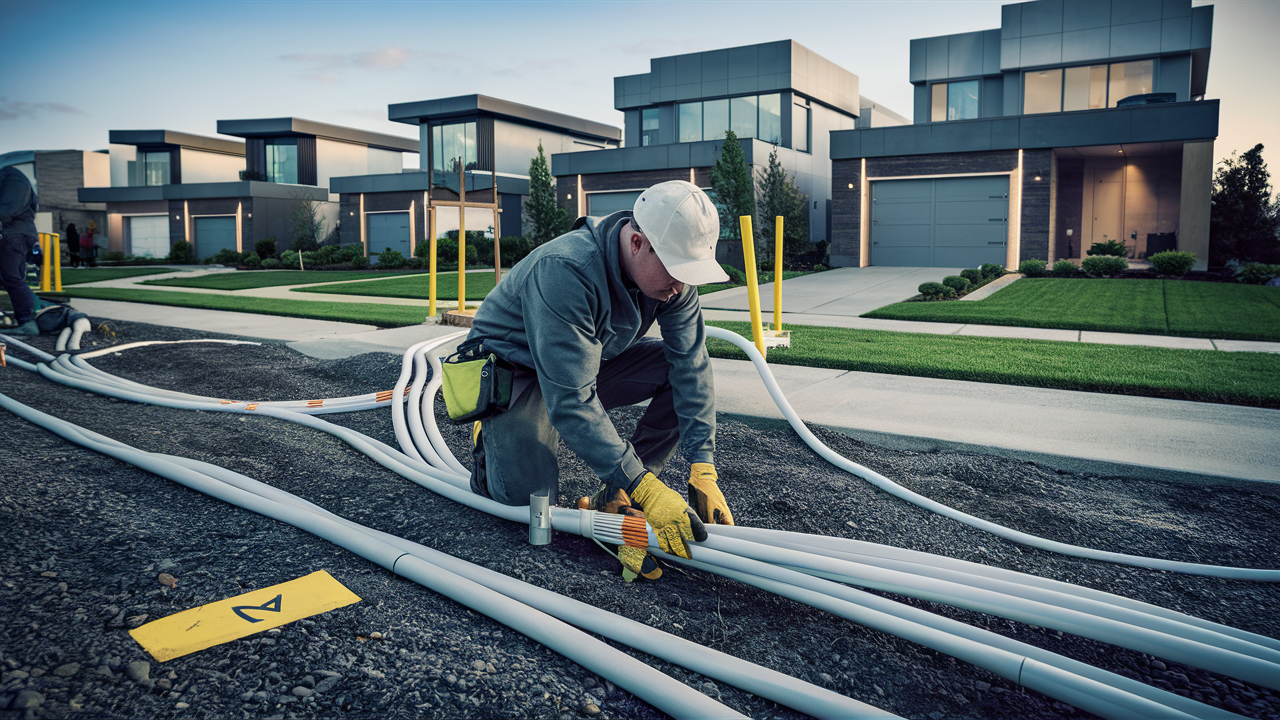
Understanding how AT&T Fiber enters your home is crucial for a smooth installation. This guide demystifies the process, explaining the physical connection, necessary equipment, and what to expect from technicians, ensuring you're fully prepared for high-speed internet.
Understanding AT&T Fiber Entry Points
The journey of AT&T Fiber from the street to your living room involves a physical connection, and understanding where this connection is made is key. AT&T Fiber, also known as AT&T Fiber Internet or AT&T Fiber Optic, utilizes a technology called Fiber-to-the-Premises (FTTP). This means the fiber optic cable runs directly to your home, offering superior speed and reliability compared to older technologies like DSL or cable. The primary entry point for this fiber optic cable is typically through an exterior wall of your house. Technicians will assess your home's structure and your preferred location for the internet equipment to determine the most efficient and least intrusive entry point. Common locations include areas near where your existing utility lines (like power or cable) enter your home, or a designated spot that minimizes disruption to your landscaping and home's aesthetics. In some cases, especially with newer constructions, there might already be a conduit in place specifically for fiber optic installation, making the process even smoother. The decision is usually made in consultation with you, the homeowner, to ensure your satisfaction with the final setup. The goal is always to create a clean, secure, and functional connection that can withstand various weather conditions and maintain signal integrity.
Exterior Wall Penetration
The most common method for bringing AT&T Fiber into your house involves a small, precise hole drilled through an exterior wall. This hole is just large enough to accommodate the thin fiber optic cable. Once the cable is fed through, the opening is sealed with a weather-resistant material to prevent water, pests, and drafts from entering your home. This meticulous sealing is crucial for maintaining the integrity of your home's structure and the performance of your internet connection. The exact location of this penetration is a collaborative decision between the AT&T technician and the homeowner, taking into account factors like the proximity of existing utilities, the desired location of your modem/router, and the aesthetic appeal of your home's exterior. Technicians are trained to minimize any visual impact and to ensure the hole is drilled in a structurally sound location.
Attic and Basement Entry Considerations
In certain situations, particularly if drilling through an exterior wall is not feasible or desirable, technicians may explore entry through an attic or basement. This often involves running the fiber optic cable through existing conduits or finding a suitable point where the roofline meets the wall or where the foundation allows for a discreet entry. These methods require careful planning to ensure the cable is protected from the elements and potential damage within these less accessible areas. For instance, if entering through the attic, the cable would be secured and routed to avoid contact with insulation or sharp edges. Similarly, basement entry would involve routing the cable along joists or through pre-existing utility pathways. The choice between these options depends heavily on the specific construction of your home and the technician's assessment of the safest and most effective route. AT&T prioritizes methods that offer long-term stability and protection for the fiber line.
Underground vs. Aerial Installation
The way AT&T Fiber reaches your property line also influences how it enters your house. If your neighborhood has underground utility lines, the fiber optic cable will likely be buried from the street to your home. This typically involves trenching or directional boring to minimize disruption to your yard. Once the underground cable reaches your foundation, it will then be brought into the house, usually through one of the methods described above. If your area has aerial utility lines, the fiber optic cable will be strung from a utility pole to a point on your house, often near the roofline. From this aerial connection point, the cable is then routed inside. Both underground and aerial installations are designed to be robust and weather-resistant, but the internal entry point will still be a carefully chosen spot on an exterior wall, attic, or basement.
The Fiber Optic Cable Itself: A Technical Look
The magic of AT&T Fiber lies in its use of fiber optic cables. Unlike traditional copper wires that transmit electrical signals, fiber optic cables transmit data as pulses of light. This fundamental difference is what enables the incredibly high speeds and low latency associated with fiber internet. Understanding the composition and function of these cables provides valuable insight into the technology's performance. The cable itself is surprisingly delicate yet remarkably resilient, designed to carry light signals over long distances with minimal signal degradation. Its construction is a marvel of modern engineering, ensuring that the light pulses can travel unimpeded, delivering the fast and reliable internet experience that AT&T Fiber is known for. This section delves into the physical makeup of these cables and how they function to bring light-speed internet to your doorstep.
Composition and Structure
A fiber optic cable consists of several layers, each serving a critical purpose. At its core is the "core," a very thin strand of glass or plastic, typically about the diameter of a human hair. This core is where the light signals travel. Surrounding the core is the "cladding," another layer of glass or plastic with a lower refractive index than the core. This difference in refractive index is crucial; it causes light to reflect internally back into the core, preventing it from escaping and ensuring the signal travels the length of the cable. Over the cladding is a protective layer called the "coating" or "buffer," which shields the delicate glass from moisture and physical damage. Finally, multiple coated fibers are bundled together and encased in an outer protective jacket, which can include strength members (like Kevlar) and insulation to withstand environmental factors. The specific construction can vary depending on whether the cable is intended for underground, aerial, or indoor use, with outdoor cables featuring more robust jacketing and protection.
How Light Transmits Data
The transmission of data through fiber optic cables is a fascinating process based on the principles of light and reflection. At the source (e.g., an AT&T data center or local node), digital data is converted into light pulses. These pulses are generated by a light source, typically a laser or a light-emitting diode (LED). The light pulses are then directed into the fiber optic cable. As the light travels down the core, it bounces off the cladding layer due to total internal reflection. This phenomenon ensures that the light signal remains confined within the core and travels great distances with very little loss of intensity or information. At the receiving end (your AT&T Fiber modem), a photodetector converts the light pulses back into electrical signals, which are then decoded into the digital data you use. The speed at which these light pulses can be turned on and off, and the distance they can travel before needing regeneration, dictates the internet speed you experience. The purity of the glass and the precision of the cladding are paramount to maintaining signal integrity.
Advantages of Fiber Over Copper
The superiority of fiber optic technology over traditional copper-based internet (like DSL) and even coaxial cable (used in cable internet) is significant and multifaceted. Fiber optic cables offer vastly higher bandwidth, meaning they can carry much more data simultaneously. This translates directly into faster download and upload speeds, often reaching gigabit speeds (1 Gbps) and beyond. For example, AT&T Fiber frequently offers plans of 1 Gbps or even 2 Gbps, speeds that are practically unattainable with copper. Another major advantage is latency, or the delay in data transmission. Fiber has significantly lower latency, which is crucial for real-time applications like online gaming, video conferencing, and financial trading. Fiber is also immune to electromagnetic interference, meaning it's not affected by electrical noise from appliances or power lines, ensuring a more stable and consistent connection. Furthermore, fiber optic cables can transmit data over much longer distances without signal degradation compared to copper, reducing the need for signal boosters and maintaining performance. The durability and lifespan of fiber cables also tend to be greater, making them a more future-proof technology.
The Installation Process: Step-by-Step
The AT&T Fiber installation process is designed to be as efficient and non-disruptive as possible. From the moment the technician arrives to the final activation of your service, each step is carefully managed to ensure a successful setup. Understanding this process empowers you to be prepared and to know what to expect, making the entire experience smoother. This section breaks down the typical installation from arrival to the final confirmation of your working internet connection.
Pre-Installation Assessment and Site Survey
Before any physical work begins, the AT&T technician will conduct a thorough assessment of your property. This includes identifying the best route for the fiber optic cable from the AT&T network demarcation point (usually a box on the side of your house or a nearby utility pole) to your desired interior location for the modem. They will evaluate exterior entry points, check for any potential obstacles (like landscaping, driveways, or existing underground utilities), and discuss placement options with you. This site survey is critical for planning the installation, ensuring safety, and minimizing any impact on your property. The technician will explain their proposed plan, answer any questions you have, and obtain your approval before proceeding with drilling or trenching.
Running the Fiber Optic Cable
Once the route is approved, the technician will proceed with running the fiber optic cable. If your service is aerial, they will connect the cable from the pole to your house. If it's underground, they will use trenching or directional boring equipment to lay the cable from the street or a nearby access point to your home's foundation. After the cable reaches your home's exterior, the technician will carefully drill a small hole through the wall at the agreed-upon entry point. The fiber optic cable is then fed through this hole into your home. For underground installations, the trench will be refilled and the area restored as closely as possible to its original condition. For aerial installations, the cable will be secured neatly along the exterior of your house.
Interior Wiring and Equipment Installation
Inside your home, the technician will route the fiber optic cable to the designated location for your AT&T Fiber modem and Wi-Fi gateway (often a combined unit). This is typically a central location to ensure optimal Wi-Fi coverage throughout your home. The technician will then connect the fiber cable to the Optical Network Terminal (ONT), which converts the light signal into an electrical signal. The ONT is usually a small box mounted discreetly on a wall. From the ONT, an Ethernet cable will connect to your AT&T Wi-Fi gateway. The technician will ensure all wiring is neatly managed, secured, and out of the way. They will also set up your Wi-Fi network, including configuring the network name (SSID) and password, and ensuring you can connect your devices.
Testing and Activation
The final and crucial step is testing and activation. The technician will use specialized equipment to test the signal strength and integrity of the fiber optic connection from the ONT to the AT&T network. They will then perform speed tests to confirm that you are receiving the internet speeds specified in your service plan. Once the connection is verified and performing optimally, the technician will activate your service. They will guide you through connecting your devices to the Wi-Fi network and demonstrate how to use the AT&T Smart Home Manager app for managing your network. Before leaving, they will ensure you are satisfied with the installation and understand how to troubleshoot basic issues. A successful speed test confirms that your AT&T Fiber service is live and ready for use.
Essential Equipment for AT&T Fiber
To experience the full benefits of AT&T Fiber, specific equipment is required. This equipment acts as the bridge between the fiber optic network and your digital devices. Understanding what these components are and their function will help you appreciate the technology and manage your home network effectively. AT&T typically provides the core equipment, but knowing what to expect is beneficial.
The Optical Network Terminal (ONT)
The Optical Network Terminal, or ONT, is the device that converts the optical signal from the fiber optic cable into an electrical signal that your home network can use. It's the critical interface between the AT&T fiber network and your internal wiring. The ONT is usually a small, wall-mounted box. It receives the light pulses from the fiber cable and translates them into data. It also performs the reverse process, converting outgoing data from your network back into light pulses to be sent over the fiber. The ONT is essential for the functioning of any fiber optic internet service, acting as the gateway for your home's digital communication.
AT&T Wi-Fi Gateway (Modem/Router Combo)
The AT&T Wi-Fi Gateway is the device that distributes your internet connection throughout your home. It typically combines the functions of a modem and a router. As a modem, it takes the electrical signal from the ONT and prepares it for use by your devices. As a router, it creates your home Wi-Fi network, allowing multiple devices to connect wirelessly and share the internet connection. The gateway also manages network traffic, assigns IP addresses to your devices, and provides security features. AT&T provides specific models of gateways designed to work seamlessly with their fiber optic network, ensuring optimal performance and compatibility. These gateways are designed to support high-speed connections and provide robust Wi-Fi coverage.
Optional: Wi-Fi Extenders or Mesh Systems
While AT&T's Wi-Fi gateways are designed to provide good coverage, some larger homes or homes with unique layouts might experience Wi-Fi dead zones. In such cases, you might consider using Wi-Fi extenders or a mesh Wi-Fi system. Wi-Fi extenders are simpler devices that rebroadcast your existing Wi-Fi signal, effectively increasing its range. A mesh Wi-Fi system, on the other hand, consists of multiple nodes that work together to create a single, seamless Wi-Fi network throughout your home. These systems offer more robust and consistent coverage than traditional extenders. While not strictly required for AT&T Fiber installation, they can be a valuable addition for ensuring strong Wi-Fi signal strength in every corner of your home, especially when leveraging the full potential of gigabit speeds.
Navigating Potential Challenges and Finding Solutions
While AT&T Fiber installations are generally straightforward, there can be occasional challenges. Being aware of these potential issues and their solutions can help you and the technician overcome them efficiently, ensuring a successful setup. AT&T technicians are trained to handle a variety of situations, and open communication is key to resolving any unexpected hurdles.
Access and Obstructions
One common challenge can be gaining access to the necessary areas for running the cable, especially in older homes with complex layouts or limited access points. Obstructions like thick walls, finished basements, or densely landscaped yards can also pose difficulties. * Solution: The pre-installation site survey is crucial for identifying these potential problems. Technicians may use specialized tools like fish tapes or bores to navigate tight spaces. In some cases, alternative entry points or routing methods might be necessary, always discussed with the homeowner. Clear communication about your home's layout and any known access issues beforehand can significantly help.
Existing Infrastructure Conflicts
Sometimes, existing underground utilities (water, gas, electric, other communication lines) can conflict with the planned route for new fiber optic cables, particularly for underground installations. * Solution: Before any digging begins, AT&T will typically arrange for utility locating services (like 811 in the US) to mark the location of existing underground lines. This is a critical safety step. If a conflict is found, the technician will adjust the cable route to avoid the existing utility, potentially requiring a slightly different entry point or path to your home.
Weather Conditions
Extreme weather can impact the installation process, especially for aerial installations or any outdoor work. * Solution: AT&T prioritizes the safety of its technicians and customers. If weather conditions are severe (heavy rain, snow, high winds, lightning), the installation may need to be rescheduled. Technicians will communicate any necessary postponements and work with you to find a new appointment as soon as conditions permit.
Homeowner Association (HOA) Restrictions
Some HOAs have rules regarding exterior modifications, including the placement of new utility lines or entry points. * Solution: It is the homeowner's responsibility to be aware of and comply with any HOA regulations. Before the installation, you should check your HOA's guidelines and, if necessary, obtain any required permissions. You can also inform the AT&T technician about any specific HOA requirements, and they can often work within those constraints, though this may sometimes limit placement options.
Signal Strength Issues Post-Installation
Rarely, after installation, you might experience inconsistent speeds or Wi-Fi dead spots. * Solution: The technician performs thorough testing before leaving. If you notice issues later, the first step is to restart your AT&T Wi-Fi gateway. If problems persist, contact AT&T customer support. They can often diagnose issues remotely or schedule a technician to return and re-evaluate the connection, equipment, or Wi-Fi coverage. Using Wi-Fi extenders or a mesh system can also resolve dead spots.
Fiber Optic vs. Other Internet Technologies
To truly appreciate the benefits of AT&T Fiber, it's helpful to compare it against other common internet technologies. This comparison highlights why fiber optic is considered the gold standard for modern internet connectivity. Each technology has its strengths and weaknesses, but fiber consistently emerges as the superior option for speed, reliability, and future-proofing.
Fiber Optic vs. DSL (Digital Subscriber Line)
DSL internet uses existing copper telephone lines to transmit data. It's widely available because telephone infrastructure is already in place. However, DSL speeds are significantly limited by the distance from the telephone company's central office and the quality of the copper lines. Speeds typically range from a few Mbps to around 100 Mbps for the fastest DSL variants, with upload speeds being much lower than download speeds. * Comparison: AT&T Fiber offers speeds that are orders of magnitude faster than DSL, often exceeding 1 Gbps. Fiber also has much lower latency and is not affected by distance from the provider's equipment in the same way DSL is. Fiber is a light-based technology, while DSL is electrical, making fiber immune to electromagnetic interference.
Fiber Optic vs. Cable Internet
Cable internet uses the same coaxial cable network that delivers cable television. It offers much higher speeds than DSL, with many providers offering plans up to 1 Gbps or more. However, cable internet is a shared bandwidth technology. This means that during peak usage times in your neighborhood, your speeds can slow down as more users are online. It's also susceptible to some forms of interference. * Comparison: While top-tier cable plans can rival some fiber plans in download speeds, fiber generally offers superior upload speeds, lower latency, and more consistent performance because it's not a shared resource in the same way. Fiber's immunity to interference also contributes to greater reliability. AT&T Fiber's symmetrical speeds (download and upload being the same) are a significant advantage over most cable offerings.
Fiber Optic vs. Fixed Wireless and Satellite
Fixed wireless internet uses radio waves to connect a fixed location (your home) to a nearby tower. Satellite internet uses a dish to communicate with satellites orbiting Earth. Both technologies are often used in rural areas where wired infrastructure is unavailable. Their speeds can vary widely, but they are generally slower and have higher latency than wired options like fiber or cable. Satellite internet is particularly susceptible to weather conditions. * Comparison: AT&T Fiber provides a far more stable, faster, and lower-latency connection than fixed wireless or satellite. Fiber's performance is not dependent on atmospheric conditions or the line-of-sight to a tower, making it a more reliable choice for demanding internet usage. For users in areas without wired options, fixed wireless might be a viable alternative, but fiber remains the premium choice.
The Tangible Benefits of AT&T Fiber in Your Home
The physical connection of AT&T Fiber into your home unlocks a world of digital possibilities. Beyond just faster browsing, the advantages of fiber optic technology translate into tangible improvements in how you use the internet daily. From entertainment to productivity, the impact is profound and far-reaching. These benefits are not just theoretical; they are experienced directly by users every day.
Unprecedented Download and Upload Speeds
The most immediate benefit is the sheer speed. With AT&T Fiber, you can download large files, stream 4K or even 8K video content without buffering, and upload high-resolution photos or videos to the cloud in seconds. Plans offering 1 Gbps or 2 Gbps mean that downloading a full-length HD movie, which could take hours on older technologies, can be completed in under a minute. Symmetrical speeds mean uploading large files or participating in high-quality video calls is just as fast as downloading, crucial for remote work and content creation.
Ultra-Low Latency for Gaming and Real-Time Applications
Latency, the delay between sending a command and receiving a response, is dramatically reduced with fiber optics. This is a game-changer for online gamers, where milliseconds can mean the difference between winning and losing. It also significantly improves the experience for video conferencing, live streaming, and any application that requires near-instantaneous feedback. You'll notice a much more responsive feel when browsing and interacting online.
Enhanced Reliability and Stability
Fiber optic cables are less susceptible to interference from electrical signals, weather, and physical damage compared to copper wires. This means a more stable and reliable internet connection, with fewer dropped connections or speed fluctuations. For businesses operating from home or families relying on constant connectivity for education and work, this reliability is invaluable. The consistent performance ensures that your critical online activities are uninterrupted.
Future-Proofing Your Home Network
As internet usage continues to grow and demand for higher bandwidth increases with new technologies like virtual reality, augmented reality, and increasingly sophisticated smart home devices, fiber optic technology is best positioned to meet these future demands. Installing AT&T Fiber now ensures your home is equipped with the infrastructure to handle whatever the digital future holds, avoiding the need for costly upgrades down the line.
Supporting Multiple Devices and Smart Home Technology
In today's connected households, multiple devices are often online simultaneously – smartphones, tablets, laptops, smart TVs, gaming consoles, and a growing array of smart home devices like thermostats, cameras, and voice assistants. AT&T Fiber's high bandwidth and low latency can easily support dozens of connected devices without any noticeable degradation in performance, ensuring a smooth experience for everyone and everything in your home.
Preparing for Installation Day: What You Can Do
A little preparation can go a long way in making your AT&T Fiber installation day a success. By taking a few proactive steps, you can help the technician work efficiently and ensure the process is as smooth as possible. This preparation benefits both you and the installation team, leading to a quicker and more satisfactory outcome.
Clear Communication with AT&T
Before the technician arrives, ensure AT&T has all the necessary information about your home. This includes the correct service address, any specific access instructions, and details about existing utilities if known. Double-check your appointment time and confirm the contact number the technician can use on the day.
Designate an Interior Location for Equipment
Think about where you want your AT&T Wi-Fi gateway to be located. Ideally, it should be in a central area of your home for optimal Wi-Fi coverage. Consider proximity to where the fiber line will enter the house and ensure there's an accessible power outlet nearby. Discuss this preferred location with the technician during their site survey.
Ensure Access to Key Areas
The technician will need access to both the exterior of your home (where the cable enters) and the interior location for the equipment. Make sure any gates are unlocked, driveways are clear, and pathways to the house are accessible. If the installation requires access to an attic or basement, ensure those areas are clear of major obstructions and that you can provide safe access for the technician.
Keep Pets Secure
For the safety of your pets and the technician, it's best to keep pets in a secure, separate area during the installation. This prevents them from wandering outside, getting in the way, or becoming stressed by the unfamiliar presence and activity.
Be Present and Available
It's essential for a responsible adult to be present for the entire duration of the installation. This person will be able to answer the technician's questions, approve the installation plan, and sign off on the completed work. Being available to discuss any unforeseen issues that arise is crucial for a smooth process.
Understand HOA Guidelines (If Applicable)
If you live in a community with a Homeowners Association (HOA), familiarize yourself with their rules regarding exterior installations. You may need to obtain prior approval or ensure the installation adheres to specific aesthetic guidelines. Informing the technician of any HOA requirements beforehand can prevent complications.
Post-Installation: Optimizing Your AT&T Fiber Experience
Once your AT&T Fiber is installed and working, the journey to optimal performance continues. A few simple steps can ensure you're getting the most out of your new high-speed connection and that your home network is set up for peak efficiency. This phase focuses on maximizing the benefits of your new service.
Test Your Speeds
After the technician leaves, use a reliable speed test website (like Speedtest.net or AT&T's own speed test tool) on a device connected directly to the gateway via Ethernet cable. Compare the results to your subscribed plan. If speeds are significantly lower than expected, contact AT&T support.
Configure Your Wi-Fi Network
Log in to your AT&T Wi-Fi gateway (instructions are usually provided by the technician or available through AT&T's website) to customize your Wi-Fi network name (SSID) and password. Choose a strong, unique password to secure your network. Consider enabling features like Wi-Fi 6 if your gateway supports it, for enhanced performance with compatible devices.
Optimize Wi-Fi Placement
If you experience weak Wi-Fi signals in certain areas, try repositioning your Wi-Fi gateway to a more central location, away from obstructions like large appliances or metal objects. For larger homes, consider investing in a Wi-Fi extender or a mesh Wi-Fi system to ensure consistent coverage throughout your property.
Update Device Drivers and Firmware
Ensure that the network drivers on your computers and the firmware on your other devices are up-to-date. This can sometimes improve compatibility and performance with high-speed internet connections. Your AT&T Wi-Fi gateway firmware should also be kept updated, which often happens automatically.
Explore AT&T Smart Home Manager
Download and familiarize yourself with the AT&T Smart Home Manager app. This tool allows you to easily manage your Wi-Fi network, view connected devices, run speed tests, troubleshoot issues, and even set up guest networks. It's a powerful resource for maintaining and optimizing your home internet experience.
Consider Your Needs
With gigabit speeds, you can explore new possibilities. If you haven't already, consider upgrading your devices to take full advantage of the speed, such as a 4K TV for streaming or a newer gaming console. For households with heavy internet usage, ensuring all devices are optimized can lead to a significantly better digital life.
In conclusion, understanding how AT&T Fiber gets into your house is about appreciating the technical process that delivers unparalleled internet speeds and reliability. From the careful exterior entry point, often through a wall, to the sophisticated equipment inside, the installation is a well-orchestrated process. By preparing adequately and understanding the technology, you ensure a smooth transition to a faster, more responsive online world. The benefits of fiber optic technology, including its speed, low latency, and stability, are transformative for entertainment, productivity, and smart home integration. This comprehensive guide has demystified the physical connection and empowered you with the knowledge to optimize your AT&T Fiber experience, making it a truly future-proof investment for your home.






