How do you connect fiber to the home?
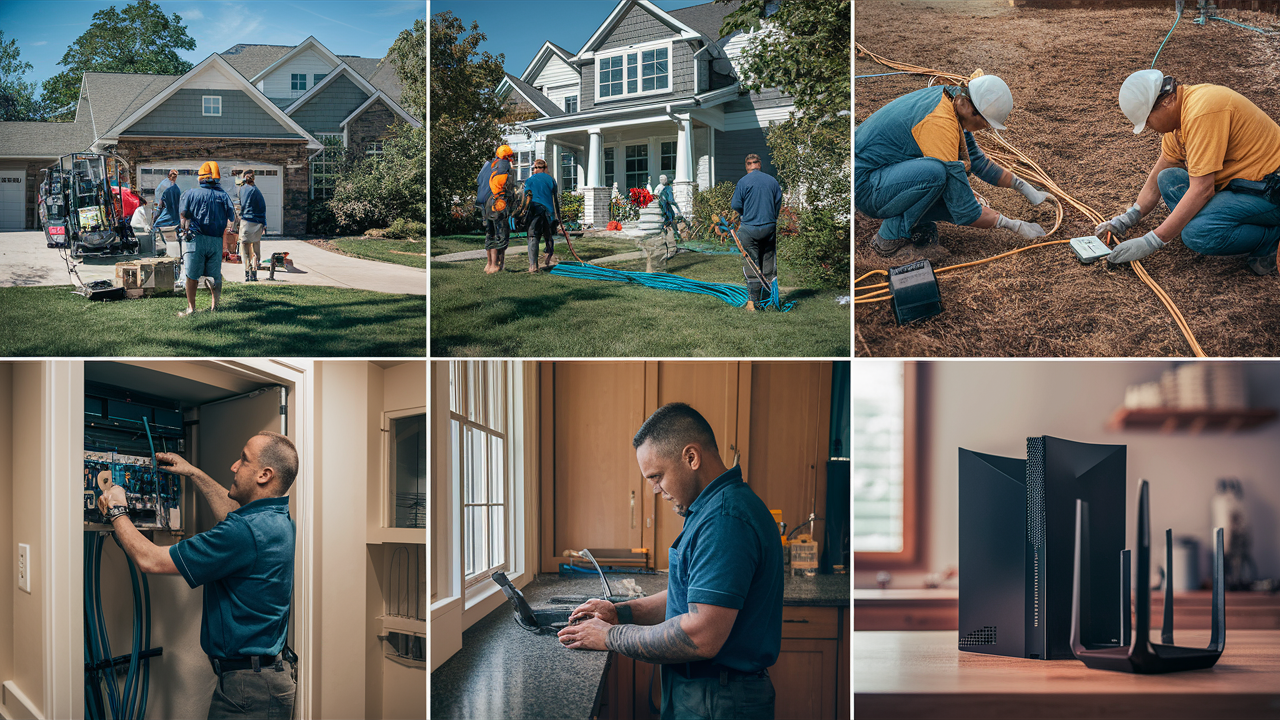
Connecting fiber optic internet to your home is a crucial step towards unlocking blazing-fast speeds and unparalleled reliability. This comprehensive guide will demystify the process, from understanding the initial installation to the final activation, ensuring you're equipped with all the knowledge needed for a seamless fiber connection in 2025-2026.
Understanding Fiber Optic Internet
Fiber optic internet, often referred to as "fiber-to-the-home" (FTTH), represents the pinnacle of modern internet connectivity. Unlike traditional copper-based DSL or coaxial cable internet, fiber utilizes thin strands of glass or plastic to transmit data as pulses of light. This fundamental difference in technology unlocks a host of advantages, most notably dramatically increased speeds and superior reliability.
How Fiber Transmits Data
At its core, fiber optic technology relies on the principle of total internal reflection. Data is encoded into light signals, which are then sent through the optical fiber cable. These light signals bounce off the inner walls of the fiber at precise angles, allowing them to travel long distances with minimal signal degradation. This is a stark contrast to electrical signals used in copper cables, which are susceptible to interference and signal loss over distance.
The Role of Light Pulses
Imagine a flashlight beam being flicked on and off very rapidly. Each flash or no-flash represents a binary digit (a '1' or a '0'). By controlling the sequence and speed of these light pulses, vast amounts of data can be transmitted almost instantaneously. The speed at which these pulses can be generated and detected is what allows fiber to achieve speeds that are orders of magnitude faster than older technologies.
Fiber vs. Other Internet Technologies
To truly appreciate the significance of connecting fiber to your home, it's essential to understand how it stacks up against its predecessors. The internet landscape in 2025-2026 is heavily influenced by the widespread adoption of fiber, making it the preferred choice for many households and businesses.
Fiber vs. DSL
DSL (Digital Subscriber Line) internet uses existing telephone lines to transmit data. While it was a significant improvement over dial-up, DSL speeds are inherently limited by the distance from the telephone company's central office and the quality of the copper wiring. Fiber, on the other hand, bypasses these limitations entirely, offering symmetrical upload and download speeds that are consistently higher.
Fiber vs. Cable Internet
Cable internet uses coaxial cables, the same ones used for cable television. It offers higher speeds than DSL but still shares bandwidth with other users in your neighborhood. This means speeds can fluctuate during peak usage times. Fiber, with its dedicated light-based transmission, is not subject to this kind of shared bandwidth congestion, providing a more stable and predictable experience.
Fiber vs. Fixed Wireless
Fixed wireless internet uses radio waves to connect a fixed location to a wireless access point. While it can be a viable option in areas where wired infrastructure is lacking, it is still susceptible to atmospheric conditions and can have latency issues. Fiber's direct physical connection ensures a robust and interference-free connection.
| Feature | Fiber Optic | Cable Internet | DSL |
|---|---|---|---|
| Typical Download Speeds (2025-26) | 1 Gbps - 10 Gbps+ | 100 Mbps - 2 Gbps | 10 Mbps - 100 Mbps |
| Typical Upload Speeds (2025-26) | 1 Gbps - 10 Gbps+ (Symmetrical) | 10 Mbps - 50 Mbps (Asymmetrical) | 1 Mbps - 10 Mbps (Asymmetrical) |
| Reliability | Very High (less susceptible to interference) | High (can be affected by shared bandwidth) | Moderate (affected by distance and line quality) |
| Latency | Very Low | Low | Moderate to High |
| Future-Proofing | Excellent | Good | Limited |
The Fiber Optic Installation Process
Connecting fiber to your home involves a series of steps, typically managed by your chosen internet service provider (ISP). While the specifics can vary slightly between providers, the general workflow remains consistent. Understanding this process beforehand can help alleviate any concerns and ensure a smooth experience.
Initial Assessment and Site Survey
Before any physical work begins, your ISP will usually conduct an initial assessment. This might involve checking if fiber optic cables are already available in your neighborhood or if new infrastructure needs to be laid. In many cases, a technician will visit your home for a site survey. This survey is crucial for determining the best route for the fiber optic cable to enter your house and where the necessary equipment will be installed.
Assessing the Entry Point
During the site survey, the technician will look for the most practical and least disruptive way to bring the fiber cable into your home. This could be through an existing conduit, a small drilled hole in a wall, or sometimes through a window opening. They will also consider the path the cable will take from the outside demarcation point to the interior equipment location.
Determining Equipment Placement
Key equipment, such as the Optical Network Terminal (ONT), needs a suitable location. The ONT is the device that converts the light signals from the fiber optic cable into electrical signals that your home network can use. It typically requires a power source and should be placed in a central, accessible location, often near where your router will be situated.
The Physical Installation
Once the assessment is complete and a plan is in place, the physical installation begins. This is the most involved part of the process and requires skilled technicians.
Bringing Fiber to Your Home
If fiber is not yet present in your neighborhood, the ISP will need to extend their network. This could involve trenching to lay new underground cables or installing aerial cables on utility poles. For individual homes, a small conduit or cable will be run from the nearest distribution point (e.g., a utility pole or a junction box) to your property line.
Interior Wiring and Equipment Installation
A technician will then carefully run a thin fiber optic cable from the point of entry into your home to the chosen location for the ONT. This cable is delicate and requires careful handling. Once in place, the ONT is mounted and connected. The technician will then connect your router to the ONT, usually via an Ethernet cable, and ensure it's configured correctly.
Connecting to the Network
The final step in the physical installation is connecting the ONT to the ISP's network. This often involves a technician testing the signal strength and integrity of the fiber connection to ensure it meets the required standards for optimal performance.
What to Expect During Installation
A fiber optic installation can take anywhere from a few hours to a full day, depending on the complexity of the job and whether new external infrastructure is required. Being prepared and understanding the typical timeline and requirements can make the process much smoother.
Duration of the Installation
For a standard installation where fiber is already available to your home, the process typically takes between 2 to 4 hours. This includes running the cable inside, mounting the ONT, and connecting your router. If significant external work is needed, such as trenching or aerial cable deployment to your street, the initial network build-out can take weeks or even months, but the in-home installation itself will follow once the external infrastructure is ready.
Technician Arrival and Procedures
On the day of the installation, the technician will arrive within the scheduled appointment window. They will typically begin by discussing the installation plan with you, confirming the entry point for the fiber cable and the placement of the ONT. They will work to minimize disruption to your home, often using protective coverings for floors and furniture.
Key Equipment Installed
- Optical Network Terminal (ONT): This is the primary piece of equipment. It's a small box that receives the light signals from the fiber optic cable and converts them into electrical signals. It typically has indicator lights to show its status.
- Fiber Optic Cable: A very thin, delicate cable made of glass or plastic strands. It will be routed from the outside of your home to the ONT.
- Ethernet Cable: Used to connect the ONT to your router.
Homeowner Responsibilities
While the ISP handles the technical aspects, there are a few things homeowners can do to facilitate the process:
- Clear Pathways: Ensure the technician has clear access to the areas where the cable needs to be run, both inside and outside your home.
- Provide Access: Be available to answer questions and grant access to different parts of your home as needed.
- Confirm Router Location: Have a clear idea of where you want your router to be placed, as this will dictate the ONT's location.
- Power Source: Ensure there is a nearby electrical outlet for the ONT.
Potential Disruptions and Considerations
Minor disruptions are possible. Technicians may need to drill a small hole (typically less than an inch in diameter) to bring the fiber into your home if no existing conduit is available. They will aim to do this in the least visible and most practical location. Dust may be generated during drilling, and the technician will endeavor to clean up after themselves. It's also worth noting that the fiber optic cable, while durable for its intended purpose, is more fragile than copper wiring and should not be bent at sharp angles or subjected to excessive force once installed.
Post-Installation and Activation
Once the physical installation is complete, the final steps involve activating your service and ensuring everything is working correctly. This is typically a straightforward process managed by the ISP.
Service Activation
After the ONT is installed and connected, the ISP will remotely activate your fiber service. This process involves provisioning your account and ensuring the ONT is communicating with their network. The technician will usually confirm that the service is active before leaving your premises. This might involve them running a speed test to verify you are receiving the speeds you signed up for.
Testing Your Connection
The technician will perform several tests to ensure optimal performance. This includes checking the signal strength at the ONT and performing speed tests using a wired connection to your router. They will verify that both download and upload speeds meet the advertised rates for your plan. You should also be encouraged to test your connection on your own devices.
Setting Up Your Home Network
With the fiber connection active, you'll need to set up your home network. This involves connecting your router to the ONT and configuring your Wi-Fi. Most ISPs provide a router, or you can use your own compatible router.
Connecting Your Router
The technician will typically connect a standard Ethernet cable from the ONT to the WAN (Wide Area Network) port on your router. If you are using your own router, ensure it is compatible with high-speed fiber connections.
Configuring Wi-Fi
Once your router is connected, you'll need to set up your Wi-Fi network. This involves choosing a network name (SSID) and creating a strong password. For optimal performance with gigabit speeds, consider using a Wi-Fi 6 or Wi-Fi 6E router. For users with many devices or larger homes, a mesh Wi-Fi system might be beneficial to ensure consistent coverage throughout the property.
Understanding Your Bill
After installation, your billing cycle will begin. It's important to review your first bill carefully to ensure you are being charged the correct amount for your chosen plan and any installation fees. Your ISP's customer service can help clarify any discrepancies.
Troubleshooting Common Issues
While fiber optic connections are known for their reliability, occasional issues can arise. Understanding common problems and their solutions can help you resolve them quickly.
No Internet Connection
If you find yourself without an internet connection, the first step is to check the status lights on your ONT and router. Look for indicators that show power, signal, and connectivity.
Checking the ONT and Router
ONT Lights: Consult your ISP's documentation for what the different light patterns on your ONT signify. A common issue is a loss of signal light, which might indicate a problem with the external fiber line or the ONT itself. Router Lights: Ensure your router is powered on and that its internet or WAN light indicates a connection to the ONT.
Restarting Equipment
A simple power cycle can often resolve connectivity issues. Turn off both your ONT and router, wait for about 30 seconds, and then turn them back on. Allow a few minutes for them to fully boot up and re-establish a connection.
Slow Internet Speeds
If your internet speeds are consistently lower than expected, several factors could be at play.
Wired vs. Wireless Testing
Always test speeds using a wired Ethernet connection directly from your router to a computer. This eliminates Wi-Fi as a variable. If wired speeds are good but Wi-Fi is slow, the issue likely lies with your Wi-Fi network (router placement, interference, or an older router).
Wi-Fi Optimization
Ensure your router is placed in a central, open location, away from obstructions and sources of interference like microwaves or cordless phones. If you have a large home, consider a mesh Wi-Fi system for better coverage. Regularly update your router's firmware.
Device Limitations
Older devices may not be capable of reaching the full speeds of a gigabit fiber connection. Ensure your devices and network adapters support the speeds you are paying for.
Intermittent Connection Drops
Sporadic disconnections can be frustrating. These might be caused by a loose cable, a faulty ONT, or network congestion at the ISP level.
Checking Cable Connections
Ensure all Ethernet cables are securely plugged into their ports on the ONT and router. Also, check the fiber optic cable connection to the ONT, though this is usually a secure push-and-click mechanism.
Contacting Your ISP
If you've tried basic troubleshooting and the problem persists, it's time to contact your ISP. They can remotely diagnose issues with your ONT and the external fiber line, and if necessary, schedule a technician visit.
The Evolving Landscape: Benefits of Fiber in 2025-26
The adoption of fiber optic technology continues to accelerate globally, transforming how we use the internet. By 2025-2026, fiber is no longer a niche offering but a mainstream necessity for a connected lifestyle. The benefits extend beyond mere speed, impacting everything from entertainment and education to remote work and smart home integration.
Unlocking New Technologies and Applications
The ultra-low latency and high bandwidth of fiber are critical enablers for emerging technologies. Applications that were once theoretical or limited by network constraints are now becoming commonplace.
Immersive Entertainment and Gaming
For gamers, low latency is paramount. Fiber optic connections drastically reduce ping times, leading to a more responsive and enjoyable online gaming experience. High-definition streaming, including 8K content, 360-degree video, and interactive virtual reality (VR) experiences, is seamless and buffer-free. Cloud gaming services, which stream games from remote servers, also rely heavily on low latency and high bandwidth, making fiber the ideal platform.
Enhanced Remote Work and Education
The rise of remote work and online learning has been significantly bolstered by fiber. High-speed, reliable internet ensures smooth video conferencing, quick file transfers, and access to cloud-based collaboration tools without interruption. This is crucial for productivity and maintaining a professional presence, whether working from home or attending virtual classes.
The Smart Home Revolution
As smart homes become more sophisticated, they demand robust connectivity. Fiber optic internet can effortlessly handle the demands of numerous connected devices, from smart thermostats and security cameras to AI-powered assistants and automated lighting systems. The ability to reliably stream high-definition video from multiple security cameras simultaneously, for instance, is a direct benefit of fiber's capacity.
Economic and Societal Impact
The widespread availability of fiber optic internet has profound economic and societal implications.
Bridging the Digital Divide
While the digital divide still exists, fiber deployment is a key strategy in bridging it. As more communities gain access to high-speed internet, opportunities for economic development, education, and healthcare expand. Initiatives by governments and ISPs to extend fiber networks into underserved rural and urban areas are crucial in 2025-26.
Attracting Investment and Businesses
Regions with advanced fiber infrastructure are more attractive to businesses, particularly those reliant on data-intensive operations. This can lead to job creation and economic growth. Furthermore, the ability to support remote workforces makes areas with fiber more appealing to individuals seeking a better quality of life without sacrificing career opportunities.
Future-Proofing Your Home
Investing in a fiber optic connection today is an investment in the future. The demand for bandwidth is only expected to increase with advancements in AI, the metaverse, and other data-hungry applications. Fiber optic networks are inherently scalable, meaning they can accommodate future speed upgrades with minimal disruption, often just by swapping out equipment at either end.
By 2025-2026, the question is no longer *if* you should connect to fiber, but *when*. The benefits in terms of speed, reliability, and future-proofing are undeniable. Understanding the installation process, what to expect, and how to troubleshoot common issues empowers you to make the most of this transformative technology.
In conclusion, connecting fiber to your home is a significant upgrade that future-proofs your digital life. The installation process, while requiring professional expertise, is well-defined and manageable. By understanding the steps involved, from the initial survey to post-installation activation and troubleshooting, you can ensure a seamless transition to the fastest and most reliable internet available. Embrace the power of light-speed connectivity and unlock a world of possibilities for entertainment, work, and smart living in 2025-2026 and beyond.






