How do they connect fiber to your house?
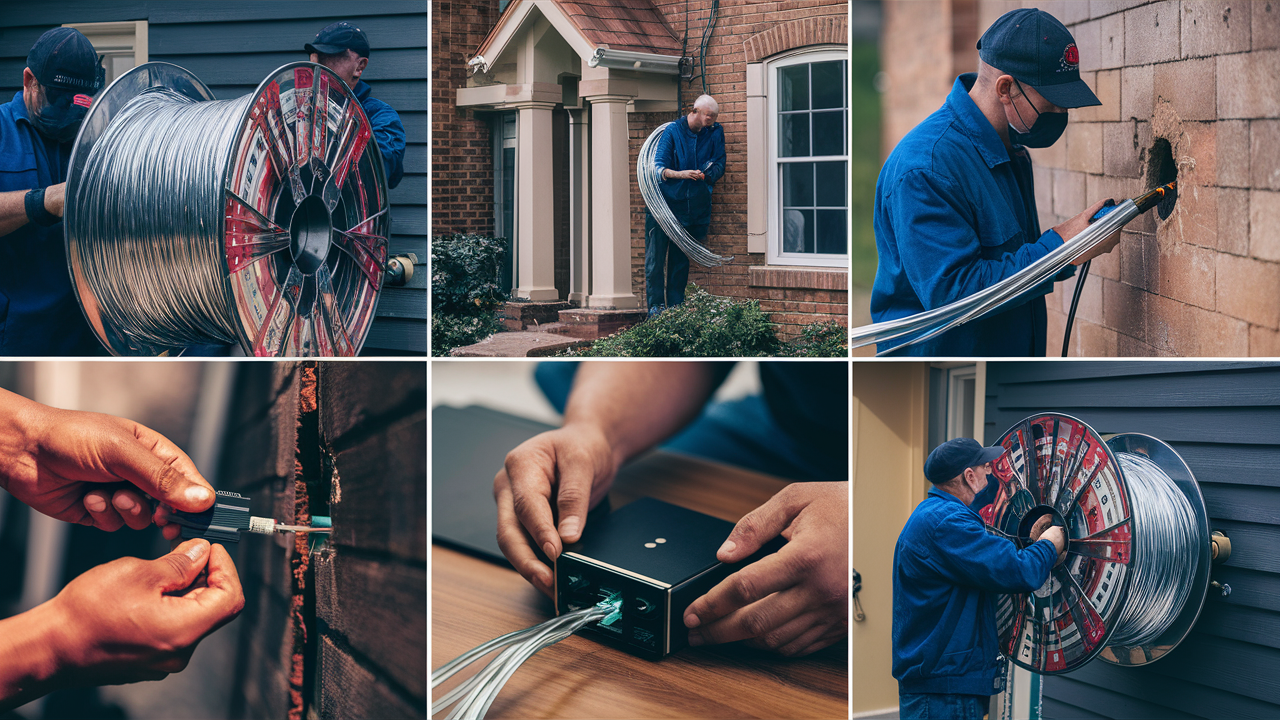
Understanding how fiber optic internet is brought directly to your home can demystify the technology. This guide breaks down the entire process, from the initial connection point to your modem, offering clarity on the infrastructure and steps involved. Get ready to learn about the physical journey of light-speed data.
Introduction to Fiber Optic Connections
The advent of fiber optic internet has revolutionized how we connect to the digital world, promising speeds and reliability previously unimaginable. But how does this advanced technology physically make its way from a provider's network into your living room? This comprehensive guide will walk you through the entire process, detailing every step from the initial planning stages to the final connection of fiber optic cables to your house. We'll explore the infrastructure, the installation techniques, and the underlying technology that makes fiber optic internet the gold standard for speed and performance in 2025 and beyond. Whether you're considering an upgrade or simply curious about the magic behind your high-speed connection, this article provides the answers you seek.
The Fiber Optic Network: An Overview
Before diving into the specifics of home installation, it's crucial to understand the broader context of the fiber optic network. This vast infrastructure is designed to carry data as pulses of light over incredibly thin strands of glass or plastic. At its core, the network is a hierarchical system that begins with massive data centers and extends outwards through a series of distribution points until it reaches individual homes and businesses.
The Backbone: Long-Haul Fiber
The foundation of the internet, including fiber optic connectivity, is built upon high-capacity, long-haul fiber optic cables. These are typically buried underground or strung on utility poles, often following major roadways or utility corridors. These cables can transmit data over hundreds or even thousands of miles with minimal signal loss, forming the superhighways of digital information. They connect cities, countries, and continents, carrying the bulk of global internet traffic. The sheer volume of data these cables can handle is staggering, measured in terabits per second (Tbps).
Regional and Local Distribution
From the long-haul backbone, the network branches out into regional and local distribution networks. This is where the fiber optic cables become smaller and more numerous. They are routed through metropolitan areas and then into neighborhoods. This stage involves a more intricate deployment, often utilizing existing utility infrastructure (like telephone poles or underground conduits) or requiring new trenching and installation. The goal here is to bring the fiber optic lines as close as possible to end-users.
The Last Mile: Connecting to Your Home
The "last mile" is the most critical and often the most complex part of the fiber optic network deployment for individual consumers. It refers to the final segment of the network that connects the local distribution point (like a street cabinet or a junction box) to individual homes and businesses. This is the part of the process that directly involves your property and is the focus of this guide. The efficiency and technology used in the last mile are paramount to delivering the promised high speeds and low latency that fiber optics are known for.
Key Components of the Fiber Network
- Optical Fiber Cables: The core medium, consisting of thin strands of glass or plastic.
- Optical Line Terminals (OLTs): Located at the service provider's central office or a local exchange, these devices manage the flow of data to and from subscribers.
- Optical Network Terminals (ONTs) or Optical Network Units (ONUs): Installed at the customer's premises, these devices convert optical signals back into electrical signals that your devices can use.
- Splitters: Devices that divide a single fiber optic strand into multiple strands, allowing one fiber from the OLT to serve multiple homes (common in Passive Optical Network - PON - architectures).
- Manholes and Pedestals: Access points for underground fiber optic cables, allowing for maintenance and splicing.
- Fiber Distribution Hubs (FDHs): Cabinets or enclosures that house splitters and allow for the distribution of fiber to multiple homes.
Understanding this layered structure helps appreciate the engineering and logistical effort involved in bringing fiber optic internet to your doorstep.
Phase 1: Planning and Surveying the Route
Before any physical work begins, a meticulous planning and surveying phase is undertaken by the internet service provider (ISP). This stage is critical for ensuring an efficient, cost-effective, and compliant installation. It involves understanding the existing infrastructure, identifying potential obstacles, and determining the optimal path for the fiber optic cables.
Initial Feasibility Studies
ISPs conduct thorough feasibility studies to assess the viability of deploying fiber in a particular area. This includes analyzing population density, existing infrastructure (utility poles, underground conduits), local regulations, and the competitive landscape. The economic justification for the significant investment required for fiber deployment is a primary concern.
Site Surveys and Route Mapping
Once an area is deemed feasible, detailed site surveys are performed. Teams of engineers and technicians will physically walk the proposed routes, documenting:
- Existing Utilities: Locating and identifying all underground and overhead utilities such as power lines, water pipes, gas lines, and existing communication cables. This is crucial to avoid accidental damage during excavation or construction.
- Terrain and Obstacles: Assessing the topography of the land, identifying natural obstacles like rocks, trees, or bodies of water, and man-made obstacles such as roads, driveways, fences, and buildings.
- Property Boundaries: Clearly marking property lines to ensure installations are within legal rights-of-way and to minimize disruption to homeowners.
- Potential Installation Points: Identifying ideal locations for fiber terminals, distribution boxes, and entry points into homes.
Permitting and Rights-of-Way
A significant part of the planning phase involves obtaining the necessary permits from local authorities and securing rights-of-way from property owners. This can be a complex and time-consuming process, especially in densely populated areas or where multiple jurisdictions are involved. ISPs must adhere to strict regulations regarding excavation, pole attachments, and environmental impact.
Design and Engineering
Based on the survey data, detailed engineering plans are created. These plans specify the exact path of the fiber optic cables, the types of conduits or poles to be used, the placement of all equipment (like splitters and junction boxes), and the methodology for installation (e.g., trenching, directional boring, aerial installation). The design aims to balance cost, efficiency, and future scalability.
Technology Selection
The planning phase also dictates the specific fiber optic technology to be used, most commonly Passive Optical Network (PON) architectures like GPON (Gigabit Passive Optical Network) or XG-PON (10-Gigabit Passive Optical Network). The choice of technology influences the number of homes that can be served by a single fiber strand and the overall network capacity. For 2025-26 deployments, XG-PON and XGS-PON (10-Gigabit Symmetrical PON) are becoming increasingly standard for new builds to ensure future-proofing.
This comprehensive planning ensures that when the physical installation begins, the process is as streamlined and non-disruptive as possible, laying the groundwork for a robust and reliable fiber optic connection.
Phase 2: Connecting Fiber from the Street to Your House
This phase involves the physical installation of the fiber optic cable from the nearest distribution point in the neighborhood all the way to your property line or directly to your home. The method used depends heavily on the existing infrastructure and the ISP's deployment strategy.
The Distribution Point
Fiber optic cables typically run along streets, either overhead on utility poles or buried underground. At strategic points, usually every few hundred homes, there will be a distribution point. This could be a green utility box (often called a Fiber Distribution Hub or FDH) for underground networks or a larger pole-mounted enclosure for aerial networks. These points house the equipment (like splitters) that divides the main fiber line into smaller strands, each destined for a specific group of homes or individual residences.
Methods of Installation
There are several primary methods used to bring the fiber from the street to your home:
1. Underground Installation (Trenching and Boring
- Trenching: This is the most common method for new underground deployments. A trench is dug from the street distribution point to your house. A conduit (a protective plastic pipe) is laid in the trench, and then the fiber optic cable is pulled or blown through the conduit. The trench is then backfilled and the area restored. This method can be disruptive to landscaping.
- Directional Boring: For areas where trenching is difficult or undesirable (e.g., crossing driveways, roads, or sensitive landscaping), directional boring is used. A specialized machine drills a pilot hole underground from the street to your house. Once the path is established, a larger reamer is pulled back, creating a tunnel through which the conduit is installed. This minimizes surface disruption.
2. Aerial Installation
In areas with existing utility poles, fiber optic cables are often strung overhead. A new strand of fiber is attached to the poles, running from the nearest aerial terminal or junction box down to your house. A service drop cable, which contains the fiber, is then anchored to your house, typically near the eaves or the side of the building. This method is generally faster and less expensive than underground installation but can be aesthetically less pleasing and more susceptible to weather damage.
3. Existing Conduit Usage
If the area already has underground conduits (perhaps from previous telecom or cable installations), ISPs may utilize these. They can "blow" or pull new fiber optic cables through the existing pipes. This significantly reduces the cost and disruption associated with new trenching.
The Service Drop
Regardless of the method, the final cable segment connecting to your house is called the "service drop." This is a smaller, more flexible cable designed to run from the main fiber line to the building's exterior. It's typically secured with appropriate mounting hardware to prevent strain and damage.
Entry Point into the House
The service drop cable needs to enter the house. This is usually done by drilling a small hole through an exterior wall, typically near where the cable will terminate inside. The hole is then sealed with appropriate weatherproofing materials to prevent water and pest intrusion. Some installations might utilize existing utility entry points if available and suitable.
The physical connection from the street to your home is a critical step, requiring careful execution to ensure the integrity and performance of the fiber optic signal.
Phase 3: The Final Connection Inside Your Home
Once the fiber optic service drop reaches your house, the final phase of installation focuses on bringing the connection inside and making it operational. This involves installing the Optical Network Terminal (ONT) and connecting it to your modem and router.
Installing the Optical Network Terminal (ONT)
The ONT is the device that converts the optical signal carried by the fiber optic cable into an electrical signal that your home network devices can understand. It's the crucial bridge between the ISP's network and your internal wiring.
- Location: The ONT is typically installed on an interior wall, often near where the service drop enters the house. Common locations include a basement, garage, utility room, or a main living area. The installer will discuss the best placement with you, considering factors like proximity to power outlets, ease of access for maintenance, and proximity to your router.
- Mounting: The ONT is usually a small box that is securely mounted to the wall.
- Connection: The fiber optic service drop cable is connected to a specific port on the ONT, often labeled "Fiber In" or "Optical In." This connection is usually a push-and-latch mechanism (like an SC or LC connector) that ensures a secure and precise fit.
Powering the ONT
The ONT requires power to function. It will be plugged into a standard electrical outlet. Many ONTs also have a battery backup option, which is highly recommended to maintain internet connectivity during power outages, especially for critical services like VoIP (Voice over Internet Protocol) phones.
Connecting the ONT to Your Router
The ONT typically has one or more Ethernet ports. The most common setup involves connecting a single Ethernet cable from the ONT directly to the WAN (Wide Area Network) or Internet port on your Wi-Fi router. This Ethernet cable carries the internet signal from the ONT to your router, which then distributes it wirelessly (Wi-Fi) or via other Ethernet cables to your devices.
- Ethernet Cable: A standard Cat 5e, Cat 6, or higher-grade Ethernet cable is used for this connection.
- Router Configuration: Your router will automatically detect the internet connection from the ONT. In most cases, no complex configuration is needed on the router itself for basic internet access.
Testing and Activation
Once everything is connected, the ISP's technician will test the connection to ensure it's active and performing at the expected speeds. This involves:
- Signal Strength Test: Verifying the optical signal strength is within optimal parameters.
- Speed Test: Running a speed test from a connected device to confirm you are receiving the contracted internet speeds.
- Service Activation: The ISP remotely activates your service from their end, often requiring a reboot of the ONT and router.
Optional: Direct Connection for Single Device
In some simpler setups, or for testing purposes, a single computer can be connected directly to the ONT via an Ethernet cable. However, for most households, a router is essential to manage multiple devices and provide Wi-Fi.
This final connection ensures that the light pulses traveling through the fiber optic cable are translated into usable internet data for all your connected devices.
Understanding the Technology: What Makes Fiber Fast?
The incredible speeds of fiber optic internet stem from the fundamental physics of how data is transmitted. Unlike traditional copper-based technologies that rely on electrical signals, fiber optics use light. This difference has profound implications for speed, bandwidth, and reliability.
The Core Principle: Light Pulses
At the heart of fiber optic communication are incredibly thin strands of glass or plastic, thinner than a human hair. Data is encoded into pulses of light, which are sent down these strands. Different patterns of light pulses represent different bits of data (0s and 1s). The speed at which these light pulses can be generated, transmitted, and detected is what determines the internet speed.
Key Advantages of Light Transmission
- Speed of Light: While not literally traveling at the speed of light in a vacuum (due to the refractive index of glass), light travels significantly faster through fiber than electrical signals through copper. This inherent speed advantage is the primary reason for fiber's superior performance.
- Minimal Signal Degradation: Light signals in fiber optic cables experience very little attenuation (signal loss) and dispersion (signal spreading) over long distances compared to electrical signals in copper wires. This means data can travel further and faster without needing frequent signal boosters, maintaining signal integrity.
- Immunity to Electromagnetic Interference (EMI): Electrical signals are susceptible to interference from nearby electrical devices, power lines, and radio waves. Light signals are not affected by EMI, making fiber optic connections inherently more stable and reliable, especially in electrically noisy environments.
- Higher Bandwidth Capacity: Light has a much higher frequency than electrical signals. This allows fiber optic cables to carry a significantly larger amount of data simultaneously. Think of it like a wider highway for data – more lanes mean more cars (data) can travel at the same time. This is why fiber can support symmetrical upload and download speeds and accommodate future increases in demand.
Passive Optical Network (PON) Architecture
Most residential fiber optic services utilize a Passive Optical Network (PON) architecture. The "passive" aspect means that the network between the provider's central office (or local exchange) and your home requires no active electrical power for signal splitting. This is achieved using passive optical splitters.
- How PON Works: A single fiber strand from the OLT (Optical Line Terminal) at the provider's end is split to serve multiple homes (typically 16, 32, 64, or even 128 homes). The ONT (Optical Network Terminal) at your home receives the light signals and converts them back into electrical data. For upstream transmission (uploading data), the ONTs share the same fiber, with sophisticated timing mechanisms ensuring they transmit their light pulses at different times to avoid collisions.
- Benefits of PON: This shared fiber approach is cost-effective, reducing the amount of fiber cable needed and the number of active components required, which lowers maintenance costs and increases reliability.
Data Rates and Future Potential
Current fiber deployments commonly offer speeds ranging from 100 Mbps to 1 Gbps (1000 Mbps) and are increasingly offering multi-gigabit speeds (2 Gbps, 5 Gbps, 10 Gbps). The underlying fiber optic infrastructure is capable of supporting speeds far beyond current consumer needs, with potential for terabit-per-second (Tbps) services in the future. This inherent scalability ensures that fiber optic networks are future-proof.
The combination of light-speed transmission, minimal interference, and vast bandwidth capacity makes fiber optic technology the ultimate solution for high-performance internet connectivity.
Fiber vs. Other Internet Technologies (2025-26 Comparison)
To truly appreciate the advantages of fiber optic internet, it's helpful to compare it against the other common internet technologies available today. As of 2025-26, fiber stands head and shoulders above the rest in terms of performance, though other technologies still serve specific niches.
Fiber Optic Internet
How it works: Transmits data as pulses of light through glass or plastic strands.
Pros:
- Unmatched Speeds: Offers the highest available download and upload speeds, commonly ranging from 100 Mbps to 10 Gbps and beyond. Symmetrical speeds (upload = download) are standard.
- Low Latency: Minimal delay in data transmission, crucial for gaming, video conferencing, and real-time applications.
- High Bandwidth: Capable of supporting a vast number of connected devices and high-bandwidth activities simultaneously without performance degradation.
- Reliability: Less susceptible to environmental factors, electromagnetic interference, and signal degradation over distance.
- Future-Proof: Infrastructure is capable of supporting significantly higher speeds as technology advances.
Cons:
- Availability: Still not available in all areas, especially rural or less developed regions. Deployment can be costly and time-consuming.
- Cost: Can sometimes be more expensive upfront or monthly than lower-tier DSL or cable plans, though prices are becoming more competitive.
- Installation: May require physical installation of new cables, potentially involving minor disruption.
2025-26 Outlook: Continues to expand rapidly, becoming the de facto standard for new high-speed internet deployments. Multi-gigabit symmetrical plans are becoming more common.
Cable Internet (Coaxial Cable)
How it works: Uses the same coaxial cable network as cable television to transmit data using electrical signals.
Pros:
- Wide Availability: Widely available in most urban and suburban areas due to existing cable TV infrastructure.
- Good Speeds: Offers respectable download speeds, often ranging from 50 Mbps to 1 Gbps or more.
- Competitive Pricing: Often offers a good balance of speed and cost.
Cons:
- Shared Bandwidth: Bandwidth is shared among users in a neighborhood. During peak hours, speeds can significantly decrease.
- Asymmetrical Speeds: Upload speeds are typically much lower than download speeds (e.g., 100 Mbps download / 10 Mbps upload).
- Latency: Generally higher latency than fiber, which can impact real-time applications.
- Susceptible to Interference: More prone to signal degradation and interference than fiber.
2025-26 Outlook: Continues to be a strong competitor, with ISPs investing in DOCSIS 4.0 technology to increase speeds and improve performance, aiming to compete with fiber's download speeds but still lagging in upload speeds and latency.
DSL (Digital Subscriber Line)
How it works: Uses existing copper telephone lines to transmit data. Speeds decrease significantly with distance from the telephone company's central office.
Pros:
- Extensive Availability: Available anywhere there is a traditional phone line.
- Low Cost: Often the cheapest internet option.
Cons:
- Slow Speeds: Speeds are generally much lower than cable or fiber, typically ranging from 5 Mbps to 100 Mbps (with VDSL variants offering higher speeds closer to exchanges).
- Asymmetrical Speeds: Upload speeds are significantly lower than download speeds.
- Distance Sensitive: Performance degrades rapidly the further you are from the provider's equipment.
- Shared Line: Can be affected by voice calls on the same line (though less so with modern DSL).
2025-26 Outlook: Increasingly being phased out or relegated to very basic service tiers in areas where fiber or cable is available. Remains a vital option for some rural or underserved communities.
Fixed Wireless Internet
How it works: Uses radio waves to transmit internet signals from a tower to a receiver antenna installed at your home. Common in rural areas where wired infrastructure is absent.
Pros:
- Rural Availability: Provides internet access in areas where wired options are not feasible.
- Relatively Quick Installation: Can often be installed faster than digging new lines.
Cons:
- Variable Speeds: Speeds can vary greatly depending on distance from the tower, weather conditions, and network congestion.
- Latency: Latency can be higher than wired connections.
- Data Caps: Often comes with data caps or throttling.
- Line of Sight: Requires a clear line of sight between the antenna and the tower.
2025-26 Outlook: Continues to be important for rural connectivity, with ongoing advancements in 5G fixed wireless offering improved speeds and lower latency, though still generally not on par with fiber.
Satellite Internet
How it works: Uses a satellite dish to communicate with a satellite in orbit, which then relays data to a ground station connected to the internet.
Pros:
- Global Availability: Can provide internet access virtually anywhere with a clear view of the sky.
- Emerging Technologies: New low-earth orbit (LEO) satellite services (like Starlink) are significantly improving speeds and reducing latency compared to traditional geostationary satellites.
Cons:
- High Latency (Traditional): Geostationary satellite internet has very high latency due to the vast distance the signal must travel.
- Data Caps: Historically known for strict data caps.
- Weather Dependent: Performance can be significantly impacted by heavy rain, snow, or clouds.
- Cost: Can be expensive, especially for higher-speed plans.
2025-26 Outlook: LEO satellite services are revolutionizing this sector, offering much more competitive speeds and latency, making it a viable option for many previously underserved areas. However, it still generally cannot match the consistent performance of fiber.
| Feature | Fiber Optic | Cable | DSL | Fixed Wireless | Satellite (LEO) |
|---|---|---|---|---|---|
| Typical Download Speed (2025-26) | 100 Mbps - 10 Gbps+ | 50 Mbps - 1 Gbps+ | 5 Mbps - 100 Mbps | 25 Mbps - 300 Mbps | 50 Mbps - 500 Mbps |
| Typical Upload Speed (2025-26) | 100 Mbps - 10 Gbps+ (Symmetrical) | 10 Mbps - 50 Mbps | 1 Mbps - 10 Mbps | 5 Mbps - 50 Mbps | 5 Mbps - 100 Mbps |
| Latency | Very Low (1-10 ms) | Low (10-30 ms) | Moderate (20-80 ms) | Moderate (20-70 ms) | Low-Moderate (25-70 ms for LEO) |
| Reliability | Very High | High | Moderate | Moderate (Weather dependent) | Moderate (Weather dependent) |
| Availability | Growing, but not universal | Widespread (Urban/Suburban) | Very Widespread (Phone lines) | Rural/Underserved | Global (Requires clear sky) |
Common Installation Scenarios and Considerations
The physical installation process can vary significantly depending on your location, the type of property you live in, and the existing infrastructure. Understanding these common scenarios can help you prepare for your fiber installation.
Scenario 1: New Construction Home
Homes built recently are often pre-wired for fiber optics. During the construction phase, conduits are typically laid underground from the street to the house, and sometimes even to multiple points within the house. This makes the final connection much simpler, often just requiring the ISP to run a fiber cable through the existing conduit and connect it to an ONT inside.
- Preparation: Ensure the builder has coordinated with your chosen ISP or has installed universal conduits.
- Installation: Usually straightforward, with the fiber being pulled through pre-existing pathways.
Scenario 2: Existing Home with Underground Utilities
If your neighborhood has underground utilities, the installation will likely involve trenching or directional boring from the street cabinet to your house. The fiber optic cable will be placed in a conduit for protection.
- Preparation: Be prepared for potential disruption to your yard, driveway, or landscaping. The ISP should restore the area after installation.
- Installation: This is often the most involved physical process, requiring excavation and careful routing of the conduit.
Scenario 3: Existing Home with Aerial Utilities
In areas with overhead power and telephone lines, fiber is typically installed aerially. A technician will run a fiber drop cable from the nearest pole or aerial terminal down to your house.
- Preparation: Ensure clear access to the side of your house where the cable will enter. Discuss the entry point with the technician.
- Installation: Generally quicker and less disruptive to your yard than underground installations.
Scenario 4: Apartment Buildings and Multi-Dwelling Units (MDUs)
Installing fiber in apartment buildings is more complex due to shared infrastructure and property management. The ISP typically needs to negotiate with the building owner or management company.
- Building Entry: Fiber is brought into the building's telecommunications room.
- Vertical Risers: The fiber is then run up through vertical pathways (risers) to individual floors or units.
- Unit Connection: A final cable connects the riser to an ONT within the apartment.
- Considerations: Availability might depend on the building owner's agreements. Installation within a unit may require landlord permission.
Key Considerations for All Installations
- Right-of-Way: The ISP needs permission to run cables across your property. For underground installations, this might involve easements.
- Power Outlet: The ONT requires a nearby electrical outlet. Ensure one is accessible at the chosen installation location.
- Router Placement: Consider where you want your Wi-Fi router to be located. The ONT will connect to the router via an Ethernet cable, so proximity is often desirable.
- Pet Safety: If the fiber drop cable is exposed outdoors, ensure it is installed securely to prevent pets from chewing on it.
- Future Needs: Think about where you might need wired internet connections in the future. While Wi-Fi is convenient, wired connections offer the best performance.
By understanding these common scenarios, you can better anticipate the installation process and ensure a smooth transition to fiber optic internet.
What to Expect During Your Fiber Installation
The day of your fiber installation can be exciting, marking the beginning of your high-speed internet journey. Here’s a step-by-step breakdown of what typically happens, from the technician's arrival to the final activation of your service.
Pre-Installation Communication
Before the scheduled date, the ISP will usually confirm your appointment and provide any specific instructions. You might receive a call a day or two before to reconfirm. It's a good time to ask any last-minute questions.
Arrival of the Technician
On the day of the installation, the technician will typically arrive within the scheduled window. They will usually be in a company vehicle and will have identification. It's always a good practice to verify their identity.
Initial Assessment and Discussion
The technician will first assess the property and discuss the installation plan with you. This includes:
- Identifying the Entry Point: They'll determine the best location to bring the fiber optic cable into your home, considering the route from the street and your preferred location for the ONT.
- ONT Placement: You'll discuss where the ONT (the device that converts the light signal) will be mounted inside your home. This should be near a power outlet and ideally close to where your router will be placed.
- Router Placement: Discuss where you want your Wi-Fi router to be. The technician will connect the ONT to your router using an Ethernet cable.
- Potential Disruptions: They will explain any necessary work, such as trenching, boring, or drilling, and address any concerns you might have about your property.
Physical Installation
This is the core of the process and varies based on the installation method:
- External Connection: The technician will run the fiber optic service drop cable from the nearest distribution point (pole or underground box) to your house. This might involve attaching it to poles, trenching across your yard, or using directional boring.
- Drilling the Entry Hole: A small hole (typically less than an inch in diameter) will be drilled through an exterior wall to allow the fiber cable to enter the house.
- Internal Wiring: The fiber cable is routed from the entry point to the chosen ONT location.
- ONT Installation: The ONT is mounted on the wall and connected to the incoming fiber cable.
- Power Connection: The ONT is plugged into a nearby electrical outlet.
Connecting to Your Router
Once the ONT is installed and powered on, the technician will connect it to your Wi-Fi router using an Ethernet cable. This cable plugs into the WAN/Internet port on your router.
Testing and Activation
This is a crucial step to ensure everything is working correctly:
- Signal Check: The technician uses specialized equipment to test the strength and quality of the optical signal reaching the ONT.
- Service Activation: The ISP activates your service remotely. This might involve the technician initiating a process from their end.
- Speed Test: The technician will connect a device (usually a laptop) to your network and perform speed tests to confirm you are receiving the contracted download and upload speeds.
- Wi-Fi Check: They may perform a basic check of your Wi-Fi signal to ensure it's broadcasting.
Cleanup and Finalization
After confirming the service is active and performing as expected, the technician will clean up any debris from the installation, seal the entry hole properly, and ensure the work area is tidy. They will answer any final questions you have and provide information on how to contact support if needed.
Post-Installation
You'll be able to connect your devices to your Wi-Fi network and enjoy your new fiber optic internet service. It's a good idea to keep the technician's contact information or the ISP's support number handy for a few days, just in case any minor issues arise as your network settles.
The entire installation process typically takes between 2 to 4 hours, depending on the complexity of the job.
Troubleshooting and Maintenance of Fiber Connections
Fiber optic connections are renowned for their reliability, but like any technology, issues can occasionally arise. Understanding common problems and basic maintenance can help keep your high-speed internet running smoothly.
Common Troubleshooting Steps
Before calling technical support, try these basic troubleshooting steps:
- Check Power: Ensure the ONT and your router are properly plugged in and powered on. Look for indicator lights on both devices.
- Reboot Devices: The classic "turn it off and on again" often works wonders. Unplug both the ONT and your router from power for about 30 seconds, then plug them back in. Wait a few minutes for them to fully boot up.
- Check Connections: Ensure the Ethernet cable between the ONT and your router is securely plugged into both devices. Also, check the fiber optic cable connection to the ONT – it should be firmly seated.
- Test with a Wired Connection: If you're experiencing Wi-Fi issues, try connecting a computer directly to your router via an Ethernet cable. If the wired connection works fine, the issue is likely with your Wi-Fi setup.
- Check for Outages: Visit your ISP's website or app to see if there are any reported network outages in your area.
Specific Fiber Optic Issues
- No Light on ONT: If the "Optical" or "Fiber" indicator light on your ONT is off or red, it suggests a problem with the fiber connection itself. This could be a loose connector, a damaged cable, or an issue further up the network. This usually requires a technician visit.
- Slow Speeds:
- Run a speed test on a wired connection to rule out Wi-Fi issues.
- Ensure no other devices are consuming excessive bandwidth (e.g., large downloads, streaming on multiple 4K devices).
- Check your ISP's reported speeds for your plan.
- Intermittent Connection: This can be caused by a loose fiber connection, a failing ONT, or network congestion. Rebooting devices and checking connections are the first steps. If it persists, contact your ISP.
Maintenance Tips
While fiber optic cables are robust, some simple maintenance can help prevent issues:
- Keep the ONT Clean: Dust and debris can accumulate on the ONT. Gently clean it with a dry, lint-free cloth if it appears dusty. Ensure ventilation slots are not blocked.
- Protect External Cables: If the external fiber drop cable is exposed, avoid placing heavy objects on it or allowing it to be strained. If you notice any damage, report it to your ISP immediately.
- Avoid Bending Fiber Cables Too Sharply: While designed to be flexible, extremely tight bends can damage the glass fibers over time. Ensure cables have gentle curves.
- Secure Your Router: Keep your router in a central location, away from obstructions and sources of heat or moisture, for optimal Wi-Fi performance.
When to Call Your ISP
You should contact your Internet Service Provider if:
- You have no internet connection and basic troubleshooting steps (rebooting, checking connections) haven't resolved the issue.
- The "Optical" or "Fiber" light on your ONT is off or red.
- You are consistently experiencing significantly slower speeds than your subscribed plan.
- You notice physical damage to the external fiber optic cable or the ONT.
Most ISPs offer 24/7 technical support and can often diagnose and resolve issues remotely or dispatch a technician if necessary.
The Future of Fiber Connectivity
The journey of fiber optic internet from its inception to widespread adoption is a testament to its revolutionary potential. As we look towards 2025-26 and beyond, the evolution of fiber connectivity promises even greater speeds, broader accessibility, and enhanced capabilities that will continue to shape our digital lives.
Beyond Multi-Gigabit Speeds
While 1 Gbps and multi-gigabit speeds (2 Gbps, 5 Gbps, 10 Gbps) are becoming increasingly common for residential users, the underlying fiber infrastructure is capable of much more. Research and development are pushing towards:
- Terabit Speeds: Technologies are being developed and tested that can deliver speeds of 1 terabit per second (Tbps) and beyond over single fiber strands. This will be essential for supporting the ever-growing demands of data-intensive applications, AI, and the metaverse.
- Advanced Wavelength Division Multiplexing (WDM): Techniques like Coherent WDM allow multiple signals, each on a different wavelength (color) of light, to be transmitted simultaneously over a single fiber. This dramatically increases capacity without requiring new physical cables.
Increased Rural and Underserved Area Deployment
Governments and private entities are investing heavily in expanding fiber optic networks to rural and underserved communities. Initiatives focused on closing the digital divide are making fiber accessible to more households than ever before. This expansion is crucial for economic development, education, and healthcare equity.
Integration with 5G and Beyond
Fiber optics are the backbone of modern wireless networks, including 5G. The high capacity and low latency of fiber are essential for connecting 5G small cells and base stations, enabling the full potential of mobile connectivity. As 6G and future wireless technologies emerge, the demand for robust fiber backhaul will only increase.
Smart City and IoT Integration
The ultra-high bandwidth and low latency of fiber are critical for the development of smart cities. Fiber networks will support vast deployments of Internet of Things (IoT) devices, enabling real-time data collection and analysis for traffic management, public safety, energy efficiency, and environmental monitoring. The ability to handle massive data flows reliably is paramount.
Enhanced Network Intelligence and Automation
Future fiber networks will likely incorporate more artificial intelligence (AI) and machine learning (ML) for network management, optimization, and predictive maintenance. This will lead to more resilient, self-healing networks that can automatically adapt to changing traffic patterns and proactively address potential issues before they impact users.
New Applications and Innovations
As internet speeds and capabilities continue to grow, new applications that are currently unimaginable will emerge. These could include:
- Immersive Extended Reality (XR): Seamless, high-fidelity virtual and augmented reality experiences requiring massive bandwidth and ultra-low latency.
- Advanced Telemedicine: Remote surgeries, real-time holographic consultations, and high-resolution medical imaging transmission.
- Decentralized Computing and AI: Enabling more powerful distributed computing resources accessible from anywhere.
The ongoing expansion and technological advancement of fiber optic networks ensure that the future of internet connectivity will be faster, more reliable, and more integrated into every facet of our lives.
Conclusion: Embracing the Future of Internet Speed
The journey of fiber optic internet to your home is a sophisticated process, involving meticulous planning, advanced engineering, and precise physical installation. From the initial surveys to the final connection of the Optical Network Terminal (ONT), each step is crucial in delivering the unparalleled speed and reliability that fiber offers. We've explored the layered network infrastructure, the different installation methods like trenching and aerial drops, and the vital role of the ONT in translating light signals into usable data. By understanding what makes fiber so fast—its use of light, immunity to interference, and immense bandwidth—you can truly appreciate the technology powering your connection. As we've seen in our 2025-26 comparison, fiber optic internet consistently outperforms cable, DSL, and even newer wireless technologies in key metrics like speed, latency, and reliability. While availability continues to expand, the benefits are clear: a future-proof connection ready for the demands of tomorrow. If fiber is available in your area, upgrading is a wise investment for a seamless digital experience. Embrace the light speed!






