Does AT&T give free modems?
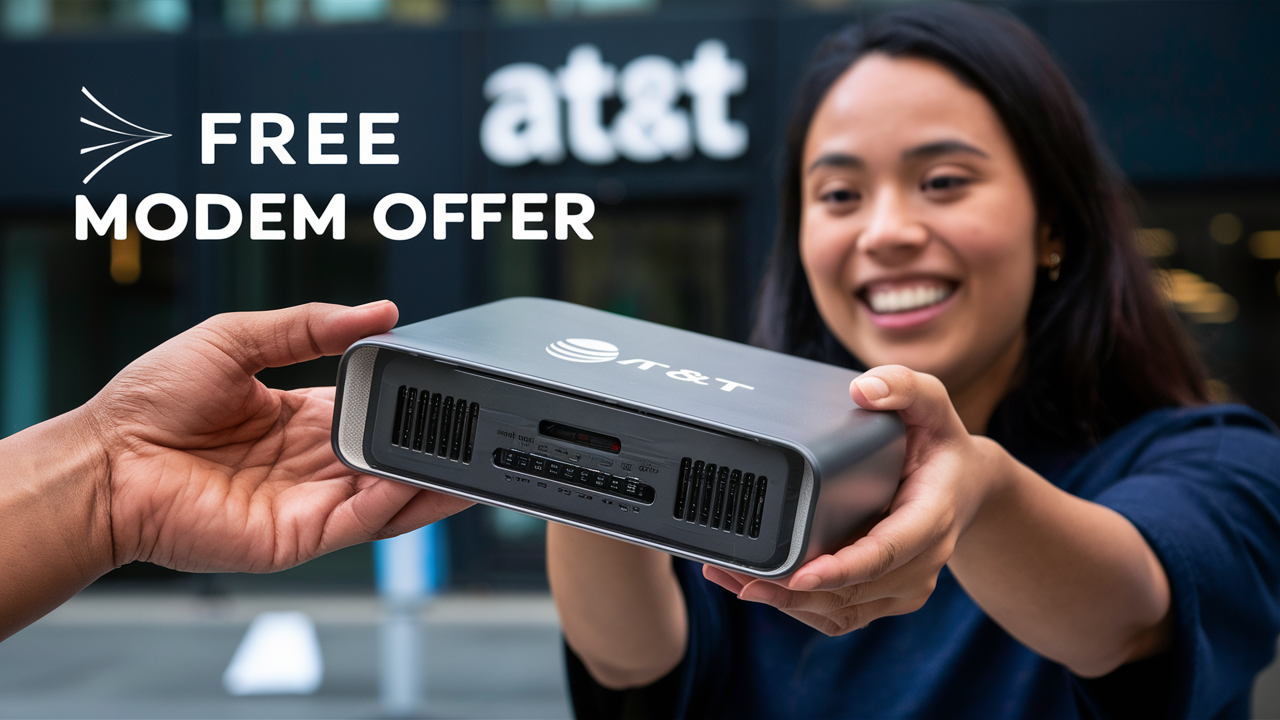
Discover whether AT&T provides free modems for new internet customers in 2025-26. This comprehensive guide breaks down AT&T's equipment policies, explores potential costs, and offers strategies to secure the best value for your home internet setup, ensuring you get connected without unexpected charges.
Understanding AT&T's Modem Policy
Navigating the world of internet service providers can often feel like deciphering a complex code, especially when it comes to equipment. AT&T, a giant in the telecommunications industry, has a specific approach to how customers acquire the necessary hardware to connect to their high-speed internet services. Understanding this policy is the first crucial step in determining whether you'll receive a modem for free or if there will be associated costs. This section delves into the foundational aspects of AT&T's equipment provision, setting the stage for a clearer picture of their offerings in 2025-26.
AT&T's policy is not a one-size-fits-all model. It often depends on the specific internet plan you choose, your location, and current promotional offers. Historically, many ISPs, including AT&T, have offered modems and routers as part of a bundle or with certain service tiers. However, the trend in recent years has shifted towards charging a monthly equipment rental fee or allowing customers to purchase their own compatible devices. This evolution is driven by various factors, including the increasing sophistication and cost of networking hardware, as well as a desire to offer more flexible pricing structures to consumers.
For customers seeking to understand the "free modem" question, it's essential to look beyond the initial signup. While some plans might advertise "no equipment fee," this often comes with specific conditions. These conditions can include long-term service commitments, the use of a basic, provider-issued modem, or the fact that the "free" aspect is factored into the overall monthly service cost. It's a nuanced approach that requires careful examination of the terms and conditions associated with any AT&T internet package.
Furthermore, AT&T's network technology plays a role. For instance, their Fiber optic internet services often require specific gateways (which combine modem and router functionality) that are proprietary and optimized for their network. These devices are typically leased from AT&T and come with a monthly charge. For DSL or fixed wireless services, the equipment requirements might differ, potentially offering more flexibility in terms of customer-owned hardware. Understanding the type of internet service available at your address is therefore paramount to understanding the equipment situation.
In essence, AT&T's modem policy is a dynamic aspect of their service offering. It's influenced by market trends, technological advancements, and their strategic business decisions. To get a definitive answer for your specific situation, you must investigate the details of the plan you are considering. This guide aims to equip you with the knowledge to do just that, ensuring you are well-informed before making a commitment.
Do AT&T Give Free Modems? The Truth in 2025-26
The direct answer to whether AT&T gives free modems in 2025-26 is nuanced. Generally, AT&T does not offer modems completely free of charge as a standalone item for all new customers. Instead, the provision of modems and routers is typically integrated into their service plans, often involving either a monthly rental fee or an upfront purchase cost. However, there are specific scenarios and promotions where customers might effectively receive modem services without an explicit, separate charge.
For AT&T's most advanced services, such as their Fiber internet (often branded as AT&T Fiber), customers are usually provided with an AT&T-branded gateway. This gateway serves as both the modem and the router. While the equipment itself is necessary for the service, AT&T typically charges a monthly fee for the lease of this gateway. As of 2025-26, this fee is often around $10-$15 per month, though it can vary. This is not a "free" modem, but rather a leased piece of equipment whose cost is itemized on your bill.
However, the concept of "free" can sometimes be interpreted differently. Certain promotional offers, especially those targeting new customers or bundled with other AT&T services (like mobile or TV), might waive or reduce the monthly equipment rental fee for a limited period. For instance, a new customer signing up for a high-speed AT&T Fiber plan might find a promotion that includes "free equipment for 12 months" or "no equipment fees for the first year." In these cases, the modem is not technically free forever, but the cost is covered by the promotion, making it free for the duration of the offer.
Another aspect to consider is the possibility of purchasing your own compatible modem and router. While AT&T encourages the use of their provided gateways for optimal performance and support, they do allow customers to use their own equipment for certain service types, particularly DSL. If you choose to buy your own modem, you avoid the monthly rental fees. In this scenario, the initial purchase cost of the modem is your responsibility, but you save money in the long run compared to renting. Whether this is "free" depends on your perspective – you're not getting it from AT&T for free, but you are avoiding AT&T's recurring charges.
It's also worth noting that the definition of "modem" can sometimes be conflated with "router." Many AT&T plans provide a single "gateway" device that handles both functions. When discussing "free modems," it's important to clarify whether the user is referring to just the modem functionality or the combined modem-router unit. In most cases, AT&T provides a gateway, and the associated costs apply to this integrated device.
To summarize the 2025-26 landscape: AT&T generally charges a monthly fee for their provided gateways. However, promotional offers can temporarily waive these fees, and purchasing your own compatible equipment can eliminate recurring charges. The idea of a truly, perpetually free modem provided by AT&T without any associated cost or condition is rare, if not non-existent, for most of their current offerings.
Factors Influencing Modem Costs
The cost associated with obtaining a modem from AT&T, or indeed any internet service provider, is not arbitrary. Several key factors come into play, influencing whether you'll face a monthly rental fee, an upfront purchase price, or potentially benefit from a promotional offer that makes the equipment appear "free." Understanding these elements is crucial for budgeting and making informed decisions about your home internet setup.
One of the most significant factors is the type of internet service. AT&T offers various technologies, including Fiber, U-verse (a type of IPTV service that often uses similar infrastructure to DSL), and traditional DSL. Fiber optic internet, being the most advanced, typically requires more sophisticated and costly gateway devices. These devices are often proprietary to AT&T's fiber network and are therefore leased to customers with a recurring fee to cover the hardware investment and maintenance. DSL services, while less bandwidth-intensive, might offer more flexibility, sometimes allowing customers to use their own compatible modems, thus avoiding AT&T's rental fees.
The specific internet plan selected also plays a role. Higher-speed plans, especially those on the Fiber network, often come with more advanced gateways capable of supporting gigabit speeds and robust Wi-Fi coverage. These premium devices naturally carry a higher rental cost or purchase price. Conversely, entry-level plans might be bundled with more basic equipment, potentially with lower associated fees, or might be part of promotions that offer equipment at a reduced cost.
Promotional offers and new customer deals are perhaps the most dynamic factor influencing modem costs. ISPs like AT&T frequently run campaigns to attract new subscribers. These promotions can include waiving installation fees, offering discounts on monthly service, or, crucially, providing the modem/gateway at no additional charge for a specified period (e.g., the first 12 or 24 months). It's essential to read the fine print of these offers, as the "free" period is usually temporary, after which the standard rental fees will apply unless you choose to purchase your own equipment or cancel the service.
Bundling services can also impact equipment costs. If you subscribe to AT&T Internet along with AT&T TV or AT&T Wireless, there might be package deals that include equipment benefits. Sometimes, the cost of the modem might be absorbed into the overall bundle price, making it seem "free" within the context of the larger package, even if a portion of the fee is implicitly allocated to the equipment.
Geographic location can sometimes play a minor role, particularly in areas where AT&T might be deploying newer technologies or facing specific competitive pressures. However, this is generally less impactful than the service type or plan chosen.
Finally, the option to purchase your own equipment is a significant factor in controlling costs. If AT&T allows you to use a third-party modem and router (compatible with their network), you can avoid monthly rental fees altogether. The initial purchase price of your own equipment is a one-time cost, which can lead to substantial savings over the lifespan of your internet service compared to ongoing rental payments. The availability of this option depends heavily on the type of internet service and the specific requirements of AT&T's network in your area.
In summary, the perceived cost of an AT&T modem is a result of the interplay between the technology used, the service tier selected, current marketing strategies, and the customer's willingness to explore alternatives like BYOD (Bring Your Own Device).
AT&T Internet Plans and Equipment
AT&T offers a diverse range of internet plans designed to cater to various household needs and budgets. The equipment provided or recommended for each plan can differ significantly, impacting whether you incur monthly rental fees or have the option to use your own hardware. Understanding the relationship between AT&T's plans and their associated equipment is key to managing your internet costs effectively in 2025-26.
AT&T Fiber Internet: This is AT&T's premium offering, delivering internet speeds through a fiber-optic network. Because fiber technology is cutting-edge and requires specialized hardware for optimal performance, AT&T typically provides a proprietary gateway device for these plans. This gateway is essential for connecting to the fiber network and distributing Wi-Fi throughout your home. As of 2025-26, customers subscribing to AT&T Fiber are generally required to use the AT&T-provided gateway, which comes with a monthly equipment rental fee, often in the range of $10 to $15. While there isn't a "free modem" with these plans, the gateway is designed to support the high speeds and advanced features of fiber, such as gigabit connectivity and Wi-Fi 6 capabilities. Promotional offers might sometimes waive this fee for an introductory period.
AT&T Internet (DSL/IPDSL): For areas where fiber is not yet available, AT&T offers internet services primarily through its Digital Subscriber Line (DSL) technology. These plans typically provide lower speeds compared to fiber. For DSL services, AT&T often provides a modem/router combo device. Historically, these devices have also been subject to a monthly rental fee. However, DSL plans are more likely to offer the option for customers to purchase and use their own compatible DSL modems. This "Bring Your Own Modem" (BYOM) option can be a significant cost-saver, as it eliminates the recurring monthly equipment fee. Customers choosing this route must ensure their purchased modem meets AT&T's compatibility requirements, which are usually detailed on AT&T's website or can be obtained from customer support.
AT&T Fixed Wireless Internet: This service is an option for customers in rural or underserved areas where wired broadband is not feasible. Fixed Wireless uses cellular towers to deliver internet to a receiver installed at the customer's home. The equipment for this service typically includes an outdoor antenna and an indoor gateway or router. AT&T usually provides this equipment, and it is often included in the monthly service cost or comes with a separate, though sometimes lower, rental fee compared to fiber gateways. The specific equipment details can vary based on the technology deployed in a particular area.
Bundled Services (AT&T Internet + TV/Phone): When customers bundle internet with other AT&T services like DIRECTV or traditional phone lines, the equipment situation can become more complex. For instance, if you have AT&T TV, you'll have separate equipment (e.g., Genie receivers) for that service. The internet modem/gateway is still a separate component. While bundling might offer overall cost savings on your monthly bill, it doesn't typically result in a completely free modem. Instead, the equipment cost might be factored into the bundled price, or specific promotions might apply to the combined package.
Promotional Offers and Equipment Fees: It's crucial to reiterate that AT&T frequently uses promotional offers to attract customers. These can significantly alter the perceived cost of equipment. For example, a new AT&T Fiber customer might see an offer that includes "no equipment fee for 12 months." After this period, the standard monthly rental fee will commence unless the customer opts for a different solution, such as purchasing their own compatible modem for DSL plans or potentially upgrading to a newer plan with different equipment terms.
In 2025-26, the general trend remains that AT&T charges for their provided gateways, especially for Fiber. The "free modem" concept is more likely to manifest as a waived rental fee during promotional periods or through the cost savings of using your own compatible modem for DSL services. Always verify the specific equipment terms and fees associated with any plan you are considering directly with AT&T or by carefully reviewing the service agreement.
How to Get a Modem from AT&T
Acquiring the necessary modem or gateway from AT&T is a straightforward process, typically integrated into the signup procedure for their internet services. Whether you are opting for AT&T Fiber, DSL, or another service, the provider ensures you have the equipment needed to get online. Here’s a step-by-step guide on how you generally obtain a modem from AT&T:
1. Choose Your AT&T Internet Plan: The first step is to visit the AT&T website or contact their sales department to explore the available internet plans in your area. You'll need to enter your address to see which services (Fiber, DSL, Fixed Wireless) and speeds are offered. During this process, the website or representative will outline the equipment requirements for each plan.
2. Sign Up for Service: Once you've selected a plan, you'll proceed to sign up. This involves providing your personal information, billing details, and scheduling an installation appointment if necessary. The equipment provision is a part of this signup process.
3. Equipment Selection During Signup:
- AT&T Provided Gateway: For AT&T Fiber and often for DSL services, AT&T will assign you their branded gateway device. This is usually presented as the standard option. The system will automatically note that you will be provided with this equipment. You will see details about any associated monthly rental fees or if a promotion is waiving these fees.
- Option to Use Your Own Modem (Primarily for DSL): If you are signing up for a DSL plan and AT&T's system indicates compatibility, you may be presented with an option to use your own modem. If you choose this, you will need to ensure you have a compatible modem ready before your service activation. AT&T typically provides a list of approved modems.
4. Installation Process:
- Professional Installation: For AT&T Fiber and sometimes for DSL in new installations, a professional technician will visit your home to set up the service and install the AT&T gateway. The technician will bring the necessary equipment with them. They will connect the gateway, configure it, and ensure your internet service is active and working before they leave.
- Self-Installation: In some cases, particularly for existing DSL lines or when upgrading service, AT&T might offer a self-installation kit. This kit would include the AT&T modem/gateway and instructions for setting it up yourself. This is less common for Fiber, which almost always requires professional installation due to the nature of the fiber optic connection.
5. Receiving Your Bill: After your service is activated, your monthly bill will reflect any equipment rental charges. If you signed up during a promotion that waives these fees, this should be clearly indicated on your bill for the promotional period. If you chose to use your own modem for a DSL plan, you should not see any equipment rental charges from AT&T for the modem.
Important Considerations:
- Compatibility: If you opt to use your own modem for DSL, always verify compatibility with AT&T's latest specifications. Using an incompatible modem can lead to service issues or prevent activation.
- Support: When you use AT&T-provided equipment, AT&T offers technical support for that hardware. If you use your own modem, troubleshooting hardware issues becomes your responsibility, although AT&T support can still assist with line and service problems.
- Promotional Terms: Carefully review the terms of any promotion related to equipment. Understand when the promotional period ends and what the standard fees will be afterward.
In essence, getting a modem from AT&T is typically handled by AT&T itself during the service activation process, either through professional installation or a self-installation kit, with the primary exception being the option to use your own compatible modem for certain DSL plans.
Understanding Equipment Fees and Charges
When signing up for internet service with AT&T, it's essential to understand the potential fees and charges associated with the modem or gateway. These costs can significantly impact your overall monthly internet expenditure. While the question of "free modems" is common, the reality for most AT&T customers in 2025-26 involves some form of equipment cost, whether it's a rental fee or an upfront purchase.
Monthly Equipment Rental Fee: This is the most common way AT&T charges for its provided modems and gateways. For services like AT&T Fiber, you are typically required to rent a specific gateway device. As of 2025-26, this fee usually ranges from $10 to $15 per month. This fee covers the use of the hardware, maintenance, and AT&T's support for that specific device. If you cancel your service, you are required to return the rented equipment to avoid additional unreturned equipment charges.
Upfront Purchase Price: For some services, particularly older DSL plans or in specific circumstances, AT&T might offer the option to purchase the modem outright. This is a one-time cost that can range from $50 to $150 or more, depending on the model and its capabilities. While this eliminates the monthly rental fee, it requires a larger initial investment. This option is less common for newer technologies like Fiber, where AT&T prefers to maintain control over the hardware.
Installation Fees: While not directly a modem charge, installation fees can sometimes be bundled or associated with equipment setup. Professional installation, especially for Fiber, often involves a fee. However, many new customer promotions include a waived installation fee, which can indirectly reduce the initial cost of getting your service and equipment set up.
Unreturned Equipment Charges: If you rent a modem or gateway from AT&T and fail to return it after discontinuing service, you will be charged a substantial fee for the unreturned equipment. These charges can range from $100 to $300 or more, reflecting the full retail value of the device. It is crucial to follow AT&T's return instructions carefully and ensure all provided equipment is sent back in good condition within the specified timeframe.
Promotional Waivers: As mentioned previously, AT&T frequently uses promotions to attract new customers. These can include waiving the monthly equipment rental fee for a specific period (e.g., 12 or 24 months). While this makes the modem effectively "free" during that time, it's vital to be aware of when the promotion ends and the standard rental fees will begin to apply. These waivers are clearly stated in the promotional offer details and on your initial service agreement.
Taxes and Surcharges: Like most telecommunications services, equipment fees may be subject to local taxes and regulatory surcharges, which can slightly increase the final amount you pay.
Example Scenario (2025-26):
Let's say you sign up for AT&T Fiber 1 Gig plan. The advertised monthly price is $80. The plan includes a required AT&T gateway, which has a $15 monthly rental fee. However, a new customer promotion offers "No Equipment Fee for 12 Months."
- Months 1-12: You pay $80 per month. The $15 equipment fee is waived by the promotion.
- Month 13 onwards: If the promotion ends and you haven't changed plans or purchased your own equipment (if applicable), you would then pay $80 (service) + $15 (equipment rental) = $95 per month, plus taxes and fees.
Understanding these various fees and how they apply to your chosen plan is critical for avoiding surprises and managing your budget effectively. Always read your service agreement carefully and clarify any ambiguities with AT&T customer service before signing up.
Alternatives to AT&T-Provided Modems
While AT&T provides modems and gateways for many of its services, customers often have the option to use their own compatible equipment, particularly for DSL connections. This alternative can lead to significant long-term savings by eliminating monthly rental fees. However, it requires careful consideration of compatibility, performance, and support.
Bring Your Own Modem (BYOM) for DSL: For AT&T's Digital Subscriber Line (DSL) internet services, customers often have the flexibility to purchase their own modem. This is the most common scenario where alternatives to AT&T-provided equipment are viable. By buying a compatible modem from a retail store or online, you avoid the recurring monthly rental fee charged by AT&T. Over the course of a year or more, the savings can be substantial, often outweighing the initial purchase cost of the modem.
What to Look For in a BYOM Modem:
- DSL Compatibility: Ensure the modem is specifically designed for DSL connections and supports the VDSL2 or ADSL2+ standards, depending on the specific DSL technology AT&T uses in your area.
- AT&T Compatibility List: AT&T usually maintains a list of approved or compatible modems on its website or through customer support. It is highly recommended to consult this list to ensure your chosen modem will work seamlessly with their network. Using an unlisted modem might lead to activation issues or suboptimal performance.
- Router Functionality: Many modern DSL modems are combination modem/router units, providing both internet connectivity and Wi-Fi capabilities. If you purchase a standalone modem, you will also need a separate Wi-Fi router.
- Performance and Features: Consider the modem's capabilities, such as the maximum supported speeds, Wi-Fi standards (if it's a combo unit), and any advanced features you might need.
Limitations for AT&T Fiber: For AT&T's Fiber optic internet service, the situation is different. Fiber optic networks require highly specialized equipment, often referred to as Optical Network Terminals (ONTs) or integrated gateways. These devices are typically proprietary to AT&T's fiber infrastructure. As such, AT&T generally does not allow customers to use their own modems or gateways for Fiber service. You are required to use the AT&T-provided gateway, which comes with a monthly rental fee.
Benefits of Using Your Own Equipment:
- Cost Savings: The primary benefit is avoiding monthly rental fees, leading to significant savings over time.
- Equipment Choice: You can select a modem or router that better suits your specific needs, potentially offering superior performance, features, or Wi-Fi range compared to the provider's standard equipment.
- No Return Hassle: You don't have to worry about returning AT&T equipment when you switch providers or cancel service, avoiding potential unreturned equipment charges.
Drawbacks of Using Your Own Equipment:
- Initial Cost: You bear the upfront cost of purchasing the modem and router.
- Compatibility Issues: Ensuring compatibility can sometimes be challenging, and AT&T's support for third-party equipment may be limited.
- Technical Support: If you encounter hardware issues with your own modem, you'll need to rely on the manufacturer's support rather than AT&T's.
- Limited Options for Fiber: As noted, this is generally not an option for AT&T Fiber.
Before deciding to purchase your own modem, it is crucial to confirm with AT&T whether your specific internet plan and service type allow for third-party equipment and to obtain their list of compatible devices. This will save you potential headaches and ensure a smooth transition to your own hardware.
Maximizing Your AT&T Internet Setup
Getting connected with AT&T is just the first step; optimizing your internet setup ensures you get the most out of your service and hardware. Whether you're using AT&T-provided equipment or your own, several strategies can enhance your online experience, from Wi-Fi performance to managing your network effectively.
1. Optimal Router Placement: If you're using an AT&T gateway or your own router, its placement is critical for Wi-Fi signal strength and coverage. Place your router in a central, open location in your home, away from obstructions like thick walls, large appliances (microwaves, refrigerators), and metal objects. Elevating the router, perhaps on a shelf or table, can also improve signal distribution.
2. Understanding Wi-Fi Bands (2.4 GHz vs. 5 GHz): Modern AT&T gateways and routers broadcast on two main Wi-Fi bands: 2.4 GHz and 5 GHz. The 2.4 GHz band offers a wider range but slower speeds, making it suitable for devices further away or those that don't require high bandwidth (e.g., smart home devices). The 5 GHz band provides faster speeds but has a shorter range, ideal for streaming, gaming, and devices closer to the router. Many AT&T gateways offer "Smart Home Wi-Fi" or band steering, which automatically connects your devices to the optimal band. If not, consider manually connecting devices based on their needs and location.
3. Secure Your Wi-Fi Network: Always ensure your Wi-Fi network is secured with a strong, unique password using WPA2 or WPA3 encryption. This prevents unauthorized access, protects your privacy, and ensures your bandwidth isn't being consumed by others. You can change your Wi-Fi name (SSID) and password through your router's administrative interface. AT&T gateways usually have default credentials that should be changed immediately.
4. Firmware Updates: Keep your AT&T gateway or your own router's firmware up to date. Manufacturers regularly release updates to improve performance, patch security vulnerabilities, and add new features. AT&T gateways often update automatically, but it's good practice to check periodically or consult AT&T's support resources for manual update instructions if needed.
5. Consider a Mesh Wi-Fi System: For larger homes or those with dead zones, a mesh Wi-Fi system can significantly improve coverage. These systems consist of a main router and satellite nodes that work together to create a single, seamless Wi-Fi network throughout your entire home. While this is an additional purchase, it can be a worthwhile investment for consistent connectivity.
6. Manage Connected Devices: Be mindful of the number of devices actively using your internet connection simultaneously. Streaming 4K video, online gaming, and large file downloads consume significant bandwidth. If you experience slow speeds, check which devices are using the most data and consider limiting their activity or scheduling heavy usage for off-peak hours.
7. Utilize AT&T's Support Resources: If you are using AT&T-provided equipment and experiencing issues, leverage their customer support. They can often diagnose problems remotely, guide you through troubleshooting steps, or schedule a technician visit if necessary. Their website also offers extensive FAQs and setup guides.
8. Network Monitoring Tools: For more advanced users, network monitoring tools or apps can provide insights into your Wi-Fi signal strength, connected devices, and internet speed. Some routers have built-in monitoring features, or you can use third-party applications.
9. Speed Test Regularly: Periodically run internet speed tests (using reputable sites like Speedtest.net) to ensure you are receiving the speeds you are paying for. If your speeds consistently fall short, especially when connected directly to the modem/gateway via Ethernet, it might indicate an issue with your service or equipment that requires AT&T's attention.
By implementing these strategies, you can ensure your AT&T internet connection is as robust, reliable, and fast as possible, maximizing the value of your service and hardware investment.
Common Misconceptions About Free Modems
The idea of receiving a "free modem" from an internet service provider like AT&T is a persistent one, but it's often shrouded in misunderstanding. Many customers believe they will receive a modem at absolutely no cost, only to be surprised by monthly rental fees or other charges. Understanding these common misconceptions is crucial to setting realistic expectations and avoiding potential confusion.
Misconception 1: "Free" Always Means No Cost Ever.
This is perhaps the most significant misconception. When AT&T or other ISPs advertise "free modem" or "free equipment," it often refers to a promotional offer. This means the equipment rental fee is waived for a limited introductory period (e.g., 6, 12, or 24 months). After this period, the standard monthly rental fee will apply unless you take alternative action, such as purchasing your own compatible modem (where applicable) or returning the equipment.
Misconception 2: All Internet Plans Come with a Free Modem.
AT&T's equipment policy varies significantly by service type and plan. As discussed, AT&T Fiber typically requires customers to use AT&T-provided gateways, which almost always incur a monthly rental fee. The concept of a "free modem" is more likely to be associated with certain DSL plans, where BYOM (Bring Your Own Modem) is an option, or during specific, limited-time promotions that might apply across different service types.
Misconception 3: "Free" Equipment is Included in the Base Price.
Sometimes, the cost of the equipment rental is implicitly factored into the advertised monthly price of the internet service, even if it's not itemized as a separate fee. In such cases, the service might seem cheaper initially, but the equipment cost is still being paid for over time. When AT&T offers a true promotional waiver, it's usually clearly stated that the fee is being reduced or eliminated for a period.
Misconception 4: You Can Keep the Modem Forever for Free.
If you are renting equipment from AT&T, you do not own it. The monthly fee is for the use of the hardware. You are obligated to return the equipment when you cancel your service. Failure to do so results in substantial unreturned equipment charges, which are far more expensive than the rental fees.
Misconception 5: Any Modem Will Work for Free.
Even when AT&T allows customers to use their own modems (primarily for DSL), there are strict compatibility requirements. Not just any modem will do. You must use a modem that is approved and compatible with AT&T's network. Using an incompatible modem can prevent service activation or lead to performance issues. This isn't about getting a modem for free, but about avoiding AT&T's rental fees by using your own purchased hardware.
Misconception 6: "Free Router" and "Free Modem" Are the Same Thing.
Many AT&T services use a single "gateway" device that combines both modem and router functionalities. When people ask about a "free modem," they often mean the entire unit. If a promotion mentions a "free router," it might be referring to a separate Wi-Fi router if you're using your own modem, or it could be part of the bundled gateway. It's important to clarify what specific piece of hardware the offer applies to.
By dispelling these common misconceptions, customers can approach AT&T's service offerings with a clearer understanding of equipment costs and the actual value of any "free" promotions. Always read the fine print and ask clarifying questions to ensure you know exactly what you are signing up for.
Expert Tips for Saving on AT&T Equipment
Navigating the costs associated with internet equipment can be a significant concern for many consumers. AT&T, like other major providers, has specific policies regarding modems and gateways. Fortunately, with a strategic approach, you can minimize these expenses. Here are expert tips to help you save money on AT&T equipment in 2025-26:
1. Leverage New Customer Promotions: AT&T frequently offers attractive deals for new subscribers. These often include waivers for monthly equipment rental fees for a specified period (e.g., 12-24 months). Always inquire about these promotions when signing up. Keep a record of the offer's terms, including the duration of the waiver, so you're prepared for when standard fees resume.
2. Consider Buying Your Own Compatible Modem (for DSL): If you have AT&T DSL service, investigate the possibility of using your own modem. Check AT&T's official compatibility list for DSL modems. Purchasing a compatible modem outright can save you significant money over the long term compared to monthly rental fees. Factor in the upfront cost of the modem versus the cumulative rental fees over your expected service period.
3. Negotiate with Customer Service: If you're an existing customer and facing rising equipment fees, don't hesitate to contact AT&T's customer service. Sometimes, retention specialists or customer service representatives can offer discounts, apply new promotions, or even waive fees, especially if you've been a loyal customer. Mentioning competitor offers can sometimes strengthen your negotiating position.
4. Understand Your Plan's Equipment Requirements: Before signing up, clarify the exact equipment needed for your chosen plan. AT&T Fiber almost always requires their proprietary gateway, which has a rental fee. If you're on a DSL plan, the option to use your own modem is more likely. Understanding this upfront prevents surprises.
5. Bundle Services Strategically: While not always a direct equipment saving, bundling AT&T Internet with other services like AT&T TV or mobile plans can sometimes lead to package discounts that indirectly reduce your overall monthly bill, making the equipment cost feel less burdensome.
6. Keep Track of Promotional End Dates: If you benefit from a promotional waiver on equipment fees, mark your calendar for when the promotion ends. Before that date, decide on your next step: either accept the standard rental fees, explore purchasing your own modem (if applicable for DSL), or potentially switch to a different plan or provider if costs become too high.
7. Avoid Unreturned Equipment Fees: If you ever decide to cancel your AT&T service, ensure you return all rented equipment promptly and according to AT&T's instructions. Keep proof of return (like a shipping receipt). Failure to do so will result in hefty charges that far exceed any rental fees you might have paid.
8. Research Third-Party Routers for Enhanced Wi-Fi: If you're using AT&T's gateway but find its Wi-Fi performance lacking, consider purchasing your own high-quality Wi-Fi router and connecting it to the AT&T gateway (often in "bridge mode" if supported). This allows you to leverage AT&T's internet service while using superior Wi-Fi technology, potentially avoiding the need for expensive mesh systems or upgrades to the AT&T gateway itself.
By proactively managing your equipment choices and staying informed about AT&T's policies and promotions, you can significantly reduce the cost of your home internet setup.
Conclusion: Your AT&T Modem Strategy
In conclusion, the question of whether AT&T provides free modems in 2025-26 yields a nuanced answer: generally, no, not entirely free without conditions. AT&T's standard practice involves providing a modem or gateway, but this typically comes with a monthly rental fee, especially for their high-speed Fiber services. The concept of "free" often materializes through limited-time promotional offers that waive these rental fees for an introductory period. For DSL customers, the most viable path to avoiding recurring AT&T equipment charges is by purchasing and using a compatible third-party modem, thereby eliminating monthly rental costs after the initial purchase.
Understanding the factors influencing these costs—service type, plan selection, and promotional availability—is paramount. Always scrutinize the terms and conditions of any plan or offer. For AT&T Fiber, expect to pay a monthly fee for the provided gateway unless a specific promotion is active. For DSL, carefully research compatible modems to potentially save money long-term. By leveraging new customer deals, considering your own equipment where permissible, and staying informed about your contract's end dates, you can effectively manage and minimize the expenses associated with your AT&T internet hardware. A proactive and informed approach is your best strategy for a cost-effective AT&T internet experience.






