Does ATT fiber require a new modem?
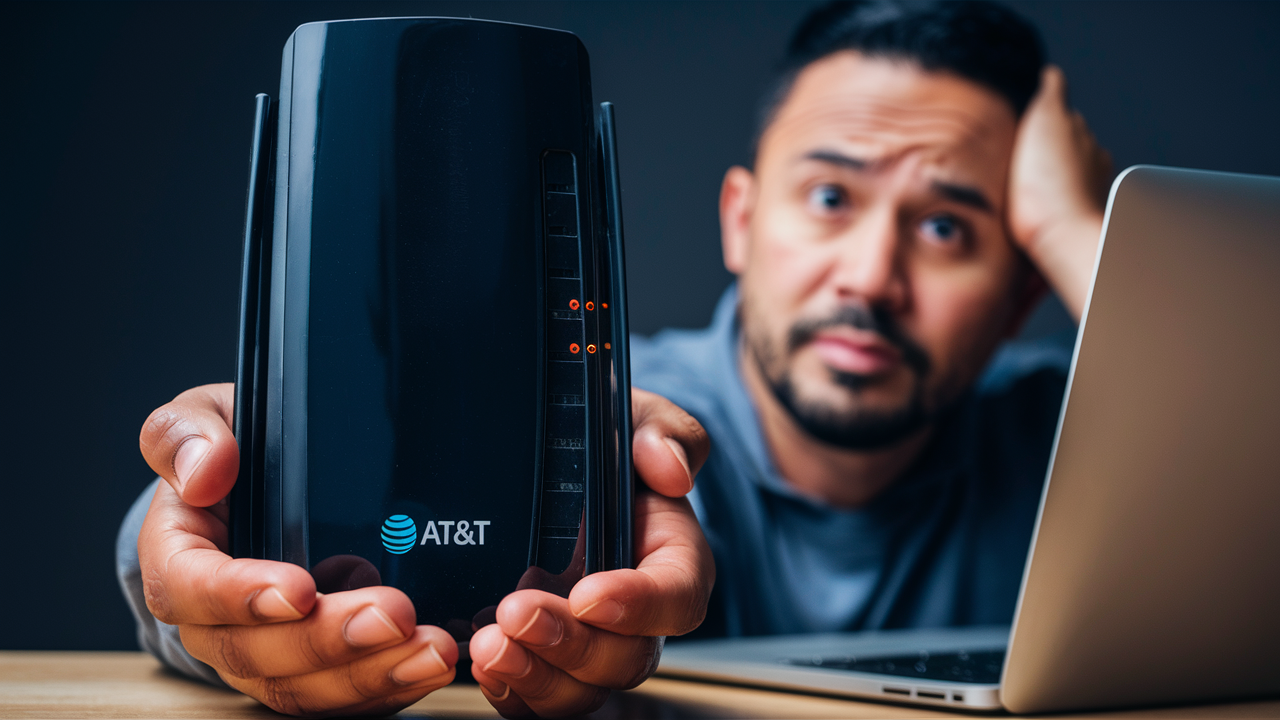
Discover if AT&T Fiber necessitates a new modem for your home. This comprehensive guide clarifies equipment requirements, explores upgrade options, and helps you make an informed decision to ensure optimal internet performance and compatibility with your AT&T Fiber service.
Understanding AT&T Fiber Equipment
When you're considering or have just signed up for AT&T Fiber internet, one of the most common questions that arises is about the equipment needed. The technology behind fiber optic internet is distinct from traditional cable or DSL, and this difference often dictates the type of hardware you'll use. AT&T Fiber utilizes a Lightpath Optical Network Terminal (ONT), which is the device that converts the optical signal from the fiber optic cable into an electrical signal that your home network can understand. This ONT is the gateway to your high-speed internet. Following the ONT, you'll typically connect a router, which then distributes the internet connection throughout your home via Wi-Fi and Ethernet ports. Understanding the role of each component is crucial for troubleshooting and ensuring you have the best possible internet experience. For instance, the ONT is the primary piece of AT&T-provided equipment that directly interfaces with the fiber line, and its capabilities are often the limiting factor in your connection's potential speed. It's not a traditional "modem" in the sense that older technologies used, but rather a specialized converter.
The terminology can sometimes be confusing. While older internet technologies relied on modems to "modulate" and "demodulate" signals between your home and the internet service provider (ISP), fiber optics transmit data using light pulses. Therefore, the device that receives this light signal is technically an ONT. However, many users and even some industry professionals colloquially refer to the entire AT&T-provided gateway device (which often combines ONT and router functionality) as a "modem." It's important to distinguish between the ONT and the router, as they perform different functions. The ONT handles the physical connection and signal conversion from the fiber line, while the router manages network traffic within your home, assigning IP addresses, and broadcasting Wi-Fi. AT&T often provides a single, integrated device that serves as both the ONT and the router, simplifying the setup process for customers. These integrated units are commonly referred to as AT&T gateways.
In 2025-26, the landscape of home networking continues to evolve rapidly. With the increasing demand for bandwidth driven by 4K streaming, online gaming, and an ever-growing number of connected smart home devices, the performance of your internet equipment is more critical than ever. AT&T Fiber is at the forefront of delivering these high speeds, with plans often reaching 1 Gigabyte per second (Gbps) or even higher. To fully leverage these speeds, the equipment must be capable of handling such data throughput. This means that even if you have a compatible older device, it might not be able to deliver the full potential of your AT&T Fiber plan. This guide will delve into the specifics of AT&T's equipment policies and recommendations to ensure you're getting the most out of your service.
AT&T Fiber Modem vs. Router: Clarified
To accurately answer whether AT&T Fiber requires a new modem, it's essential to understand the distinction between a modem and a router, especially in the context of fiber optic technology. Traditional cable internet and DSL relied on modems to convert analog signals from the phone line or coaxial cable into digital data that your computer could understand, and vice-versa. This process is known as modulation and demodulation, hence "modem."
Fiber optic internet, on the other hand, uses light pulses transmitted through glass or plastic fibers. The device that receives these light pulses and converts them into electrical signals is called an Optical Network Terminal (ONT). The ONT is the fiber equivalent of a modem, but its function is specific to optical signals. For AT&T Fiber, the ONT is the critical piece of equipment that interfaces directly with the fiber optic cable entering your home. It's the bridge between the AT&T network and your home's internal network.
A router's primary function is to create a local area network (LAN) within your home. It manages the flow of data between your devices and the internet, assigns IP addresses to each connected device, and provides Wi-Fi connectivity. In many modern setups, especially with fiber, the ONT and the router are integrated into a single device, often referred to as a "gateway." AT&T typically provides such a gateway device to its Fiber customers. This gateway device contains both the ONT functionality to connect to the fiber line and the router functionality to distribute the internet connection throughout your home.
Therefore, when asking if AT&T Fiber requires a "new modem," the more precise question might be: "Does AT&T Fiber require a specific type of ONT/gateway, and can I use my existing modem/router?" The answer hinges on AT&T's specific equipment policies and the capabilities of the fiber network itself. While your old cable modem is definitively incompatible with fiber, a Wi-Fi router you used for cable or DSL might, in some limited scenarios, be usable if AT&T provides a separate ONT. However, AT&T's standard practice is to provide an integrated gateway that handles both functions, simplifying the process and ensuring optimal performance.
The key takeaway is that the device that connects to the fiber line is an ONT, not a traditional modem. This ONT is usually part of a gateway provided by AT&T. If you are upgrading from a different type of internet service to AT&T Fiber, your old cable or DSL modem will absolutely not work. You will need AT&T's specialized fiber equipment. The question then becomes whether you can use your own router in conjunction with AT&T's ONT, or if you must use their provided gateway. We will explore these possibilities in more detail.
Does AT&T Fiber Require a New Modem? The Direct Answer
The direct answer to whether AT&T Fiber requires a new modem is: **Yes, you will almost certainly need new equipment that is specifically designed for fiber optic internet, and this equipment is typically provided by AT&T.** Your existing cable modem or DSL modem from a previous internet service provider (ISP) will not work with AT&T Fiber. Fiber optic technology operates on a completely different principle than cable or DSL, using light signals instead of electrical signals transmitted over copper wires.
AT&T Fiber utilizes an Optical Network Terminal (ONT) to convert the light signals from the fiber optic cable into electrical signals that your home network can use. This ONT is the critical piece of hardware that interfaces with the AT&T fiber line. In most AT&T Fiber installations, the ONT is integrated into a single device that also functions as a Wi-Fi router. This all-in-one device is commonly referred to as an AT&T Fiber Gateway. Therefore, when you switch to AT&T Fiber, you will be provided with this specialized AT&T Fiber Gateway.
While the term "modem" is often used colloquially, it's important to remember that the core component for fiber is the ONT. This device is proprietary and designed to work specifically with AT&T's fiber network infrastructure. AT&T mandates the use of their provided gateway for several reasons, including ensuring network compatibility, security, performance optimization, and the ability to remotely manage and troubleshoot the connection. Allowing customers to use any third-party device could introduce compatibility issues, degrade service quality, and complicate technical support.
The AT&T Fiber Gateway provided by AT&T typically supports the high speeds offered by their fiber plans, often up to 1 Gbps or more. Using older or incompatible equipment would prevent you from experiencing the full benefits of AT&T Fiber. For example, a router designed for speeds of 100 Mbps would be a significant bottleneck for a 1 Gbps fiber connection. Therefore, AT&T's policy is to supply the necessary equipment to ensure a seamless and high-performance experience for its fiber customers. This means that if you are getting AT&T Fiber installed, you will receive and use the AT&T-provided gateway, which serves the function of both the ONT and the router.
In summary, the direct answer is yes, AT&T Fiber requires new, specialized equipment. You cannot use your old cable or DSL modem. AT&T will provide you with their Fiber Gateway, which is essential for establishing and maintaining your fiber optic internet connection. This is a standard practice across most fiber optic internet providers to ensure optimal service delivery.
When You Might Need a New Modem for AT&T Fiber
As established, AT&T Fiber requires specific equipment, typically their provided Fiber Gateway, which includes an ONT. However, the question of "needing a new modem" can arise in a few specific scenarios, even within the AT&T Fiber ecosystem. These situations usually revolve around upgrading your existing AT&T equipment or when your current AT&T device is no longer sufficient for your needs or network demands.
1. Initial Installation of AT&T Fiber: This is the most common scenario. If you are new to AT&T Fiber, or upgrading from a different AT&T service (like DSL or U-verse), you will be provided with a new AT&T Fiber Gateway. Your old modem from a previous ISP or an older AT&T modem for a different technology will not be compatible. The installation technician will set up the new gateway for you.
2. Upgrading Your AT&T Fiber Plan Speed: While AT&T's current gateways are generally capable of handling very high speeds, there might be instances where an older AT&T Fiber Gateway model is not fully optimized for the absolute latest, highest-tier speed offerings (e.g., multi-gigabit plans beyond 1 Gbps). If you upgrade to a speed tier that exceeds the capabilities of your current AT&T-provided equipment, AT&T may require or recommend an equipment upgrade to ensure you receive the advertised speeds. For instance, if you are upgrading from a 300 Mbps plan to a 2 Gbps plan, the older gateway might not be able to push data at that rate efficiently.
3. Equipment Malfunction or Obsolescence: Like any electronic device, AT&T Fiber Gateways can malfunction over time. If your current gateway is experiencing persistent issues, such as frequent disconnections, slow speeds despite a good signal, or hardware failures, AT&T will likely replace it with a new, compatible unit. Even if it's not malfunctioning, AT&T may proactively recommend or require an upgrade if your current gateway is several years old and newer models offer significantly improved performance, Wi-Fi standards (like Wi-Fi 6 or 6E), or better energy efficiency.
4. Desire for Enhanced Wi-Fi Capabilities: While the AT&T Fiber Gateway provides Wi-Fi, some users may desire more advanced features, extended range, or support for the latest Wi-Fi standards (e.g., Wi-Fi 6E for 6 GHz band support) that the provided gateway might not offer. In such cases, users might explore using their own high-end Wi-Fi router in conjunction with AT&T's ONT. However, this typically involves AT&T providing a separate ONT device and allowing you to bridge the AT&T Gateway into IP Passthrough mode, or in some cases, using a specific AT&T ONT that allows direct connection to a third-party router. This is a more advanced setup and requires careful configuration. It's not about replacing the "modem" but enhancing the Wi-Fi router aspect.
5. Network Expansion Needs: If your home is very large, or has many thick walls, the built-in Wi-Fi of the AT&T Fiber Gateway might not provide adequate coverage. While AT&T offers extenders, some users prefer to use their own mesh Wi-Fi systems. To do this effectively, you would typically configure the AT&T Gateway in a "bridge mode" or "IP Passthrough" mode, allowing your own mesh system to handle all routing and Wi-Fi duties. This doesn't mean you're replacing the fiber modem (ONT), but rather how the router function is handled.
It's crucial to understand that AT&T controls the equipment that connects directly to their fiber line. Any "new modem" you might need in these contexts will still be an AT&T-provided device or a configuration that works seamlessly with AT&T's network. You generally cannot simply buy any off-the-shelf modem and expect it to work with AT&T Fiber.
AT&T-Provided Equipment and Compatibility
AT&T's approach to equipment for its Fiber service is designed to ensure optimal performance, reliability, and security. They provide a specific piece of hardware known as the AT&T Fiber Gateway. This gateway is not just a modem; it's an integrated device that combines the functions of an Optical Network Terminal (ONT) and a Wi-Fi router. This integration is key to understanding compatibility.
The AT&T Fiber Gateway:
- ONT Functionality: The gateway contains an ONT that directly interfaces with the fiber optic cable coming into your home. It converts the optical signals into electrical signals that can be used by your devices. This is the component that makes fiber service possible.
- Router Functionality: The gateway also includes a built-in Wi-Fi router that creates your home network. It broadcasts the Wi-Fi signal, manages network traffic, assigns IP addresses to your connected devices, and provides Ethernet ports for wired connections.
- Model Variations: AT&T has updated its Fiber Gateway models over time to keep pace with increasing internet speeds and evolving Wi-Fi standards. Newer models are generally more powerful, offering better Wi-Fi coverage, faster Wi-Fi speeds (e.g., supporting Wi-Fi 6), and the capacity to handle multi-gigabit internet plans. For example, the AT&T Fiber Gateway BGW320 is a popular model that supports Wi-Fi 6 and can handle speeds up to 1 Gbps. For higher multi-gigabit speeds (like 2 Gbps or 5 Gbps), AT&T may deploy different gateway models or configurations.
Compatibility with AT&T Fiber:
AT&T Fiber is designed to work exclusively with their provided gateways. This is for several reasons:
- Network Requirements: Fiber optic networks have specific technical requirements for signal modulation, authentication, and network management. AT&T's gateways are programmed and certified to meet these requirements.
- Performance Optimization: AT&T engineers their gateways to deliver the advertised speeds and optimal performance for their fiber infrastructure. Using third-party equipment could introduce bottlenecks or compatibility issues that prevent you from achieving the full speed of your plan.
- Security: AT&T implements security protocols on their gateways to protect their network and your connection. Uncertified devices may not adhere to these security standards.
- Technical Support: When you use AT&T-provided equipment, their technical support team can effectively diagnose and resolve issues. If you use your own equipment, troubleshooting becomes more complex, and AT&T's ability to assist may be limited.
- Remote Management: AT&T needs to be able to manage and update the equipment remotely for network maintenance and upgrades. Their gateways are designed for this purpose.
Can You Use Your Own Router?
While you cannot replace the ONT function of the AT&T Fiber Gateway with a third-party modem, you often have the option to use your own high-performance Wi-Fi router in conjunction with the AT&T gateway. This is typically achieved through one of two methods:
- IP Passthrough Mode: In this mode, the AT&T Fiber Gateway essentially acts as a bridge, passing the public IP address directly to your own router. Your router then handles all the network management, Wi-Fi broadcasting, and device connections. This is a common solution for users who want to use their preferred mesh Wi-Fi system or a high-end router for advanced features.
- DMZplus Mode (older term, often superseded by IP Passthrough): Similar to IP Passthrough, this mode allows your router to receive the public IP address.
To enable IP Passthrough, you usually need to log into the AT&T Gateway's administrative interface and configure the settings. AT&T's support website provides guides on how to do this for their various gateway models. It's important to note that when using IP Passthrough, the Wi-Fi capabilities of the AT&T Gateway are typically disabled, and your own router takes over all Wi-Fi duties.
What if you have an older AT&T Fiber Gateway?
If you have an older AT&T Fiber Gateway that is no longer sufficient for your needs (e.g., not supporting Wi-Fi 6, or struggling with multi-gigabit speeds), AT&T may offer an upgrade. You can contact AT&T customer support to inquire about the latest available gateway models and whether an upgrade is necessary or recommended for your specific plan and usage. For instance, if you're on a 1 Gbps plan and experiencing Wi-Fi limitations, an upgrade to a newer model like the BGX320 might be beneficial.
In summary, AT&T Fiber is highly dependent on its provided gateways for compatibility and performance. While you can often integrate your own router for enhanced Wi-Fi, the core fiber connection relies on AT&T's specialized ONT equipment.
Bringing Your Own Modem to AT&T Fiber: Is It Possible?
This is a critical question for many consumers looking to save money or utilize their preferred networking hardware. The short answer is: **No, you generally cannot bring your own "modem" (in the traditional sense) to AT&T Fiber and expect it to work.** As we've discussed, fiber optic technology requires a different type of equipment – an Optical Network Terminal (ONT) – to interface with the fiber line. AT&T Fiber requires you to use their provided AT&T Fiber Gateway, which integrates the ONT and a router.
Here's a breakdown of why this is the case and the nuances involved:
Why Third-Party Modems (Cable/DSL) Won't Work:
- Different Technology: Cable internet uses coaxial cables and DOCSIS technology. DSL uses telephone lines and different signaling protocols. Fiber optics use light pulses transmitted through glass fibers. These technologies are fundamentally incompatible. Your old cable modem is designed to interpret signals from a coaxial cable, not light signals from a fiber optic strand.
- Proprietary Equipment: AT&T, like most fiber providers, uses proprietary ONT hardware and network protocols. This equipment is specifically designed and certified to communicate with their fiber network. Third-party modems are not built to interact with this specialized infrastructure.
- Authentication and Provisioning: AT&T needs to authenticate and provision the equipment connected to its network to ensure it's authorized and configured correctly for your service plan. This process is tied to the specific MAC addresses and identifiers of AT&T-provided devices.
What About Bringing Your Own Router?
While you cannot bring your own modem, the situation is different for your Wi-Fi router. Many AT&T Fiber customers choose to use their own high-performance routers or mesh Wi-Fi systems instead of relying solely on the Wi-Fi capabilities of the AT&T Fiber Gateway. This is often done to achieve better Wi-Fi coverage, access advanced router features, or use the latest Wi-Fi standards.
To achieve this, you typically need to configure the AT&T Fiber Gateway in one of the following modes:
- IP Passthrough: This is the most common and recommended method. In IP Passthrough mode, the AT&T Fiber Gateway acts primarily as an ONT, passing the public IP address assigned by AT&T directly to your own router. Your router then handles all the routing, Wi-Fi broadcasting, and device management. The Wi-Fi features of the AT&T Gateway are usually disabled in this mode.
- Bridge Mode: While less common for AT&T Fiber gateways compared to some other ISPs, some AT&T devices might offer a true bridge mode where the device solely functions as a modem (ONT in this case) and passes all traffic directly to your router.
Steps to Use Your Own Router with AT&T Fiber:
- Install AT&T Fiber: You will first need to have AT&T Fiber service installed and the AT&T Fiber Gateway set up by a technician.
- Connect Your Router: Connect your own router's WAN (Internet) port to one of the LAN ports on the AT&T Fiber Gateway.
- Configure AT&T Gateway for IP Passthrough: Access the AT&T Gateway's administrative interface (usually via a web browser by typing in an IP address like 192.168.1.254). Navigate to the firewall or advanced settings and enable IP Passthrough. You will typically need to specify the MAC address of your own router's WAN port.
- Configure Your Router: Ensure your router is configured to obtain an IP address automatically (DHCP).
- Disable AT&T Gateway Wi-Fi: It's usually recommended to disable the Wi-Fi on the AT&T Fiber Gateway to avoid interference with your own router's Wi-Fi signal.
Important Considerations:
- Technical Support Limitations: When using IP Passthrough, AT&T's technical support may be limited to issues related to the fiber line and the ONT function of their gateway. They may not be able to assist with problems related to your own router's configuration or performance.
- Gateway Models: The availability and ease of configuring IP Passthrough can vary slightly depending on the specific AT&T Fiber Gateway model you have.
- Multi-Gigabit Speeds: If you have a multi-gigabit plan (e.g., 2 Gbps or 5 Gbps), ensure your own router is capable of handling these speeds and has a 2.5 Gbps or 10 Gbps WAN port.
In conclusion, while you can't bypass the AT&T-provided equipment for the fiber connection itself, you have significant flexibility in choosing your own Wi-Fi router to enhance your home network experience. This offers a good compromise for users who want the benefits of AT&T Fiber's speed and reliability while maintaining control over their Wi-Fi network.
Factors Influencing Modem Requirements
The specific requirements for your AT&T Fiber internet setup, particularly concerning the "modem" or gateway, are influenced by several key factors. Understanding these can help you determine if you might need an upgrade or if your current AT&T equipment is sufficient. These factors are crucial for ensuring you receive the best possible internet experience.
1. AT&T Fiber Plan Speed:
- This is the most significant factor. AT&T offers various speed tiers, from 300 Mbps to 1 Gbps and even multi-gigabit plans (e.g., 2 Gbps, 5 Gbps). Your AT&T Fiber Gateway must be capable of handling the maximum throughput of your subscribed plan. Older gateway models might be rated for 1 Gbps but may not efficiently deliver those speeds consistently, especially over Wi-Fi. For multi-gigabit plans, AT&T will provide newer gateways specifically designed to support these ultra-high speeds, often featuring 2.5 Gbps or 10 Gbps Ethernet ports.
2. Wi-Fi Standards and Performance:
- As internet speeds increase, so does the demand on your Wi-Fi network. If your AT&T Fiber plan offers speeds of 500 Mbps or higher, the Wi-Fi standard supported by your gateway becomes critical. Older gateways might only support Wi-Fi 5 (802.11ac), which can become a bottleneck for devices connected wirelessly. Newer gateways support Wi-Fi 6 (802.11ax) or even Wi-Fi 6E, offering faster speeds, better efficiency in crowded environments, and improved range. If your current gateway doesn't support the latest Wi-Fi standards, and you have many Wi-Fi devices, you might consider an upgrade or using your own Wi-Fi 6/6E router.
3. Number and Type of Connected Devices:
- The more devices you connect to your network, the more strain is placed on your router. Smart home devices, multiple smartphones, tablets, laptops, smart TVs streaming in 4K, and gaming consoles all consume bandwidth and require efficient network management. If you have a large number of connected devices, an older or less powerful gateway might struggle to manage traffic effectively, leading to slower speeds or connectivity issues for some devices.
4. Home Size and Layout:
- The physical size of your home and the materials used in its construction (e.g., brick, concrete) can significantly impact Wi-Fi signal strength. While not directly a "modem" requirement, the Wi-Fi range and coverage of the AT&T Fiber Gateway are crucial for a good user experience. If your gateway's built-in Wi-Fi doesn't reach all areas of your home, you might need to consider using AT&T's extenders or integrating your own mesh Wi-Fi system. This doesn't mean you need a new "modem," but rather a better Wi-Fi solution.
5. Age and Model of the AT&T Fiber Gateway:
- AT&T periodically updates its gateway hardware. Older models, even if they were top-of-the-line when released, may not be equipped to handle the latest internet speeds or Wi-Fi technologies. If your gateway is several years old, it might be a candidate for an upgrade, especially if you're experiencing performance issues or have recently upgraded your internet plan. AT&T's support website often lists the specifications for their current and past gateway models.
6. Specific AT&T Service Area and Infrastructure:
- In some rare cases, the specific infrastructure deployed in your neighborhood or the particular AT&T Fiber technology used might influence equipment recommendations. However, AT&T generally standardizes its equipment for its fiber deployments to ensure consistency.
7. Future-Proofing:
- While not a current requirement, some users choose to upgrade their equipment proactively to be ready for future speed increases or new technologies. If you anticipate needing higher speeds or more advanced Wi-Fi capabilities in the near future, you might inquire about the latest gateway models available from AT&T.
By considering these factors, you can have a more informed discussion with AT&T customer support or make better decisions about whether to use the provided AT&T Fiber Gateway as-is, upgrade it, or integrate your own router for enhanced Wi-Fi performance.
Optimizing Your AT&T Fiber Setup
Once you have AT&T Fiber installed and your gateway is operational, the next step is to optimize your setup for the best possible performance and user experience. This involves a combination of understanding your equipment's capabilities, configuring settings correctly, and ensuring your home network is set up for efficiency. Here are key strategies for optimizing your AT&T Fiber setup in 2025-26:
1. Strategic Gateway Placement:
- Central Location: If you are relying on the AT&T Fiber Gateway's built-in Wi-Fi, place it in a central location in your home, away from obstructions like thick walls, large appliances (microwaves, refrigerators), and metal objects. This maximizes Wi-Fi signal coverage.
- Elevated Position: Placing the gateway on a shelf or table, rather than on the floor, can help the Wi-Fi signal propagate more effectively.
2. Leverage IP Passthrough for Your Own Router:
- As discussed, if you have a high-performance router or mesh system, enabling IP Passthrough on the AT&T Fiber Gateway is often the best way to optimize your network. This allows your router to manage all traffic and Wi-Fi, potentially offering superior performance, features, and coverage compared to the gateway's built-in Wi-Fi. Ensure your router supports the speeds of your AT&T Fiber plan (e.g., 2.5 Gbps WAN port for multi-gigabit plans).
3. Update Gateway Firmware:
- AT&T regularly releases firmware updates for its gateways to improve performance, security, and add new features. Ensure your gateway is set to update automatically, or check for updates manually through the gateway's administrative interface. Outdated firmware can lead to performance issues and security vulnerabilities.
4. Optimize Wi-Fi Settings (if using AT&T Gateway Wi-Fi):
- Band Steering: If your AT&T Gateway supports band steering (combining 2.4 GHz and 5 GHz bands into a single network name), enable it. This allows devices to automatically connect to the optimal band based on signal strength and speed.
- Wi-Fi Channel Selection: In congested areas, Wi-Fi interference can be a problem. If your gateway allows manual channel selection, try switching to less crowded channels for both 2.4 GHz and 5 GHz bands. Tools like Wi-Fi analyzers on smartphones can help identify the least congested channels.
- Guest Network: Use the guest network feature for visitors to keep your main network secure and prevent unauthorized access to your devices.
5. Wired Connections for Critical Devices:
- For devices that require the most stable and fastest connection (e.g., gaming consoles, desktop computers, streaming devices), use an Ethernet cable to connect them directly to the AT&T Fiber Gateway or your own router. Wired connections are generally faster and more reliable than Wi-Fi.
6. Consider AT&T Extenders or Mesh Systems:
- If Wi-Fi coverage is an issue, and you're not using your own mesh system, explore AT&T's Wi-Fi Extender options. These devices can help boost the Wi-Fi signal in dead zones. However, for larger homes or complex layouts, a dedicated mesh Wi-Fi system (which you can connect via IP Passthrough) often provides superior and more seamless coverage.
7. Network Security Best Practices:
- Strong Wi-Fi Password: Use a strong, unique password for your Wi-Fi network (WPA2 or WPA3 encryption).
- Change Default Login Credentials: Always change the default administrator username and password for your AT&T Fiber Gateway.
- Firewall: Ensure the firewall on the AT&T Gateway (and your own router, if used) is enabled.
8. Monitor Performance:
- Periodically run speed tests (using sites like Speedtest.net or AT&T's own speed test tool) to ensure you are getting the speeds you expect. Test both wired and wireless connections to identify any potential bottlenecks.
By implementing these optimization strategies, you can ensure that your AT&T Fiber service is performing at its peak, providing a fast, reliable, and secure internet experience throughout your home.
Troubleshooting Common Modem Issues with AT&T Fiber
Even with the advanced technology of AT&T Fiber, users may occasionally encounter issues with their gateway (often colloquially referred to as a modem). Troubleshooting these problems effectively can save you time and the frustration of needing a technician visit. Here are common issues and their solutions for AT&T Fiber gateways in 2025-26:
1. No Internet Connection / Dropped Connections:
- Reboot the Gateway: This is the first and most common fix. Unplug the power cord from the AT&T Fiber Gateway, wait for at least 30 seconds, and then plug it back in. Allow several minutes for it to fully boot up and re-establish the connection.
- Check Cables: Ensure all cables are securely connected: the fiber optic cable to the ONT port on the gateway, the power adapter, and any Ethernet cables.
- Check Lights: Observe the status lights on the AT&T Fiber Gateway. Consult your gateway's manual or AT&T's support website for the meaning of different light patterns (e.g., solid green, blinking red). A red light often indicates a service or connection issue.
- Power Cycle Other Devices: If only some devices are affected, try rebooting those specific devices or your router if you are using IP Passthrough.
- Check for Outages: Visit the AT&T website or use their app to check if there are any reported service outages in your area.
2. Slow Internet Speeds:
- Test Wired vs. Wireless: Connect a computer directly to the AT&T Fiber Gateway (or your router if in IP Passthrough mode) using an Ethernet cable and run a speed test. If wired speeds are good but wireless speeds are slow, the issue is likely with the Wi-Fi.
- Optimize Wi-Fi: If Wi-Fi is the culprit, try moving closer to the gateway, reducing the number of connected devices, or changing Wi-Fi channels (if possible). Consider upgrading your router or using extenders if coverage is poor.
- Check Gateway Model: Ensure your AT&T Fiber Gateway model is capable of supporting your subscribed speed tier. Older models might struggle with multi-gigabit speeds.
- Run a Speed Test Correctly: Use a reliable speed test site (like Speedtest.net or AT&T's own tool) and ensure your device is capable of receiving the speeds. Close unnecessary applications and browser tabs.
- Contact AT&T: If wired speeds are consistently lower than your plan's advertised speeds, there might be an issue with the fiber line or the gateway itself.
3. Wi-Fi Connectivity Issues:
- Reboot Gateway/Router: As with general connectivity, a reboot can often resolve temporary Wi-Fi glitches.
- Check Wi-Fi Password: Ensure you are using the correct Wi-Fi password.
- Distance and Obstructions: Wi-Fi signals degrade over distance and through walls. Try moving devices closer to the gateway.
- Interference: Other electronic devices (microwaves, cordless phones, Bluetooth devices) can interfere with Wi-Fi. Try turning off potential sources of interference.
- Update Wi-Fi Drivers: Ensure the Wi-Fi drivers on your devices (laptops, smartphones) are up to date.
- Consider Extenders/Mesh: If your home is large, consider AT&T's Wi-Fi extenders or a third-party mesh Wi-Fi system.
4. Devices Not Connecting to the Network:
- Reboot Device: Try rebooting the specific device that cannot connect.
- Forget and Reconnect: On the device, "forget" the Wi-Fi network and then try reconnecting, entering the password again.
- Check MAC Filtering: If you have MAC filtering enabled on your gateway or router, ensure the device's MAC address is allowed.
- DHCP Issues: Ensure your gateway (or router in IP Passthrough) is assigning IP addresses correctly. Rebooting the gateway usually resolves DHCP issues.
5. Gateway Overheating:
- Ensure Ventilation: Make sure the AT&T Fiber Gateway has adequate ventilation and is not covered or placed in an enclosed space where heat can build up.
- Check Ambient Temperature: Avoid placing the gateway in direct sunlight or in extremely hot environments.
- Contact AT&T: If the gateway feels excessively hot to the touch even with proper ventilation, it might indicate an internal hardware problem, and you should contact AT&T for a replacement.
When to Contact AT&T Support:
- If you've tried the basic troubleshooting steps and the issue persists.
- If the AT&T Fiber Gateway displays persistent error lights (e.g., red lights).
- If you suspect a problem with the fiber line coming into your home.
- If your internet speeds are consistently much lower than your subscribed plan, even on a wired connection.
By systematically working through these troubleshooting steps, you can often resolve common AT&T Fiber gateway issues without needing to involve technical support.
Future-Proofing Your Internet Connection
As technology advances at an unprecedented pace, ensuring your home internet setup is future-proof is a wise investment. With AT&T Fiber, you're already on a robust platform, but optimizing and preparing for what's next can save you headaches and costs down the line. Here’s how to future-proof your AT&T Fiber connection in the coming years, looking towards 2026 and beyond:
1. Opt for the Fastest AT&T Fiber Plan You Can Afford:
- The most significant step in future-proofing is subscribing to the highest speed tier that fits your budget. While you might not need 2 Gbps or 5 Gbps today, bandwidth demands are constantly increasing with higher resolution streaming (8K), more immersive gaming experiences, virtual and augmented reality applications, and the proliferation of smart home devices. Having ample bandwidth from the outset means you won't be bottlenecked as new technologies emerge.
2. Invest in a Wi-Fi 6E or Wi-Fi 7 Router:
- Even if AT&T provides a capable gateway, consider purchasing your own router that supports the latest Wi-Fi standards. Wi-Fi 6E (802.11ax) utilizes the 6 GHz band, offering significantly more bandwidth and less interference than the 2.4 GHz and 5 GHz bands. Wi-Fi 7 (802.11be) is emerging and promises even higher speeds, lower latency, and greater capacity. When you use your own router in IP Passthrough mode, you gain control over these advancements. Ensure the router has a WAN port that matches or exceeds your AT&T Fiber speed (e.g., 2.5 Gbps or 10 Gbps for multi-gigabit plans).
3. Utilize Wired Connections Wherever Possible:
- While Wi-Fi technology is advancing rapidly, wired Ethernet connections remain the most reliable and fastest way to transmit data. For stationary devices like desktop computers, smart TVs, gaming consoles, and network-attached storage (NAS) devices, using Ethernet cables (Cat 6a or Cat 7 for multi-gigabit speeds) ensures you're getting the full speed and stability your AT&T Fiber plan offers. Plan your home's wiring with Ethernet ports in mind during renovations or new builds.
4. Consider a Robust Mesh Wi-Fi System:
- For larger homes or those with challenging layouts, a mesh Wi-Fi system is essential for consistent coverage. Future-proofing here means selecting a mesh system that supports the latest Wi-Fi standards (Wi-Fi 6E or Wi-Fi 7) and offers sufficient node capacity to cover your entire property without significant speed degradation. This allows you to seamlessly roam throughout your home without losing connection or experiencing slow speeds.
5. Upgrade Your Devices:
- Your internet connection is only as fast as the devices connected to it. As you upgrade your smartphones, laptops, tablets, and smart TVs, ensure they also support the latest Wi-Fi standards and have the processing power to handle high-speed internet. A Wi-Fi 7 router won't benefit your older smartphone that only supports Wi-Fi 5.
6. Explore AT&T's Future Offerings:
- Keep an eye on AT&T's announcements regarding network upgrades and new equipment. They are continuously investing in their fiber infrastructure, and newer gateway models may become available that offer enhanced capabilities. Stay informed about their service expansion and technology rollouts in your area.
7. Understand Network Protocols:
- Familiarize yourself with emerging networking protocols and technologies. While you don't need to be an expert, understanding concepts like Quality of Service (QoS) settings on your router can help prioritize critical traffic (like video calls or gaming) over less time-sensitive activities.
By taking these steps, you can ensure that your AT&T Fiber connection is not only meeting your current needs but is also well-equipped to handle the increasing demands of future internet technologies and applications, providing a seamless and high-performance experience for years to come.
In conclusion, the question of whether AT&T Fiber requires a new modem is best answered by understanding that it necessitates new, specialized fiber optic equipment, typically the AT&T Fiber Gateway. Your old cable or DSL modems are incompatible. While you cannot bring your own modem for the fiber connection itself, you often have the flexibility to use your own advanced Wi-Fi router by configuring the AT&T Gateway in IP Passthrough mode. By optimizing your setup, understanding the factors influencing equipment needs, and troubleshooting effectively, you can ensure you're maximizing the incredible speeds and reliability that AT&T Fiber offers, now and into the future.






