Does AT&T fiber come with equipment?
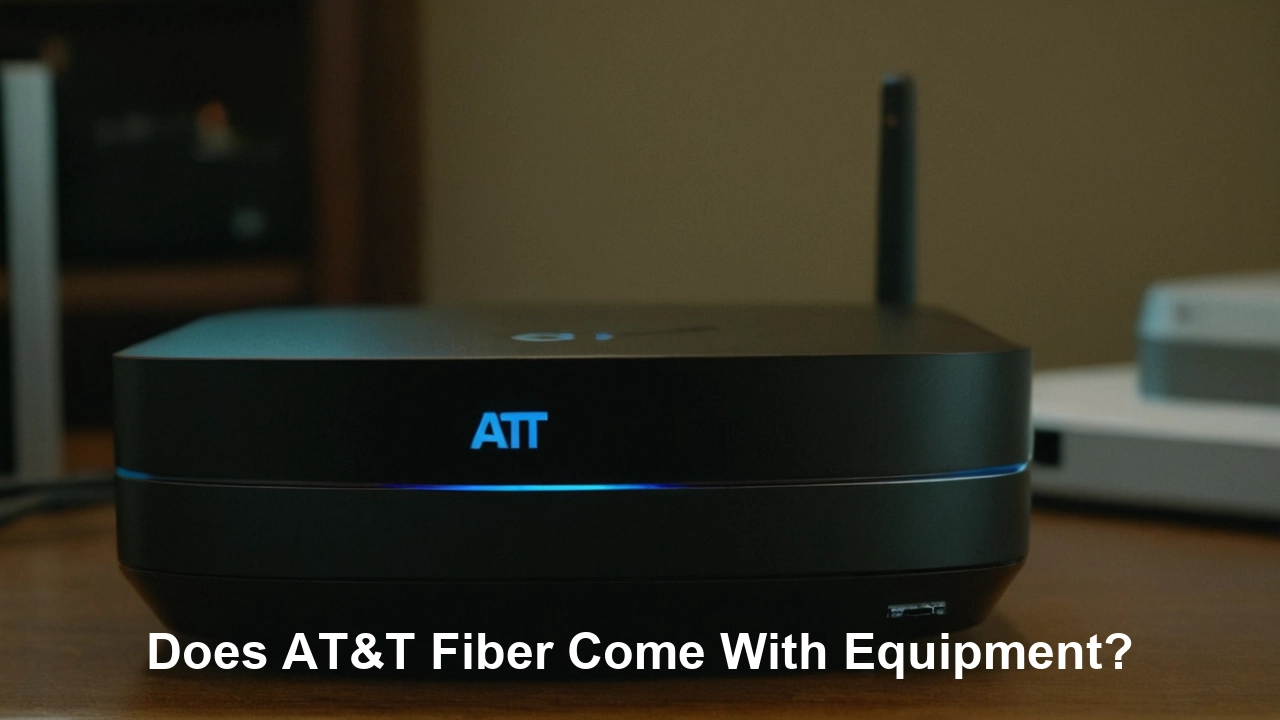
Understanding what equipment AT&T Fiber provides is crucial for a smooth internet setup. This guide comprehensively details the AT&T Fiber equipment, its function, and what you can expect to receive, ensuring you're fully prepared for your new high-speed connection.
Understanding AT&T Fiber Equipment
When you sign up for AT&T Fiber internet service, one of the most common questions that arises is about the equipment provided. This isn't just a minor detail; the right equipment is the backbone of your internet experience, influencing speed, reliability, and overall performance. AT&T, like most major internet service providers (ISPs), supplies customers with a device that acts as the central hub for their home network. This device is designed to translate the fiber optic signal into a usable internet connection for your various devices, from laptops and smartphones to smart TVs and gaming consoles. Understanding what this equipment is, how it works, and what features it offers is paramount to maximizing your AT&T Fiber service. This comprehensive guide aims to demystify the AT&T Fiber equipment landscape, ensuring you have all the information needed to make informed decisions and enjoy a seamless, high-speed internet experience. We will delve into the specifics of what AT&T provides, explain the functionality of their gateways, discuss whether a separate modem is necessary, and explore the options for using your own equipment. By the end of this article, you'll be well-equipped (pun intended) to navigate the technical aspects of your AT&T Fiber connection.
What Equipment Does AT&T Fiber Include?
AT&T Fiber typically includes a single, integrated device that serves as both a modem and a router. This all-in-one unit is commonly referred to as the AT&T Fiber Gateway. The purpose of this gateway is to establish the connection to AT&T's fiber optic network and then distribute that internet signal wirelessly (via Wi-Fi) and through wired Ethernet connections to your home devices. Unlike older DSL or cable internet services that often required separate modem and router units, modern fiber optic installations generally consolidate these functions into a single, advanced piece of hardware. This simplifies the setup process for the customer and is designed to handle the high speeds that fiber optic technology is capable of delivering. The specific model of the AT&T Fiber Gateway you receive may vary depending on your location, the service plan you choose, and the availability of hardware at the time of installation. However, the core functionality remains consistent across all models: to provide a robust and reliable internet connection.
The AT&T Fiber Gateway is more than just a conduit for internet data. It's a sophisticated piece of technology engineered to manage your home network efficiently. It handles the conversion of light signals from the fiber optic cable into electrical signals that your devices can understand, and vice versa. Furthermore, it creates and manages your Wi-Fi network, allowing multiple devices to connect simultaneously without significant performance degradation. For those who prefer a wired connection, the gateway also typically features multiple Ethernet ports, offering a stable and high-speed link for devices like desktop computers, gaming consoles, or smart TVs.
When an AT&T technician installs your fiber service, they will connect the fiber optic cable directly to this gateway. The technician will then guide you through the initial setup, including connecting your devices and establishing your Wi-Fi network name (SSID) and password. This hands-on approach ensures that the equipment is correctly installed and functioning optimally before the technician leaves, minimizing potential issues for the customer. The focus on an integrated gateway streamlines the installation and management of your home network, making it easier for users to enjoy the benefits of high-speed fiber internet.
The Role of the Gateway in Fiber Internet
The AT&T Fiber Gateway plays a pivotal role in the entire fiber internet ecosystem. It's the critical interface between AT&T's advanced fiber optic network and your personal devices. Without this device, the light signals traveling through the fiber optic cable would be unusable by your computers, smartphones, or other internet-connected gadgets. The gateway's primary functions are:
- Signal Conversion: It converts the optical signals from the fiber line into electrical signals that your networking equipment and devices can process.
- Network Creation: It establishes and manages your home's Wi-Fi network, broadcasting a signal that allows wireless devices to connect to the internet.
- Routing: It acts as a router, directing internet traffic between your devices and the wider internet.
- Security: It often includes built-in security features, such as a firewall, to protect your home network from external threats.
- Connectivity: It provides both wireless (Wi-Fi) and wired (Ethernet) connectivity options for your devices.
The efficiency and performance of your AT&T Fiber service are directly tied to the capabilities of the gateway. Newer gateway models are designed to support higher bandwidths and advanced Wi-Fi standards, ensuring that you can fully leverage the speeds offered by your fiber plan. For instance, if you subscribe to a multi-gigabit AT&T Fiber plan, the gateway must be capable of handling those speeds to avoid becoming a bottleneck. AT&T continuously updates its gateway technology to keep pace with the evolving demands of internet usage, ensuring that their customers receive a modern and capable home network solution.
Why a Single Device for Fiber?
The shift towards integrated gateways for fiber internet is a direct result of technological advancements and the inherent nature of fiber optics. Unlike older technologies like DSL (which used phone lines) or cable (which used coaxial cables), fiber optic cables transmit data as pulses of light. This requires specialized equipment to convert these light signals into usable data. Fiber optic networks are also designed for much higher speeds and lower latency, necessitating hardware that can keep up. By combining the modem and router functions into a single unit, ISPs can:
- Simplify Installation: Fewer devices mean a simpler setup process for both technicians and customers.
- Optimize Performance: A single, integrated device can be specifically engineered to work seamlessly with the fiber optic technology, minimizing potential compatibility issues and performance bottlenecks.
- Reduce Costs: Consolidating hardware can lead to cost savings for both the ISP and, potentially, the consumer.
- Enhance User Experience: A single point of management for the home network makes it easier for users to set up and maintain their internet connection.
This integrated approach is a hallmark of modern broadband deployment, and AT&T Fiber embraces this strategy to deliver a superior internet experience.
AT&T Fiber Gateway Models and Features
AT&T has deployed several generations of gateways for its fiber optic service, with each iteration bringing improvements in speed, Wi-Fi capabilities, and overall performance. While the exact model you receive can depend on your service location and availability, the most common gateways provided for AT&T Fiber are the AT&T Smart Home Manager compatible devices. These gateways are designed to support the high speeds offered by AT&T's fiber plans, including their multi-gigabit offerings.
Key features generally found in AT&T Fiber Gateways include:
- High-Speed Wi-Fi: Support for the latest Wi-Fi standards, such as Wi-Fi 5 (802.11ac) or Wi-Fi 6 (802.11ax), enabling faster wireless speeds and better performance for multiple connected devices.
- Gigabit Ethernet Ports: Multiple Ethernet ports (typically Gigabit Ethernet) for stable, high-speed wired connections to devices like gaming consoles, smart TVs, and desktop computers.
- Dual-Band Wi-Fi: Support for both 2.4 GHz and 5 GHz Wi-Fi bands, allowing for a balance between range (2.4 GHz) and speed (5 GHz).
- Smart Home Manager Integration: Compatibility with AT&T's Smart Home Manager app, which provides users with tools to manage their Wi-Fi network, view connected devices, set up guest networks, and troubleshoot issues.
- Advanced Security Features: Built-in firewall and security protocols to protect the home network.
- Beamforming Technology: Directs Wi-Fi signals towards connected devices, improving signal strength and stability.
- MU-MIMO (Multi-User, Multiple Input, Multiple Output): Allows the gateway to communicate with multiple devices simultaneously, improving Wi-Fi efficiency.
As of 2025-2026, AT&T is increasingly deploying gateways that support Wi-Fi 6, which is crucial for households with a large number of connected devices and for those subscribing to multi-gigabit internet plans. Wi-Fi 6 offers significant improvements in speed, capacity, and efficiency compared to older standards, making it better equipped to handle the demands of modern smart homes.
Example: The Pace 5268AC (Older Model, but still relevant for context)
While newer models are more prevalent, understanding older ones can provide context. The Pace 5268AC was a common gateway for AT&T Fiber. It supported Wi-Fi 5 (802.11ac) and offered dual-band connectivity. It also included Ethernet ports for wired connections. While capable for many users, it might not fully support the highest multi-gigabit speeds or the advanced features of the latest Wi-Fi standards.
Example: The Arris BGW320-500 (Current Generation)
The Arris BGW320-500 is a more recent and widely deployed gateway for AT&T Fiber. It is known for its robust performance and support for higher speeds. Key features often include:
- Wi-Fi 6 (802.11ax) Support: Significantly improved wireless performance, capacity, and efficiency.
- 2.5 Gbps Ethernet Port: A dedicated port capable of delivering speeds beyond 1 Gbps, essential for ultra-high-speed fiber plans.
- Integrated ONT (Optical Network Terminal): In some configurations, the gateway may have an integrated ONT, further simplifying the installation.
- Advanced Wi-Fi Features: Enhanced beamforming and MU-MIMO capabilities for better wireless coverage and device handling.
The specific features and capabilities can vary, and AT&T may continue to update its gateway offerings. It's always best to check with your AT&T representative or the installation technician for the most up-to-date information on the gateway model you will receive.
Understanding Wi-Fi Standards
The Wi-Fi standard on your AT&T Fiber Gateway significantly impacts your wireless internet experience. As of 2025-2026, the most relevant standards are:
- Wi-Fi 5 (802.11ac): The previous generation, still widely used. Offers good speeds and dual-band support, suitable for many households.
- Wi-Fi 6 (802.11ax): The current standard. Offers higher speeds, better efficiency in crowded networks (many devices), improved battery life for connected devices, and lower latency. This is crucial for multi-gigabit plans and smart homes.
- Wi-Fi 6E: An extension of Wi-Fi 6 that adds support for the 6 GHz band, offering even more bandwidth and less interference. While not universally deployed on AT&T gateways yet, it represents the next step in wireless technology.
If your AT&T Fiber plan offers speeds of 1 Gbps or higher, a gateway supporting Wi-Fi 6 is highly recommended to ensure you can achieve those speeds wirelessly.
Does AT&T Fiber Come With a Modem?
This is a common point of confusion, especially for those transitioning from older internet technologies. For AT&T Fiber, the answer is generally no, it does not come with a separate, traditional modem in the way that cable or DSL services do. Instead, as discussed, AT&T Fiber provides an integrated device called a Fiber Gateway. This gateway performs the function of a modem (converting the fiber optic signal) and a router (distributing the internet signal via Wi-Fi and Ethernet) all in one unit.
The term "modem" traditionally refers to a device that modulates and demodulates signals, converting digital data from your computer into analog signals for transmission over phone lines (DSL) or converting analog signals from cable lines back into digital data. Fiber optic technology operates differently, using light pulses. The device that interfaces with the fiber optic cable and translates these light pulses into a format usable by your network is part of the gateway unit. Therefore, you won't receive a separate box labeled "modem" alongside your AT&T Fiber installation.
The AT&T Fiber Gateway is the sole piece of equipment provided by AT&T that connects directly to the fiber optic line entering your home. It is designed to be the central hub of your home network, ensuring that the high-speed internet delivered via fiber is efficiently managed and distributed to all your connected devices. This integrated approach simplifies the setup and management of your internet service, providing a seamless experience.
Key takeaway: You receive an AT&T Fiber Gateway, which includes modem functionality, rather than a standalone modem.
Understanding the ONT
While you don't get a separate modem, the AT&T Fiber Gateway often incorporates or works in conjunction with an Optical Network Terminal (ONT). The ONT is the device that actually terminates the fiber optic cable and converts the light signals into electrical signals. In some AT&T Fiber installations, the ONT might be a separate small box installed near where the fiber enters your home, and the Fiber Gateway connects to this ONT via an Ethernet cable. In other, more streamlined installations, the ONT functionality might be integrated directly into the AT&T Fiber Gateway itself. Regardless of whether it's a separate unit or integrated, the ONT is the critical component that bridges the fiber optic network to your home's internal network.
The technician installing your AT&T Fiber service will ensure the ONT is properly connected and activated, and then they will connect your AT&T Fiber Gateway to it (if separate) or configure the integrated gateway to communicate with the fiber line. This setup is essential for establishing your internet connection.
Understanding the Difference: Modem vs. Router vs. Gateway
To fully grasp what AT&T Fiber provides, it's helpful to clarify the distinct roles of modems, routers, and gateways:
Modem:
- Function: Connects your home network to your Internet Service Provider's (ISP) network. It translates signals from your ISP's infrastructure (e.g., cable, DSL) into a format that your router or computer can understand, and vice versa.
- Analogy: Think of it as a translator that speaks the language of your ISP and the language of your home network.
- Fiber Context: For fiber, the equivalent function is handled by the Optical Network Terminal (ONT), which converts light signals. This function is integrated into the AT&T Fiber Gateway.
Router:
- Function: Creates and manages your local network (LAN). It directs internet traffic between your connected devices and the modem (or gateway). It also provides Wi-Fi connectivity, allowing devices to connect wirelessly.
- Analogy: It's like the traffic director for your home network, ensuring data packets go to the right devices and managing the flow of information.
- Fiber Context: The AT&T Fiber Gateway includes robust routing capabilities, managing your Wi-Fi network and wired connections.
Gateway:
- Function: An all-in-one device that combines the functionalities of both a modem and a router. It connects directly to the ISP's line and provides Wi-Fi and Ethernet connectivity for your devices.
- Analogy: It's a single device that acts as both the translator and the traffic director for your home network.
- Fiber Context: This is precisely what AT&T Fiber provides. The AT&T Fiber Gateway integrates the ONT (modem function for fiber) and the router into a single unit.
Comparison Table:
| Feature | Modem (Traditional) | Router | Gateway (AT&T Fiber) |
|---|---|---|---|
| Connects to ISP Network | Yes (DSL, Cable) | No (Connects to Modem/Gateway) | Yes (Fiber) |
| Creates Home Network (LAN) | No | Yes | Yes |
| Provides Wi-Fi | Sometimes (Modem/Router combo) | Yes | Yes |
| Fiber Signal Translation | No | No | Yes (via integrated ONT) |
| Typical for AT&T Fiber | No | No (functionality integrated) | Yes |
Understanding these distinctions helps clarify why AT&T Fiber doesn't provide a separate modem. The gateway is designed to be the complete solution for your home network connection.
Equipment Installation and Setup
The installation and setup of your AT&T Fiber equipment are handled by a certified AT&T technician. This ensures that the connection is established correctly and that your gateway is configured for optimal performance. The process typically involves several key steps:
Scheduling the Installation
Once you've signed up for AT&T Fiber service, you'll work with AT&T to schedule an installation appointment. Installation windows are usually provided, and you'll need to be present at your home during this time. The technician will need access to the location where the fiber optic cable will enter your home and where you'd like the gateway to be placed.
The Technician's Role
On the day of your appointment, the AT&T technician will:
- Install the Fiber Line: If fiber is not already present at your home, the technician will run a fiber optic cable from the street or utility pole to your house. This may involve drilling small holes to bring the cable inside.
- Install the ONT (if separate): The technician will install the Optical Network Terminal (ONT) where the fiber line enters your home. This device is crucial for converting the light signals from the fiber optic cable.
- Connect the Gateway: The technician will connect the AT&T Fiber Gateway to the ONT (if separate) or directly to the fiber line (if integrated).
- Power Up and Test: The gateway will be powered on, and the technician will verify that it's receiving a signal from AT&T's network and is online.
- Configure Wi-Fi: The technician will help you set up your Wi-Fi network name (SSID) and password. They can also assist with connecting your primary devices.
- Demonstrate Features: They will often demonstrate how to use the AT&T Smart Home Manager app to manage your network and troubleshoot basic issues.
Customer Responsibilities
While the technician handles the technical setup, there are a few things you can do to prepare:
- Choose a Location: Decide where you want your gateway to be placed. Ideally, it should be in a central location in your home for optimal Wi-Fi coverage. Avoid placing it in enclosed cabinets or near large metal objects that can interfere with the signal.
- Clear the Area: Ensure the chosen location is accessible and free of clutter.
- Have Devices Ready: If you want the technician to help connect specific devices, have them powered on and ready.
- Note Your Network Name and Password: The technician will help you create these, but it's good to have an idea of what you might want them to be.
Post-Installation Setup
After the technician leaves, you can connect additional devices to your network. You can use Wi-Fi or the Ethernet ports on the gateway. For wired connections, simply plug an Ethernet cable from your device into one of the available ports on the gateway. For wireless connections, find your Wi-Fi network name (SSID) on your device's network settings and enter the password.
The AT&T Smart Home Manager app is an invaluable tool for managing your network post-installation. It allows you to:
- View all connected devices.
- Perform speed tests.
- Pause or resume internet access for specific devices.
- Set up guest networks.
- Change your Wi-Fi password.
- Access troubleshooting guides.
Utilizing this app empowers you to take control of your home network and ensure it's running smoothly.
Can I Use My Own Equipment with AT&T Fiber?
This is a question many consumers ask, especially those who have invested in high-end routers or prefer specific brands. For AT&T Fiber, the ability to use your own equipment is generally limited, particularly for the primary connection to the fiber network.
The Direct Connection:
AT&T requires its customers to use the AT&T Fiber Gateway for the initial connection to their fiber optic network. This is because the gateway, along with the integrated or separate ONT, is specifically provisioned and managed by AT&T to communicate with their network infrastructure. This is crucial for security, network management, and ensuring the service functions correctly at the highest speeds. You cannot simply plug your own modem or router into the fiber optic line; it requires the AT&T-provided gateway.
Using Your Own Router Behind the AT&T Gateway:
However, you can often use your own router in conjunction with the AT&T Fiber Gateway. This is typically achieved by putting the AT&T Gateway into "IP Passthrough" mode or "Bridge Mode" (the terminology can vary). In this configuration:
- AT&T Gateway's Role: The AT&T Fiber Gateway still handles the connection to the AT&T network and the ONT function.
- Your Router's Role: Your own router then connects to one of the Ethernet ports on the AT&T Gateway. Your router will be assigned the public IP address from AT&T, and it will manage your entire home network, including Wi-Fi and all connected devices.
Benefits of this setup:
- Advanced Features: You can leverage the advanced features of your own high-performance router, such as more sophisticated QoS (Quality of Service) settings, VPN support, or advanced firewall options.
- Better Wi-Fi Coverage: If you have a mesh Wi-Fi system or a powerful router, you can use it to extend your Wi-Fi coverage or improve its performance.
- Familiar Interface: You can continue using the interface and settings of a router you are already familiar with.
Considerations for IP Passthrough/Bridge Mode:
- Technical Knowledge Required: Setting up IP Passthrough usually requires some technical understanding and access to the AT&T Gateway's administrative interface.
- Potential Support Issues: If you encounter network issues, AT&T support may be limited in assisting you when you are using your own router behind their gateway. They will typically troubleshoot up to the gateway itself.
- Double NAT: In some configurations, if not set up correctly, you might end up with "Double NAT" (Network Address Translation), which can cause problems for certain applications, especially online gaming or peer-to-peer connections.
- Performance Limitations: Ensure your own router is capable of handling the speeds provided by your AT&T Fiber plan. If your router only supports older Wi-Fi standards or has slower Ethernet ports, it could become a bottleneck. For multi-gigabit plans, you'll need a router with at least 2.5 Gbps WAN/LAN ports.
How to set it up:
The exact steps to enable IP Passthrough can vary slightly between AT&T Gateway models. Generally, you would:
- Log in to the AT&T Gateway's administrative interface (usually via a web browser using an IP address like 192.168.1.254).
- Navigate to the firewall or advanced settings section.
- Look for an option like "IP Passthrough," "DMZplus," or "Bridge Mode."
- Configure it to pass the public IP address to your own router's WAN port.
- Connect your router's WAN port to a specific LAN port on the AT&T Gateway (the gateway interface will usually specify which one).
- Configure your router to obtain an IP address automatically (DHCP).
It's advisable to consult AT&T's support documentation or contact their customer service for the most accurate instructions for your specific gateway model.
Troubleshooting Common Equipment Issues
Even with advanced technology, occasional issues can arise with your AT&T Fiber Gateway. Here are some common problems and troubleshooting steps:
No Internet Connection
- Check Lights: Examine the LEDs on the front of your AT&T Fiber Gateway. Solid green lights typically indicate a healthy connection. Red or blinking lights usually signify a problem. Consult your gateway's manual or AT&T's support site for specific light meanings.
- Restart the Gateway: The most common fix for many issues is a simple power cycle. Unplug the power cord from the gateway, wait for 30-60 seconds, and then plug it back in. Allow several minutes for it to fully reboot and re-establish the connection.
- Check Cables: Ensure all cables are securely connected. This includes the power cord, the fiber optic cable (or Ethernet cable from the ONT), and any Ethernet cables connecting to other devices.
- Verify ONT Status (if separate): If you have a separate ONT, check its status lights as well.
- Test Wired Connection: Connect a computer directly to the gateway using an Ethernet cable. If you get internet access this way, the issue is likely with your Wi-Fi.
Slow Internet Speeds
- Restart Gateway: A power cycle can often resolve temporary performance issues.
- Check Wi-Fi Signal Strength: If you're experiencing slow speeds wirelessly, move closer to the gateway or check for obstructions. Ensure you're connected to the 5 GHz band for faster speeds if available.
- Test with Ethernet: Connect a device directly via Ethernet. If speeds are significantly faster via Ethernet, your Wi-Fi might be the bottleneck. This could be due to interference, distance, or an older Wi-Fi standard on your device.
- Reduce Connected Devices: Too many devices actively using the internet simultaneously can slow down the connection for everyone. Try disconnecting some devices to see if speeds improve.
- Run a Speed Test: Use a reliable speed test tool (like Ookla Speedtest) connected via Ethernet. Compare the results to your subscribed plan speed.
- Check for Interference: Other electronic devices (microwaves, cordless phones, Bluetooth devices) can interfere with Wi-Fi signals.
- Consider Router Placement: Ensure the gateway is in a central, open location, away from potential sources of interference.
Wi-Fi Connectivity Issues
- Restart Gateway: As always, a reboot can help.
- Check Wi-Fi Password: Ensure you are using the correct Wi-Fi password.
- Forget and Reconnect: On your device, "forget" the Wi-Fi network and then try reconnecting.
- Update Device Drivers: Ensure your device's Wi-Fi drivers are up to date.
- Check for Firmware Updates: While AT&T typically manages gateway firmware updates automatically, you can check the Smart Home Manager app for any available manual updates or notifications.
- Too Many Devices: Older gateways or those with older Wi-Fi standards may struggle with a very large number of connected devices.
Gateway Overheating
Gateways generate heat, but excessive heat can cause performance issues or failure. Ensure the gateway is placed in a well-ventilated area, not inside a closed cabinet or covered by other objects. If it feels excessively hot to the touch, contact AT&T support.
Contacting AT&T Support
If you've tried these steps and are still experiencing issues, it's time to contact AT&T customer support. They can remotely diagnose your gateway, check the status of their network, and schedule a technician visit if necessary. Be prepared to provide them with information about the lights on your gateway and the troubleshooting steps you've already taken.
Equipment Fees and Rentals
Understanding the cost associated with your AT&T Fiber equipment is essential for budgeting. Historically, many ISPs charged a monthly rental fee for modems and routers. However, with the advent of fiber and integrated gateways, AT&T's approach has evolved.
Current AT&T Fiber Equipment Policy (as of 2025-2026):
For AT&T Fiber service, the AT&T Fiber Gateway is typically provided to customers as part of the service subscription, and there is often no separate monthly rental fee for the gateway itself. This is a significant advantage compared to older technologies where separate modem rental fees were common. The cost of the gateway is generally included in the overall price of your AT&T Fiber internet plan.
What this means for you:
- Included Service: You receive the necessary gateway to connect to AT&T's fiber network as part of your internet package.
- No Additional Monthly Charge: You typically do not pay an extra monthly fee for the AT&T Fiber Gateway.
- Ownership vs. Lease: You do not own the equipment; it remains the property of AT&T.
Potential Exceptions and Considerations:
- Installation Fees: While the gateway itself might not have a monthly fee, there could be an installation fee associated with setting up your AT&T Fiber service. This fee can vary and is sometimes waived as a promotional offer.
- Damage or Loss: If the AT&T Fiber Gateway is damaged, lost, or not returned when you disconnect service, you will likely be charged an equipment replacement fee. These fees can be substantial, so it's important to take care of the provided equipment. The cost for unreturned or damaged equipment can range from $100 to $300 or more, depending on the model.
- Promotional Offers: Occasionally, AT&T might offer promotions that include waived installation fees or other benefits related to equipment. It's always worth checking for current deals when signing up.
- Third-Party Equipment: If you choose to use your own router in IP Passthrough mode, you will still be using the AT&T Fiber Gateway for the primary connection, and its inclusion is part of your service package. You will, of course, be responsible for the purchase and maintenance of your own router.
Recommendation:
Always confirm the specific equipment charges and policies with AT&T at the time of signing up for service. The terms and conditions can vary by region and may change over time. However, the prevailing model for AT&T Fiber is that the gateway is included without a separate monthly rental fee.
Future-Proofing Your AT&T Fiber Setup
As internet technology continues to evolve at a rapid pace, it's wise to consider how to future-proof your AT&T Fiber setup. This involves making choices that will ensure your home network can handle increasing speeds, more connected devices, and emerging technologies.
Choosing the Right Speed Tier
When you initially sign up for AT&T Fiber, consider selecting a speed tier that not only meets your current needs but also anticipates future demands. With the proliferation of 4K streaming, online gaming, cloud computing, and the increasing number of smart home devices, internet usage is only going to grow. If possible, opt for a speed tier that offers some headroom beyond your immediate requirements. For example, if 300 Mbps is sufficient now, but you anticipate more heavy usage in the next 2-3 years, consider the 500 Mbps or even 1 Gbps plan.
Gateway Capabilities and Wi-Fi Standards
As discussed, the AT&T Fiber Gateway you receive plays a crucial role. If AT&T offers a gateway with Wi-Fi 6 (802.11ax) or newer standards, it's generally a good idea to ensure you receive that model. Wi-Fi 6 is significantly better at handling multiple devices simultaneously and offers higher potential speeds than older standards like Wi-Fi 5. If you plan to use your own router, ensure it also supports Wi-Fi 6 or a more recent standard and has ports capable of handling your subscribed speeds (e.g., 2.5 Gbps or higher WAN ports for multi-gigabit plans).
Wired Connections Where Possible
While Wi-Fi is convenient, wired Ethernet connections still offer the most stable and fastest performance. For critical devices like desktop computers, gaming consoles, smart TVs, and streaming boxes, consider running Ethernet cables directly from your gateway or router. This offloads traffic from your Wi-Fi network, improving performance for all devices. Planning for future needs might involve running additional Ethernet cables to rooms that might house future devices.
Considering Mesh Wi-Fi Systems
If you have a larger home or areas with weak Wi-Fi signals, a mesh Wi-Fi system can be an excellent investment. While the AT&T Fiber Gateway provides Wi-Fi, a dedicated mesh system can offer more consistent coverage throughout your entire home. You can often connect a mesh system's primary node to the AT&T Gateway (either directly or via IP Passthrough) and then use the mesh system to blanket your home with a strong Wi-Fi signal. This is a key step in future-proofing your wireless experience.
Network Security Best Practices
As your network grows and more devices connect, security becomes increasingly important. Regularly update your Wi-Fi password, use strong, unique passwords, and enable WPA3 encryption if your gateway and devices support it. Utilize the guest network feature on your gateway for visitors to keep your main network more secure. Regularly review connected devices in your AT&T Smart Home Manager app to ensure no unauthorized devices are accessing your network.
Planning for Emerging Technologies
Technologies like the Internet of Things (IoT) continue to expand, with more devices connecting to the internet. Future-proofing means ensuring your network has the capacity and speed to support these devices without impacting the performance of your primary devices. High-speed fiber internet is inherently well-suited for this, but ensuring your gateway and Wi-Fi infrastructure are up-to-date will maximize your readiness.
By taking these steps, you can ensure that your AT&T Fiber connection remains a robust and reliable foundation for your digital life for years to come.
Conclusion: Your AT&T Fiber Equipment Explained
In summary, when you sign up for AT&T Fiber, you are provided with an integrated device known as the AT&T Fiber Gateway. This all-in-one unit serves the critical functions of both a modem (via its integrated Optical Network Terminal or ONT) and a router, eliminating the need for separate devices. The gateway is engineered to translate the light signals from AT&T's fiber optic network into usable data for your home and to create and manage your Wi-Fi network, allowing all your devices to connect seamlessly. While specific models may vary, current gateways often feature Wi-Fi 6 support and multiple Ethernet ports to deliver the high speeds AT&T Fiber is known for. You typically do not incur a separate monthly rental fee for this gateway; its cost is included in your internet plan. While you cannot replace the AT&T Fiber Gateway for the initial fiber connection, you can often configure it to work with your own advanced router by enabling IP Passthrough mode, offering flexibility for tech-savvy users. By understanding your AT&T Fiber equipment, its capabilities, and how to manage it, you are well-positioned to enjoy a fast, reliable, and modern internet experience.






