Can I Just Move my Internet to Another House?

Moving your internet service to a new house is a common concern. This guide provides a comprehensive answer to "Can I just move my internet to another house?" detailing the process, potential challenges, and essential steps for a smooth transition, ensuring you stay connected without disruption.
Understanding Internet Service Transfer
Relocating your home is an exciting chapter, but it often brings a cascade of practical tasks. Among the most critical is ensuring your internet service remains uninterrupted. Many people wonder if they can simply "move" their existing internet connection to a new address, much like transferring a utility account. The reality is more nuanced, involving a series of steps that depend heavily on your internet provider, the type of service you have, and the infrastructure at your new location. This guide aims to demystify the process, providing you with the knowledge to navigate your internet transfer smoothly.
Can You Technically "Move" Your Internet Service?
The short answer is: you don't technically "move" your internet service in the same way you'd pack and relocate a physical object. Instead, you typically initiate a service transfer with your existing provider. This involves:
- Canceling your service at your old address.
- Establishing a new service at your new address.
Key Factors Affecting Your Internet Transfer
Several crucial elements will determine the feasibility and ease of transferring your internet service. Understanding these factors beforehand can save you time, money, and a significant amount of stress during your move.
Provider's Service Area
The most significant factor is whether your current internet service provider (ISP) operates in the geographic area of your new home. ISPs have specific networks and infrastructure laid out in different regions. If your provider doesn't have coverage in your new neighborhood, you won't be able to transfer your service with them. You'll need to research alternative providers available at your new address. As of 2025, major providers like Comcast (Xfinity), Spectrum, AT&T, Verizon, and others have extensive but not universal coverage. Smaller regional providers also play a vital role in specific markets.
Type of Internet Service
The technology your current internet relies on also plays a role. The common types include:
- Fiber Optic: Offers the fastest speeds and most reliable connection but requires specialized fiber optic cables to be run to the home. Availability is growing but still concentrated in urban and suburban areas.
- Cable Internet: Uses the same coaxial cable network as cable TV. It's widely available in many residential areas and offers good speeds.
- DSL (Digital Subscriber Line): Uses existing telephone lines. While it's the most widely available, it generally offers the slowest speeds compared to fiber and cable.
- Satellite Internet: Available almost anywhere with a clear view of the sky, but it's often slower, has higher latency, and can be affected by weather.
- 5G Home Internet: A newer option that uses cellular networks. Availability is expanding rapidly, offering competitive speeds in areas with strong 5G coverage.
If your new home is in an area where your current provider only offers a different technology (e.g., you have fiber but they only offer DSL at the new address), you might be able to transfer but at a different speed tier or with different equipment.
New Home Infrastructure
Even if your provider services the area, the specific infrastructure at your new home matters. For example, if you have fiber internet, the building must be equipped to receive a fiber optic connection. Similarly, older homes might have outdated wiring that could affect the performance of cable or DSL. Your ISP will typically send a technician to assess the situation and ensure the necessary connections are in place or can be installed.
Contractual Obligations
Check your current internet contract. Many plans come with a commitment period (e.g., 12 or 24 months). If you are still within this period, moving your service might be possible without penalty. However, if you cancel your service entirely and sign up for a new one (even with the same provider), you might incur early termination fees (ETFs). It's crucial to clarify this with your provider when you initiate the transfer process. As of 2025, many providers are offering more flexible month-to-month plans, but older contracts may still apply.
The Process: How to Move Your Internet
Moving your internet service doesn't have to be a daunting task. By following a structured approach, you can ensure a smooth transition. Here’s a step-by-step guide:
Step 1: Contact Your Provider
The first and most important step is to contact your current internet service provider. Do this as soon as you have a confirmed moving date and your new address. Early communication is key to avoiding service gaps. You can usually do this via phone, through your online account portal, or sometimes in person at a retail store. Inform them that you are moving and wish to transfer your service.
Step 2: Gather Essential Information
Before you call, have the following information ready:
- Your account number.
- Your current service address.
- Your new service address.
- Your confirmed moving date.
- The date you will vacate your old address.
- The date you will occupy your new address.
Your provider will use this information to check service availability at the new location and to schedule the transfer of service.
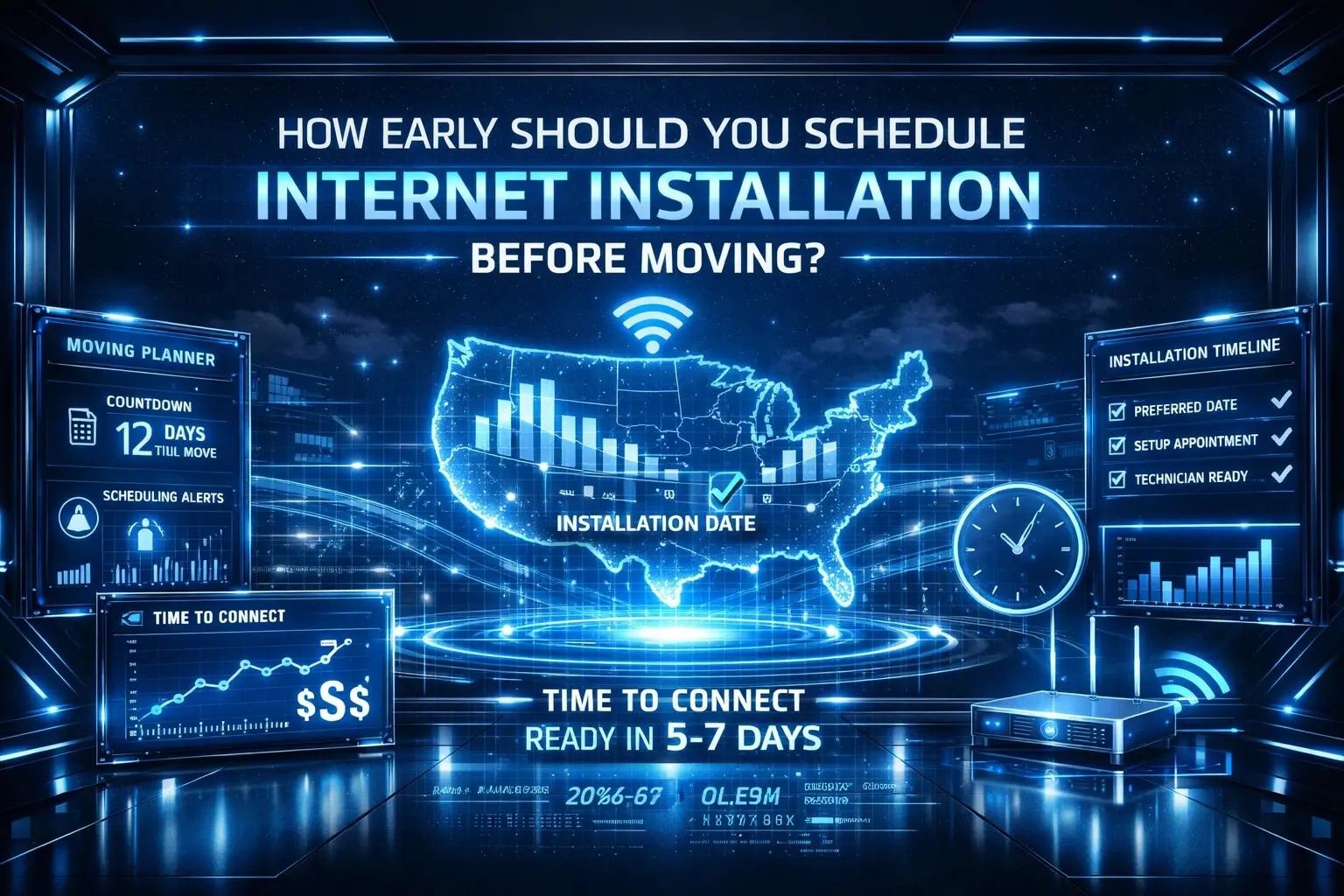
Step 3: Schedule Installation at the New Address
Based on service availability and your moving timeline, your provider will schedule an installation appointment for your new home. This appointment is crucial. It ensures that the necessary equipment is set up and connected correctly at the new location.
- Timing is Key: Try to schedule the installation for your new home for the day you move in or the day after. This minimizes the time you'll be without internet.
- Technician Visit: For some services, especially fiber or if new lines need to be run, a technician visit will be required. Ensure someone is present at the new home during the scheduled appointment window.
- Self-Installation Kits: For simpler transfers, particularly with cable or DSL where the lines are already present, you might be offered a self-installation kit. This can save time and sometimes money.
Step 4: Disconnect Service at the Old Address
You'll need to decide when to disconnect your service at your old address.
- Option A: Keep service active until you move out. This ensures you have internet until the last day. You'll then schedule the new service to start at the new address on or around your move-in date.
- Option B: Disconnect service on your move-out day. If you have alternative internet access (e.g., mobile hotspot) or don't need internet at the old place after you leave, you can schedule disconnection for your final day there.
Step 5: Activation and Testing at the New Address
Once the installation is complete at your new home, it's time to activate and test your service.
- Follow Instructions: If you received a self-installation kit, follow the provided instructions carefully. If a technician installed the service, they will usually confirm it's working before leaving.
- Test Speeds: Connect a device (preferably via Ethernet cable for the most accurate results) and run a speed test. Compare the results to the plan you signed up for. Websites like Speedtest.net are useful for this.
- Check Wi-Fi: Ensure your Wi-Fi network is broadcasting correctly and that all your devices can connect.
- Troubleshooting: If you encounter any issues, contact your provider's technical support immediately.
Potential Challenges and Solutions
While the process is often straightforward, moving internet service can present challenges. Being prepared for these can help you overcome them efficiently.
Challenge: Service Not Available at New Address
Problem: Your current ISP does not offer service in your new neighborhood, or the specific type of service you have (e.g., fiber) is not available.
Solution:
- Research Alternatives: Immediately research other ISPs that service your new address. Use online comparison tools to find the best options for speed, price, and technology.
- Consider Different Technologies: If your preferred technology isn't available, explore alternatives like 5G home internet, satellite, or even fixed wireless, depending on your location.
- Check with Neighbors: Ask new neighbors which providers they use and their satisfaction levels.
Challenge: Different Technology Options
Problem: Your provider offers service at the new address, but it's a different technology (e.g., you have cable, they only offer DSL).
Solution:
- Evaluate Performance: Understand the speed and performance differences between your current technology and the available options. A downgrade in speed might require adjusting your internet usage habits or expectations.
- Negotiate Terms: If you're forced to accept a lower-tier service, inquire about any potential adjustments to your pricing or contract terms.
- Consider a New Provider: If the available technology from your current provider is significantly inferior to what you need, it might be worth exploring other providers who offer better options at your new address.
Challenge: Installation Delays
Problem: Your provider cannot offer an installation appointment that aligns with your moving date, or the technician is delayed.
Solution:
- Book Early: As mentioned, book your installation appointment as far in advance as possible.
- Be Flexible: If possible, be flexible with your installation date and time.
- Temporary Solutions: Explore temporary internet solutions like mobile hotspots, public Wi-Fi, or a portable Wi-Fi device for the interim period.
- Escalate: If delays are significant or unreasonable, politely escalate the issue with your provider's customer service management.
Challenge: Equipment Compatibility
Problem: You own your modem/router, and it's not compatible with the new service technology or your provider's network.
Solution:
- Check Compatibility Lists: Most ISPs maintain lists of approved modems and routers. Check if your existing equipment is on the list for the service at your new address.
- Rent or Purchase New Equipment: If your equipment isn't compatible, you'll need to either rent equipment from your ISP or purchase a new, compatible modem/router.
- Understand Rental Fees: Be aware that renting equipment incurs monthly fees, which can add up over time. Purchasing your own equipment often becomes more cost-effective in the long run, provided it's compatible.
Challenge: Early Termination Fees (ETFs)
Problem: You are still within your contract term, and transferring service might incur ETFs if not handled correctly.
Solution:
- Clarify with Provider: When you contact your ISP about moving, specifically ask about their policy on ETFs for service transfers. Many providers waive ETFs if you move your service within their network area.
- Document Everything: Keep records of all communications with your ISP regarding your move and any promises made about waiving fees.
- Negotiate: If you are charged an ETF and believe it's unfair, try to negotiate with the provider, especially if they are a long-standing customer.
- Consider Switching: If the ETFs are substantial and you have better options with another provider at your new address, weigh the cost of the ETF against the long-term savings and benefits of a new plan.
Comparing Internet Options for a New Home (2025-26)
When you move, you have an opportunity to re-evaluate your internet needs. Here's a look at the leading internet technologies available in 2025-26:
Fiber Optic Internet
Pros: Blazing fast symmetrical speeds (download and upload), low latency, highly reliable, not affected by distance from the provider's hub. Ideal for heavy streaming, gaming, large file transfers, and multiple users.
Cons: Availability is still limited, can be more expensive than other options, installation can be more complex.
2025-26 Outlook: Continued expansion, especially in urban and suburban areas. Providers are investing heavily in fiber build-outs.
Cable Internet
Pros: Widely available, offers high download speeds, competitive pricing, good for general household use, streaming, and gaming.
Cons: Upload speeds are typically much slower than download speeds, performance can degrade during peak usage times due to shared bandwidth.
2025-26 Outlook: Remains a dominant technology, with providers continually upgrading their networks to offer higher speeds.
DSL Internet
Pros: Very widely available (uses existing phone lines), generally affordable.
Cons: Speeds are significantly lower than cable or fiber, performance degrades with distance from the local exchange, upload speeds are very slow.
2025-26 Outlook: Declining in favor of newer technologies, but still a viable option in rural or underserved areas where other options are unavailable.
Satellite Internet
Pros: Available virtually anywhere, good for remote locations.
Cons: High latency (making real-time applications like gaming or video conferencing difficult), speeds can be inconsistent, affected by weather, often has data caps.
2025-26 Outlook: New low-Earth orbit (LEO) satellite services (like Starlink) are improving performance and reducing latency, making it a more competitive option in some areas, though still not ideal for everyone.
5G Home Internet
Pros: Growing availability, competitive speeds (often comparable to cable), easy setup (often plug-and-play), can be more affordable than traditional wired services.
Cons: Availability depends heavily on 5G network coverage and signal strength at your specific address, speeds can fluctuate based on network congestion.
2025-26 Outlook: Rapidly expanding, becoming a strong contender against cable and DSL in many markets. Ideal for those seeking a balance of speed, price, and ease of setup.
Here's a simplified comparison table for 2025-26:
| Internet Type | Typical Download Speed | Typical Upload Speed | Availability | Best For |
|---|---|---|---|---|
| Fiber Optic | 100 Mbps - 10 Gbps+ | 100 Mbps - 10 Gbps+ | Urban/Suburban (Expanding) | Heavy users, gamers, remote work, multiple devices |
| Cable | 100 Mbps - 2 Gbps | 10 Mbps - 100 Mbps | Widespread Urban/Suburban | General use, streaming, gaming, families |
| DSL | 10 Mbps - 100 Mbps | 1 Mbps - 10 Mbps | Very Widespread (Rural too) | Basic browsing, email, light streaming |
| Satellite | 25 Mbps - 100 Mbps+ (LEO) | 3 Mbps - 20 Mbps+ (LEO) | Nearly Universal | Remote areas, basic use |
| 5G Home Internet | 100 Mbps - 1 Gbps+ | 10 Mbps - 50 Mbps+ | Areas with strong 5G coverage | Balanced use, good value, easy setup |
Tips for a Seamless Internet Move
To ensure your internet transfer goes off without a hitch, consider these practical tips:
- Start Early: Contact your provider at least 2-4 weeks before your move date.
- Confirm Service Area: Use your provider's online tools or call them to confirm service availability at the new address *before* you commit to the move.
- Read Your Contract: Understand your current contract terms, especially regarding early termination fees and transfer policies.
- Pack Your Equipment Carefully: If you own your modem and router, pack them securely. If you rent, your provider will likely provide new equipment or instruct you on returning old equipment.
- Have a Backup Plan: Prepare for the possibility of a temporary internet outage. A mobile hotspot or a portable Wi-Fi device can be a lifesaver.
- Test Everything: Once service is active at the new location, thoroughly test your connection and Wi-Fi.
- Update Your Address: Remember to update your billing address with your ISP and any other services that might be linked.
- Consider a New Provider: Don't be afraid to explore new providers if your current one doesn't offer competitive service at your new home. Moving is a perfect opportunity to switch to a better plan.
- Check for Promotions: New customers often qualify for introductory offers and discounts. If you're switching providers, research these deals.
Conclusion: Your Internet Move Guide
Successfully moving your internet service to a new house is entirely achievable with proper planning and communication. While you don't physically "move" your internet, initiating a service transfer with your provider is the standard procedure. Key factors like your provider's service area, the type of internet technology, and the infrastructure at your new home will dictate the process. Always begin by contacting your current ISP well in advance of your move date to understand your options, potential fees, and to schedule installation at your new address. Be prepared for challenges like service unavailability or installation delays by researching alternatives and having backup internet solutions. By following the steps outlined in this guide and staying proactive, you can ensure a smooth transition and maintain your vital online connectivity throughout your relocation.